Easy Tech Tuts
How to Use Tradingview Replay for Free Easily 2026
By Impran M NLast checked against official docs
Bar Replay rewinds a TradingView chart and plays it forward one candle at a time, so you can practice entries and exits against real historical price action instead of a live, moving market. Older guides describe it as a free-plan feature.
TradingView's current pricing page no longer lists Bar Replay under the Basic tier at all: it starts at the Essential plan, and placing an actual simulated trade during a replay session needs Premium or above. This guide covers the click path, what each plan tier gets you, and the one habit that quietly ruins the practice value of the whole feature.
Before you start
- A TradingView account on the Essential plan or higher (Bar Replay does not appear on the free Basic plan)
- A standard chart type and symbol: candlestick, bar, or line on a normal instrument. Renko, Heikin Ashi, spread, and tick-based charts aren't supported
01Find the Replay button on your chart
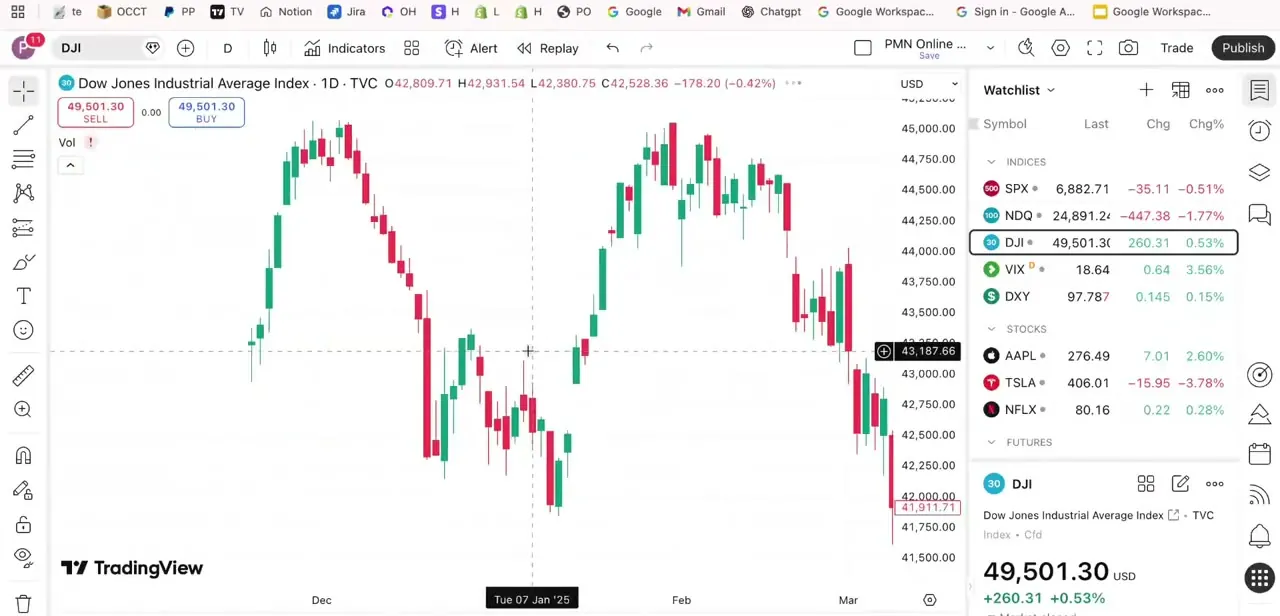
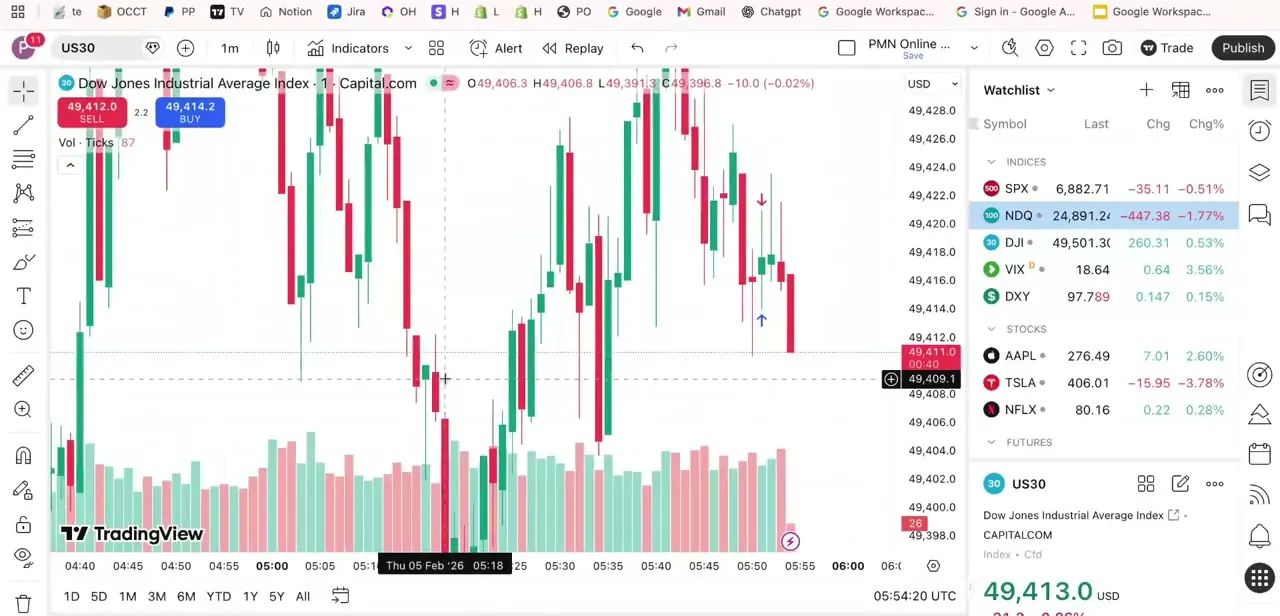
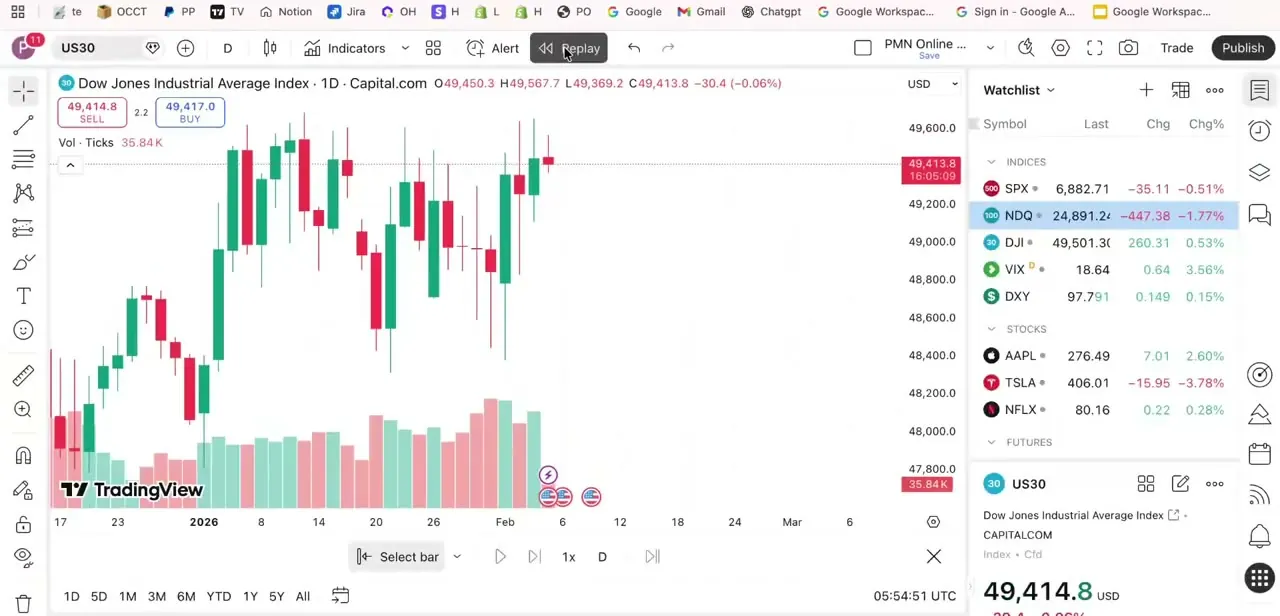
On any chart, the top toolbar carries Indicators, an Alert button, and Replay next to it. This example uses the Dow Jones Industrial Average through Capital.com, with the usual live layout around it: a watchlist on the right, buy and sell price boxes top left, and a volume histogram under the candles.
On a Basic (free) account, this is the point where Bar Replay stops working. TradingView's plan comparison shows Bar Replay starting at the Essential tier, so a free account either won't see the toolbar activate or will be prompted to upgrade.
02Click Replay, choose a starting bar, and set your speed
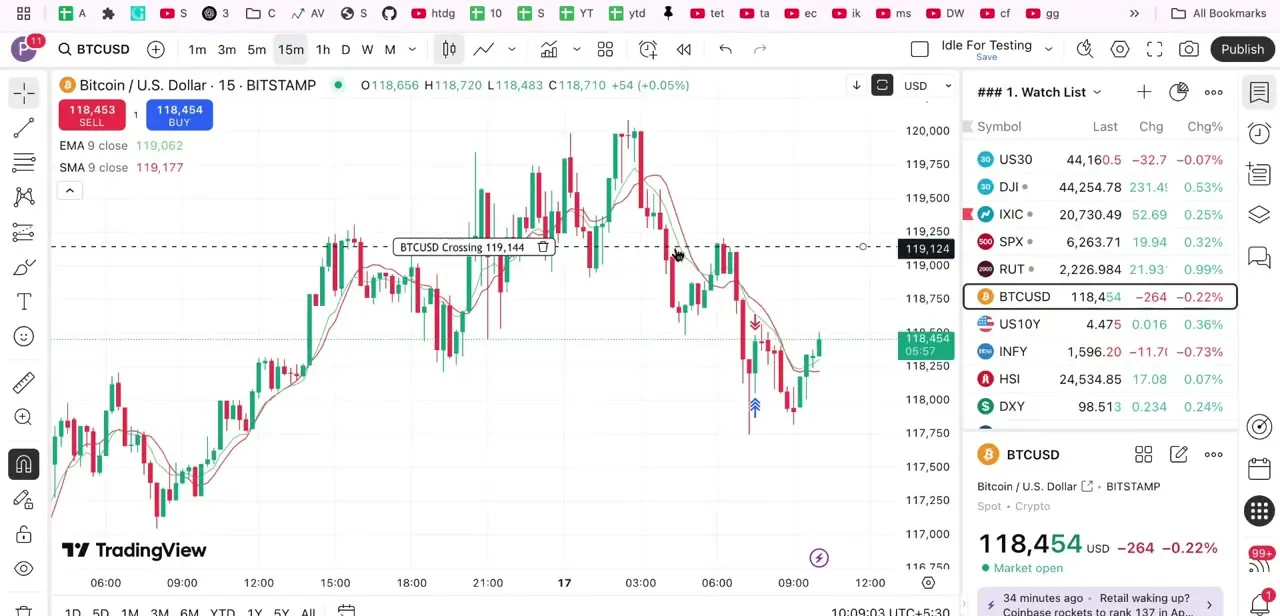
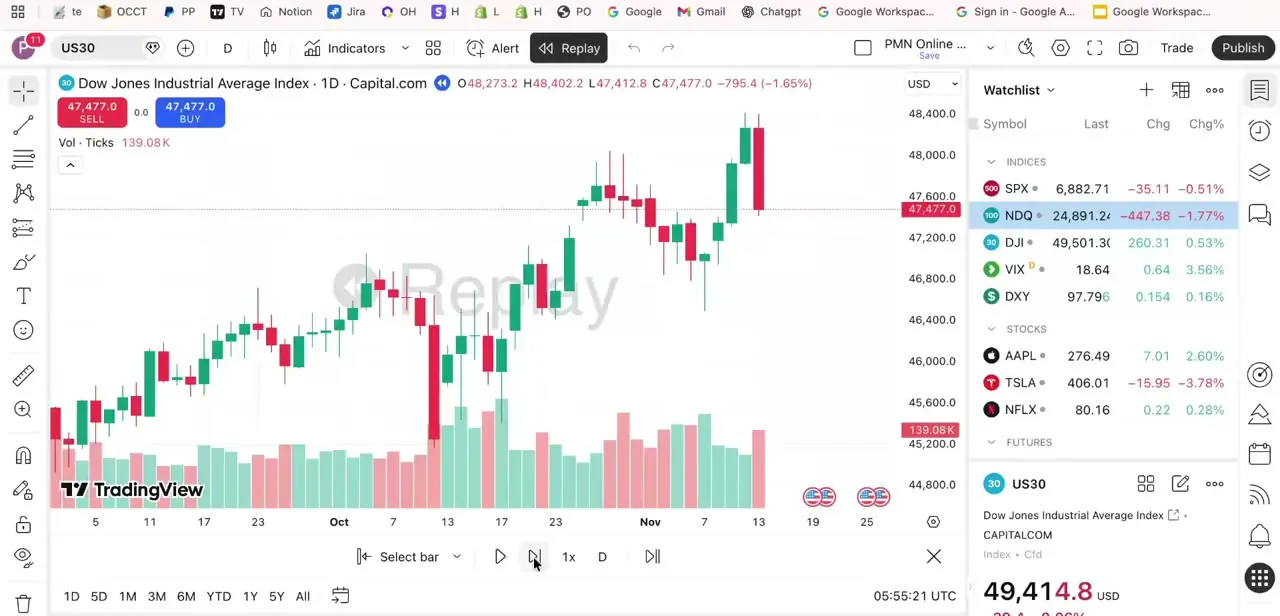
Clicking Replay swaps the toolbar for playback controls: rewind-to-start, play/pause, a speed selector, and skip-to-end. Hover over the chart and a vertical line with a small scissors icon follows your cursor; click the candle where you want playback to begin, and everything after it disappears from view until you step or play forward.
The speed selector starts at 1x. Manual, one-candle stepping suits a first pass through a setup since it forces you to read each bar before moving on; faster playback works better once you're checking how a strategy holds up across a longer stretch of history. Weekly and monthly charts can only replay in one-day increments, whatever speed you pick.
03Step through candles and watch for the Replay watermark
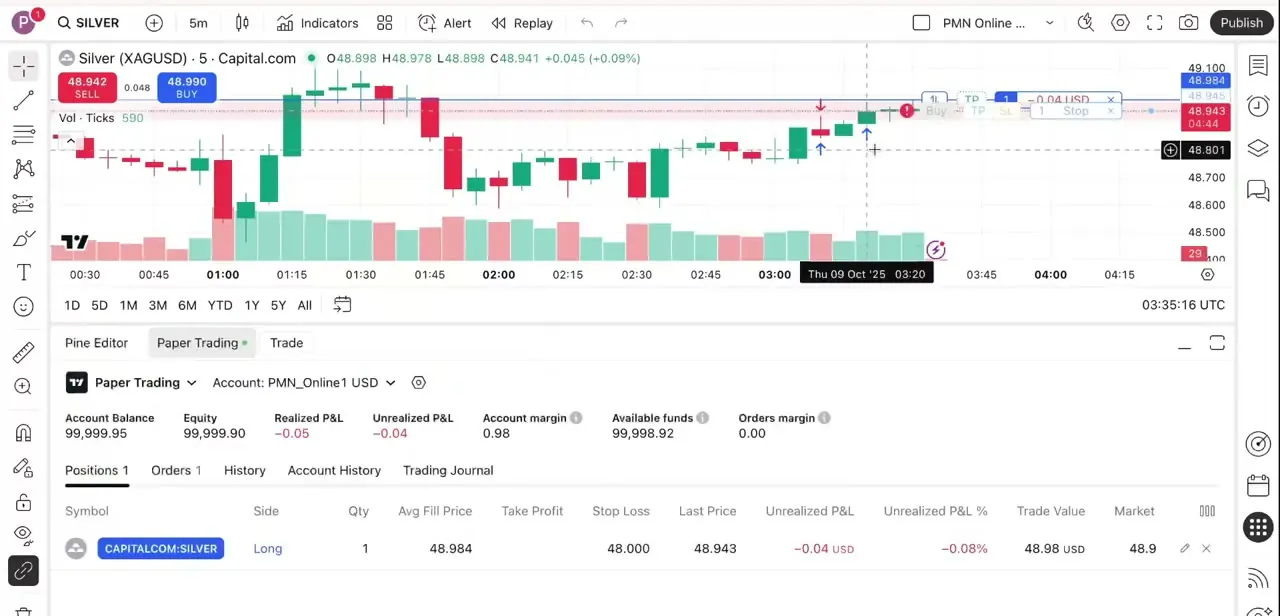
During a session, TradingView stamps a translucent "Replay" watermark across the chart so it's never ambiguous that you're looking at history, not a live feed. Volume and the price scale keep updating normally, and the price boxes track whatever candle you've stepped to, not the real current price.
How far back you can go depends on the plan and the interval. Essential gives roughly six months of 1-minute data (about 30 months at 15-minute), Plus roughly doubles that, and Premium and Professional can replay the full history TradingView stores for the symbol. Daily and longer intervals show complete history on every paid plan.
04Practice entries and exits within what your plan allows
With the chart paused at your chosen bar, mark where you'd enter, where a stop would sit, and a target, then advance and see how price moved against those levels. What counts as "placing" that trade depends on the plan.
Essential and Plus keep replay view-only: you mark levels with drawing tools and judge the outcome yourself. Genuine simulated order execution inside a replay session, tied to TradingView's paper trading panel, is a Premium and Ultimate feature. Either way, the exercise is the same: commit to a decision before you know what happens next, which a live paper-trading chart doesn't force since you can always just wait and watch instead.
05Avoid the most common replay mistake
The easiest way to defeat Bar Replay is scrolling or dragging the chart forward to peek at candles that haven't played yet. It's tempting when a setup looks ambiguous, but doing it regularly trains you to trade with information you won't have live. Treat the edge of the visible candles as a hard wall, the same way real time treats you.
06Journal each session for the practice to stick
A replay session earns its practice value when you write down each simulated trade: entry, stop, target, and reasoning, the same way you'd log a live one, then check afterward whether your read of the setup held up. Skip the log and replay turns into passive chart-watching instead of deliberate practice.
When it doesn't work
Clicking Replay does nothing, or the toolbar never appears
Why: TradingView doesn't support replaying spreads (formula symbols), non-standard chart types (Renko, Kagi, Point & Figure, Range, Line Break, Heikin Ashi, Volume Footprint, Time Price Opportunity), charts converted to a non-default currency, or tick-based charts.
Fix: Switch to a standard candlestick, bar, or line chart on the symbol's default currency, then click Replay again.
Replay is greyed out or prompts an upgrade on a free account
Why: Bar Replay is not part of the Basic (free) plan; TradingView's pricing page lists it starting at Essential.
Fix: Upgrade to Essential or higher. There's no free-tier workaround for the toolbar itself.
There's no way to place an actual simulated order while replaying
Why: Essential and Plus replay is view-only; order execution during replay is gated to Premium and Ultimate.
Fix: Mark levels with drawing tools on Essential/Plus, or upgrade to Premium to place real simulated orders inside the session.
Intraday replay only goes back a few months
Why: Intraday history depth scales with plan and interval. Essential, for example, gives about six months of 1-minute data.
Fix: Use a higher interval (15-minute or above gets much more history on the same plan), switch to a daily chart for full history, or upgrade to Plus or Premium for deeper intraday replay.
Frequently asked questions
Is TradingView Bar Replay free?
Not anymore on the Basic plan. TradingView's current pricing page lists Bar Replay starting at the Essential tier, so a free account doesn't get the feature at all.
Can I place real simulated trades during a replay session?
Only on Premium and Ultimate. Essential and Plus let you replay and watch, using drawing tools to mark hypothetical entries and stops, but actual order placement inside replay is a Premium-and-up feature.
How much history can I replay?
It depends on plan and interval. Essential gives roughly six months of 1-minute data and about 30 months at 15-minute; Plus roughly doubles those figures; Premium and Professional can replay the full stored history for the symbol. Daily and longer intervals get complete history on every paid plan.
Why doesn't the Replay toolbar show up on my chart?
TradingView doesn't support replay on spreads, non-standard chart styles like Renko or Heikin Ashi, charts converted to a different currency, or tick-based charts. Switch to a standard candlestick, bar, or line chart and try again.
What's the biggest mistake beginners make with replay mode?
Scrolling or dragging ahead to see what happens before making a decision. It removes the no-peeking practice value that makes replay worth using in the first place.
Do I need Bar Replay to use Paper Trading?
No, they're separate. Paper Trading simulates orders against the live market; Bar Replay lets you rewind history. Combining the two for order execution against historical bars needs a Premium or Ultimate plan.
Sources and last check
Click path and screens come from a recorded walkthrough. Plan availability, replay depth by tier, and the unsupported-chart-type list were checked against TradingView's official pricing page and Help Center in September 2026, which is where the correction came from: Bar Replay is no longer part of the free Basic plan (it now starts at Essential), and placing an actual simulated order during replay requires Premium or Ultimate, both contrary to this article's original claim that the whole feature was free.
- TradingView Help Center: Bar Replay, how and why to test a strategy in the past (official)
- TradingView Help Center: How do I turn Bar Replay on? (official)
- TradingView Help Center: How much data is available for Bar Replay? (official)
- TradingView Help Center: Bar Replay doesn't work, there is no Replay toolbar (official)
- TradingView Pricing: plan comparison table (official)
About the author

Impran M N
I've been hooked on technology for as long as I can remember — especially the new tools and AI apps that seem to land every other week. Easy Tech Tuts is where I write up whatever I've just worked out: I do the task in the real product, record the screen, and turn it into the guide I wish I'd found first.