Easy Tech Tuts
How to Get TradingView Discount, 15% off Promo Code Feb 2026 Easily
By Impran M NLast checked against official docs
Search for a TradingView discount and you'll find "15% off" everywhere. TradingView's own support pages don't describe anything like that.
What they describe is a referral coupon worth a flat $15, not a percentage, and it doesn't work the way most guides claim. This walks through what TradingView's documentation says the program does: who gets what, when the coupon shows up, and why it almost never applies to the purchase you're expecting it to.
Before you start
- A referral link from an existing TradingView user, or your own account if you plan to refer someone else
01Know what's really on offer
There's no sitewide "15% off" code on TradingView's official site. The number that circulates almost certainly traces back to the referral program's $15 reward, which some guides and video captions have quietly turned into a percentage.
TradingView's own pricing page does list a separate discount for paying annually instead of monthly, and that figure varies by plan and by region. The two offers are unrelated, and neither is a flat 15%.
02Join through an existing member's referral link
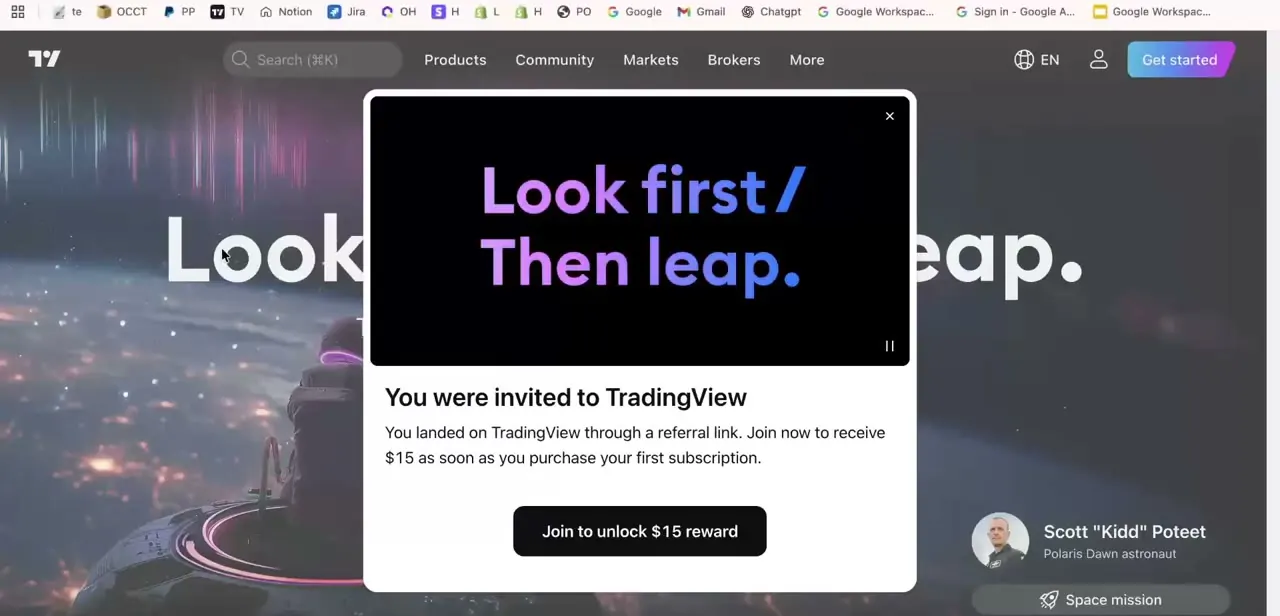
Someone with a TradingView account can send you their personal referral link. Open it and you'll land on tradingview.com with a popup confirming the invite and naming the reward: $15, credited once you purchase your first subscription. That $15 is the referrer's reward, not a discount applied to your purchase, which is the detail most write-ups skip.
03Upgrade to a paid plan within three months, at full price
To trigger anything, you need to create a free account through the link and upgrade to a paid plan within three months of joining. This first purchase is not discounted. It's the condition that unlocks two things: your referrer gets their $15, and you become eligible for a coupon of your own.
04Watch your inbox for your own $15 coupon, then use it on a later purchase
Once you've upgraded, TradingView emails you a discount code worth $15, valid for one year. This is the part that trips people up: the coupon isn't for the purchase you just made.
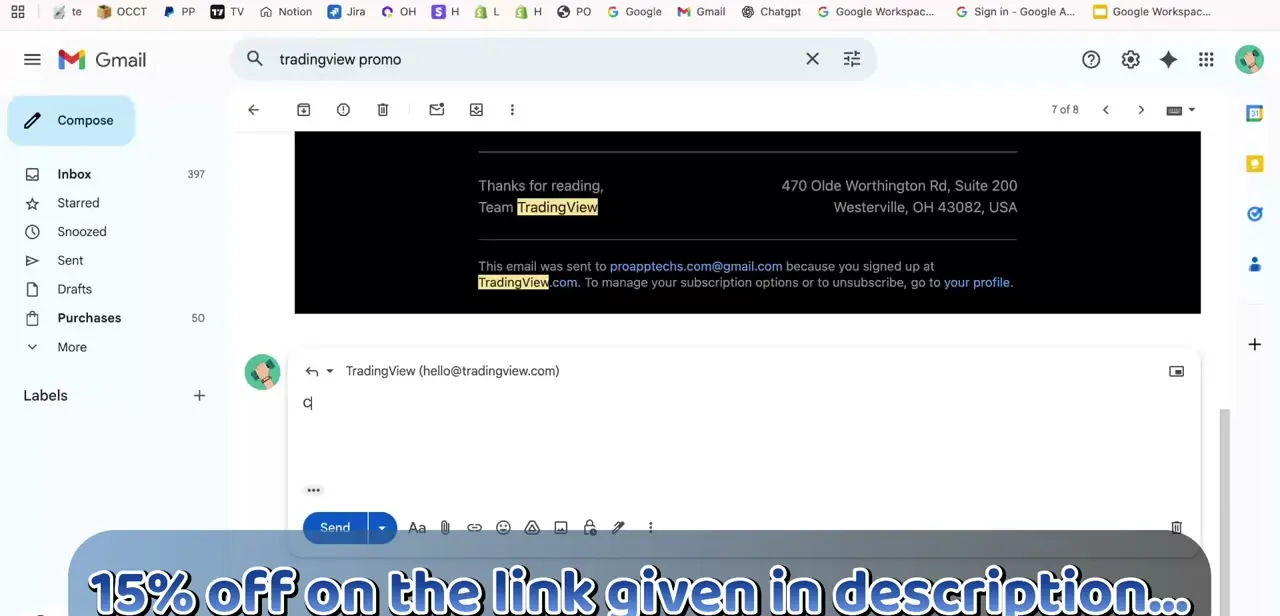
It has to be entered manually in the promo code field on a subsequent subscription purchase, it doesn't apply itself to renewals, and it can't be used toward market data subscriptions or combined with other discounts. Search your inbox for "tradingview promo" if you don't see it land right away.
05Confirm the plan you're buying, and check the name hasn't changed
TradingView's current paid tiers are Essential, Plus, Premium, and Ultimate. Older guides and videos refer to the lower tiers as Pro and Pro+, so if a walkthrough you're following mentions those names, map them to Essential and Plus before you check out. The $15 coupon works on monthly or annual billing for these plans, just not on data add-ons.
| Person | Reward | When it can be used |
|---|---|---|
| Referrer (shares the link) | $15 account credit | Applied once the referred friend upgrades to a paid plan |
| Referred friend (clicks the link) | $15 discount coupon, valid 1 year | Entered manually at checkout on a purchase after the first one — not automatic, not for market data |
When it doesn't work
My referral link didn't apply any discount at checkout
Why: It isn't supposed to. The referral program doesn't discount the first purchase; it unlocks a $15 coupon you receive by email afterward, for use on a later purchase.
Fix: Complete the upgrade at full price, then check your inbox for the coupon email and apply it to your next subscription purchase.
The coupon code was rejected at checkout
Why: The code has passed its one-year validity window, you're trying to use it on a market data subscription, or you're trying to stack it with another discount.
Fix: Check the code's issue date, apply it only to a standard plan subscription, and don't combine it with an annual-billing promotion.
A code from a blog or forum doesn't work
Why: Most third-party codes are just reposted versions of the referral coupon or an expired seasonal offer.
Fix: Get a fresh referral link from an active TradingView user, or wait for TradingView's own promotional emails, instead of trusting a code you can't trace back to the source.
Frequently asked questions
Does TradingView really offer 15% off?
Not as a standing code. TradingView's support pages describe a referral coupon worth a flat $15, plus a separate annual-billing discount shown on the pricing page that varies by plan and region. Neither is a fixed 15%.
Does the referral coupon apply to my first subscription?
No. You have to upgrade to a paid plan within three months of joining through the link, at full price, before TradingView emails you the $15 coupon. It's redeemed on a purchase after that, not the one that unlocked it.
How much does each person get from the referral program?
The person who shares the link gets a $15 reward once their invite upgrades to a paid plan. The invited friend gets a separate $15 discount coupon, valid for one year, after making that first paid purchase.
Can I use the coupon on any TradingView plan?
It works on monthly or annual subscriptions to the regular plans, but not on market data subscriptions, and it can't be transferred, shared, or combined with another discount.
What happened to TradingView's Pro and Pro+ plans?
They've been renamed. The tier once called Pro is now Essential, and Pro+ is now Plus. Premium kept its name, and TradingView added a new top tier called Ultimate.
Are the promo codes posted by YouTubers and bloggers legitimate?
Most are just the same referral program passed along through an affiliate link, which is fine. Treat any code promising a discount larger than $15 off, or one you can't trace to an official TradingView email or your own referral flow, with real skepticism.
Sources and last check
Re-checked against TradingView's own support articles and pricing page in September 2026. This corrected two things the earlier version got wrong: the referral reward is a flat $15, not 15%, and it isn't applied to the purchase that unlocks it — it arrives by email afterward for use on a later purchase. Plan names (Essential, Plus, Premium, Ultimate) were also confirmed against the current pricing page.
About the author

Impran M N
I've been hooked on technology for as long as I can remember — especially the new tools and AI apps that seem to land every other week. Easy Tech Tuts is where I write up whatever I've just worked out: I do the task in the real product, record the screen, and turn it into the guide I wish I'd found first.