Easy Tech Tuts
How To Export Data From Tradingview to Excel (Not Free - Requires Upgrade) 2026 Easily
By Impran M NLast checked against official docs
TradingView doesn't export straight into an .xlsx file. It saves chart data to a CSV file that Excel or Google Sheets can open directly, and that distinction confuses as many readers as the plan restriction does. This guide shows where the export option hides in the layout menu, walks through the two settings in the dialog, and covers exactly what lands in the file once you click Export, including which plan tier TradingView requires and what to do if you're on the free plan.
Before you start
- A TradingView account on the Essential plan or higher (the free Basic plan does not include chart data export)
- A chart loaded with the symbol, timeframe and indicators you want in the file
01Open the layout menu and choose Export chart data
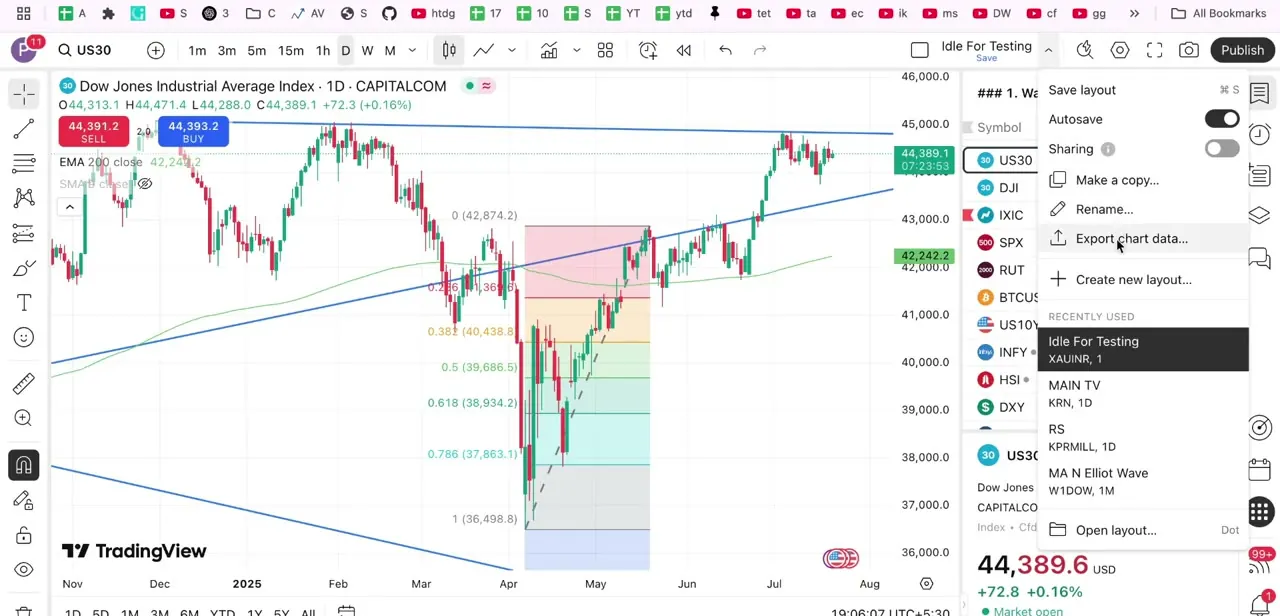
With a chart loaded, click the layout options icon in the top toolbar, the same menu that holds Save layout, Autosave, Sharing, Make a copy and Rename. Export chart data sits in that list next to Create new layout, easy to miss if you're used to looking for export controls near the chart itself instead of inside layout management.
02Set the chart and time format
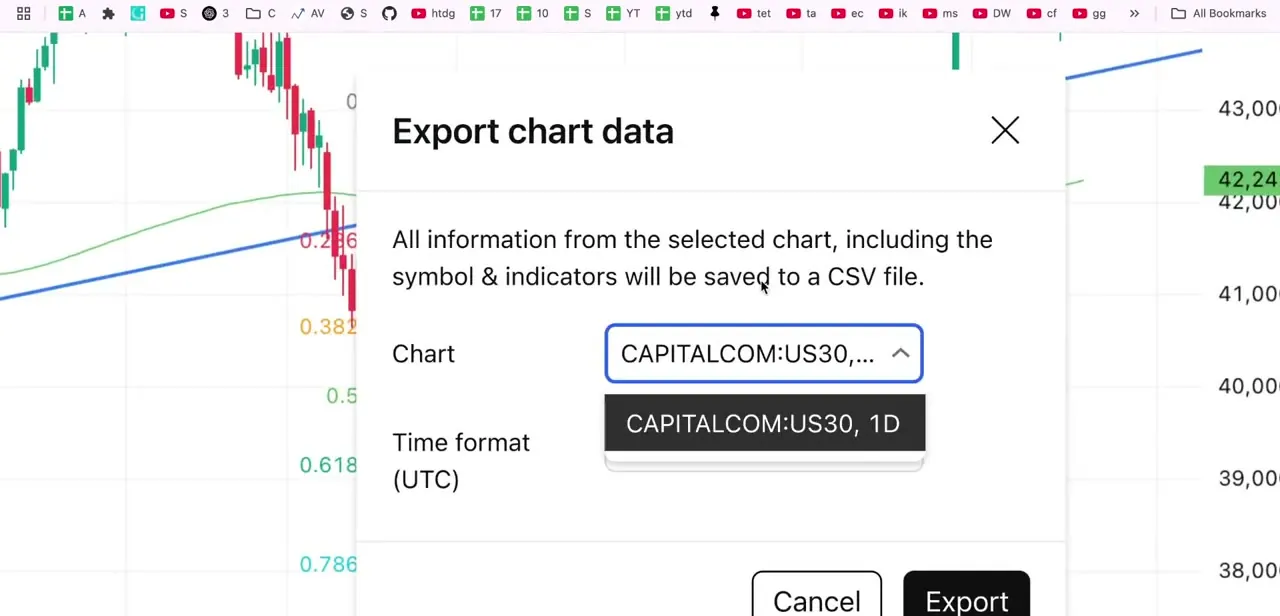
Clicking Export chart data opens a dialog stating plainly what you're about to get: all information from the selected chart, including the symbol and any indicators applied, saved to a CSV file. That's a data export of OHLC values and indicator readings, not a formatted workbook with charts or styling.
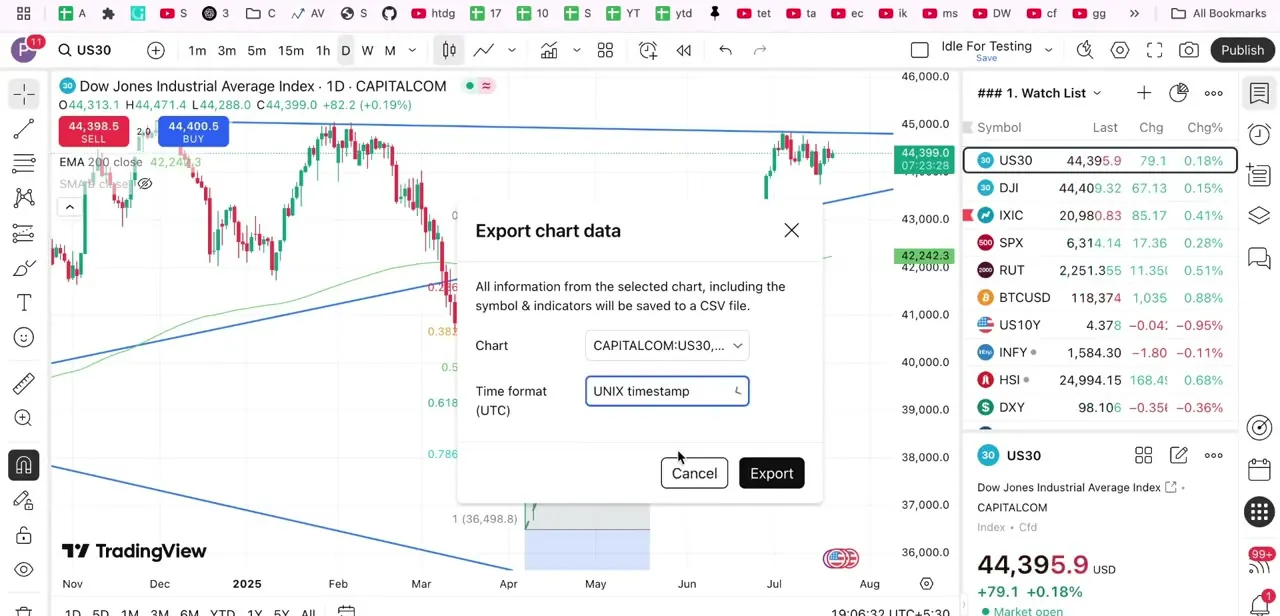
The Chart field auto-fills with your currently loaded symbol and timeframe (CAPITALCOM:US30 on the daily here), with a dropdown to switch which chart's data gets exported. The Time format field defaults to UTC and can be switched to UNIX timestamp, useful if the CSV is feeding a script or formula that expects raw epoch values instead of a formatted date string.
03Export the file and open it in Excel
With the chart and time format set, click Export to download the CSV. The exported data matches what the chart currently shows: if you need a longer history, scroll the chart left or drag the x-axis to load more bars before exporting, not after.
Opening the file in Excel is a normal file-open. Excel reads CSV natively, so there's no import wizard, only some light cleanup if you chose UNIX timestamps and want readable dates in the sheet.
04Use free workarounds if you're not on a paid plan
Without Essential or higher, you can still get data out by hand: copy values off the chart or watch list, screenshot a specific range for reference, or use a third-party browser extension built for scraping TradingView data. Check any extension's permissions before connecting it to an account you trade on. None of these match the one-click CSV export for volume or accuracy, but they cover occasional, small needs without a subscription.
When it doesn't work
The exported CSV is missing older bars I could see on the chart
Why: TradingView only exports the range currently loaded on the chart, not its full history.
Fix: Scroll left or drag the chart's x-axis to load more bars, then reopen Export chart data and export again.
Export chart data doesn't appear in the layout menu
Why: The account is on the free Basic plan. Chart data export is listed as an Essential-plan-and-up feature on TradingView's pricing page.
Fix: Upgrade to Essential or higher, or fall back to a manual workaround such as copying values or a browser extension.
Timestamps in Excel show as large plain numbers instead of dates
Why: The export used the UNIX timestamp time format, which is seconds since 1970, not a date string.
Fix: Re-export with the UTC time format, or convert the UNIX column in Excel with a formula like =(A1/86400)+DATE(1970,1,1) formatted as a date.
Frequently asked questions
Does TradingView export chart data directly to an Excel file?
No. It saves a CSV file, which Excel and Google Sheets both open natively. There is no built-in .xlsx export.
What plan do I need to export chart data?
TradingView's pricing page lists chart data export from the Essential plan upward, so Essential, Plus, Premium and Ultimate all include it. The free Basic plan does not.
Why is data missing from my exported CSV?
TradingView exports only the range currently loaded on the chart. Scroll left or drag the x-axis to bring more history into view before exporting.
Should I export with UTC or UNIX timestamp?
UTC gives readable dates for manual analysis in Excel. UNIX timestamp works better when the CSV feeds a script or formula expecting raw epoch values.
Can I get TradingView data without a paid plan?
Not through the built-in export. Free-plan users can copy values by hand, screenshot a range, or use a third-party browser extension, though none match the CSV export for volume or accuracy.
Sources and last check
Click path and dialog screens come from a recorded walkthrough. Plan gating and the CSV's chart-range limitation were re-checked against TradingView's help center, blog and pricing page in September 2026, which sharpened a vague 'paid tiers' claim into the specific Essential-plan-and-up gate and added the chart-range limitation the article didn't previously mention.
About the author

Impran M N
I've been hooked on technology for as long as I can remember — especially the new tools and AI apps that seem to land every other week. Easy Tech Tuts is where I write up whatever I've just worked out: I do the task in the real product, record the screen, and turn it into the guide I wish I'd found first.