Easy Tech Tuts
How to Close Partials on TradingView, Exit Position or Holding in Parts in 2026 Easily
By Impran M NLast checked against official docs
Closing a position in parts lets you lock in profits gradually and manage risk more precisely, instead of betting everything on one exit price. This guide covers TradingView's on-chart order line and the Paper Trading panel for scaling out of a position, plus the one setting that has to be off before a partial close is even offered as an option. The examples use a simulated Paper Trading account on a crypto pair, but the same controls apply on a live broker connection that supports partial closes.
01Open a position and find the order line on your chart
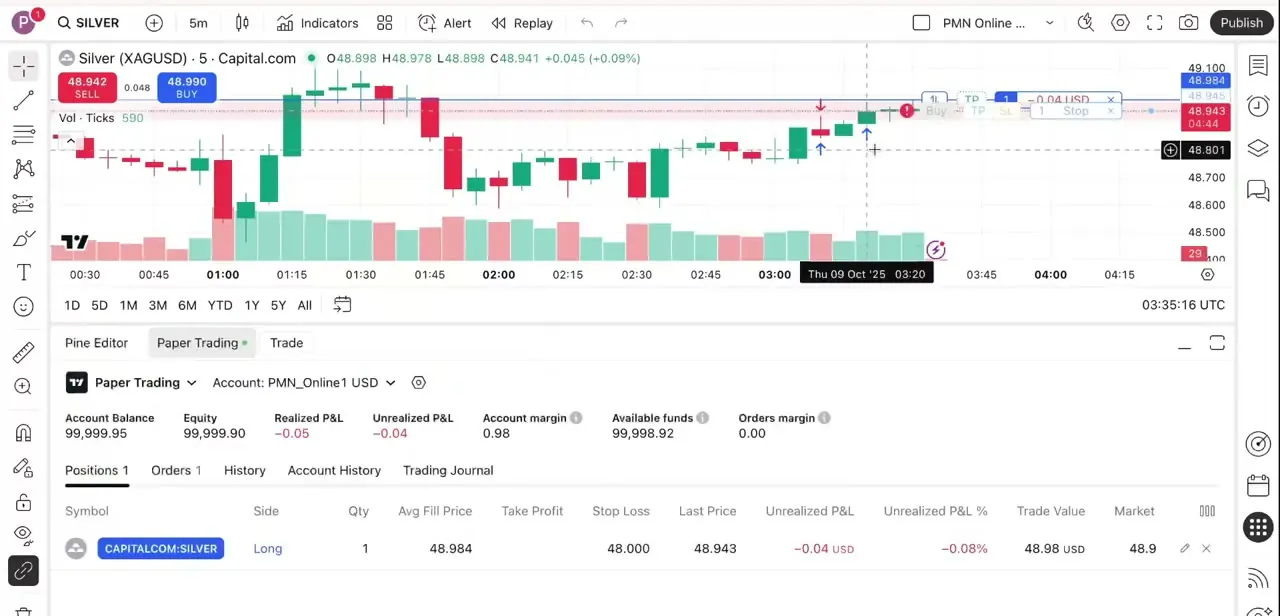
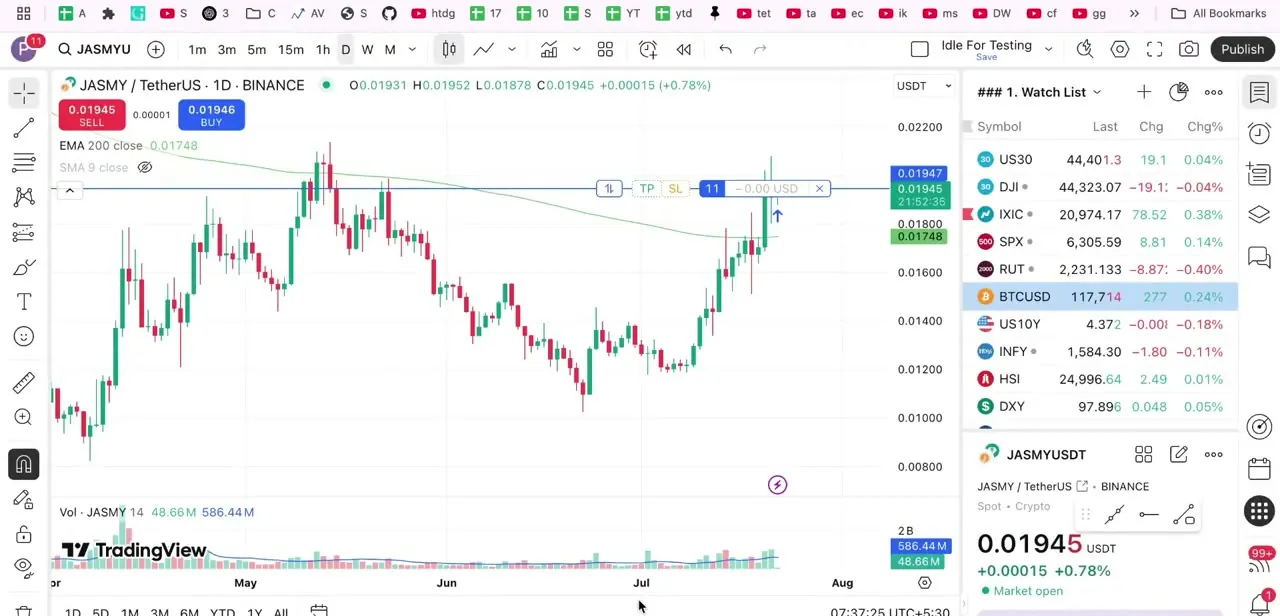
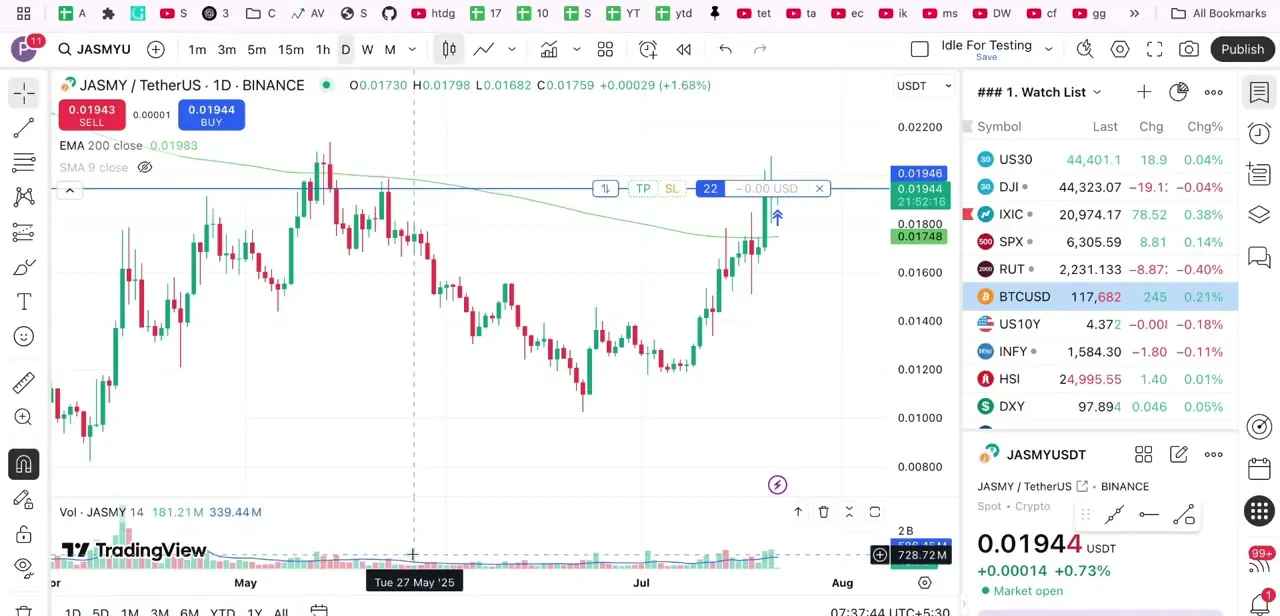
Once you're in a trade, TradingView draws a horizontal line across your chart at the entry price with a small toolbar attached: TP and SL buttons for take-profit and stop-loss, a quantity figure showing your current position size, and an X to close it. This line is your main control surface for managing the trade without leaving the chart, whether the position came from a live broker connection or Paper Trading.
02Turn off Instant order placement first
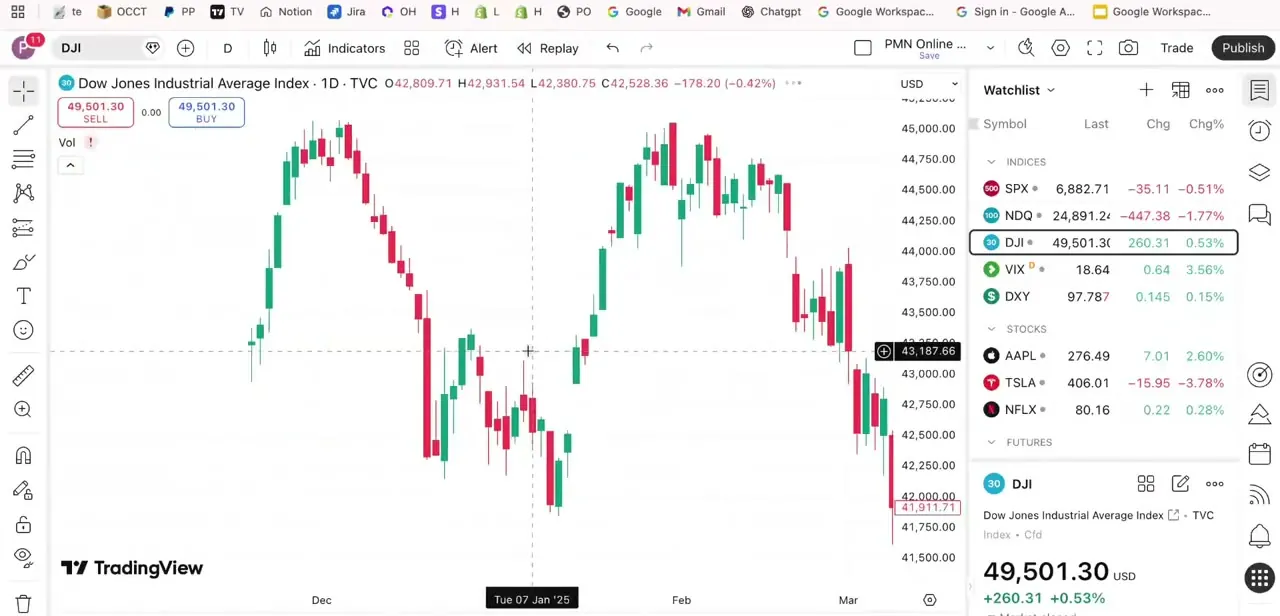
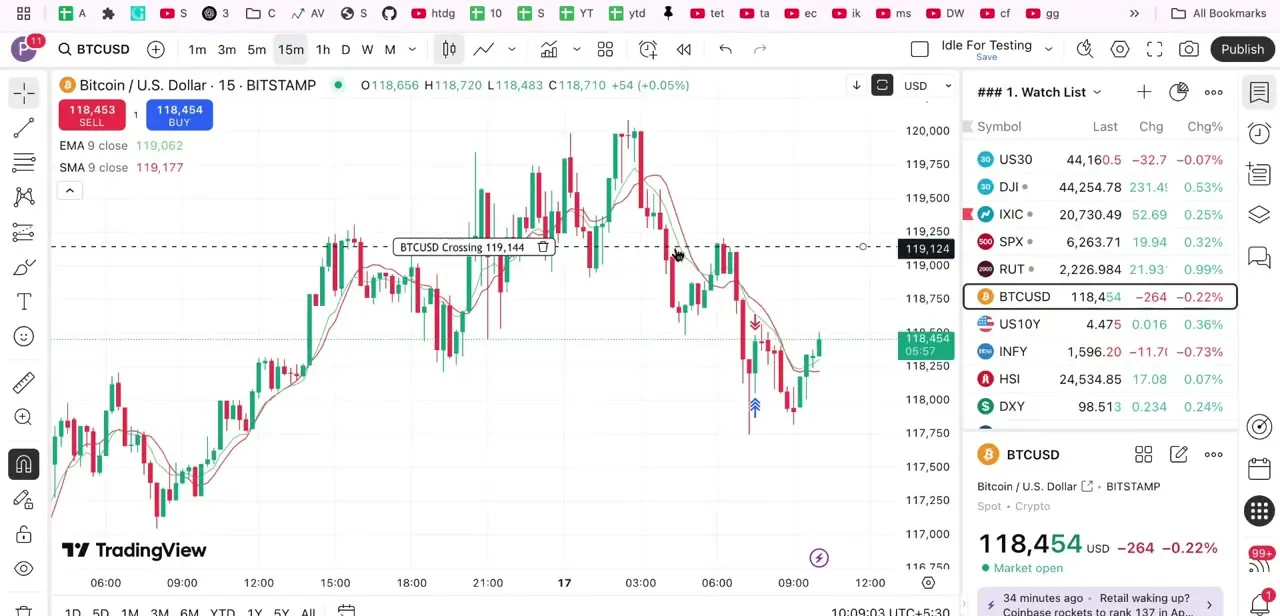
TradingView's own support documentation is specific about this: a partial close only offers a quantity option when Instant order placement is switched off. With it on, clicking the X closes the whole position immediately, with no prompt. Open Settings from the chart's toolbar, go to Trading, and uncheck Instant order placement before you try to scale out.
03Exit part of a position with the close button
Click the X on the order line to close the position. With Instant order placement off, a confirmation popup appears; check "partial close" inside it and enter the number of units or contracts you want to exit.
Confirm, and only that portion closes at the current market price, leaving the rest of the position open. This popup-and-checkbox flow, not editing the quantity field directly, is the mechanism TradingView documents for closing part of an already-open position.
04Or resize a working order from the chart's quantity calculator
Before an order fills, the order line carries its own calculator, and you can change the quantity there directly on the chart instead of opening a separate order form. In this example the field shows 22 units with adjustment controls beside it. This changes the size of the order itself, which is a different action from partially closing a position that has already filled: use this to resize a pending order, and the close-button popup above to exit part of one you're already in.
05Set new targets for what remains, and track it in Paper Trading
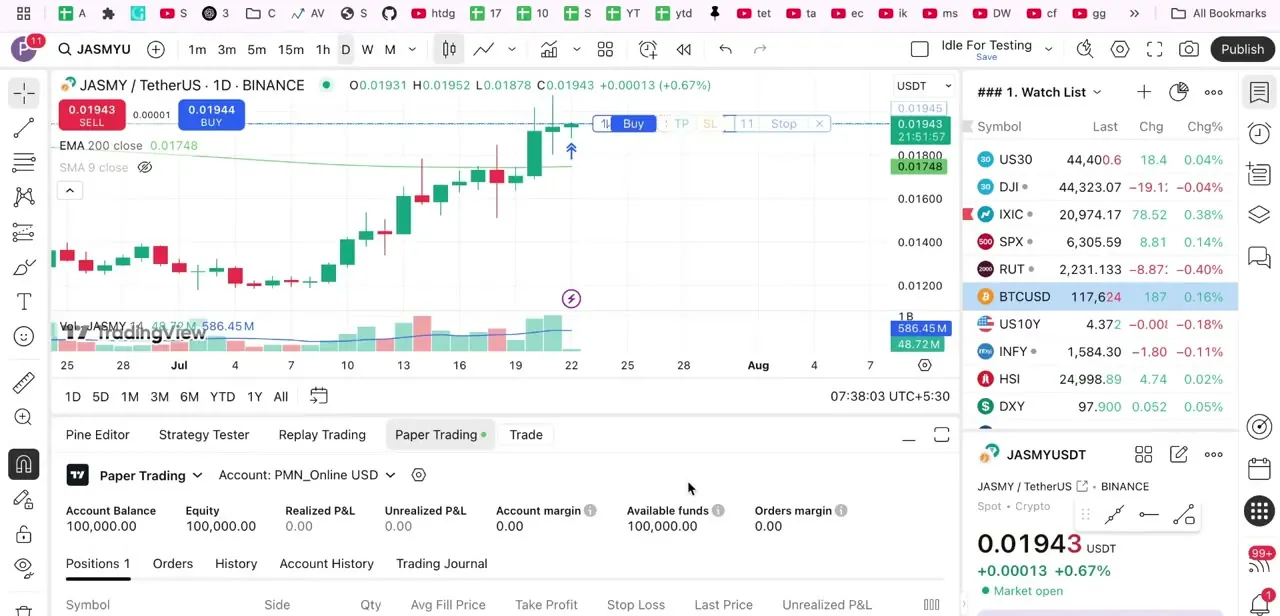
After scaling out of part of a position, the TP and SL levels on the order line apply to whatever quantity is still open, so revisit them once you've partially closed. Dragging the TP line to a new price sets a limit order that closes the remainder automatically if it's hit; the SL line does the same on the downside. The Paper Trading panel at the bottom of the screen, next to Pine Editor, Strategy Tester and Replay Trading, shows Balance, Equity, Realized and Unrealized P&L and margin, with a Positions tab listing every open trade, so you can confirm a partial close registered correctly instead of relying on the chart alone.
06Know the limits before you rely on it
Not every broker connection supports partial close; TradingView's documentation notes plainly that if a broker doesn't support it, the option simply won't appear on the confirmation popup. Paper Trading does support it, which makes it a reasonable place to test a scaling-out plan first. Even so, treat Paper Trading fills as directionally useful, not an exact match for a live broker, and confirm the mechanics again once you're connected to a real account.
| Method | What it acts on | Requires |
|---|---|---|
| On-chart quantity calculator | A working order that hasn't filled yet | Editing the order line's quantity field, then confirming |
| Close (X) button with partial close | A position that's already open | Instant order placement turned off, and broker support for the feature |
When it doesn't work
No "partial close" checkbox appears when you click X
Why: Instant order placement is still turned on, which closes the whole position immediately instead of showing a confirmation popup.
Fix: Go to Settings > Trading and turn off Instant order placement, then click X again to see the popup with the partial close option.
Partial close still isn't offered even with Instant order placement off
Why: Not every broker connection supports partial close; TradingView's documentation confirms the option won't appear if the broker doesn't.
Fix: Check your broker's support for partial closes, or test the workflow on Paper Trading, which does support it.
Resizing the quantity on the order line doesn't seem to close anything
Why: The on-chart calculator resizes a working order before it fills. It isn't the same control as the X button's partial close, which acts on a position that's already open.
Fix: Use the close button's confirmation popup to exit part of an open position, and the calculator only to change a pending order's size.
Frequently asked questions
Can I close only part of a position on TradingView?
Yes. Click the X on the position's order line, and with Instant order placement turned off, check "partial close" in the confirmation popup and enter the quantity to exit.
Why don't I see a partial close option when I click the X?
Instant order placement is most likely still on, which closes the whole position without a prompt. Turn it off in Settings > Trading.
Does partial close work with every broker?
No. TradingView's documentation notes that if your broker connection doesn't support partial close, the option won't appear on the confirmation popup at all.
Does partial closing work with Paper Trading?
Yes, Paper Trading supports it, which makes it a reasonable place to test a scaling-out plan. Treat the fills as directionally useful, not an exact match for a live broker.
Can I set multiple profit targets for one trade?
Yes. After scaling out of part of a position, drag the TP line on the order line to a new price for the remainder, which sets a fresh target for what's left open.
Where do I see my current position size and P&L?
The Paper Trading panel at the bottom of the screen shows Account Balance, Equity, Realized and Unrealized P&L, and a Positions tab listing every open trade.
Sources and last check
Click path and screens come from a recorded Paper Trading walkthrough. The partial-close mechanism, the Instant order placement requirement, and the broker-dependent availability were checked against TradingView's own support articles in September 2026. That check corrected the previous version, which described dragging the position's quantity field as the way to partially close; TradingView documents that as a separate control for resizing a working order, while an open position is partially closed through the X button's confirmation popup instead.
About the author

Impran M N
I've been hooked on technology for as long as I can remember — especially the new tools and AI apps that seem to land every other week. Easy Tech Tuts is where I write up whatever I've just worked out: I do the task in the real product, record the screen, and turn it into the guide I wish I'd found first.