Easy Tech Tuts
How to Add Dow Jones in TradingView Easily 2026
By Impran M NLast checked against official docs
Searching 'Dow Jones' in TradingView brings up more than a dozen similar-looking symbols from different exchanges and brokers, and picking the wrong one can quietly throw off your analysis with slightly different prices or trading hours. This guide walks through the actual symbol search results, explains what the index, CFD, and futures versions really are, and covers timeframe choices for intraday versus longer-term reads. It's aimed at index traders and investors who want accurate data from the start instead of guessing between near-identical tickers.
01Start from any chart and open Symbol Search
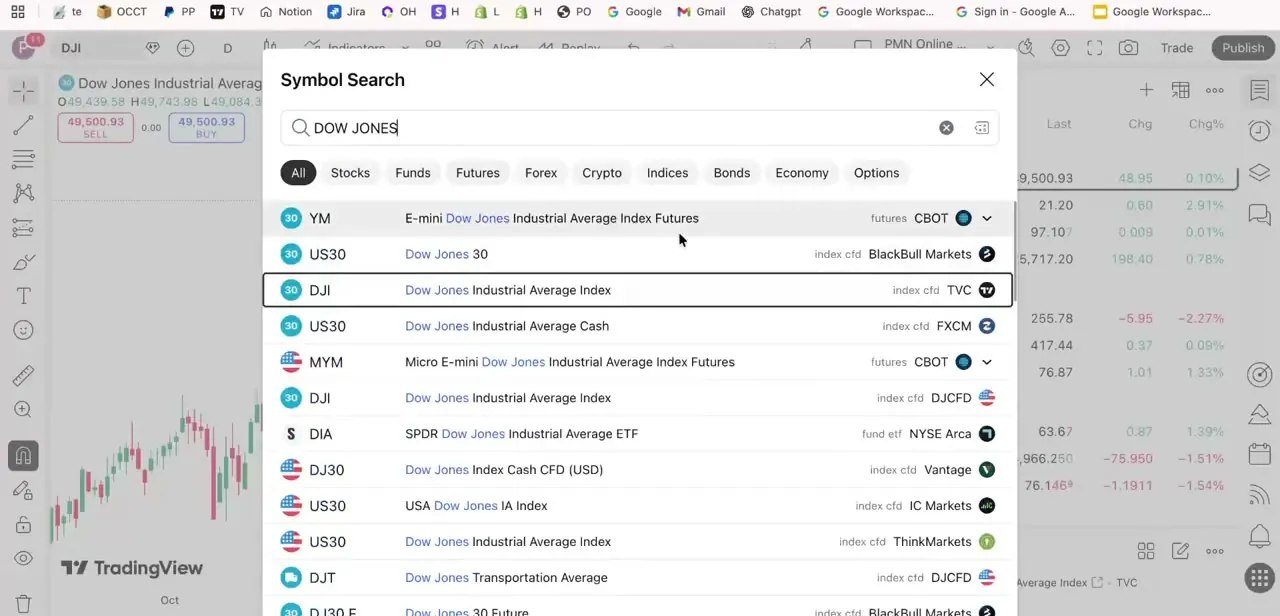
The symbol name in the top-left corner of any TradingView chart, next to the pencil-and-magnifier icon, is your entry point. Click it, or press Ctrl+K on Windows or Cmd+K on Mac, and the search dialog opens with tabs across the top for Stocks, Funds, Futures, Forex, Crypto, Indices, Bonds, Economy, and Options, so you can narrow results before typing anything.
02Search 'Dow Jones' and read the results carefully
Typing Dow Jones into the search returns a long list: YM (E-mini Dow Jones Industrial Average Index Futures on CBOT), several US30 entries from different CFD providers such as BlackBull Markets, FXCM, IC Markets, ThinkMarkets, and Vantage, a DJI index symbol from TVC, another DJI from DJCFD, DIA (the SPDR Dow Jones ETF on NYSE Arca), DJ30 from Vantage, DJT (Dow Jones Transportation Average), and MYM (Micro E-mini futures). Each one tracks the same underlying average. The description in the middle of each row and the source column on the right are what tell them apart, and TradingView's own search guidance is to check the description whenever a ticker looks familiar, since different symbols can share the same characters.
03Know the difference between DJIA, US30, and futures
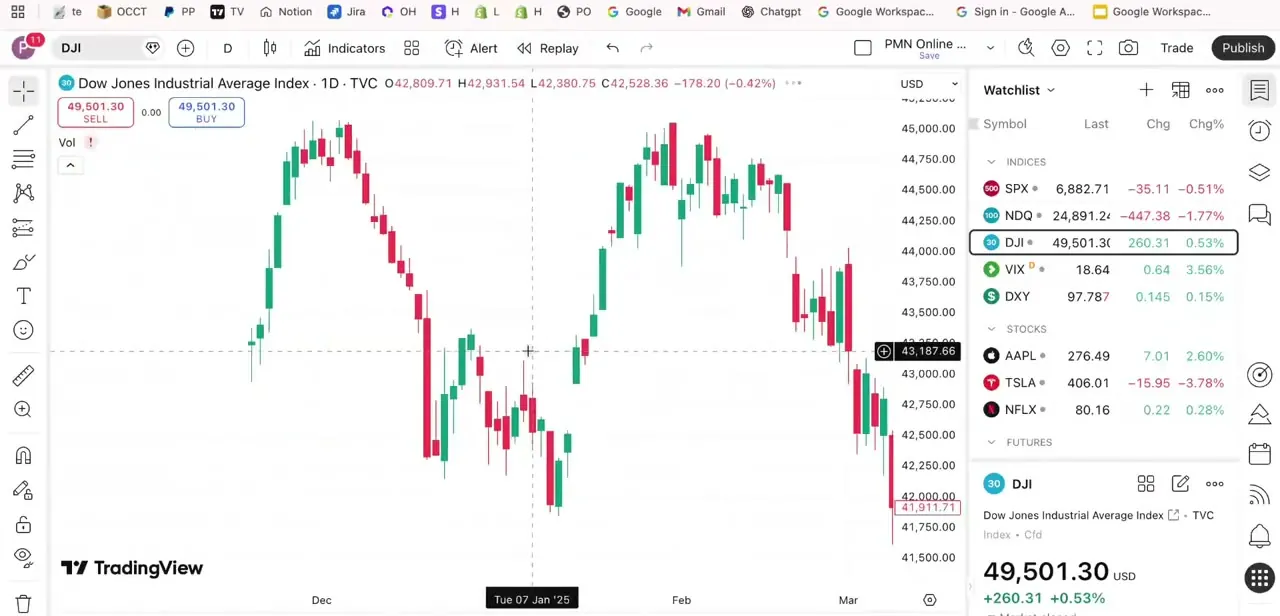
DJI on TVC is the closest match to the official cash index. It tracks the Dow Jones Industrial Average during market hours and works as the standard reference for long-term charting.
US30 is a broker-specific CFD symbol, and because each broker (FXCM, IC Markets, BlackBull, and others) runs its own price feed, you'll see small differences in price and spread between them. YM and MYM are futures contracts on CBOT tracking the same index, but they trade nearly around the clock, including outside regular stock market hours, which is why active traders lean on them for anything happening pre-market or overnight.
04Choose the symbol that matches your analysis
For long-term investing research, the TVC DJI index feed is the cleanest choice, since it mirrors the official index without broker-specific spread quirks. For CFD or forex-style trading, pick the US30 symbol tied to your actual broker so the chart price matches what you'd be trading.
For overnight or pre-market analysis, YM futures are the only symbols here that trade during those hours; the cash index doesn't move once the market has closed. One thing to check before relying on any of these for live decisions: indices need a separate real-time data subscription on TradingView, the same as most global exchanges.
Without one, the chart shows delayed data and a small yellow 'D' badge next to the symbol name. Clicking that badge shows the delay and a link to buy real-time access if you need it.
05Set your chart timeframe for longer-term reads
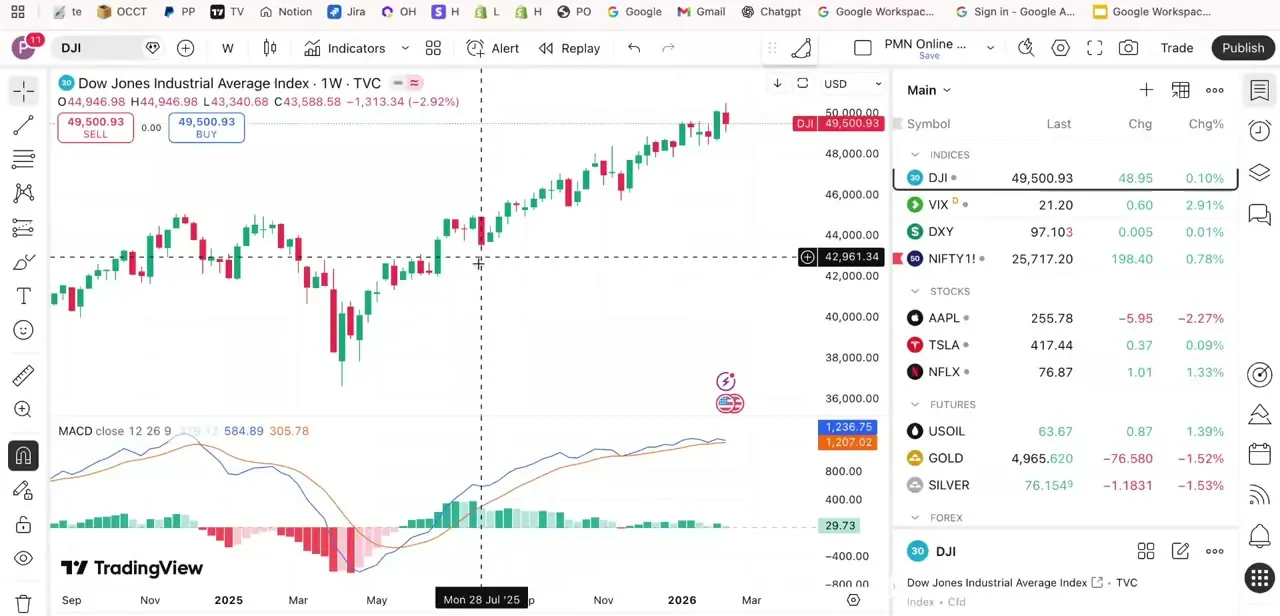
Once DJI is loaded, the timeframe selector next to the symbol name switches between intervals. A weekly view with MACD in a lower pane smooths out daily noise and suits spotting the broader trend over months, the setup long-term Dow watchers tend to use.
06Switch to a daily view for shorter-term reads
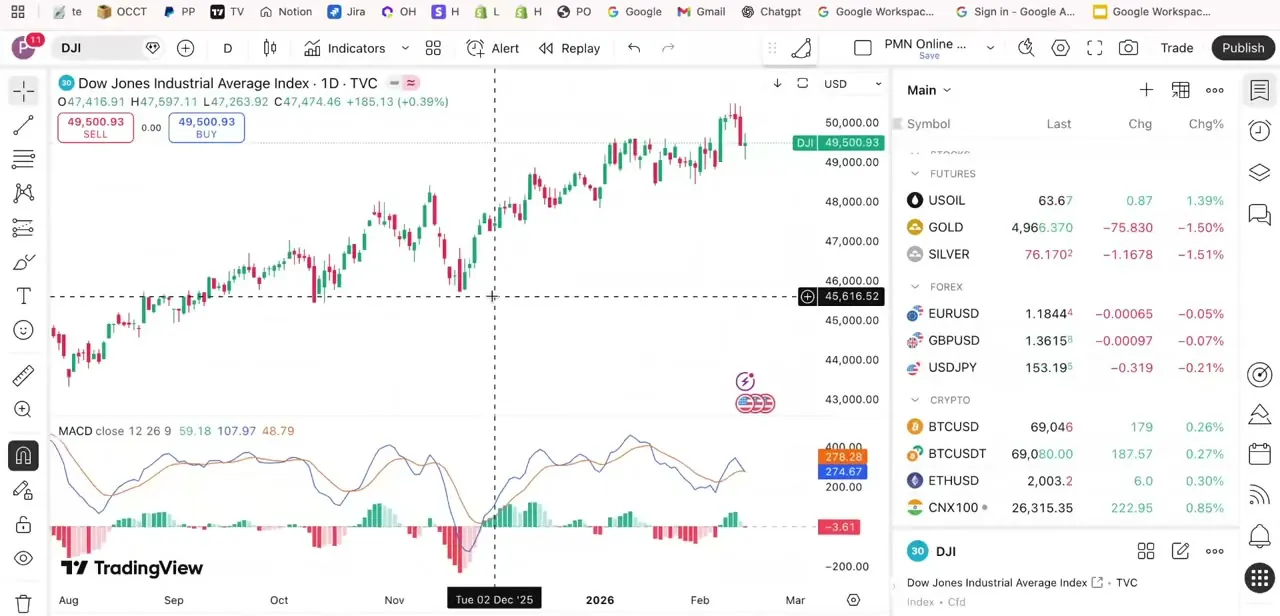
Dropping to a daily timeframe on the same DJI symbol shows more granular price action and reacts faster to recent moves, which suits traders watching for shorter swings instead of the multi-month trend. Keeping the same MACD setup across both timeframes makes it easy to compare what the indicator says on the daily chart against the broader weekly picture before acting on a trade.
When it doesn't work
The price looks delayed or carries a small yellow 'D' near the symbol
Why: Indices need a real-time data add-on separate from your TradingView plan. Without it, prices are delayed by the exchange's own rules.
Fix: Click the 'D' badge next to the symbol name to see the delay, or buy real-time access if you actively trade off the chart.
US30 doesn't match the price shown on another site or broker
Why: Each CFD provider streams its own feed and spread, so US30 symbols from FXCM, IC Markets, BlackBull, and others diverge slightly from one another.
Fix: Use the US30 symbol tied to the specific broker you trade with, not just the first US30 result in the list.
The chart looks flat overnight on DJI
Why: DJI mirrors the cash index, and the cash index only updates during regular market hours.
Fix: Switch to YM or MYM futures for pre-market or overnight price action.
Frequently asked questions
What's the difference between DJIA and US30 on TradingView?
DJI on TVC is the cash index feed closest to the official Dow Jones Industrial Average, while US30 is a broker-provided CFD symbol; FXCM, IC Markets, BlackBull, and others each run their own feed with slightly different pricing.
Should I use futures or the index for intraday trading?
Many intraday traders prefer YM or MYM futures because they trade nearly around the clock on CBOT, while the cash index (DJI on TVC) only reflects official market hours.
Why do I see so many Dow Jones symbols when I search?
Different data providers and brokers each list their own version. TradingView's search for 'Dow Jones' returns more than a dozen results, including YM, several US30 variants, DJI, DIA, DJ30, and DJT, each from a different exchange or provider.
Does the exchange source affect the price shown?
Yes. Since each CFD provider runs its own price feed, US30 symbols from different brokers can show noticeably different prices and spreads even though they track the same underlying index.
Is TradingView's Dow Jones price shown in real time?
Not by default. Indices need a separate real-time data subscription on TradingView; without one you're seeing delayed prices, flagged with a small yellow 'D' next to the symbol name.
Sources and last check
Symbol list, screens, and timeframe steps come from a walkthrough recorded in mid-2025. Symbol Search behaviour and the real-time-data requirement for indices were re-checked against TradingView's official support pages in September 2026, which added the delayed-data note this guide was missing.
About the author

Impran M N
I've been hooked on technology for as long as I can remember — especially the new tools and AI apps that seem to land every other week. Easy Tech Tuts is where I write up whatever I've just worked out: I do the task in the real product, record the screen, and turn it into the guide I wish I'd found first.