Easy Tech Tuts
How to Setup Stripe Instant Payouts Easily 2026, Eligibility & Fees Details
By Impran M NLast checked against official docs
Instant Payouts move your Stripe balance to a payout method in minutes, typically within 30 minutes, instead of the usual multi-day payout cycle. Stripe doesn't turn the feature on for everyone automatically, and it isn't available in every country Stripe supports. This guide walks through where the eligibility checks live in your dashboard, the exact fee and per-payout limits Stripe's documentation lists, and the daily cap that catches people who assume Instant Payouts has no ceiling.
Before you start
- A Stripe account in a country where Instant Payouts is supported (the US, Canada, UK, most of the EU, Australia, New Zealand, Singapore, Hong Kong, and a handful of others; not every Stripe country is included)
- A complete, verified business profile in the Stripe Dashboard
- An eligible payout method added: a debit card in most supported countries, or in a few (including the US, UK, EU, Sweden, Denmark, Australia, Singapore and Hong Kong) certain bank accounts instead
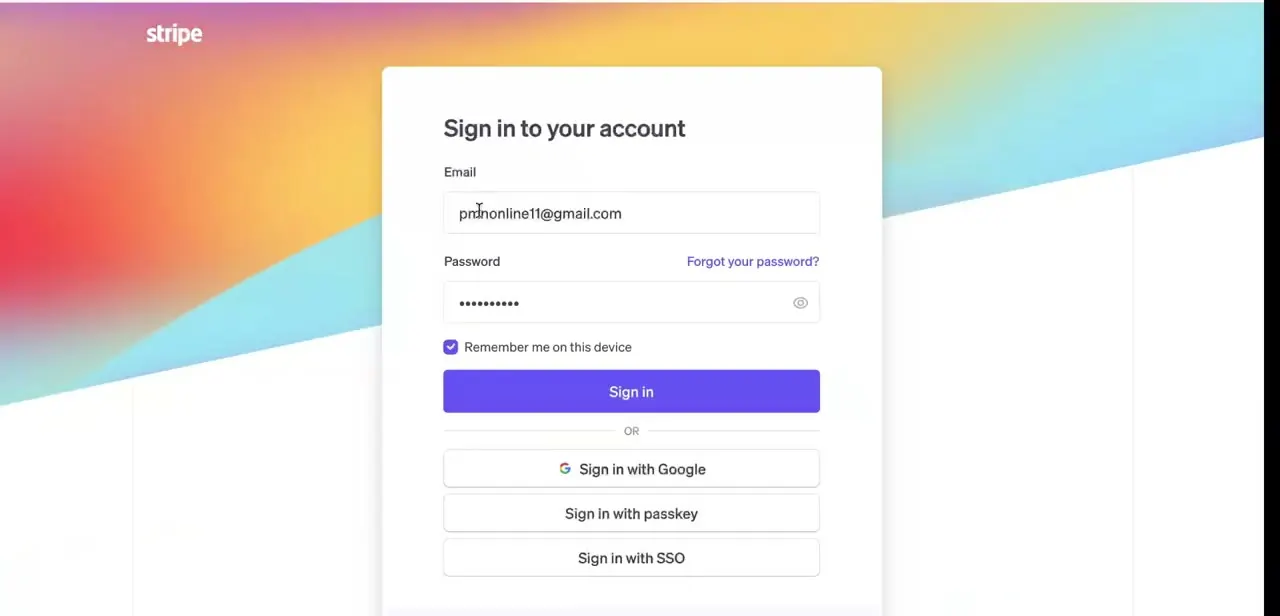
01Sign in to your Stripe dashboard
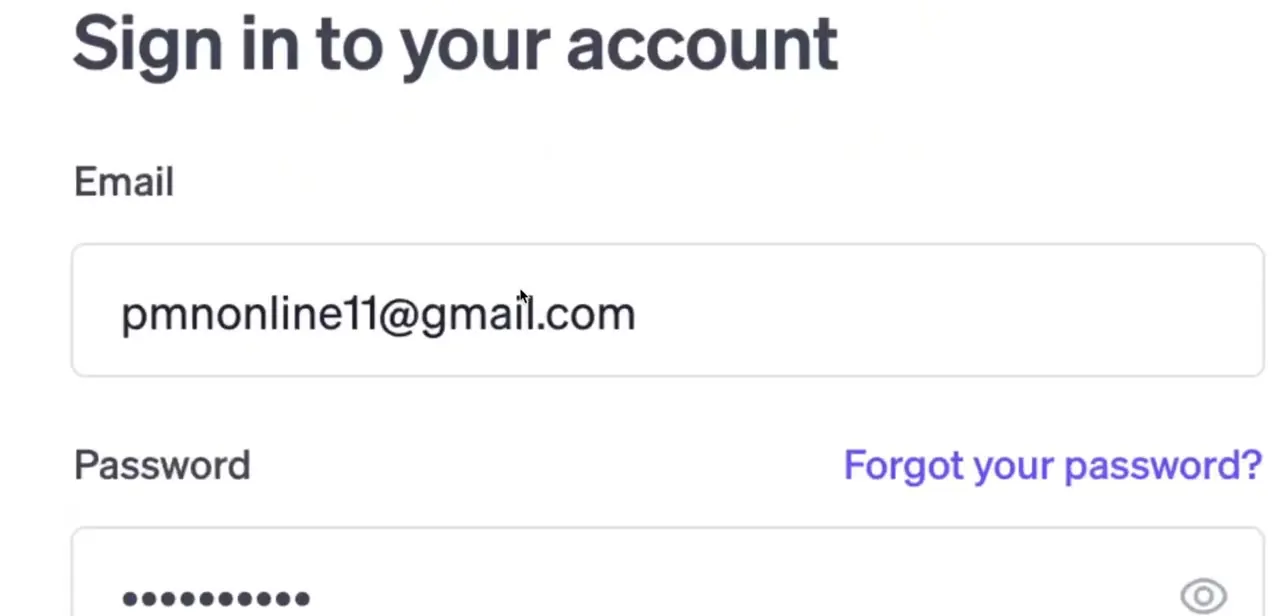
Instant Payouts is managed entirely from your live Stripe dashboard, so the first step is logging in with the account tied to the payments you want to speed up. If you manage more than one Stripe account, confirm you're on the right one. Payout method and eligibility are account-specific and don't carry over between accounts.
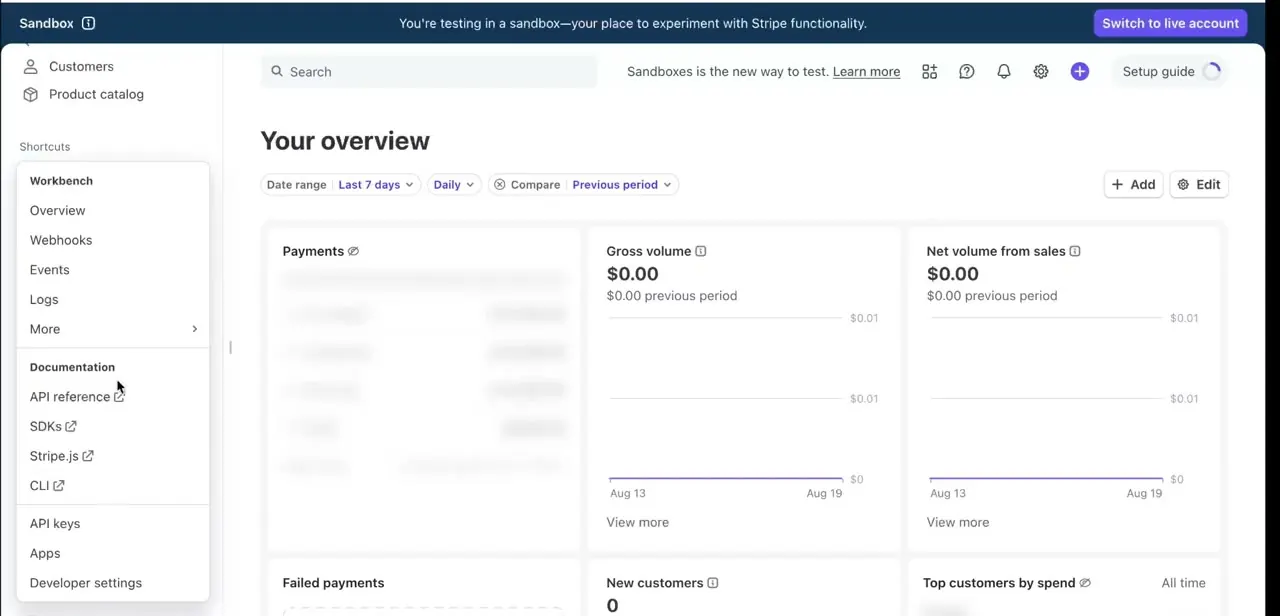
02Check your Balances page
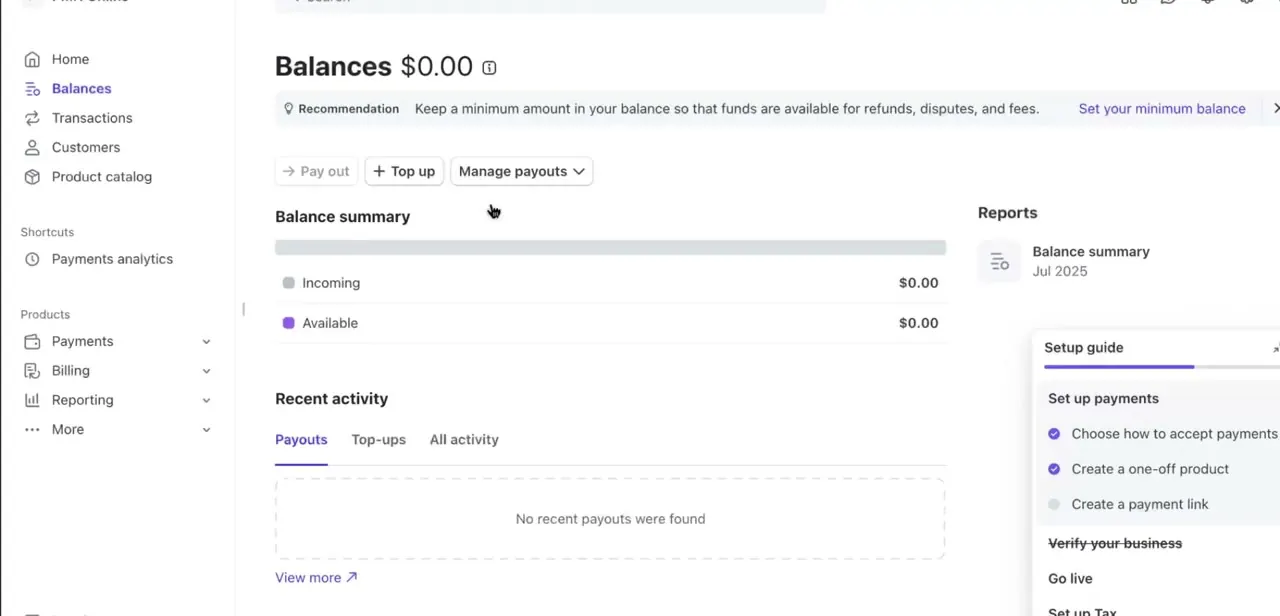
Head to Balances from the left-hand menu. This page shows your Incoming and Available totals and a Pay out button, and it's the same place you'll return to once Instant Payouts is active.
A Setup guide panel on the right tracks whether you've finished the basic account steps: accepting payments, verifying your business, going live. All of it feeds into whether faster payout options are offered to you at all.
03Confirm your business details and country eligibility
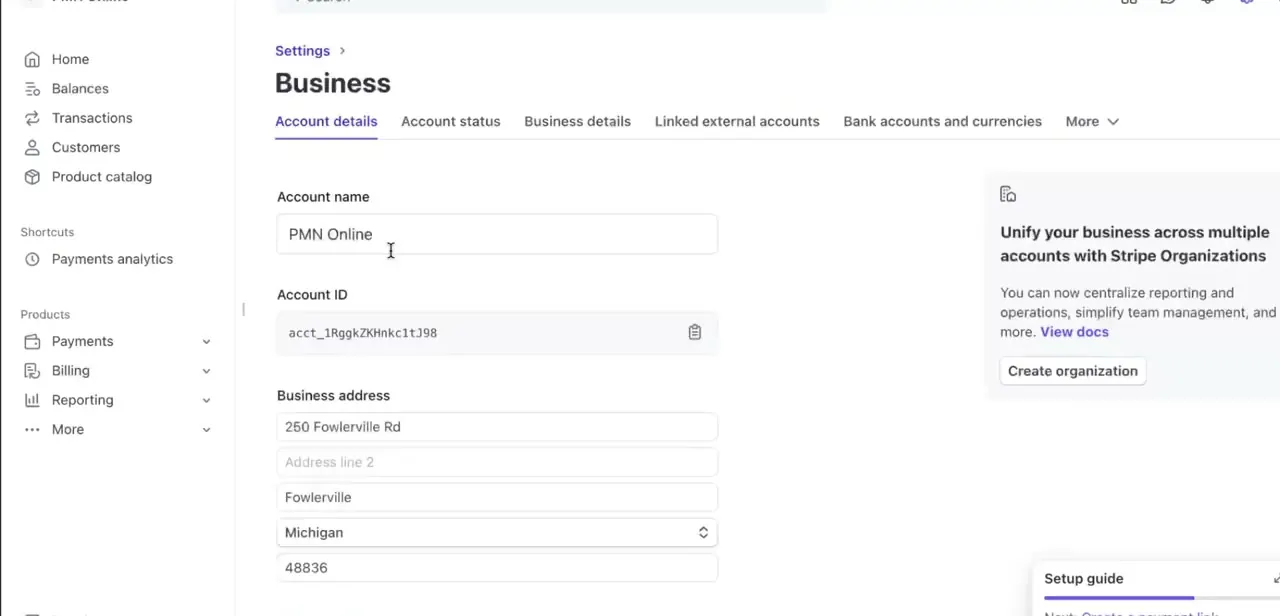
Eligibility ties to your business profile and your account's country, not just your bank details. Check Settings > Business > Account details before assuming the feature is broken if it doesn't appear.
Stripe wants your account name, business address, and related information complete and verified, since an incomplete profile is one of the quiet reasons this stays unavailable. Instant Payouts also isn't offered everywhere Stripe operates. It covers around three dozen countries, including the US, UK, Canada, most of the EU, Australia and Singapore, but a Stripe account outside that list won't see the option regardless of how complete its profile is.
04Read the eligibility and daily limit rules
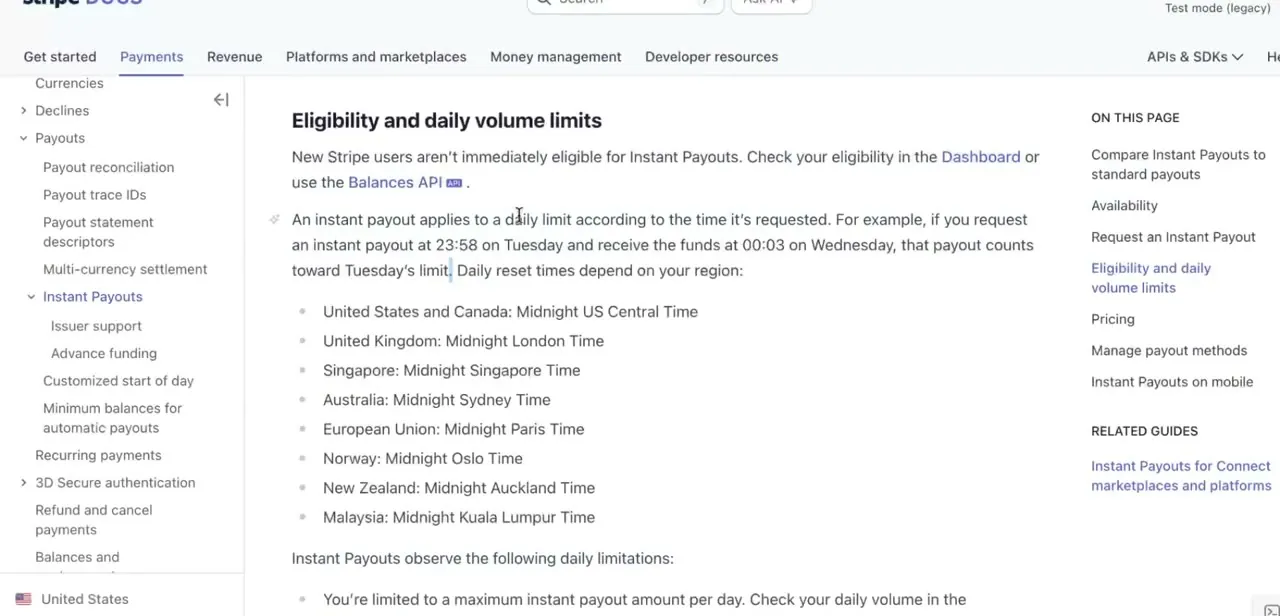
New Stripe users aren't immediately eligible for Instant Payouts. Check eligibility directly on the Balances page or via the Balances API rather than assuming.
Even once eligible, two separate caps apply each day: a maximum dollar amount, which you can see in the Dashboard, and a hard limit of 10 Instant Payouts per day regardless of amount. Both caps reset at a fixed local time by region: midnight US Central Time for the US and Canada, midnight London time for the UK, midnight Paris time across the EU, and similar regional cutoffs elsewhere. A payout requested a few minutes before that reset still counts toward the prior day's limit.
05Know the fee and the per-payout minimum and maximum
Instant Payouts aren't free. Stripe takes 1% in Canada, the EU, UK, Singapore, Norway, Hong Kong and Malaysia, and 1.5% in the US, Australia, New Zealand and UAE, pre-deducted so the balance shown is what you'd actually receive.
Each transfer also has a currency-specific floor and ceiling; in the US that's $0.50 minimum and $9,999 maximum per payout. Save Instant Payouts for moments where the speed is worth paying for, like covering a same-day shortfall. For routine payroll or predictable expenses, a standard payout costs nothing extra and just takes longer.
06Add a payout method, then trigger the transfer
In most supported countries the eligible method is a debit card, but a few, including the US, UK, EU, Sweden, Denmark, Australia, Singapore and Hong Kong, also accept certain bank accounts. You only need to add a method once; until it's added and verified, the Balances page offers only your standard payout schedule.
Once it's in place, go to Balances and click Pay out. If you're eligible and have a positive balance, choose Instant, enter the amount, pick which balance to draw from and which method to pay out to, then click Review. The dashboard shows the fee and arrival time before you confirm.
| Country | Fee | Minimum per payout | Maximum per payout |
|---|---|---|---|
| United States | 1.5% | $0.50 | $9,999 |
| Canada | 1% | CA$0.60 | CA$9,999 |
| United Kingdom | 1% | £0.40 | £9,999 |
| Euro area | 1% | €0.40 | €9,999 |
| Australia | 1.5% | A$0.50 | A$9,999 |
| Singapore | 1% | S$0.50 | S$9,999 |
From Stripe's official Instant Payouts pricing page. Other supported countries have their own currency-specific figures, and Stripe can change rates.
When it doesn't work
The instant-available balance shows less than expected, or zero
Why: Card payment funds count toward Instant Payouts as soon as the charge completes, but funds from ACH or other bank debits only count after they fully settle.
Fix: Wait for bank-debit funds to settle, or check the instant_available field on the Balances API to see exactly what currently qualifies.
Can't request another Instant Payout today
Why: The account hit its daily cap: a maximum dollar amount, or the flat limit of 10 Instant Payouts per day, whichever comes first.
Fix: Wait for the regional reset time, or use a standard payout for anything beyond the cap.
No debit card option appears when adding a payout method
Why: A few countries, such as Hong Kong, support only certain bank accounts for Instant Payouts, not debit cards.
Fix: Add a supported bank account instead, and check Stripe's list of supported banks for that country.
Frequently asked questions
How fast are Stripe Instant Payouts?
Funds typically settle within 30 minutes of the request, rather than the several business days a standard payout can take.
What's the exact fee?
1% in Canada, the EU, UK, Singapore, Norway, Hong Kong and Malaysia. 1.5% in the US, Australia, New Zealand and UAE. It's deducted from the payout itself.
Is there a minimum or maximum amount per payout?
Yes, and it's currency-specific. In the US it's $0.50 minimum and $9,999 maximum per Instant Payout.
Is there a daily limit?
Two: a maximum total dollar amount for the day, and a separate hard cap of 10 Instant Payouts per day. Both reset at a fixed local time for your region.
Does Instant Payout always land on a debit card?
Not always. Most supported countries require a debit card, but a handful, including the US, UK, EU, Sweden, Denmark, Australia, Singapore and Hong Kong, also accept certain bank accounts.
Is Instant Payouts available in every country Stripe supports?
No. It's limited to roughly three dozen countries. A Stripe account outside that list won't see the option even with a fully verified profile.
Why does my instant-available balance not match my full balance?
Funds from bank debits like ACH only count once they've settled, since they can still be reversed before that. Card payment funds are available immediately.
Sources and last check
Click path and screens come from a recorded walkthrough. Fee percentages, per-payout minimums and maximums, the 10-per-day cap, country availability, and the debit-card-versus-bank-account rule were checked against Stripe's official Instant Payouts documentation in September 2026, which corrected this guide's earlier claims of a vague unspecified fee and a debit-card-only requirement.
About the author

Impran M N
I've been hooked on technology for as long as I can remember — especially the new tools and AI apps that seem to land every other week. Easy Tech Tuts is where I write up whatever I've just worked out: I do the task in the real product, record the screen, and turn it into the guide I wish I'd found first.