Easy Tech Tuts
How to Get Test API Key & Live Stripe API Keys From Stripe Account 2026 Easily
By Impran M NLast checked against official docs
Setting up Stripe payments means knowing the difference between your Test and Live API keys, and where to find both without digging through menus. This tutorial walks through logging into your Stripe dashboard, confirming which mode you're in, and locating the Publishable and Secret keys under API keys. By the end you'll know which key to use during development and which to switch to once you go live.
Before you start
- A Stripe account you can sign in to. Sandbox (test) keys work on a brand-new account; live keys require the account to be fully activated for real payments.
01Sign in to your Stripe account
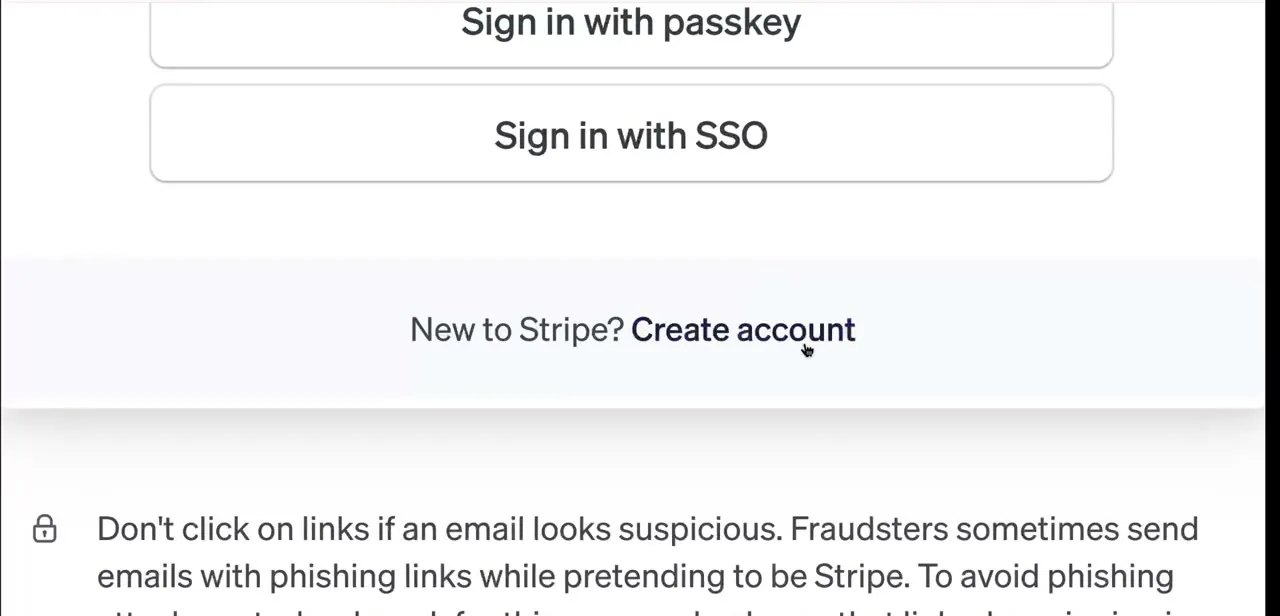
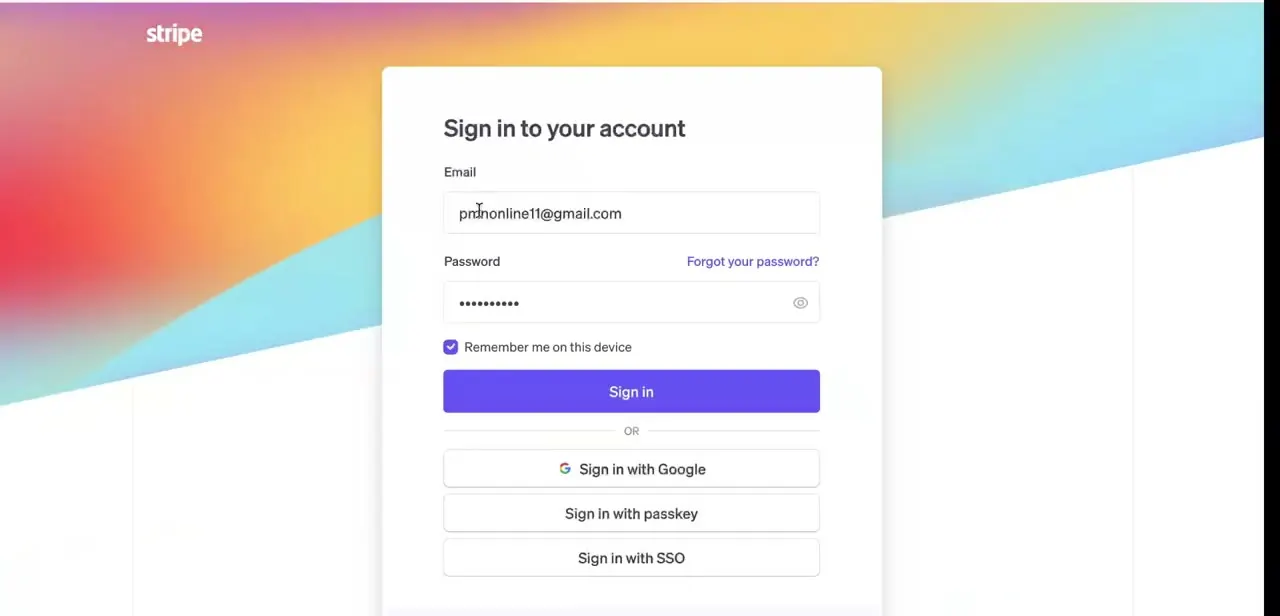
Head to the Stripe sign-in page and enter the email and password tied to your account, or use Sign in with Google, a passkey, or SSO if you've set one of those up. Phishing pages that copy this exact screen are common enough that Stripe's own support documentation specifically warns against clicking a sign-in link from an email; go to the real login page directly and check the URL before typing a password anywhere.
02Confirm which mode you're working in
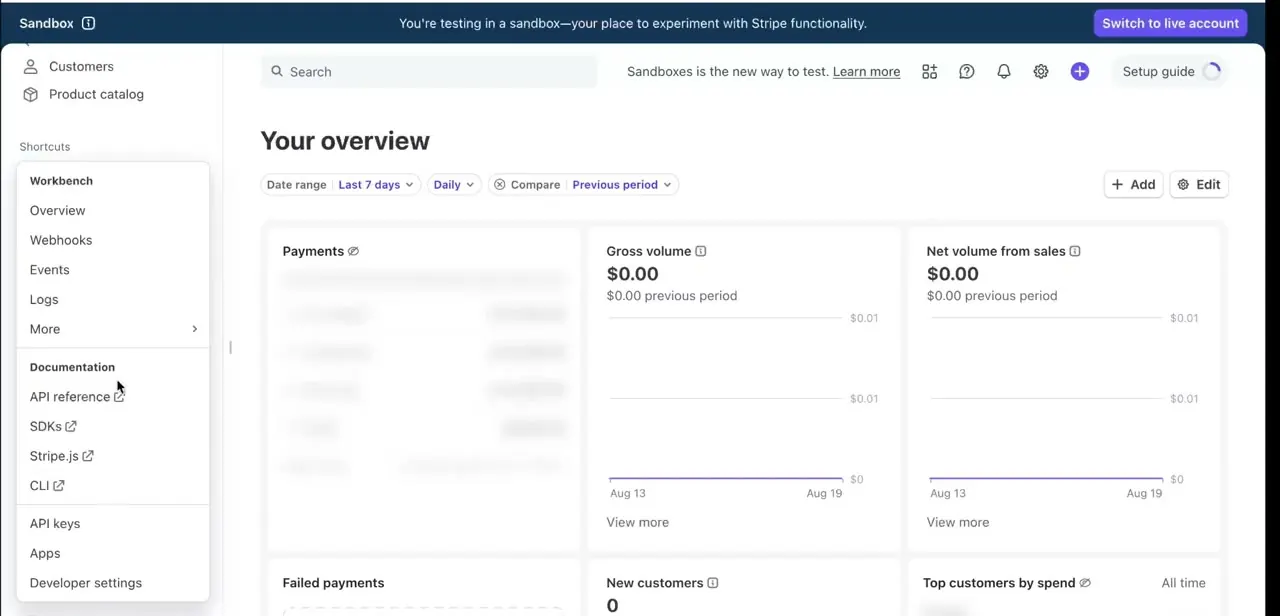
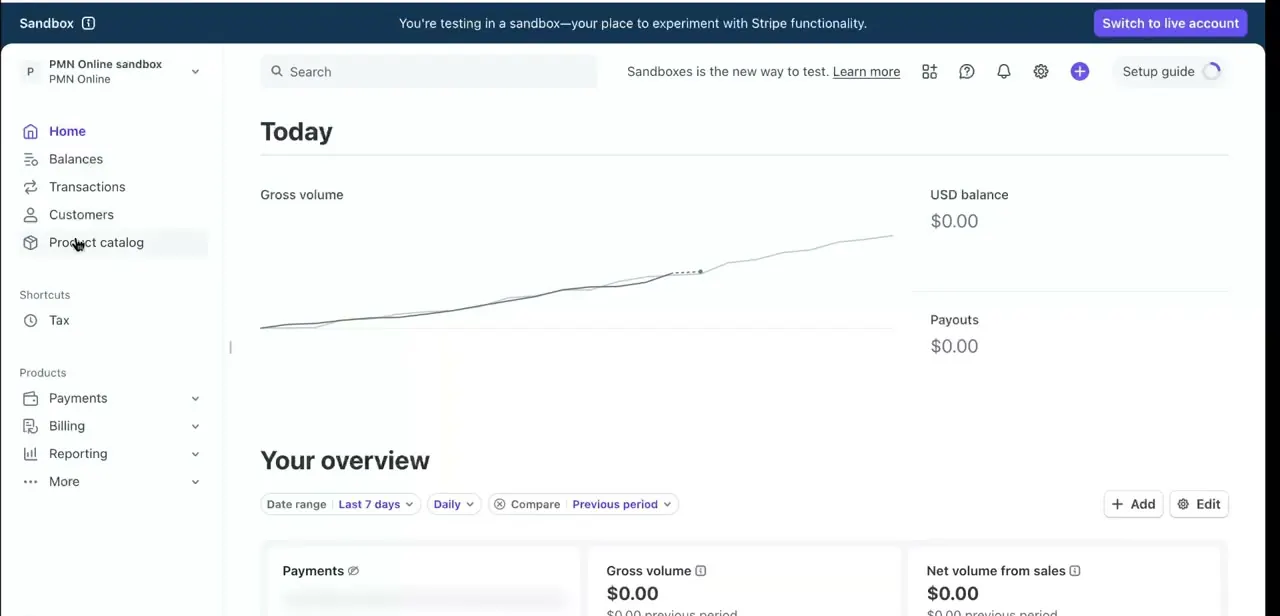
Once you're in, check the banner at the top of the dashboard. A sandbox account shows a persistent notice reading "You're testing in a sandbox—your place to experiment with Stripe functionality," along with a Switch to live account button. This matters because every API key you grab next is scoped to whichever mode is active: test keys only work against sandbox data, and live keys only work once you've flipped over.
03Open the API keys page
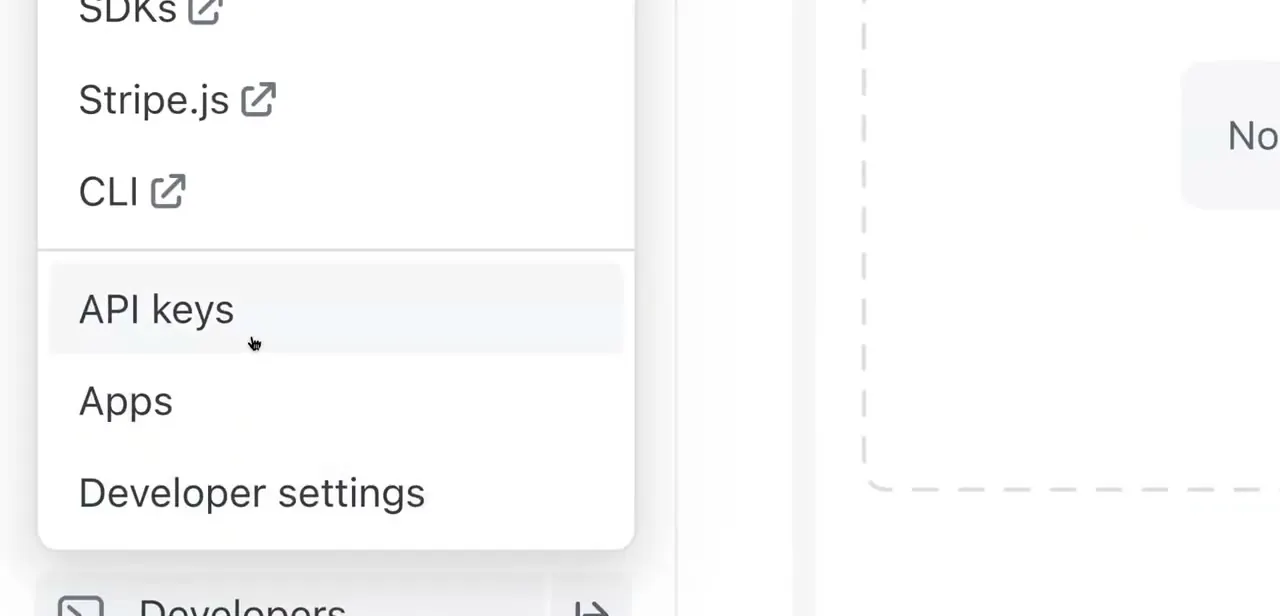
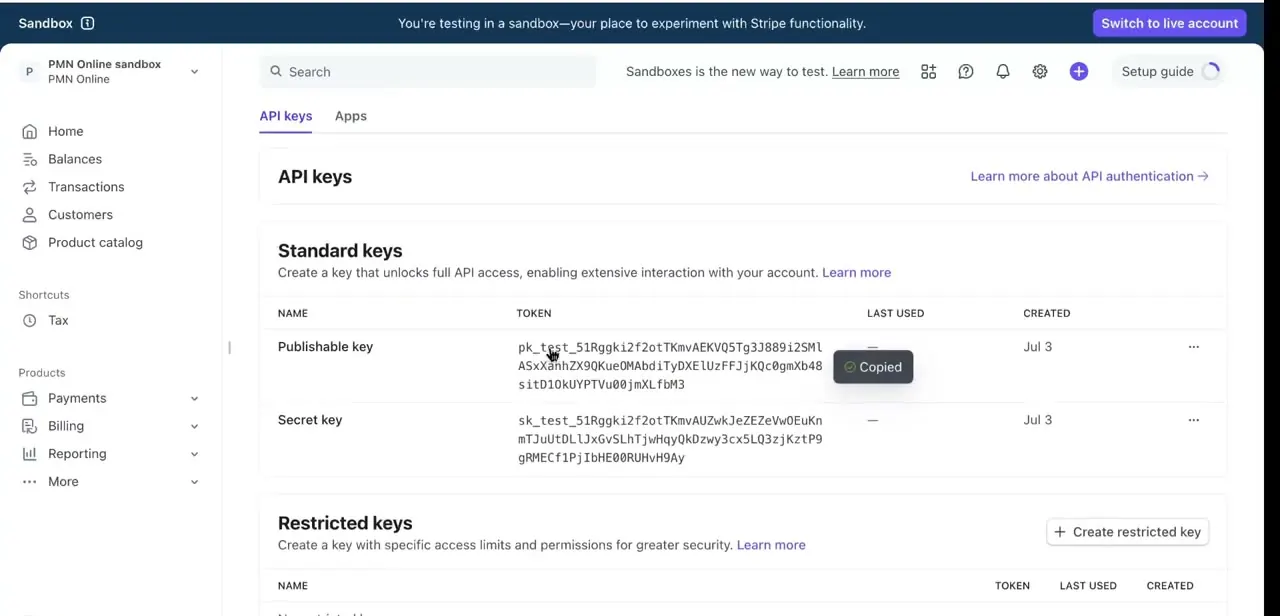
From the left-hand navigation or the settings gear, find Developer resources and select API keys. The page has two sections: Standard keys, which give full API access, and Restricted keys, which you scope down to specific permissions. Stripe's own documentation now recommends Restricted keys for most integrations, not just for handing access to a third party: an unrestricted Secret key can do anything on your account, so a scoped Restricted key limits the damage if it ever leaks.
04Copy your Publishable and Secret keys
Under Standard keys, two rows show a long token each: Publishable key and Secret key, starting with pk_test_ or sk_test_ while you're in sandbox mode (a Restricted key you create yourself starts with rk_test_ or rk_live_). Click the copy icon next to either one and Stripe confirms with a small "Copied" tooltip on the row. Each row also shows when the key was created and when it was last used, useful for spotting an old key worth rotating.
05Switch to Live API keys when you're ready
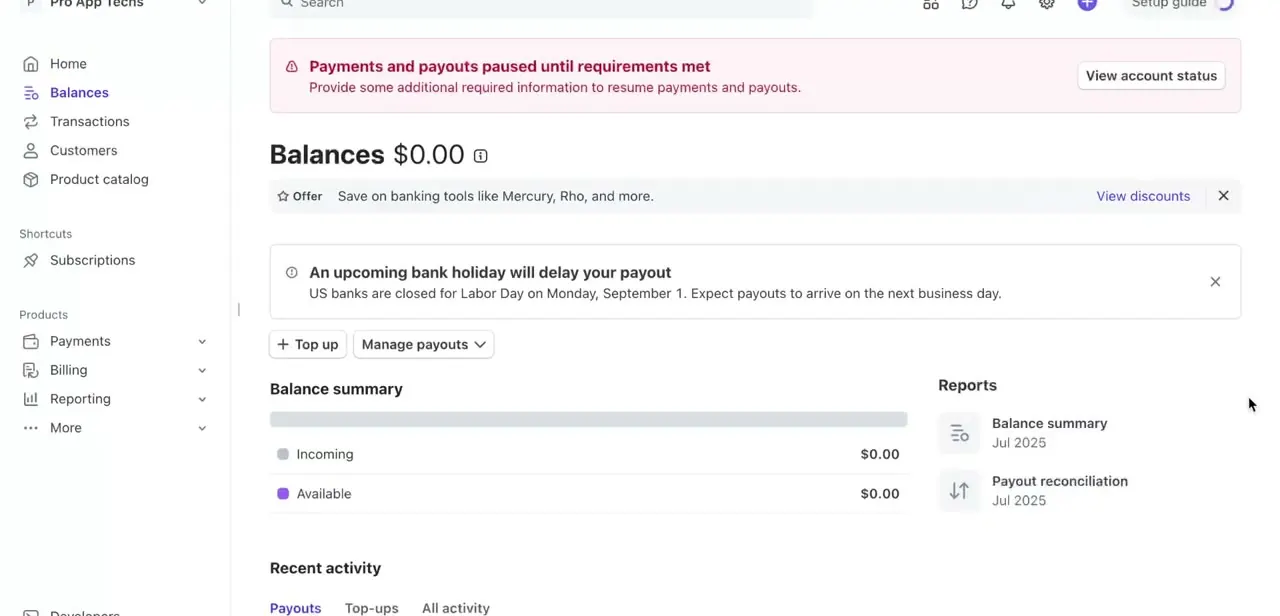
Use the Switch to live account button from the dashboard banner to move out of the sandbox. The API keys page refreshes to show live Publishable and Secret keys, prefixed pk_live_ and sk_live_ instead of the test versions. Don't paste a live Secret key into code that's still in development; keep using test keys until you're ready to accept real payments.
06Secure and manage your keys
The Publishable key is safe in client-side code, your checkout page's JavaScript, for example, since it can only create tokens and can't move money or read account data on its own. The Secret key is the opposite: it can perform privileged actions on your account and belongs only on your server, in an environment variable, never in a frontend bundle or a public repository.
Save a copied Secret key somewhere safe right away. Stripe's documentation is specific about what happens next: in sandbox mode you can reveal a secret key again as many times as you need, but in live mode you can only reveal a key later if Stripe generated it for you (the default key, or one from a scheduled rotation).
A live Secret or Restricted key you create yourself is shown once and can't be viewed again; lose it and the only option is to rotate or delete it. If a key is ever exposed, rotating it in the dashboard revokes the old key and issues a replacement immediately, and both keys keep working for up to seven days so nothing breaks mid-migration. Choosing Expire instead of Rotate cuts the old key off right away, which is the better choice once you're sure nothing still depends on it.
When it doesn't work
Copied a live Secret key once, and now it's needed again with no way to see it
Why: Stripe only lets you reveal a live-mode secret or restricted key again if it's one Stripe generated for you (a default key or a scheduled rotation). A key you create yourself in live mode is shown exactly once.
Fix: There's no way to recover it. Rotate the key from the API keys page to generate a working replacement, then save the new value immediately.
Can't find a sandbox secret key that was copied weeks ago
Why: This is the one case that's easier than live mode: sandbox keys can be revealed again at any time.
Fix: Go to the API keys page in sandbox mode and click the key row; there's no need to rotate anything.
Rotated a key, but the old integration keeps working, unexpectedly
Why: Rotating a key in the dashboard keeps the old key active for a grace period, up to 7 days by default, so nothing breaks mid-migration; it doesn't revoke the old key immediately.
Fix: That's expected. Check the key's request logs, and once traffic on the old key drops to zero, expire it manually instead of waiting out the full grace period.
A Restricted key stops working after being fine for months
Why: Stripe can limit a key's access if it hasn't been used for transfers, payouts, or payout-destination updates in over 180 days.
Fix: Use Restore access for that key from its menu on the API keys page; there's no need to create a new one.
Frequently asked questions
What's the difference between a Publishable key and a Secret key in Stripe?
The Publishable key is meant to be used in client-side code, while the Secret key should only ever be used on your server since it can perform sensitive actions on your account.
Can I use my Test API key on a live website?
No. Test keys only work in Stripe's sandbox mode and won't process real payments; switch to live mode and copy the corresponding Live keys once you're ready to accept actual transactions.
Is it safe to share my Stripe Secret key?
No. Your Secret key should never be shared or committed to a public code repository since it grants access to sensitive account actions. If it's exposed, rotate it immediately from the API keys page.
Where exactly do I find my API keys in the Stripe dashboard?
Both Test and Live API keys live under Developer resources > API keys, in the Standard keys section, where you can copy the Publishable and Secret key tokens directly.
Can I view my Secret key again after I've copied it once?
It depends on the mode. In sandbox mode, yes, reveal it as many times as needed. In live mode, only if Stripe generated the key for you (the default key, or one from a scheduled rotation); a live key you create yourself is shown once and can't be recovered, only rotated.
Should I use a Secret key or a Restricted key?
Stripe's current guidance favors Restricted keys for most integrations: you scope them to exactly the permissions your code needs, so a leak does less damage. Unrestricted Secret keys still work, but Stripe recommends migrating existing integrations to Restricted keys where practical.
Sources and last check
Click path and screens come from a recorded walkthrough, cross-checked against the screenshots for the sandbox banner text and the Standard/Restricted keys layout. Key-reveal behaviour, key prefixes, and rotation mechanics were re-checked against Stripe's official API keys documentation in September 2026. The main correction: this guide previously said a Secret key can never be viewed again after the first copy. Stripe's docs say that's true only for live-mode keys you create yourself; sandbox keys can be revealed any time, and Stripe-generated live keys (the default key, or ones from a scheduled rotation) can be revealed again too. The phishing-warning claim was also moved from "the login screen says this" to Stripe's own support documentation, since that exact wording wasn't visible in the recorded screen.
About the author

Impran M N
I've been hooked on technology for as long as I can remember — especially the new tools and AI apps that seem to land every other week. Easy Tech Tuts is where I write up whatever I've just worked out: I do the task in the real product, record the screen, and turn it into the guide I wish I'd found first.