Easy Tech Tuts
How to Pass the Stripe Fees to Your Customer Easily 2026
By Impran M NLast checked against official docs
If Stripe's processing fees are eating into your margins, you may want to shift that cost to the customer instead of absorbing it yourself. Stripe doesn't have a single "pass the fee to the customer" toggle in the dashboard — you build it into how you price and invoice, using the same tools you'd use to add a tax or a line item. This guide covers calculating what Stripe takes, where in the dashboard to add that cost back onto an invoice, and the compliance limits you need to check before turning it on for real customers.
01Calculate what Stripe is charging you
Stripe's standard US rate is 2.9% plus 30 cents per successful card charge, though your rate can differ by pricing plan, card type and country. On an $11 invoice, that works out to roughly 62 cents — not a round number, which is why a flat surcharge often over- or undercharges slightly.
Check your own rate under Billing in the dashboard instead of assuming the standard figure; negotiated or volume rates are common once you're processing steadily. Stripe also has a dedicated surcharge feature of its own, currently in public preview and built for developers integrating at checkout.
It calculates a per-transaction maximum for you and enforces it through the API. If you're comfortable writing code against Stripe's Payment Intents, that native feature is worth reading about before you build the manual version below, which is aimed at Invoicing, not checkout.
02Find Invoicing in the dashboard
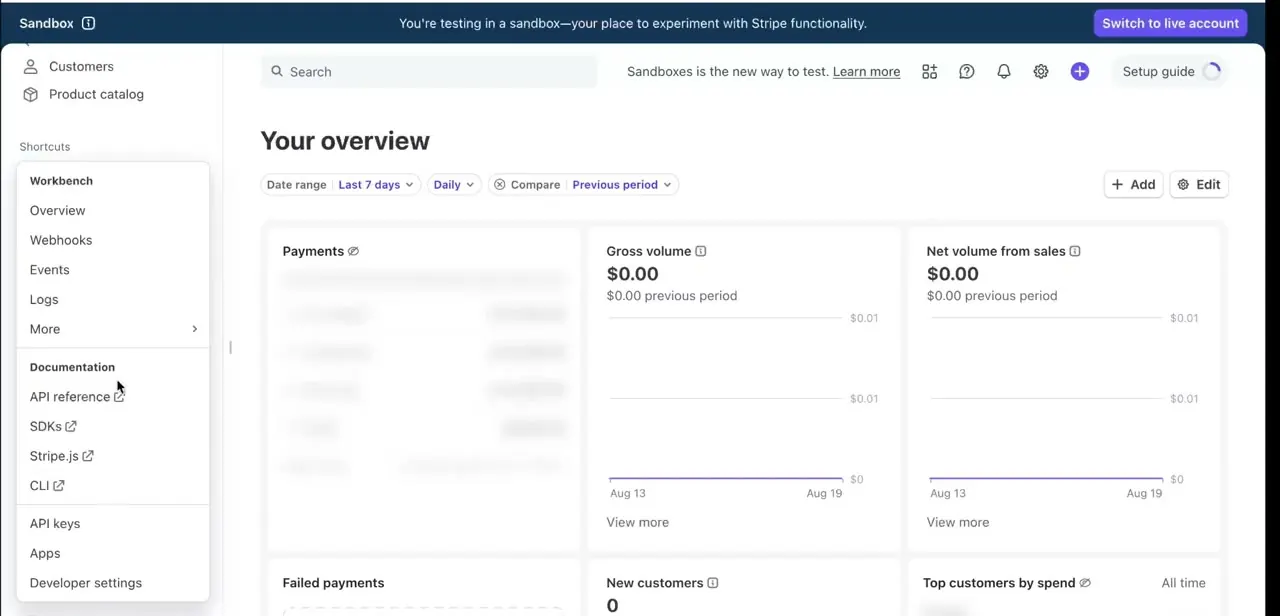
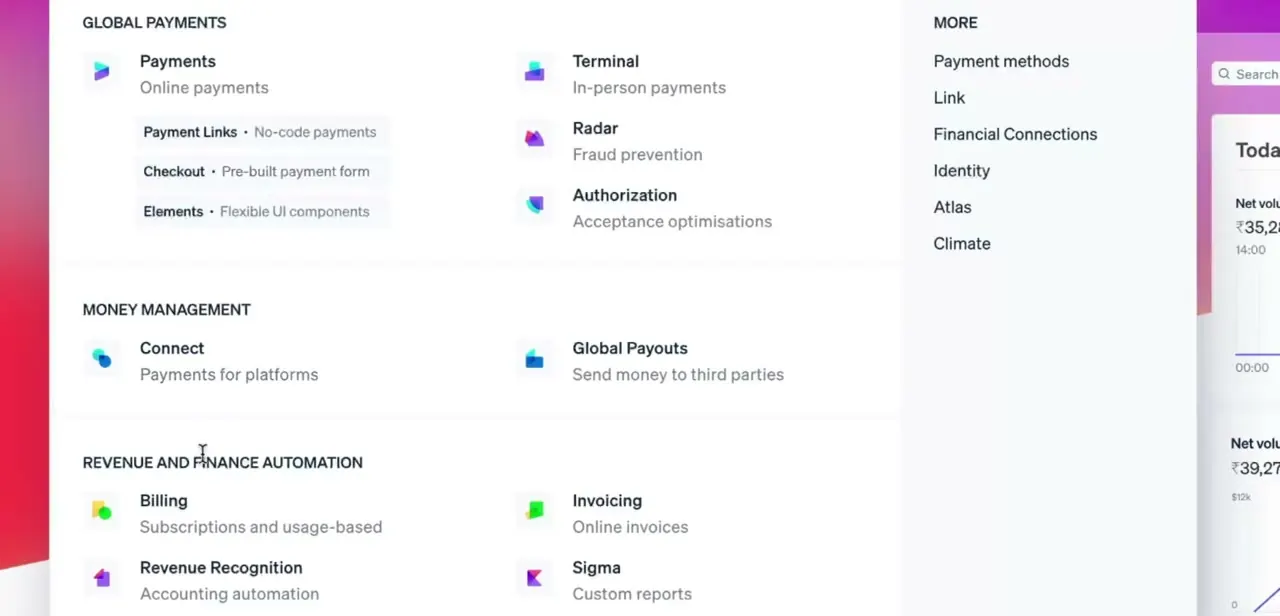
Stripe's dashboard groups its tools under a few headings: Global Payments for checkout and payment methods, Money Management for payouts, and Revenue and Finance Automation for Billing, Invoicing and Sigma reporting. Passing on a fee is a pricing decision, so Invoicing under Revenue and Finance Automation is where the work happens, not anywhere in Payments.
03Open a draft invoice
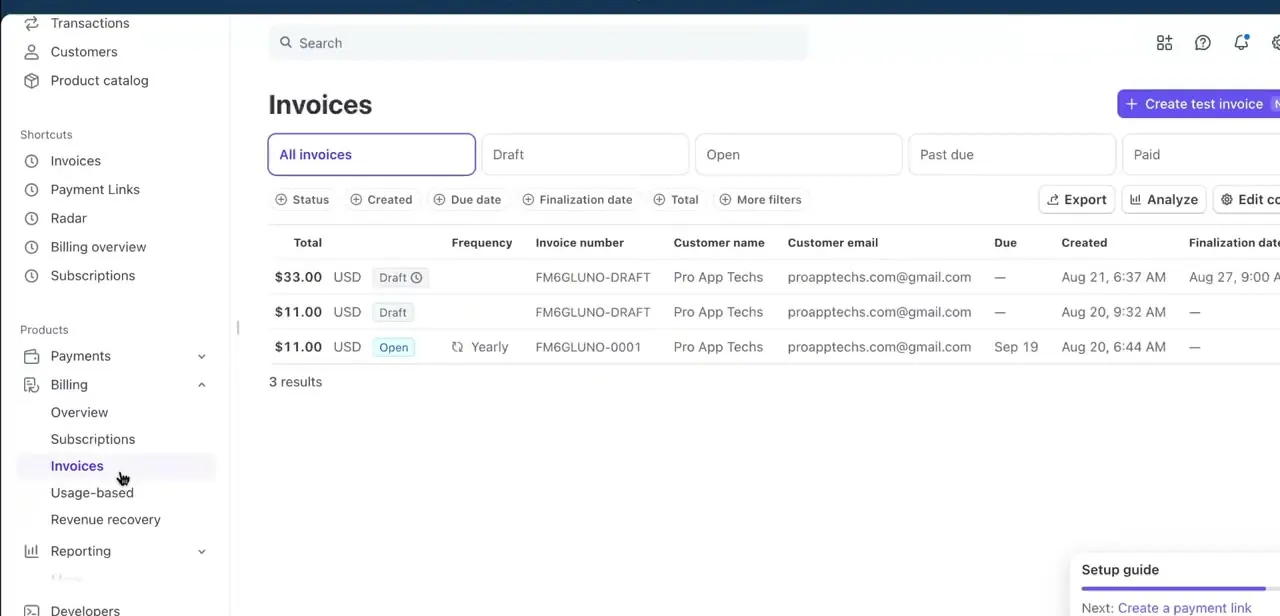
In the left sidebar under Billing, click Invoices to see every invoice on the account: drafts, open, past due and paid, each with its total, customer and due date. Working from a real invoice is the fastest way to see how a small fee changes the total, since the amount due updates as you add items.
04Add the fee as its own line item
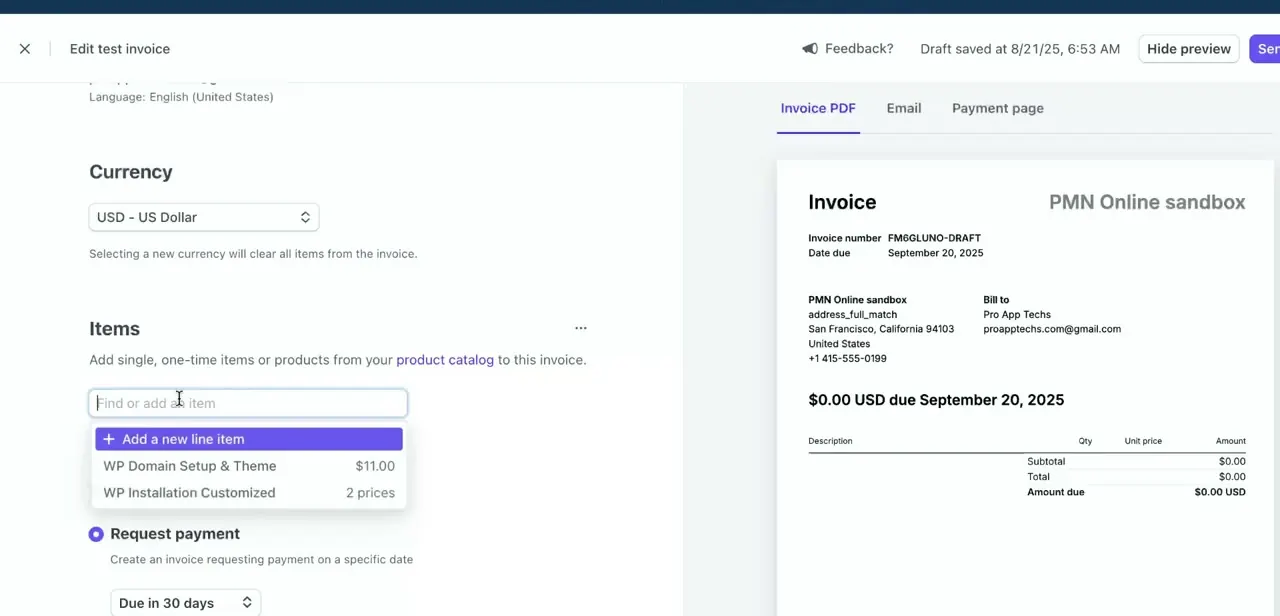
Open an invoice for editing and use the Items section to add a line beyond your normal product or service. "Add a new line item" lets you create one labeled something like "Processing fee" with the amount you calculated, sitting next to your existing catalog items. This keeps the fee visible and separate on the invoice PDF and payment page instead of folding it silently into your price, which matters both for disclosure and for your own bookkeeping.
05Or fold it into the price the way you would tax
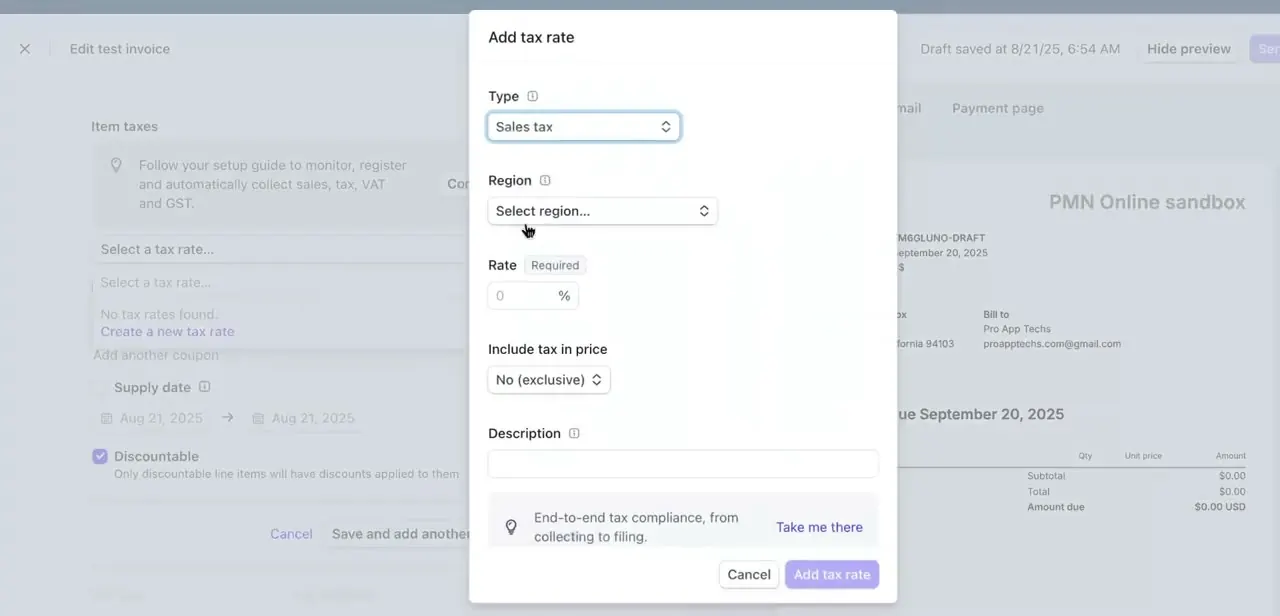
If a separate line item feels too conspicuous, Stripe's Add tax rate dialog offers a second pattern, even though it's built for sales tax: define a rate as a percentage, then choose whether to show it added on top of the price or included in it. That "Include tax in price" toggle does the same job as a fee baked into the sticker price. Set the rate, choose Included, and the surcharge disappears into the number the customer sees instead of showing as a line.
06Confirm you're allowed to, then disclose it before checkout
Surcharging isn't universally allowed, and the limits are more specific than "check your state." Visa caps card surcharges at 3% and requires roughly 30 days' notice to your acquirer before you start; Mastercard's cap is 4%. Neither network permits a surcharge on debit or prepaid cards, only credit.
Ten US states (California, Colorado, Connecticut, Florida, Kansas, Maine, Massachusetts, New York, Oklahoma and Texas) cap or ban surcharges outright, and rules differ again outside the US. Whichever method you use, the amount needs to be clear before the customer pays, not discovered afterward.
An itemized line is the easiest to defend if a customer asks about it later. Building the cost into your base price instead sidesteps most of this paperwork, since a higher price isn't a regulated surcharge. Test the finished invoice as a customer would see it before sending it to anyone for real.
When it doesn't work
The invoice total doesn't quite match what you calculated
Why: Stripe's processing fee applies to the full charged amount, including the surcharge itself, not just your original price.
Fix: Recalculate the fee on the marked-up total, not the base price, or accept that a surcharge based on the base price will slightly undercollect.
A customer disputes the added fee
Why: The surcharge wasn't shown clearly before payment, or it exceeded a network or state limit.
Fix: Check the fee is visible before checkout and inside the caps above; if it isn't compliant, remove it and rebuild the price to include the cost instead.
You're not sure a surcharge is even allowed where you operate
Why: Ten US states cap or ban credit card surcharges, and card network rules add their own limits on top.
Fix: Confirm your state against the list above, and if surcharging isn't viable there, raise your base price instead; that isn't a regulated surcharge.
Frequently asked questions
Is it legal to pass Stripe fees to customers?
Often, but not everywhere. Ten US states, including California, New York and Texas, cap or ban credit card surcharges. Visa caps them at 3% and Mastercard at 4%, and neither network allows a surcharge on debit cards. Check your state and card mix before enabling one.
Does Stripe have a built-in way to add a surcharge?
Yes, but it's a developer feature currently in public preview, built into the Payment Intents API for checkout flows. This guide covers the no-code alternative for Invoicing: adding the fee as a line item or building it into a tax rate.
Will Stripe calculate the surcharge for me automatically?
Not in Invoicing. You add the fee yourself, either as a separate line item or built into the price using the same rate tool used for tax.
Can I surcharge a debit card the same as a credit card?
No. Visa and Mastercard both restrict surcharging to credit cards; debit and prepaid cards are excluded under their rules.
Can I just raise my prices instead of adding a visible fee?
Yes. Building the fee into your base price with the "Include tax in price" toggle avoids a separate surcharge line and sidesteps most surcharge-specific compliance rules, since a higher price isn't a regulated surcharge.
Where in Stripe do I add a fee to an invoice?
Open Billing, then Invoices, edit a draft, and use the Items section to add a new line item, or use the Add tax rate dialog to build a percentage fee into the price.
Sources and last check
Click path and screens come from a recorded walkthrough. The surcharge caps, the ten-state list, the debit-card exclusion and Stripe's native (preview) surcharge feature were checked against Stripe's own documentation and resource pages in September 2026. The earlier version of this guide only vaguely gestured at 'several states' and unnamed network caps.
About the author

Impran M N
I've been hooked on technology for as long as I can remember — especially the new tools and AI apps that seem to land every other week. Easy Tech Tuts is where I write up whatever I've just worked out: I do the task in the real product, record the screen, and turn it into the guide I wish I'd found first.