Easy Tech Tuts
How to Get Multiple Stripe Accounts With One LLC Easily 2026
By Impran M NLast checked against official docs
Running several brands or stores under one legal entity doesn't mean you're stuck processing all their payments through a single Stripe account. Stripe supports multiple accounts tied to the same business, and the option to add one lives right inside the dashboard you're already using.
No new sign-up, no separate LLC required. This guide walks through creating a second account from your existing Stripe dashboard, filling in the details Stripe asks for, and understanding how the account switcher keeps each store's data, API keys, and payouts separate once you're done.
Before you start
- An existing, verified Stripe account under the LLC you're adding a second store to
01Open the account switcher and start a new account
From inside your existing Stripe dashboard, click the business name in the top-left corner to open the account switcher, then select New account, which is Stripe's own label for this option in its documentation. A dialog appears asking for a Name and a Country of operation. The name field is just a label for the dashboard and you can rename it later, but name it after the actual brand or store it represents right away, since you'll be picking between accounts by this name every time you switch.
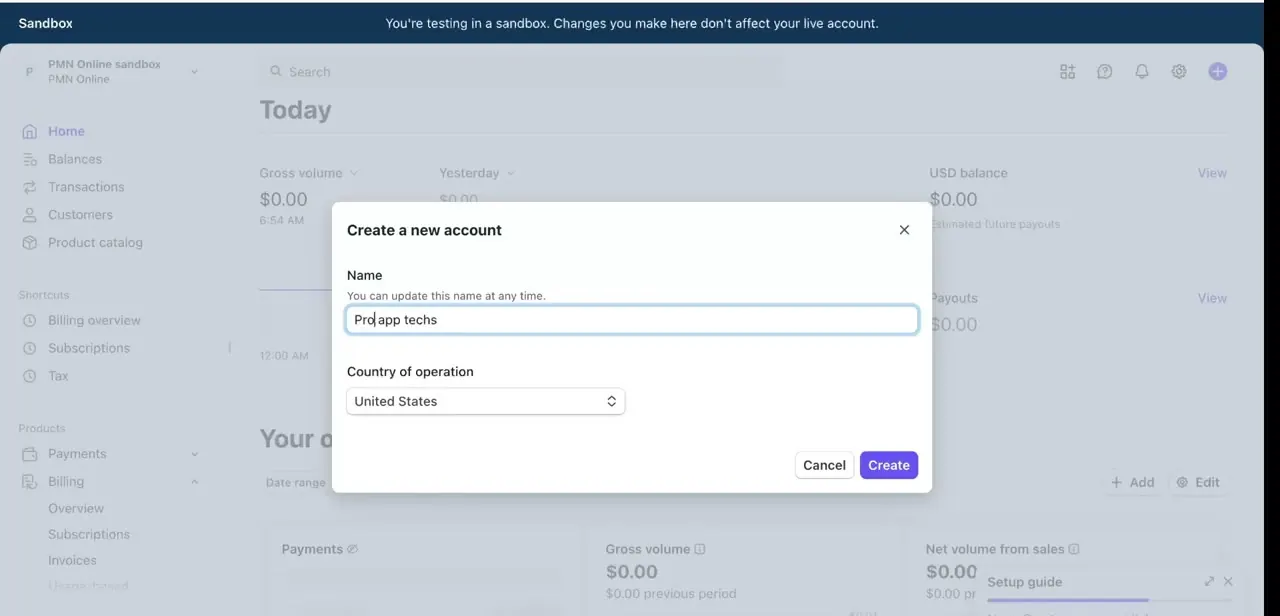
02Fill in the business details for the new account
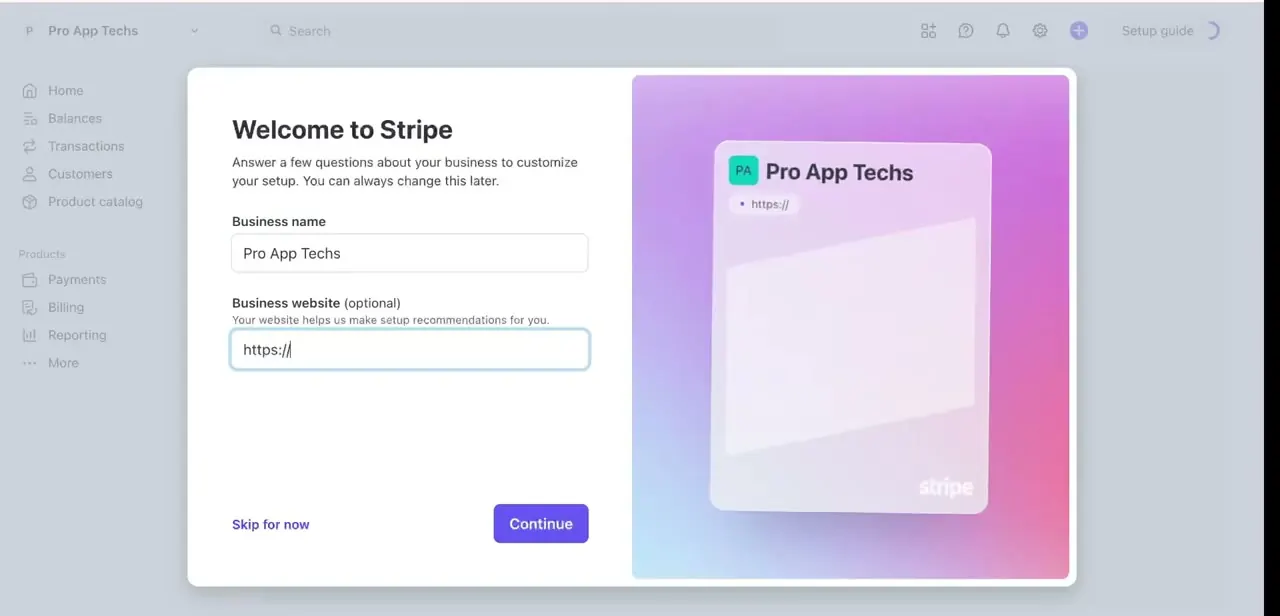
After creating the account shell, Stripe walks you through a short "Welcome to Stripe" setup screen asking for your business name and, optionally, a business website. Stripe's documentation is specific about what can and can't repeat across accounts: if the new store operates under the same legal entity and tax ID as your existing LLC, you can reuse that tax ID and legal business information on the new account.
What has to be unique per account is the public-facing information, your statement descriptor, support email, and website, so a customer who buys from one brand doesn't see a charge that looks like it came from a different one, which is exactly the kind of mismatch that leads to disputes. You'll also need the same verification pieces a first account required: legal business information, a bank account for payouts, and identity details for the account representative. Have these ready before you start, since most of the legal details will already match your existing account if it's the same LLC.
03Confirm the account is separated in the switcher
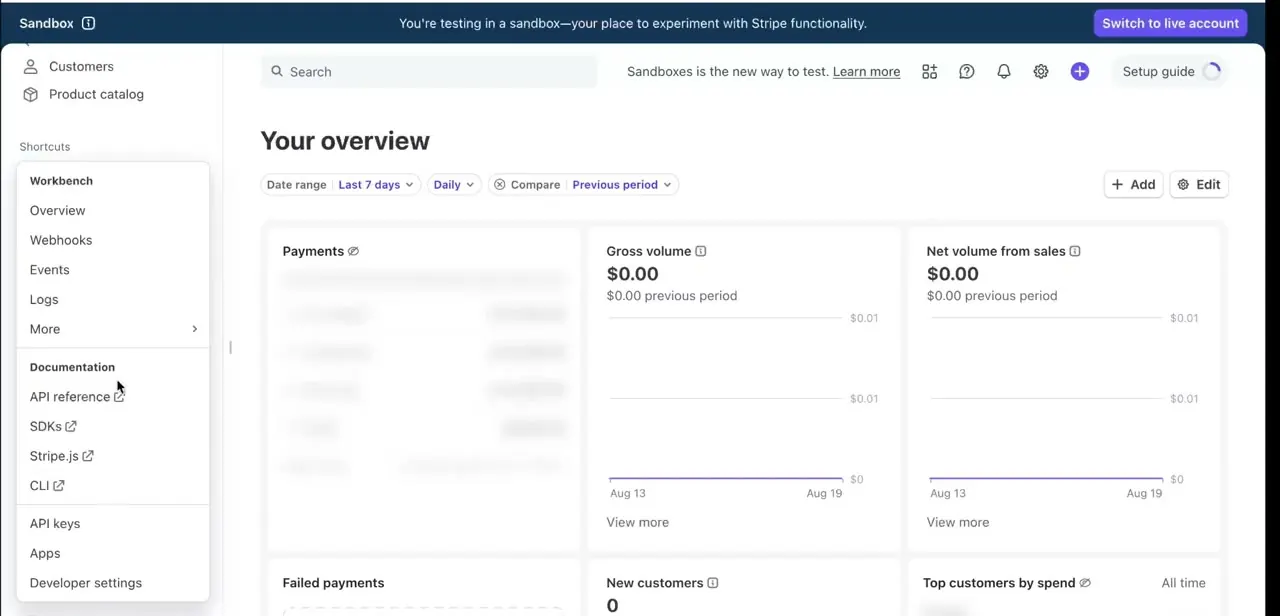
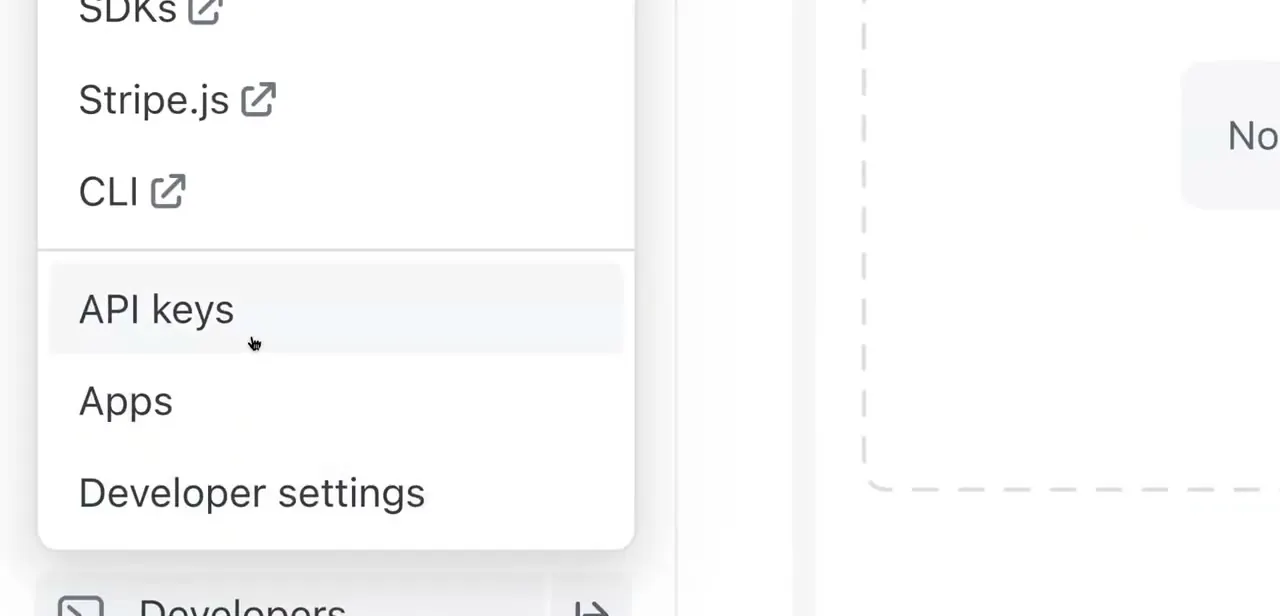
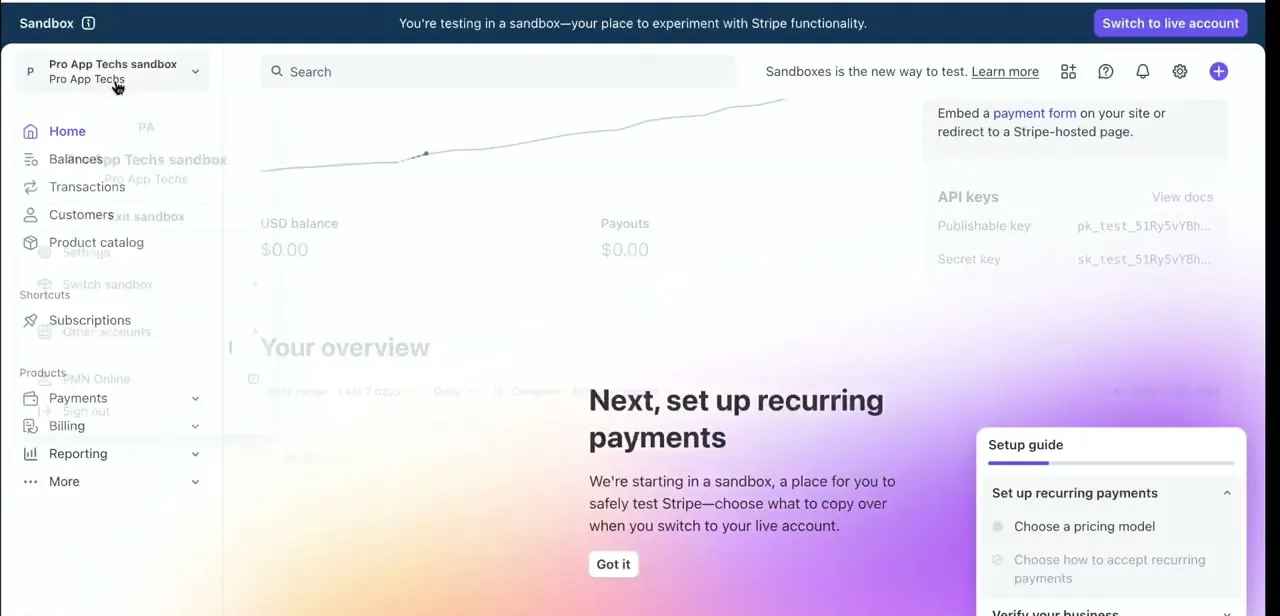
Once setup finishes, click the account name in the top-left again and you'll see your accounts listed together under an "Other accounts" section, letting you jump between them without logging out. Each account carries its own dashboard, balance, transaction history, and, visible under Developers, its own publishable and secret API keys.
That separation is what matters for running separate stores cleanly: the checkout code for one brand can't accidentally charge through another brand's account. Worth knowing too: a new account starts on Stripe's standard policies and pricing. It doesn't inherit any special status, trust level, or negotiated terms from your existing account.
04Keep payouts and API keys separate by design
Because each account has its own bank payout settings and its own API keys, the separation Stripe gives you is structural, not something you maintain manually. Still, double-check that each storefront's code points at the correct account's keys before going live. Pasting the wrong secret key into a new store's checkout is a common way transactions end up misattributed to the wrong brand.
05Consider Organizations if you need combined reporting
Running several accounts under one LLC means several separate dashboards by default, each with its own reports and reconciliation. If you'd rather see everything in one place, Stripe's documentation points to a feature called Organizations, built specifically for centralizing reporting and management across multiple accounts tied to the same business. It's a separate setup step from creating the account itself, worth looking into once you have more than two or three stores to track.
06Understand what Stripe's terms really restrict
Stripe's Services Agreement bars one specific thing relevant here: creating an account on behalf of, or for the benefit of, a user whose Stripe access was already suspended or terminated, unless Stripe approves it. That's the real restriction, not multiple accounts in general, which Stripe explicitly supports for separate brands or business lines.
What does invite trouble is inconsistent business information across accounts under the same LLC: a mismatched name, address, or ownership detail on one account can draw extra scrutiny to a sibling account tied to the same entity. Keep the legal details identical across accounts and let only the public-facing branding differ.
Frequently asked questions
Can I really have more than one Stripe account under a single LLC?
Yes. Stripe's own documentation says you can reuse the same tax ID and legal business information across multiple accounts when they belong to the same legal entity, and you add each one from the account switcher in your existing dashboard.
Do I need separate banking details for each Stripe account?
No, you can use the same bank account across multiple Stripe accounts, though a separate account per store makes reconciliation easier.
What does Stripe's policy prohibit about multiple accounts?
Its Services Agreement specifically bars creating an account on behalf of a user already suspended or terminated by Stripe. Running multiple legitimate accounts for separate brands under one business is explicitly supported.
Are the API keys different for each account?
Yes, every account gets its own publishable and secret API keys, visible under Developers in that account's dashboard, so each store's integration stays isolated from the others.
Does a second account inherit anything from my first Stripe account?
No. Stripe's documentation notes a new account is subject to standard Stripe policies and pricing and doesn't inherit any special status from an existing account.
What's the point of Organizations if I already have the account switcher?
The switcher only lets you view one account at a time. Organizations centralizes reporting and management across multiple accounts tied to the same business, which matters more once you're running several stores.
Sources and last check
Click path and screens come from a walkthrough recorded in mid-2025. Re-checked against Stripe's official documentation and its Services Agreement in September 2026. That check corrected an unsourced claim about Stripe actively monitoring for restriction-evasion patterns, replacing it with the actual Services Agreement clause (creating an account for a suspended or terminated user), and added two things the original version omitted entirely: that a new account doesn't inherit any status from an existing one, and that Stripe's Organizations feature exists specifically for this multi-account-one-business situation.
About the author

Impran M N
I've been hooked on technology for as long as I can remember — especially the new tools and AI apps that seem to land every other week. Easy Tech Tuts is where I write up whatever I've just worked out: I do the task in the real product, record the screen, and turn it into the guide I wish I'd found first.