Easy Tech Tuts
How to Do a Refund in Stripe, Create & Issue Partial Refunds Easily 2026
By Impran M NLast checked against official docs
Whether a customer needs their whole payment back or just a portion of it, Stripe keeps refunds inside the same Transactions view you already use to track payments, so there's no separate refund tool to learn. This guide follows the real path from signing in to the Transactions page where every payment, and its refund status, lives, then covers the difference between a full refund and a partial one. It's written for anyone handling customer service or order corrections who wants money back to a buyer without second-guessing which button does what.
Before you start
- A succeeded, captured payment to refund; a payment that hasn't been captured yet is canceled instead, not refunded
- Access to the Stripe account the original payment ran through, not a personal test-mode account
01Sign in to your Stripe account
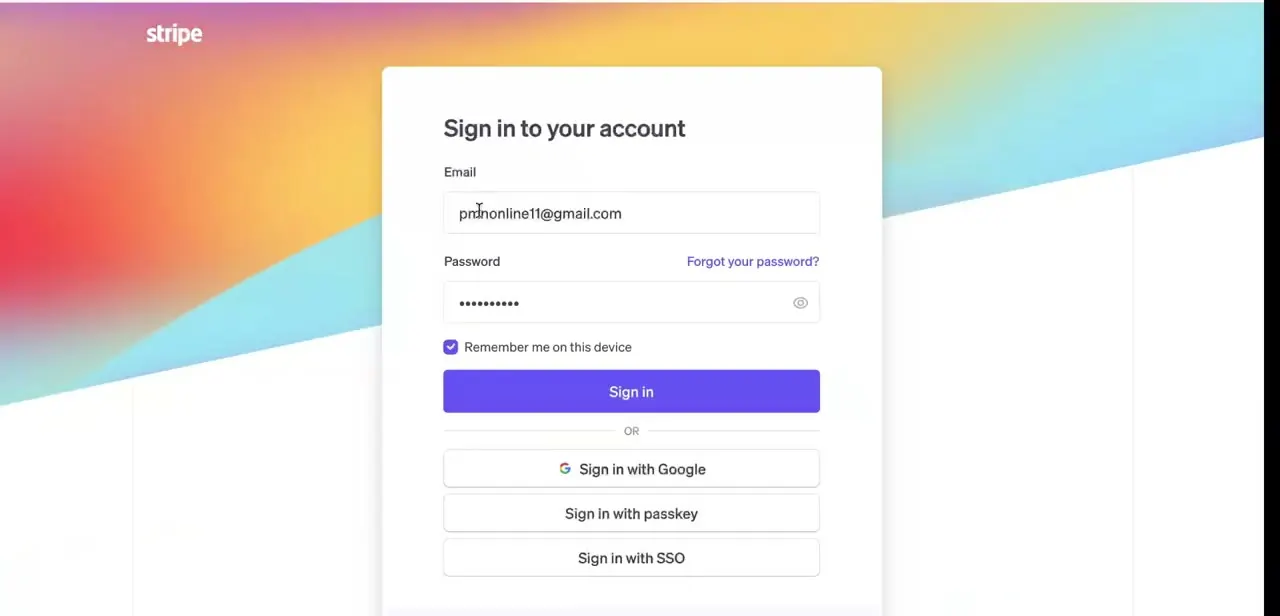
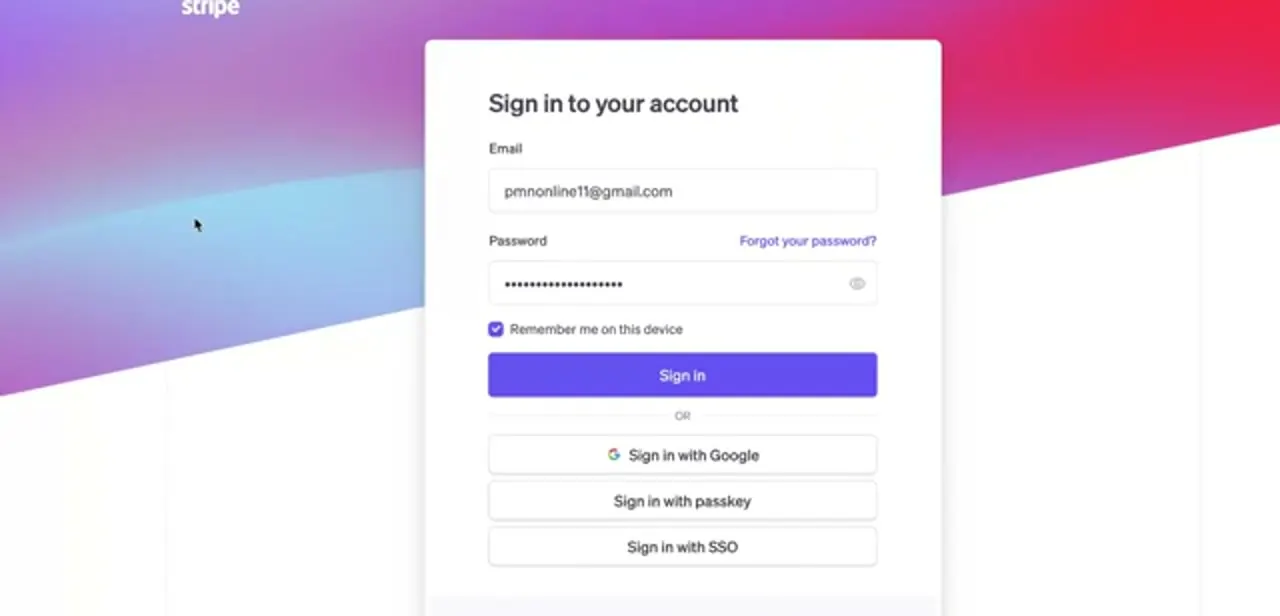
Head to Stripe's sign-in page and log in with your account email and password, or use Google, a passkey, or SSO if you've set one up. Refunds can only be issued by someone with access to the account the original payment ran through, so if you're on a team, confirm you're in the right workspace and not a personal test-mode account.
02Open Transactions and find the payment
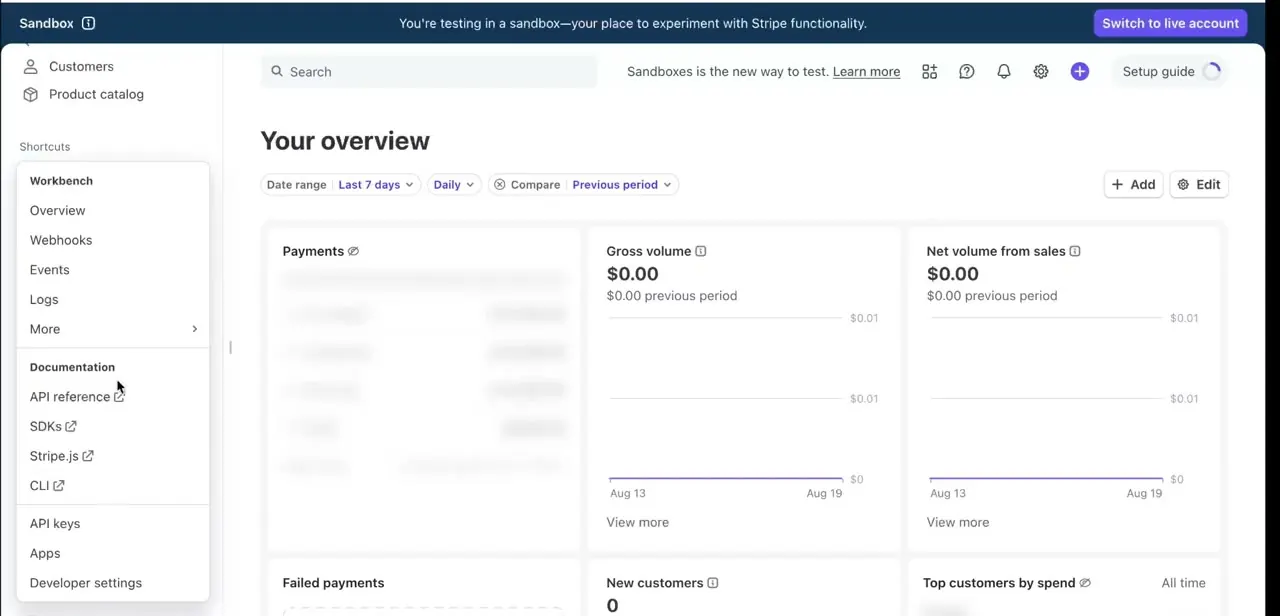
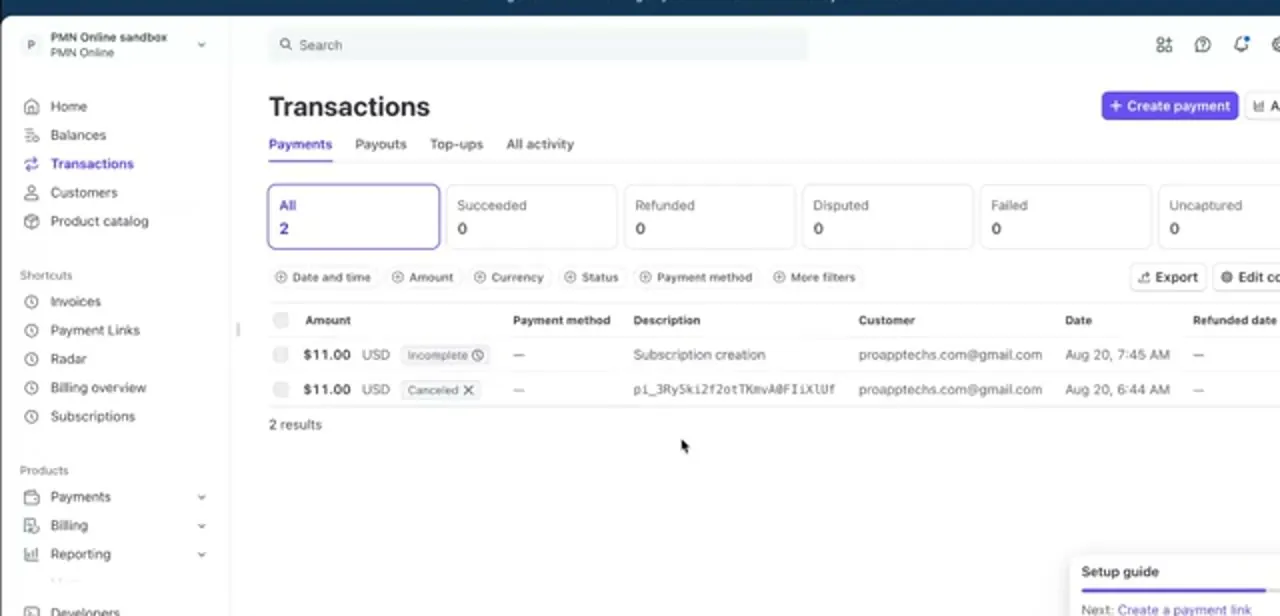
Once you're in, click Transactions in the left sidebar to see every payment on the account, organized under tabs for Payments, Payouts, Top-ups, and All activity. A row of quick filters along the top (All, Succeeded, Refunded, Disputed, Failed, Uncaptured) jumps you straight to the state you care about instead of scrolling the full list. Each row shows the amount, payment method, description, customer, and date, so you can usually spot the right transaction by matching the customer's email or the charge amount to what they're telling you.
03Open the payment and start the refund
Click into the transaction to open its detail page, showing the full history for that charge: when it was created, its current status, and any related events. The Refund button here opens a form asking how much to return, defaulting to the full amount charged. You can also skip the detail page entirely: click the overflow menu (the three dots) beside a payment right in the Transactions list and choose Refund payment from there.
04Issue a full refund
To refund the entire payment, leave the amount at its default full value. Pick a reason (duplicate, fraudulent, or requested by customer) for your own records; choosing Other requires a short note explaining why.
Confirm, and Stripe sends the money back to the customer's original payment method and updates the transaction's status to Refunded. If you're refunding several full payments at once, the Transactions list supports bulk refunds: tick the checkbox beside each one, even across multiple pages, then click Refund and select a reason. Bulk refunding only works for full amounts; partial refunds still have to be issued one at a time.
05Issue a partial refund instead
If the customer is owed only part of what they paid (a partial return, a pricing correction, a goodwill discount), change the amount field to the specific figure instead of the full total. Stripe won't accept more than what's still refundable on that charge, counting any refunds already issued against it. The transaction shows as partially refunded afterward, with the remaining balance still marked as paid, not returned.
06Confirm the refund, and know the timing
After submitting either type of refund, go back to Transactions and filter by Refunded to see it listed with a refund date next to the original payment date. Stripe estimates 5 to 10 business days for the funds to actually reach the customer's card or bank account, so if they ask right away whether it's done, you can confirm it was issued on Stripe's side even before the money visibly lands for them.
When it doesn't work
The refund amount field won't accept the number I typed
Why: Stripe won't let a refund, or the sum of multiple partial refunds, exceed the original charge amount.
Fix: Check what's already been refunded on that payment before entering a new amount; the remaining refundable balance is the ceiling.
I issued a refund and immediately want to undo it
Why: Stripe only allows canceling a refund for a short window right after you issue it, and only from the Dashboard for card refunds.
Fix: Find the payment, open the overflow menu, and look for Cancel refund right away. Once that window passes, it can't be undone.
The refund shows as failed
Why: The customer's bank or card issuer couldn't process it, often because the account or card is closed or expired.
Fix: Check the transaction's detail page for the failure reason. Stripe returns the funds to your own account balance automatically, and you'll need another way to get money back to the customer.
Frequently asked questions
How long does a Stripe refund take to reach the customer?
Stripe estimates 5 to 10 business days for the funds to reach the customer's card or bank account, though the exact timing depends on their bank.
Can I issue more than one partial refund on the same payment?
Yes, as long as the combined total of all refunds on that payment doesn't exceed the original charge amount.
Does Stripe charge a fee for processing refunds?
Stripe doesn't return its own processing fee from the original charge, even when you refund the customer in full, so a refunded payment still costs you that fee.
Can I cancel a refund after I've issued it?
For a short window right after you issue it, yes, from the Dashboard for card refunds. Once that window closes, the refund can't be reversed.
What if a refund fails to process?
Check the transaction's detail page for error information. A closed card or bank account is a common cause, and Stripe returns the funds to your account balance when this happens.
Can I refund several payments at once?
Yes, for full refunds. Select the checkboxes next to multiple payments in the Transactions list and refund them together; partial refunds have to be done individually.
Sources and last check
Click path and screens come from a walkthrough recorded in 2025. Refund timing, the fee-non-return rule, the per-charge refund cap, bulk refunds, and the refund-cancellation window were re-checked against Stripe's own documentation in September 2026, which also corrected the stated refund timing from a vague 'few business days' to Stripe's own 5 to 10 business day estimate.
About the author

Impran M N
I've been hooked on technology for as long as I can remember — especially the new tools and AI apps that seem to land every other week. Easy Tech Tuts is where I write up whatever I've just worked out: I do the task in the real product, record the screen, and turn it into the guide I wish I'd found first.