Easy Tech Tuts
How to Change Name on Stripe Invoice, Get Business Name & Address off from Receipt Easily 2026
By Impran M NLast checked against official docs
The name a customer sees on a Stripe invoice or receipt doesn't come from one single field. It's pulled from your account's business details and public contact information, which live in a different corner of the Dashboard than the invoice itself.
This guide follows the real path: from the Dashboard home, into the Invoices settings where Stripe links out to Branding and Business information, and into the Business details panel where the name, statement descriptor, and support contacts get edited. Get this right and every invoice generated afterward reflects the change automatically.
01Start from the Stripe Dashboard home
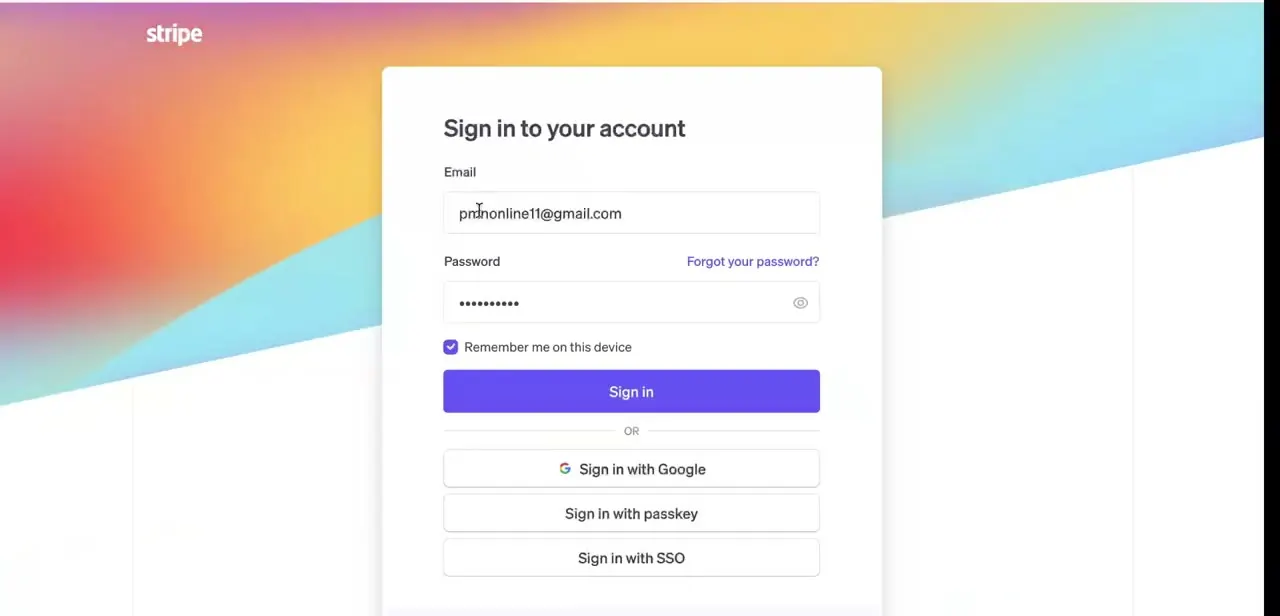
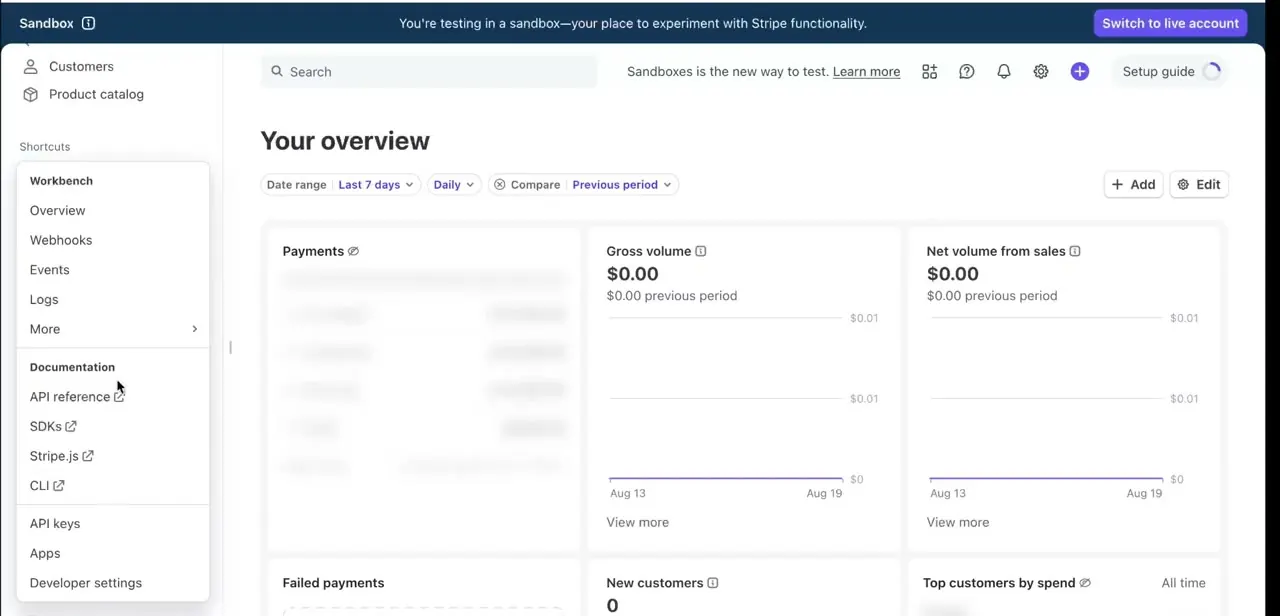
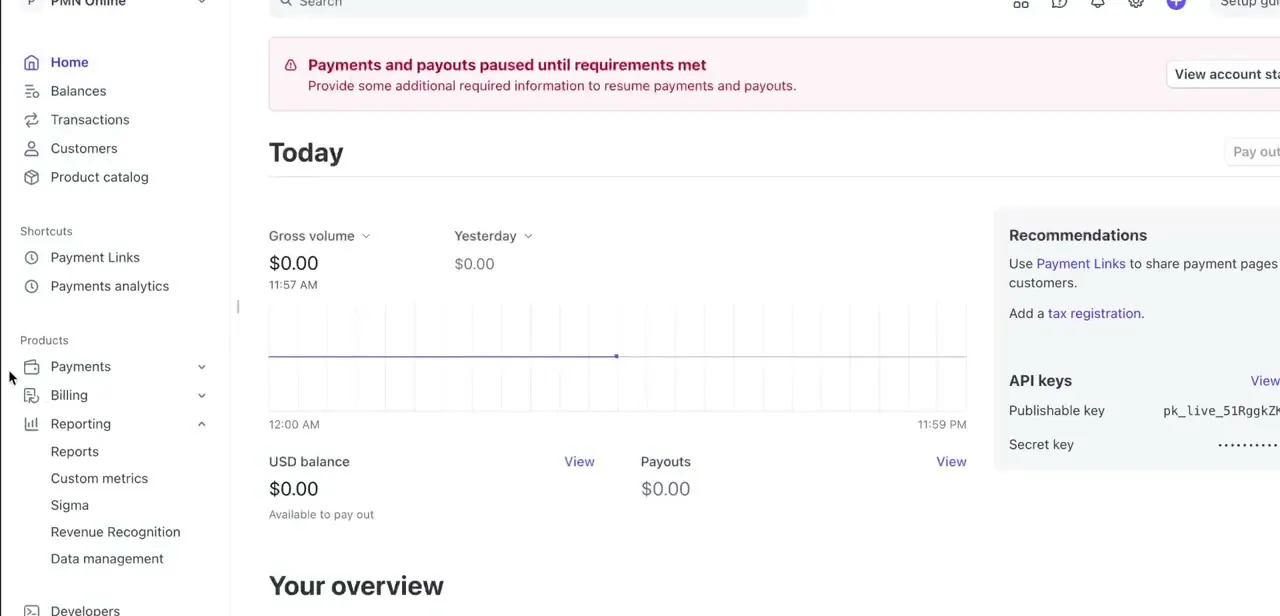
Log in and land on the Dashboard home, with the left-hand navigation showing Home, Balances, Transactions, Customers, and Product catalog, plus a Products section further down for Payments, Billing, and Reporting. If your account shows a banner like "Payments and payouts paused until requirements met," resolve that first. An account with unmet requirements can also be missing the business details that show up on invoices, so the two are often connected.
02Open Invoices under Billing
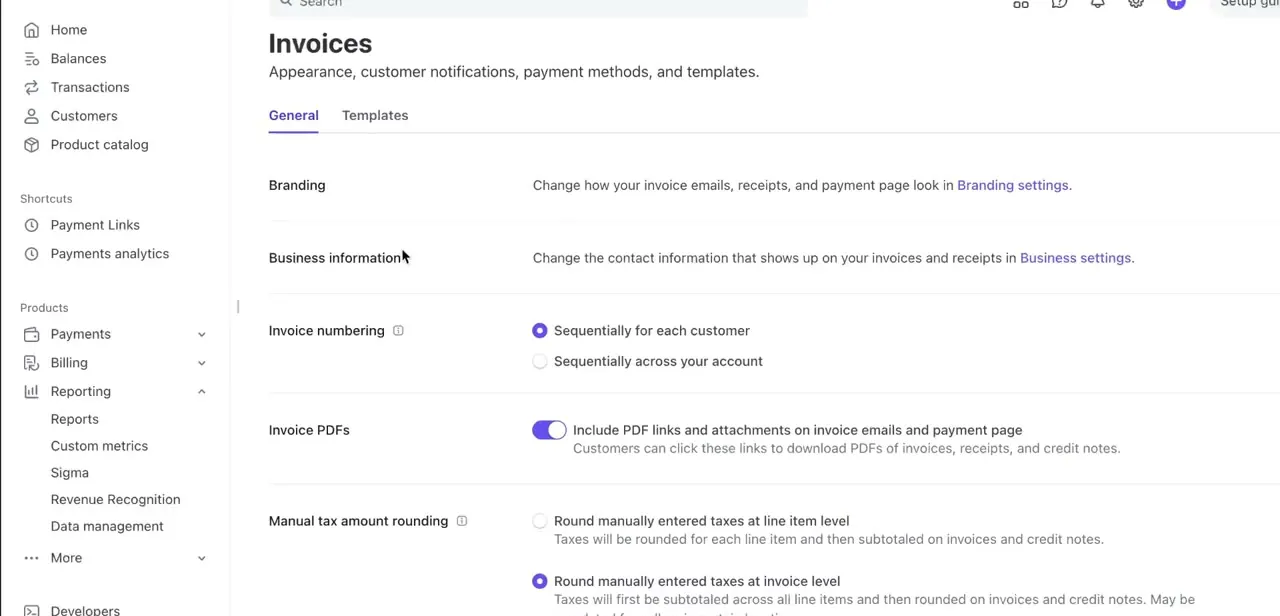
In the left menu, expand Billing and select Invoices, which opens on a General tab covering Appearance, customer notifications, payment methods, and templates. Near the top, two lines point you where you need to go: "Change how your invoice emails, receipts, and payment page look in Branding settings," and "Change the contact information that shows up on your invoices and receipts in Business settings." The name and contact fields live in Business settings. Branding controls the visual look, your logo and color, not the text of your name or address.
03Click through to Business settings
Following the Business settings link takes you to your account's Business details page, which lists your registered business name, a Public details section, and a Management and ownership section further down. Stripe treats this page as the source of truth for anything customer-facing. Changes made here propagate to invoices, receipts, and payment pages instead of being a separate editable field on each document.
04Edit the public details and statement descriptor
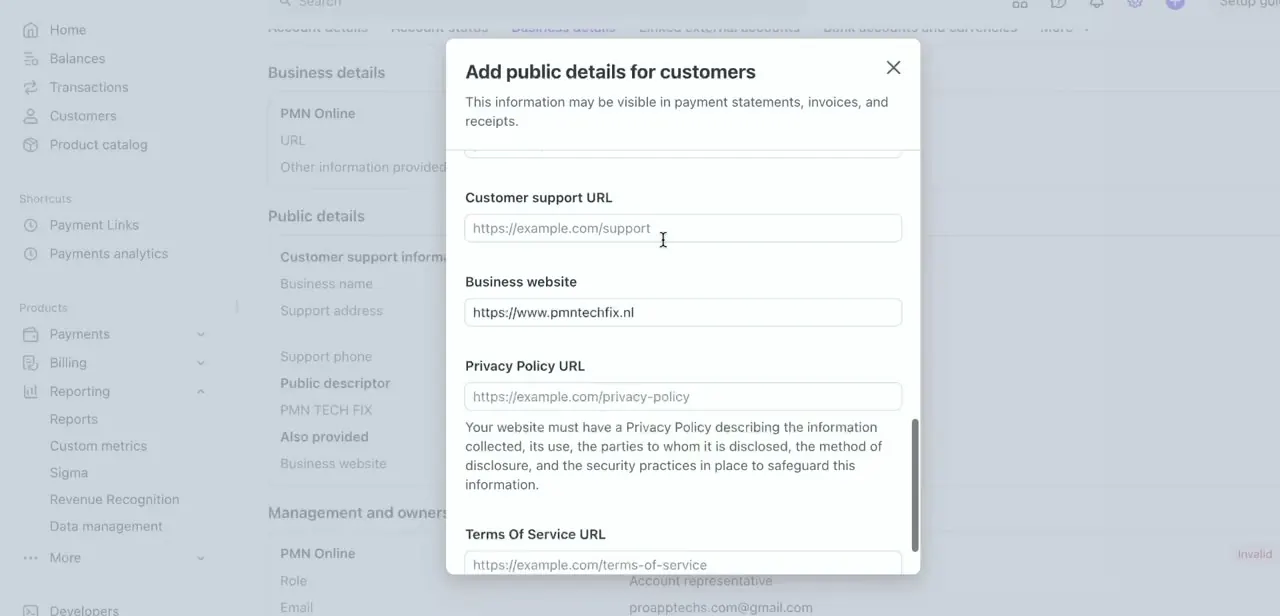
Within Business details, opening the public details editor brings up an "Add public details for customers" panel with fields for Customer support URL, Business website, Privacy Policy URL, and Terms Of Service URL. The same Public details area also holds the statement descriptor, sometimes described loosely as a "public descriptor": a short label Stripe shows to customers separately from your full legal business name.
This is usually the actual fix people are after when they say an invoice or receipt shows the wrong or overly formal name. Stripe's own requirements matter here.
A statement descriptor must be 5 to 22 characters, use Latin characters only, contain at least one letter, skip the symbols < > \ ' " *, and reflect your DBA name, URL, or legal entity name. Stripe primarily uses it on customer bank and card statements and in email receipts; the invoice header and hosted invoice page pull the support email, business website, and other contact fields from this same Public details panel.
05Adjust the address details, then save and check a real invoice
The Business details page also holds your support address as a separate field. Some contact fields are required for compliance in certain regions and can't be deleted; others, including the exact support address shown to customers, may have more flexibility depending on your account's country and business type.
Where a field is greyed out or flagged as required, that's a regulatory constraint, not a settings bug. After saving, generate or send a test invoice and check that the header, footer, and payment page reflect the update.
Stripe pulls these fields live, so a saved change should show on any invoice created afterward. Invoices already sent keep whatever information was on them at the time; only new documents pick up the change.
When it doesn't work
Stripe won't accept the new statement descriptor
Why: The value doesn't meet Stripe's format rules: it must be 5 to 22 characters, Latin characters only, contain at least one letter, and avoid the symbols < > \ ' " *. Stripe also checks that it reflects your DBA name, URL, or legal entity name.
Fix: Shorten or simplify the value so it matches your registered business name, DBA, or website, and remove any unsupported characters.
An invoice a customer already received still shows the old name
Why: Stripe records the business details on an invoice at the time it's finalized and sent. Editing Business details afterward doesn't rewrite documents already issued.
Fix: The change applies to invoices created from now on. To correct one already sent, issue a credit note and a new invoice, or send a manual correction.
Some fields on the Business details page are greyed out
Why: Certain contact and identity fields are required for compliance based on the account's country and business type, and Stripe doesn't allow them to be blanked out.
Fix: Leave regulatory fields as-is. If the underlying information is genuinely wrong, that's a Stripe support case, not a settings change.
Frequently asked questions
Can I completely remove my address from Stripe receipts?
It depends on your account's country and business type. Some contact fields are required for compliance and can't be deleted, while others in the Public details panel can be edited or left blank.
Will changing the business name affect past invoices?
No. Past invoices keep the information that was on them when they were sent. The update only affects newly generated invoices and receipts.
Where exactly are these settings located?
Go to Billing then Invoices in the Dashboard, then follow the "Business settings" link at the top of the General tab to reach the Business details page where the name and contact fields live.
Is a statement descriptor the same as my Stripe account name?
No. The statement descriptor is a short, separate label shown mainly on customer bank and card statements and in email receipts, distinct from your registered legal business name used for account verification.
What's the difference between Branding settings and Business settings?
Branding settings control the visual appearance of invoices and receipts, your logo and colors. Business settings control the actual text, your name, address, and contact links, that appears on them.
Why does Stripe reject the statement descriptor I want to use?
It's likely too short, too long, or contains an unsupported character. Stripe requires 5 to 22 Latin characters, at least one letter, none of < > \ ' " *, and text that reflects your DBA name, URL, or legal entity name.
Sources and last check
Click path and screens come from a walkthrough recorded in mid-2025. The name for the statement descriptor field, its 5-22 character format rules, and the distinction between what appears on bank/card statements versus what the invoice header pulls from Public details were re-checked against Stripe's official docs and support pages in September 2026. This corrected the article's invented "Public descriptor" label to Stripe's actual term, statement descriptor, and added the character constraints the original version omitted.
About the author

Impran M N
I've been hooked on technology for as long as I can remember — especially the new tools and AI apps that seem to land every other week. Easy Tech Tuts is where I write up whatever I've just worked out: I do the task in the real product, record the screen, and turn it into the guide I wish I'd found first.