Easy Tech Tuts
How to Add Tax on Stripe Easily 2026
By Impran M NLast checked against official docs
Manually tracking sales tax, VAT, and GST across every region you sell in is tedious and easy to get wrong. Stripe Tax handles the calculation and monitoring once it's set up, but the setup itself has a part that's easy to skip: registering with the tax authorities that actually apply to your business. This guide walks through the real Tax section inside Stripe using a sandbox account, what Stripe's own documentation says has changed in the dashboard since, and what Stripe Tax costs beyond the payment processing fees you're already paying.
01Understand what Stripe Tax automates, and what it doesn't
Stripe Tax doesn't invent tax rates. It calculates the correct sales tax, VAT, or GST for a transaction based on where your business is registered to collect and where the customer is located, then applies it automatically at checkout.
Registration is the part that still requires you: telling Stripe, and the relevant tax authority, which states, provinces, or countries you're obligated to collect in. Skip that step and Stripe has nothing to calculate against, even with Tax turned on.
02Open the Tax section and start setup
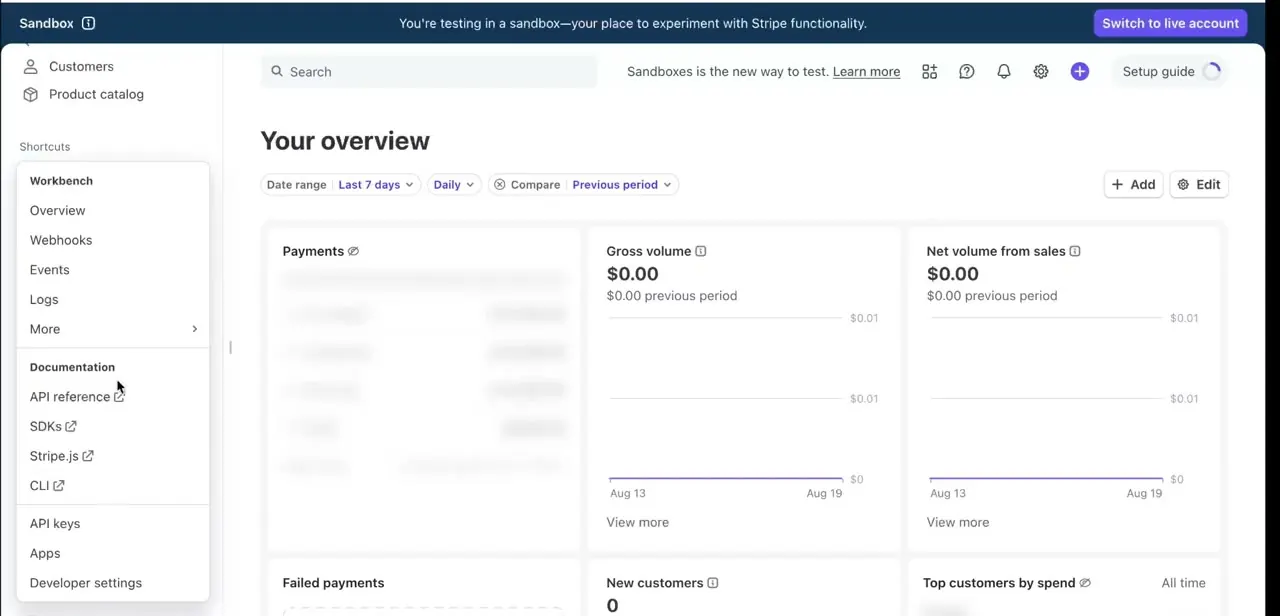
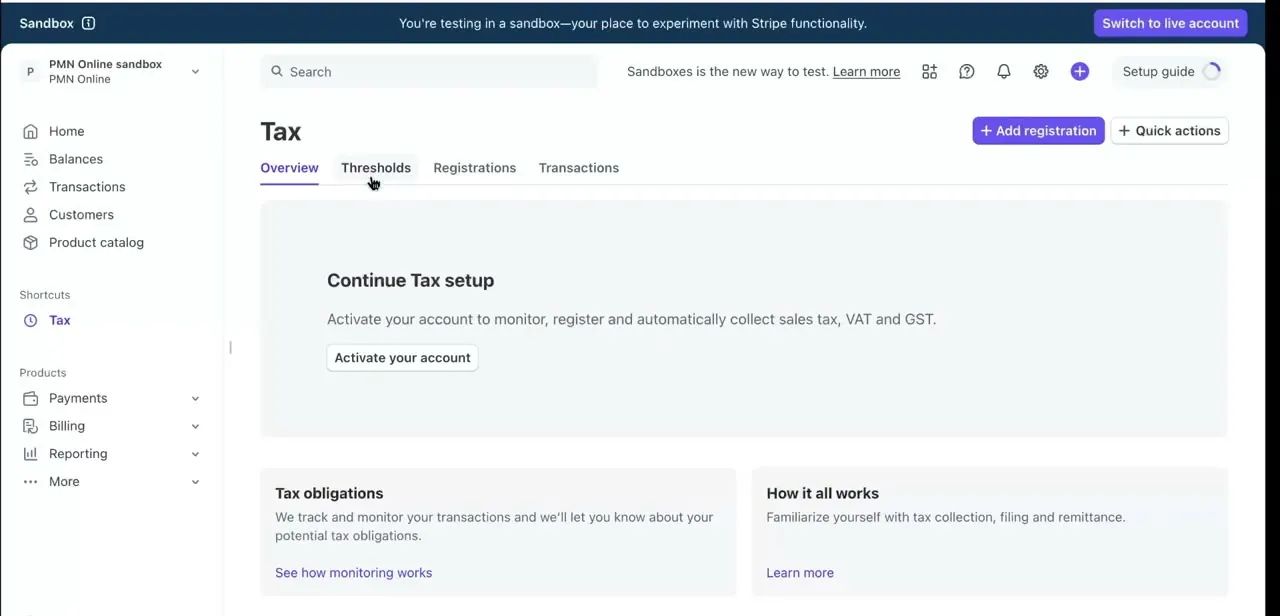
In the Stripe Dashboard, Tax sits in the left sidebar's More menu alongside Payments, Billing, and Reporting, and it gets pinned under Shortcuts once you've opened it before. The Overview tab greets you with "Continue Tax setup" and an explanation that activating your account lets Stripe monitor, register, and automatically collect sales tax, VAT, and GST, with an Activate your account button as the starting point for a live setup.
03Check where you might already owe tax
Before registering anywhere, the Thresholds tab shows where Stripe's monitoring suggests a tax obligation based on transaction volume in that location. Stripe sends a notification once your account crosses $10,000 in yearly revenue and hits a new threshold somewhere, by email and in the dashboard.
Thresholds work differently by jurisdiction — some are based on revenue, others on transaction count, over different rolling windows — so treat Stripe's monitoring as a heads-up to investigate, not a legal determination on its own. Stripe's own current documentation describes this monitoring and registration management as living together under a single Locations tab, grouped by status (Needs attention, Collecting tax, Not collecting tax, and so on), rather than the separate Thresholds and Registrations tabs shown in the screenshots below. If your dashboard shows Locations instead, the same information is there; it's just organized by status rather than split across tabs.
04Register in the locations where you owe tax, then add it to Stripe
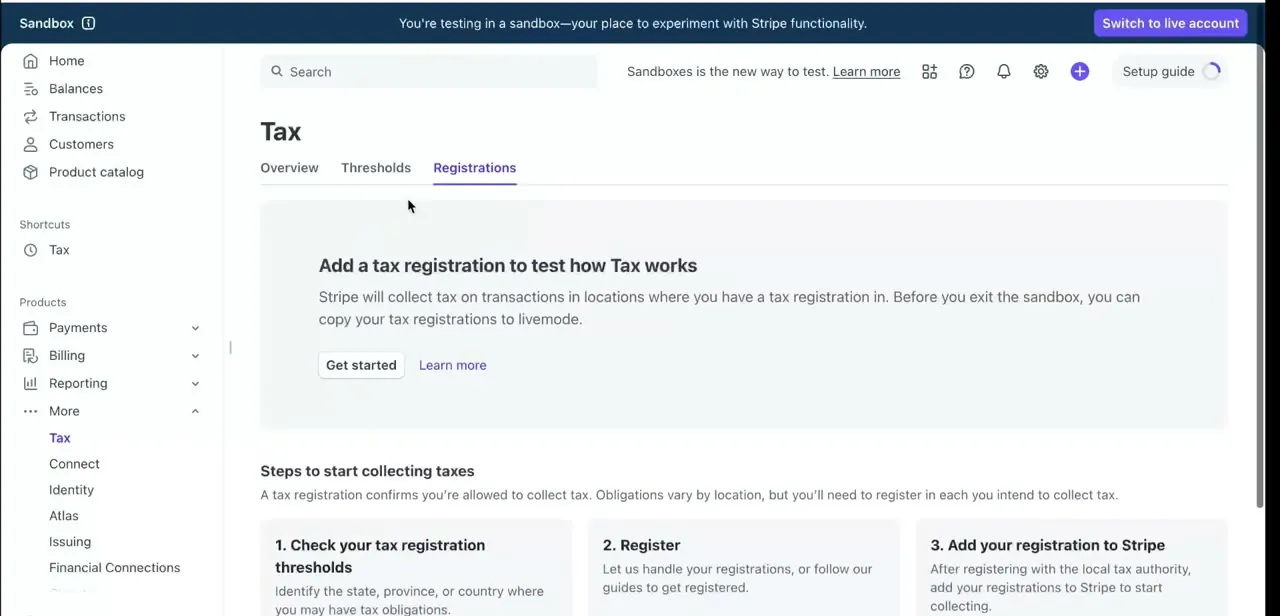
The Registrations tab (or the Locations tab on newer accounts) lays out the process in three steps: first confirm registration thresholds for a state, province, or country; second, either register directly with the local tax authority or let Stripe's registration partners handle it for supported jurisdictions; third, once registered, add that registration into Stripe so it starts collecting for that location. Adding a registration to Stripe doesn't itself register your business anywhere — it tells Stripe to start calculating and collecting for a location you've confirmed you're already registered in, unless you used Stripe's own registration service, in which case the registration appears automatically once it's processed. In sandbox mode, a banner reminds you these test registrations can be copied over to live mode once you're ready, so the whole flow can be practiced risk-free before doing it for real.
05Keep monitoring, and know that expiring a registration isn't the same as deregistering
Tax obligations aren't a one-time setup. New states or countries you sell into can cross new thresholds over time, which is what ongoing monitoring is for.
One thing worth knowing before it comes up: expiring a registration in Stripe stops Stripe from calculating and collecting tax for that location, but it doesn't deregister the business with the local tax authority. That's a separate step with the authority itself, and Stripe's documentation recommends confirming there's no further obligation before or after expiring the registration on Stripe's side.
| Model | How it's priced | What's included |
|---|---|---|
| Tax Basic (pay-as-you-go) | ~0.5% of volume in registered jurisdictions, or per-API-call for a custom integration | Calculation and collection only |
| Tax Complete (subscription) | $90–$1,500/mo, billed monthly under an annual contract | A set number of registrations and filings per year, plus calculation and collection |
Figures from Stripe's own pricing support page, current as of September 2026. Registrations beyond the included allowance, and most non-US registrations, carry separate per-location fees.
When it doesn't work
The dashboard shows a Locations tab instead of separate Thresholds and Registrations tabs
Why: Stripe's current documentation describes threshold monitoring and registration management as consolidated into one Locations page, grouped by status, replacing the four-tab layout shown in older walkthroughs.
Fix: Nothing is missing — the same monitoring and registration tools are there, just organized under status groups (Needs attention, Collecting tax, and so on) instead of split across tabs.
A location shows "Needs attention" for a place you've barely sold into
Why: Stripe's threshold monitoring flags a location once Stripe-processed sales there cross that jurisdiction's registration threshold, even without a physical presence there, and thresholds vary by jurisdiction.
Fix: Open the location's threshold detail before assuming it's wrong; it's a flag to investigate against your own obligations, not a final legal answer.
A registration was expired, but there's still a filing obligation with the tax authority
Why: Expiring a registration in Stripe only stops Stripe from calculating and collecting tax for that location. It doesn't deregister the business with the local tax authority.
Fix: Confirm deregistration separately and directly with the tax authority; don't treat expiring the Stripe registration as the end of the obligation.
Frequently asked questions
Do I need a third-party app to manage tax on Stripe?
No — Stripe Tax handles calculation, monitoring, and registration guidance directly inside the Dashboard's Tax section, so a separate tool isn't required.
Can Stripe apply different tax rates for different countries?
Yes. Once a registration for a given state, province, or country is added under Registrations (or Locations on newer accounts), Stripe applies the correct sales tax, VAT, or GST rate for that location automatically.
What's the difference between sandbox and live mode for Tax?
Sandbox lets you test the full registration and collection flow without touching real transactions. Stripe lets you copy test registrations over to live mode once you're ready to activate for real.
How do I know where I need to register?
Threshold monitoring (under Thresholds or the newer Locations view) flags locations where your Stripe-processed sales may have crossed a registration threshold, and Stripe emails a notification once your account passes $10,000 in yearly revenue and hits a new one. Treat it as a starting point for research, not a final legal answer.
Does Stripe Tax cost anything on top of Stripe's usual fees?
Yes. It's priced separately, either as a pay-as-you-go rate of roughly 0.5% of volume in registered jurisdictions (Tax Basic) or a monthly Tax Complete subscription from about $90 to $1,500 that bundles a set number of registrations and filings. Extra registrations, and most non-US ones, cost more on top.
Sources and last check
Click path and screens come from a sandbox walkthrough showing Overview, Thresholds, Registrations, and Transactions as separate tabs. Re-checked against Stripe's own documentation in September 2026: current docs describe a consolidated Locations tab for both threshold monitoring and registrations, so newer accounts may see one merged view instead of four separate tabs — noted in this guide rather than silently updated, since the sandbox screenshots still show the older layout. Pricing, the $10,000 revenue notification threshold, and the distinction between expiring a registration and deregistering with a tax authority were added from Stripe's registration, monitoring, and pricing documentation, none of which the previous version of this guide covered.
About the author

Impran M N
I've been hooked on technology for as long as I can remember — especially the new tools and AI apps that seem to land every other week. Easy Tech Tuts is where I write up whatever I've just worked out: I do the task in the real product, record the screen, and turn it into the guide I wish I'd found first.