Easy Tech Tuts
How to View, Add Code injection in header, footer, order page in Squarespace 2026
By Impran M NLast checked against official docs
Code Injection is the one place in Squarespace where you can drop raw HTML and JavaScript into your site without touching a page or block. It is how analytics tags, advertising pixels, chat widgets, and conversion tracking get installed, and it is also the feature most people can't find, since it doesn't sit in an obvious menu.
This guide shows where the panel lives, what belongs in the header box versus the footer box, and how the separate Commerce fields let a script fire only after someone has bought something. It also covers the two things that catch people out: the plan requirement, and the order variables Squarespace hands you for passing purchase data to a third party.
Before you start
- A Squarespace plan of Core or higher (or Business and up on an older 7.0 site). Code Injection is a premium feature and won't apply on the entry-level plan.
01Log in and open the site you want to edit
Start at squarespace.com and use the Log In link in the top-right corner. If your account is tied to a Google profile, Continue with Google is the fastest route; just pick the right account, since agencies and side projects often end up under a second email.
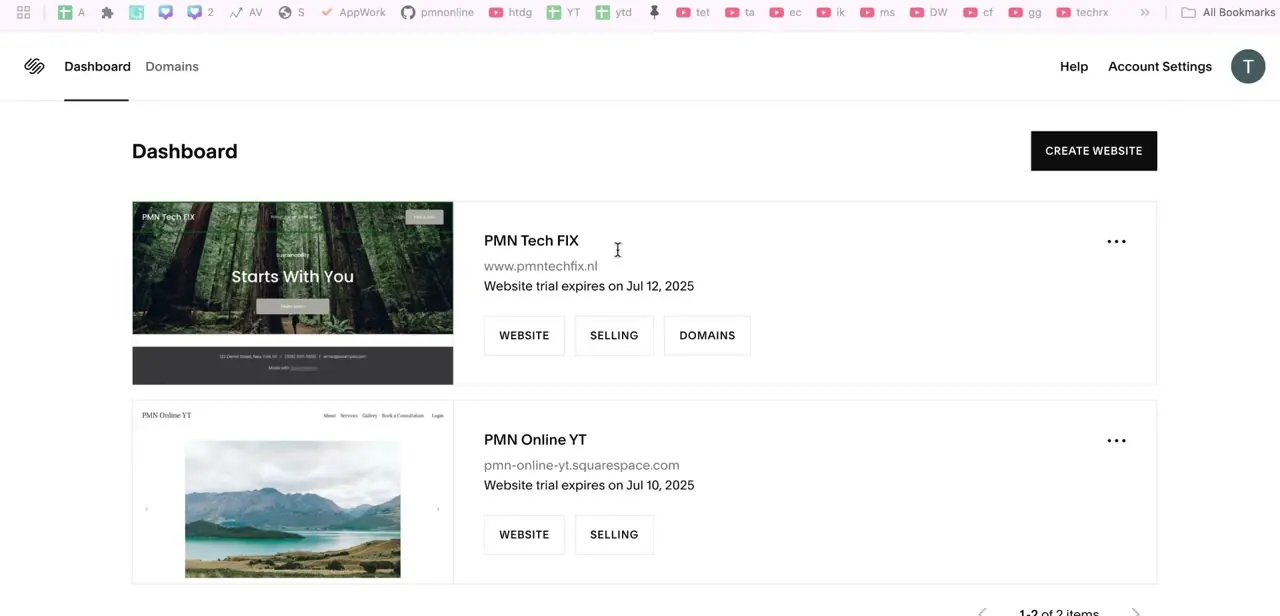
Once you're through, you land on the dashboard listing every site you own. Open the one you're editing so the left-hand admin panel loads. Everything from here happens in that panel, not on the live page preview beside it.
02Search for "code" instead of hunting through menus
Code Injection sits several levels deep under Settings, and the quickest way in is the magnifying-glass search icon in the admin sidebar. Type "code" and Squarespace surfaces every code-related setting, with Code Injection at the top of the list.
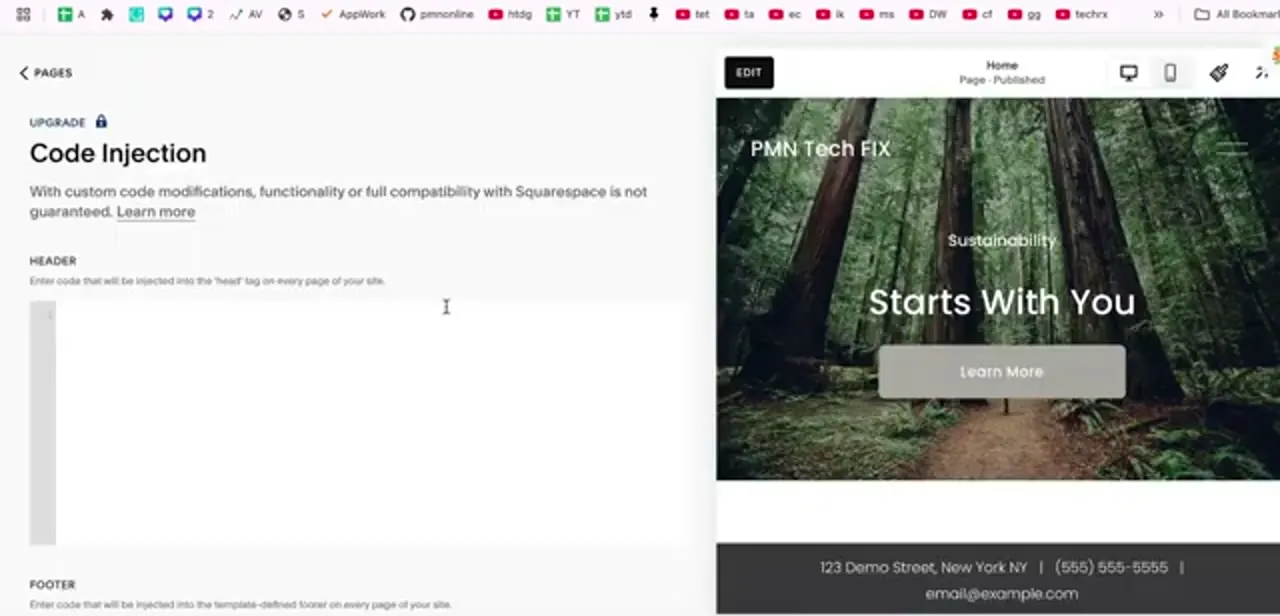
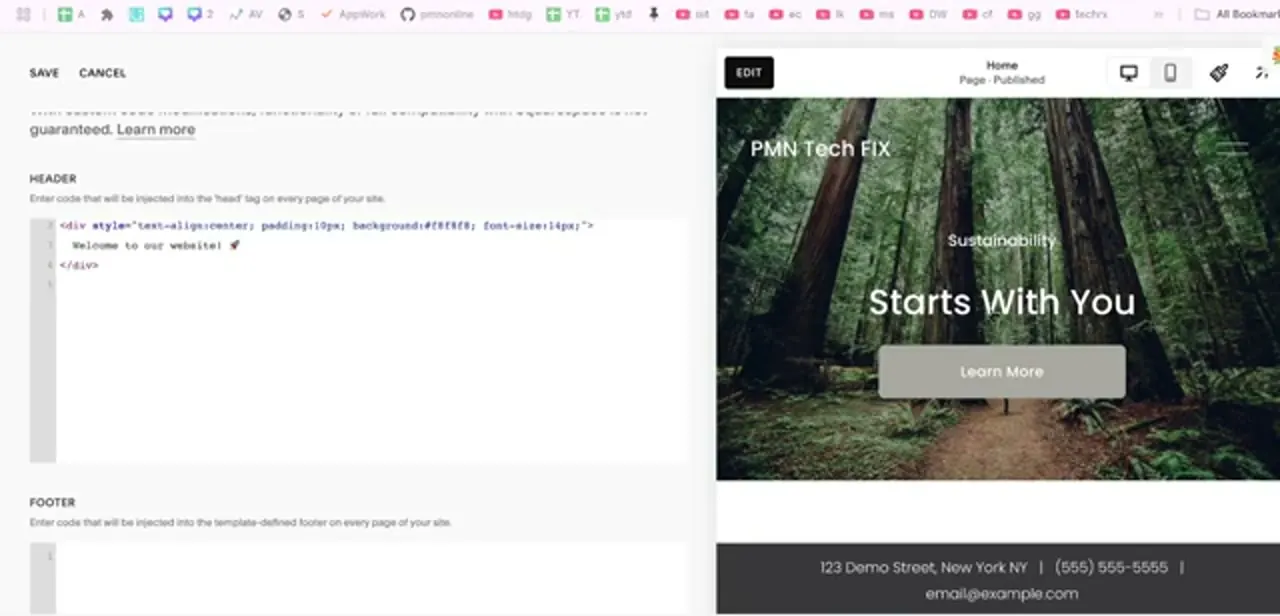
Click it and you get the panel shown here: a short warning that custom code isn't covered by Squarespace's compatibility guarantee, then a HEADER box and, below it, a FOOTER box. Note the small UPGRADE lock badge in the panel.
On current Squarespace sites the plans run Basic, Core, Plus and Advanced, and Code Injection needs Core or higher; Basic can still open the panel and keep code typed into it for reference, but Squarespace won't apply it to the live site until you upgrade. Older sites still on the previous plan names see the same gate fall between Personal and Business.
03Put early-loading scripts in the header box
The header field injects whatever you paste into the <head> tag on every page of your site, per Squarespace's own helper text above the box. That makes it the right home for anything that has to run before the page paints: analytics libraries, Google Tag Manager, verification meta tags, custom fonts, and SEO tags.
It also accepts plain HTML, which is how a site-wide announcement bar gets built in the example here: a single styled div with a line of text, injected once and rendered on every page. Paste the full snippet including its script or style tags, then use SAVE at the top-left of the panel. CANCEL sits right beside it, and it's easy to hit the wrong one.
04Use the footer box for anything that can wait
The footer field injects near the closing </body> tag on every page, so it runs after the visible content has already loaded. That suits live chat widgets, retargeting tags, cookie-consent banners, review popups, and any third-party embed that would otherwise slow down first paint.
If a vendor's install instructions say to paste a snippet immediately before the closing body tag, this is the field they mean. When unsure, start in the footer: a script that loads late still works, while a heavy script in the header makes every page feel slower. Squarespace's checkout pages don't accept injected code at all, header or footer, which is why post-purchase tracking needs the separate Commerce fields below.
05Add post-purchase scripts on the order confirmation page
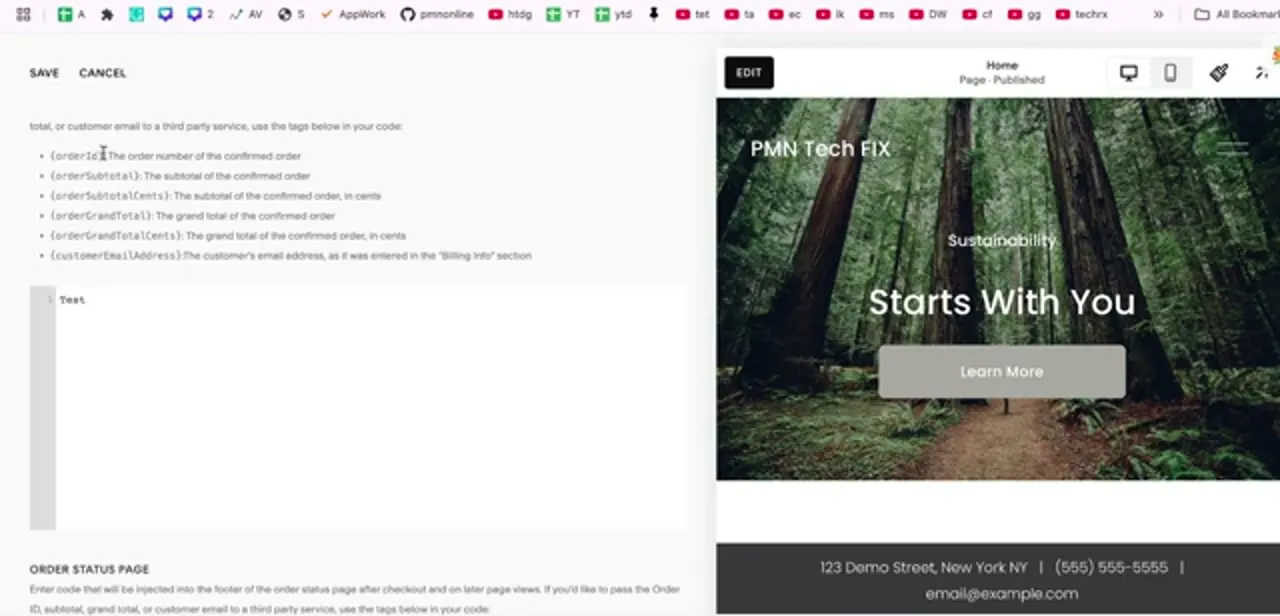
Site-wide injection isn't enough for conversion tracking, because you only want a tag to fire once, after a real order. Scroll further down the same Code Injection panel to the Commerce area and you'll find separate fields for the order confirmation page and the order status page.
This is where a Meta Pixel purchase event or a Google Ads conversion tag belongs. Squarespace also exposes order variables you can drop straight into the code: {orderId}, {orderSubtotal} and {orderSubtotalCents}, {orderGrandTotal} and {orderGrandTotalCents}, and {customerEmailAddress}, so the tag reports the actual order number and value instead of a flat event. The Cents variants exist because most ad platforms expect integer minor units, so pick the pair your platform's documentation asks for.
06Test the code before you rely on it
Injected code runs on your live site, and a stray unclosed tag can break a page's layout for every visitor. Save, then load your site in a private window and check both a normal page and, if you added Commerce code, a real test order end to end; the confirmation page only renders after checkout, so it can't be previewed any other way.
Use your browser's developer console to confirm the script loaded and threw no errors, and check the destination platform (Google Analytics real-time, Meta Events Manager) to confirm the event arrived. Keep a copy of each snippet somewhere outside Squarespace before you edit it, so you can roll back instantly. Squarespace's own warning is worth taking seriously: custom code is outside their support scope, so if something breaks, fixing it is on you.
Frequently asked questions
Is Code Injection available on all Squarespace plans?
No. On current sites it needs the Core plan or higher; the entry-level Basic plan shows the panel with an UPGRADE lock and keeps whatever code is typed in for reference, but won't apply it to the live site. Older sites carry the same gate between Personal and Business.
Where do I add a tracking pixel for the order confirmation page?
Scroll down the Code Injection panel to the Commerce fields, which include a dedicated order confirmation page box and a separate order status page box for post-purchase scripts.
What's the difference between header and footer code injection?
Header code goes into the <head> tag and loads before the page renders, which suits analytics and SEO tags. Footer code loads near the end of the page, after the content, which suits chat widgets, retargeting tags, and anything non-critical.
Can I pass the order total to a third-party service?
Yes. Squarespace exposes variables like {orderId}, {orderGrandTotal}, {orderGrandTotalCents}, and {customerEmailAddress} that you can place inside your confirmation-page code; most ad platforms want the Cents version.
Can I inject code on the checkout page itself?
No. Squarespace's checkout pages don't accept custom code at all. Post-purchase tracking has to go through the Commerce fields on the order confirmation or order status pages instead.
Will custom code break my site?
It can. Squarespace doesn't guarantee compatibility with custom code, so test every snippet in a private window, keep a backup of what you paste, and remove anything that misbehaves.
Sources and last check
Click path and screens come from a recorded walkthrough. The plan requirement, the header/footer injection points, the checkout-page restriction, and the Commerce order variables were re-checked against Squarespace's official support articles in September 2026. That check corrected the plan names to Squarespace's current Basic/Core/Plus/Advanced tiers and added the checkout-page restriction, which the previous version didn't mention; the order variables were confirmed accurate as written.
About the author

Impran M N
I've been hooked on technology for as long as I can remember — especially the new tools and AI apps that seem to land every other week. Easy Tech Tuts is where I write up whatever I've just worked out: I do the task in the real product, record the screen, and turn it into the guide I wish I'd found first.