Easy Tech Tuts
How To Connect Squarespace Domain To Hostinger 2026 Easily
By Impran M NLast checked against official docs
A domain bought through Squarespace can be pointed at hosting anywhere else without buying a second domain or moving the registration. The mechanism is nameservers, not a transfer.
This guide covers both sides: finding the domain inside Squarespace where its DNS lives, getting Hostinger's nameserver values, and confirming on Hostinger's side that the connection took. It also covers something most walkthroughs leave out: switching nameservers doesn't just move the website. It reconfigures the domain's email too, and Squarespace itself warns this isn't a change to make casually.
Before you start
- The domain already added to a Hostinger hosting plan
- Knowledge of which provider currently handles email for the domain (Squarespace, Google Workspace, or elsewhere) — switching nameservers affects it
01Open the domain in Squarespace
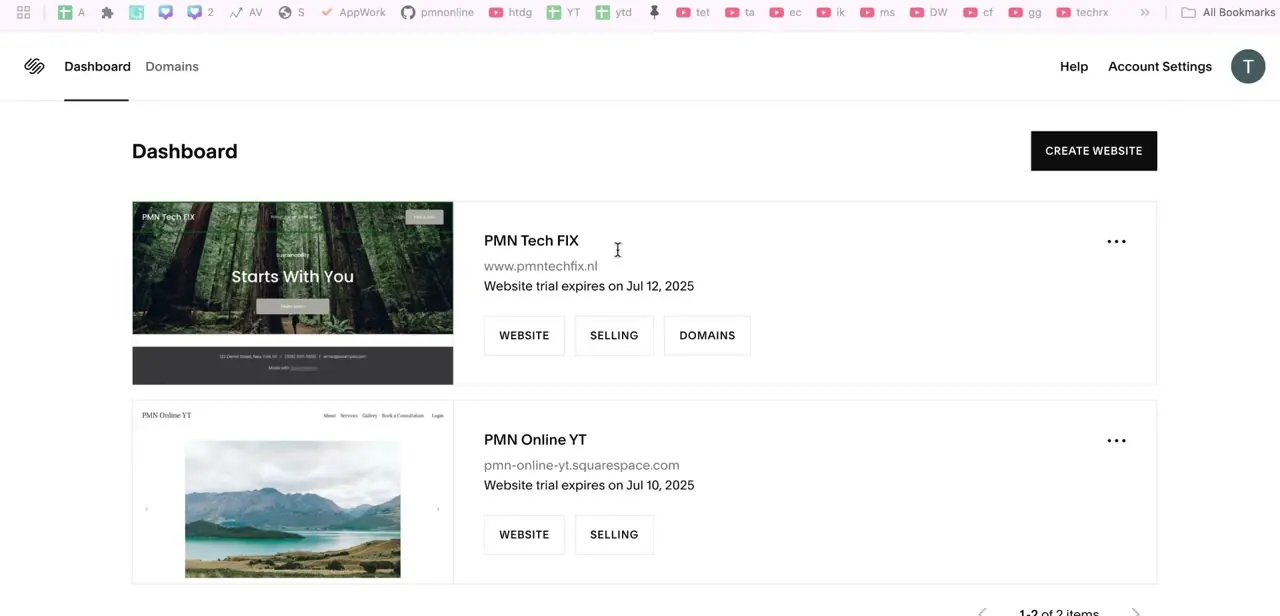
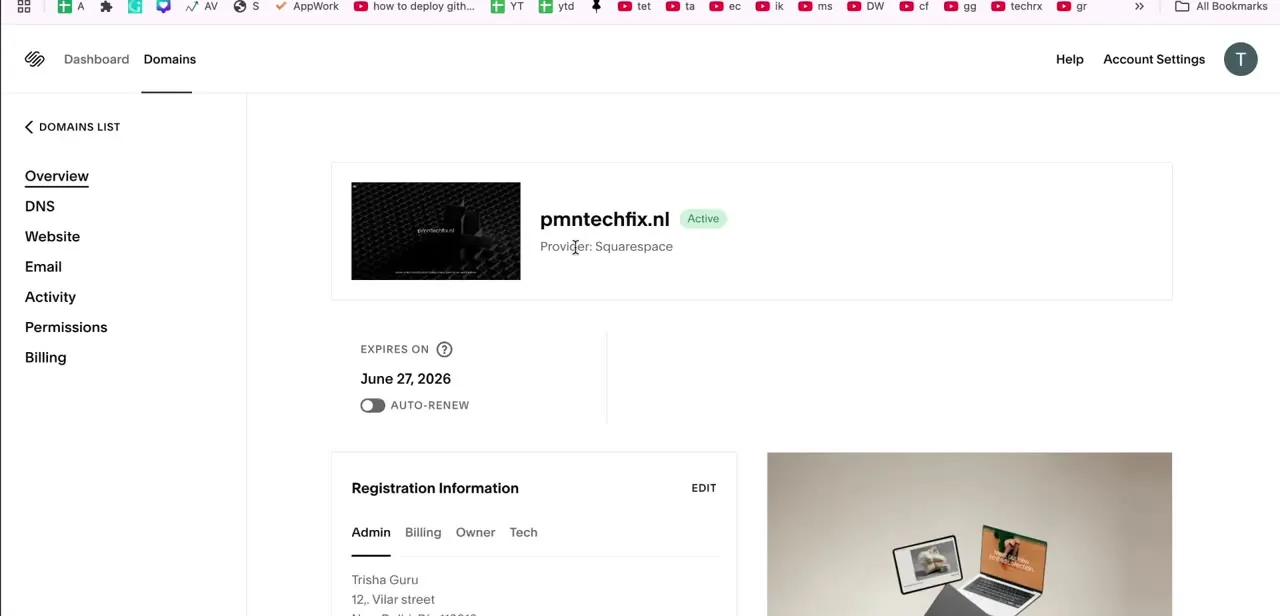
Log in to Squarespace, go to Domains, and select the domain to move. The overview page shows its status as Active, its provider, and expiration date, with a left-hand menu including Overview, DNS, Website, Email, Activity, Permissions, and Billing.
Inside DNS, look for the Domain Nameservers section specifically. That's where the actual switch happens, a few steps from now.
Squarespace's own documentation is blunt about this: custom nameservers are "only necessary if you need to add DNSSEC or use a service that requires them," and warns that if you're not sure why you're changing them, you probably don't need to. Moving hosting to Hostinger is a valid reason. Casually flipping the setting isn't.
02Get your nameserver values from Hostinger
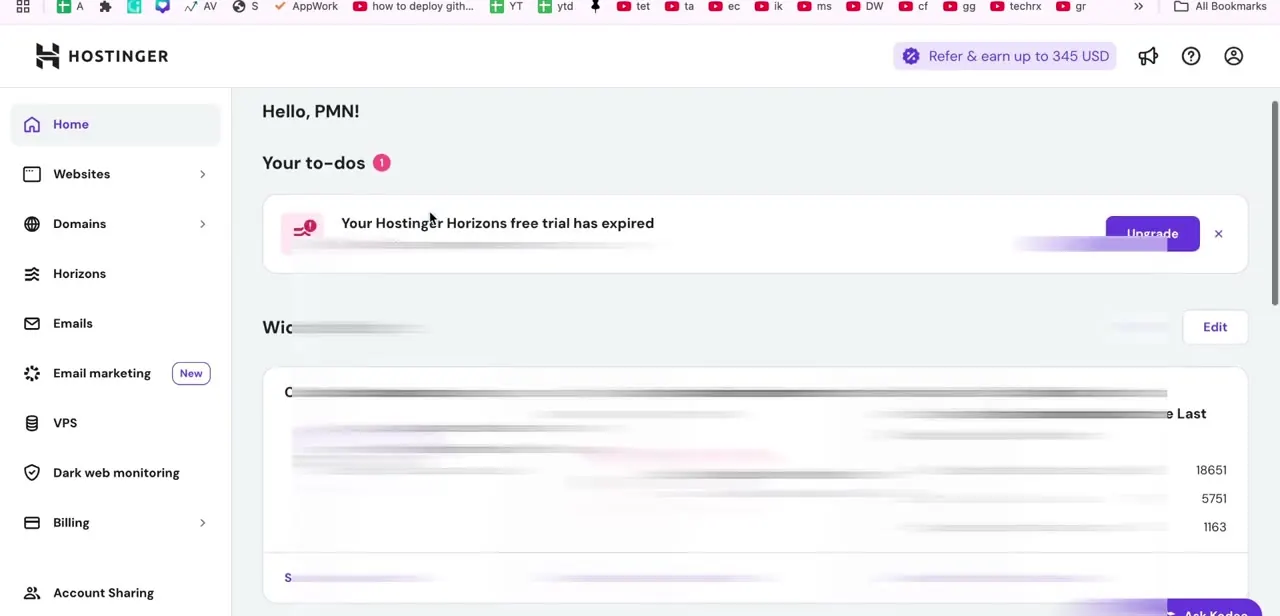
In a separate tab, sign in to Hostinger. The nameserver values live in the Websites section: open the domain's dashboard and use the connection wizard, reached through the "Check guide" link next to the domain's status.
Hostinger's own support documentation notes the wizard detects the domain's current DNS provider (Squarespace, here) and links straight to its login page, and that it offers two connection methods: nameservers, or an A record only. The rest of this guide uses nameservers, since that's the full hosting migration; the A record option is worth knowing about too, and comes up again below.
03Replace the nameservers in Squarespace
Back in Squarespace's Domain Nameservers section, switch from the default Squarespace servers to custom nameservers and enter the Hostinger addresses exactly as shown, without extra spaces or missing characters. A single wrong character is the most common reason this stalls.
Save the change. Squarespace will warn that content built through its own site tools stops resolving once custom nameservers are active, which is expected since hosting is intentionally moving elsewhere.
04Wait for propagation, then check Hostinger
Nameserver changes take time to spread across DNS servers worldwide. Hostinger's documentation gives up to 24 hours, usually less; Squarespace's own guidance gives up to 48 hours for changes made on its side, so plan for the longer window instead of the shorter one.
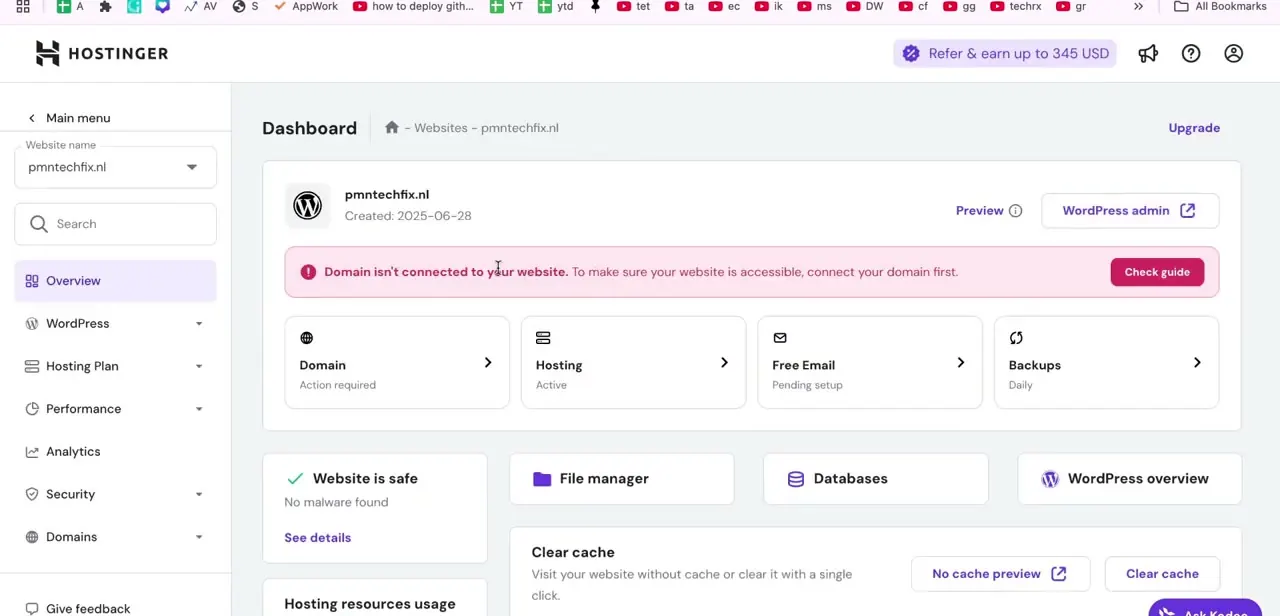
Avoid repeatedly re-saving the nameserver fields in the meantime; it doesn't speed anything up. Open the website's dashboard in Hostinger and look near the top for a status banner. While the domain still points elsewhere, Hostinger shows a red "Domain isn't connected to your website" notice with a Check guide link and a Domain card marked "Action required." That banner is the clearest signal available; once it clears, the connection is live.
05Check email before calling it done
Hostinger's documentation states this plainly: pointing a domain by nameservers configures its email records for Hostinger Email, replacing whatever was there before. If the domain's email is handled anywhere else, mail can stop arriving right when the site comes back up.
If that applies, add the correct MX records for the real mail provider inside Hostinger's DNS zone once propagation finishes. The alternative is to go back to Hostinger's connection wizard from step 2 and use the A record method instead of nameservers; Hostinger notes existing email records are left untouched with that option, at the cost of managing the site's other DNS more manually.
06Enable SSL once the domain connects
As soon as the connection banner clears, check Hostinger's SSL settings for the site to confirm a certificate is issued and active. Most Hostinger plans provision this automatically shortly after the domain resolves, but confirming costs nothing. Load the domain in a browser and check for the padlock icon before calling the migration finished; a site that loads but throws a certificate warning still needs this step.
When it doesn't work
Hostinger still shows "Domain isn't connected" well after saving the nameservers
Why: Either propagation is still in progress, or one of the nameserver values has a typo.
Fix: Re-check the values against Hostinger's connection wizard exactly, then wait out the full window (up to 24-48 hours) instead of re-saving repeatedly.
Email stops arriving after the domain connects
Why: Hostinger's documentation confirms that connecting via nameservers reconfigures the domain's email to Hostinger Email, overriding the previous mail provider.
Fix: Add the correct MX records for the actual mail provider inside Hostinger's DNS zone, or redo the connection using Hostinger's A record method instead of nameservers, which leaves existing email records alone.
PayPal Payment Links or a custom email address set up through Squarespace stop working
Why: Squarespace's documentation states these depend on Squarespace's own DNS, which is no longer authoritative once custom nameservers point elsewhere.
Fix: This is expected once hosting has fully moved off Squarespace. Recreate anything still needed, such as a custom email address, directly through Hostinger.
Frequently asked questions
Will switching nameservers break my email?
It can. Hostinger's documentation states that connecting a domain by nameservers reconfigures its email to Hostinger Email. If another provider handles the domain's mail, add the correct MX records afterward, or use Hostinger's A record connection option instead, which leaves email records untouched.
Do I need to buy a new domain to switch hosts?
No. The domain stays registered with Squarespace; only its nameservers point to Hostinger.
How long does DNS propagation take?
Hostinger's documentation gives up to 24 hours, usually faster. Squarespace's own guidance allows up to 48 hours for changes on its side, so treat that as the outer limit before troubleshooting.
Does Squarespace recommend against changing nameservers?
For most users, yes; its documentation says custom nameservers are only necessary for DNSSEC or a service that requires them. Moving hosting to another provider is a case where the change is intentional and appropriate.
How do I know if the domain connected to Hostinger?
Open the website's dashboard in Hostinger. A red "Domain isn't connected to your website" banner means propagation isn't finished; once that banner disappears, the connection is live.
Do I need to set up SSL manually on Hostinger?
Usually not. Hostinger issues a certificate automatically once the domain connects, but confirm it in the SSL settings and check for the padlock in the browser before considering the migration complete.
Sources and last check
Click path and screens come from a walkthrough recorded in 2026. Re-checked against Squarespace's and Hostinger's official documentation in September 2026, which corrected two things this guide previously missed: Hostinger's nameserver values live in the Websites section's connection wizard, not a general Domains sidebar item, and connecting by nameservers reconfigures the domain's email to Hostinger Email, which can silently break mail handled elsewhere. Both are reflected above, along with Squarespace's own caution against changing nameservers without a specific reason.
About the author

Impran M N
I've been hooked on technology for as long as I can remember — especially the new tools and AI apps that seem to land every other week. Easy Tech Tuts is where I write up whatever I've just worked out: I do the task in the real product, record the screen, and turn it into the guide I wish I'd found first.