 Easy Tech Tuts
Shopify Access Token, How to Get Access Token on Shopify, Storefront Admin Api Easily 2026
By Impran M NLast checked against official docs
Any custom integration, private script, or third-party tool that talks to your Shopify store needs a credential to authenticate; you can't hand it your store password. Until January 1, 2026, Shopify issued a permanent Access Token through a custom app built entirely inside your own admin.
Since then, a new custom app is created in the Dev Dashboard instead, and it hands you a Client ID and Client secret to exchange for a token that expires every 24 hours, not one you copy once and keep. This guide covers both paths: what to do if you already have a pre-2026 custom app, how the current Dev Dashboard flow works if you're starting today, and the separate route for a Storefront API token.
Before you start
- A Shopify admin account with permission to manage apps
- For a Dev Dashboard app, the app and the target store must belong to the same Shopify organization
01Check which path applies to you
Shopify split this task into two paths depending on when your custom app exists. If you already have one from before January 1, 2026, skip ahead to the next step for its API credentials tab.
If you're starting today, skip to the Dev Dashboard steps further down, because clicking Create an app from Develop apps no longer creates a new app. Shopify's own documentation says existing apps are unaffected and keep working, but new attempts are redirected.
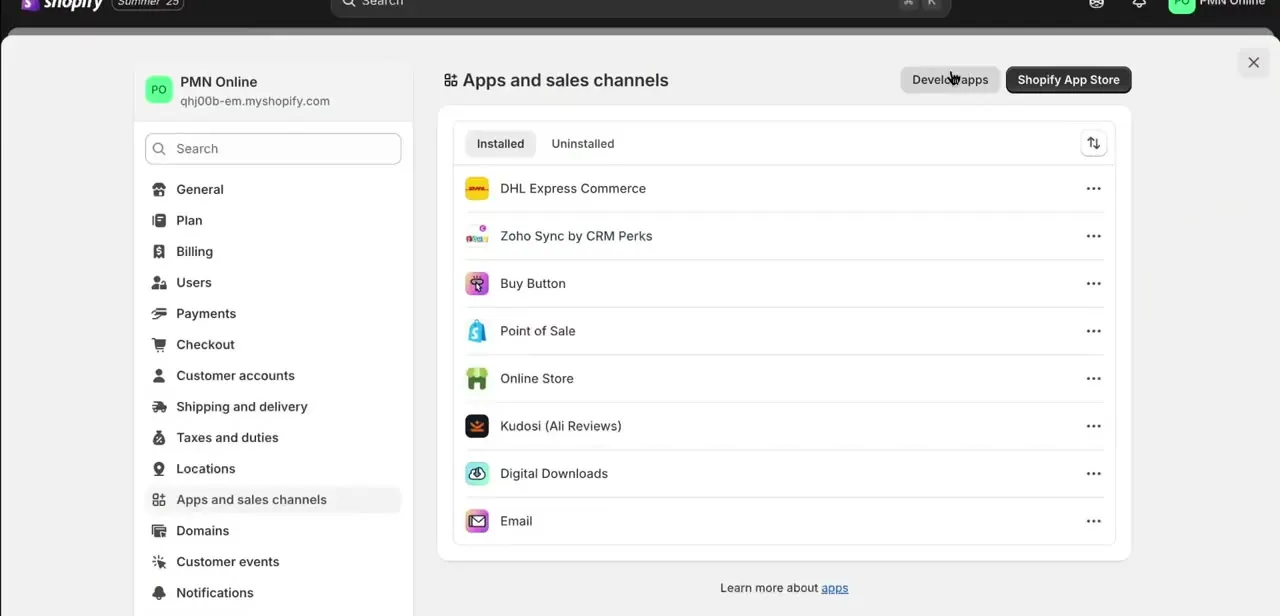
02Existing app: view or rotate its Admin API access token
From Develop apps, click into your existing custom app, then open API credentials. If the app is installed, the Admin API access token is right there.
Lost track of it, or need to invalidate one that leaked? Click Uninstall app, then Install app again; that issues a fresh token immediately and kills the old one. This path only applies to apps created before Shopify closed off new admin-created custom apps.
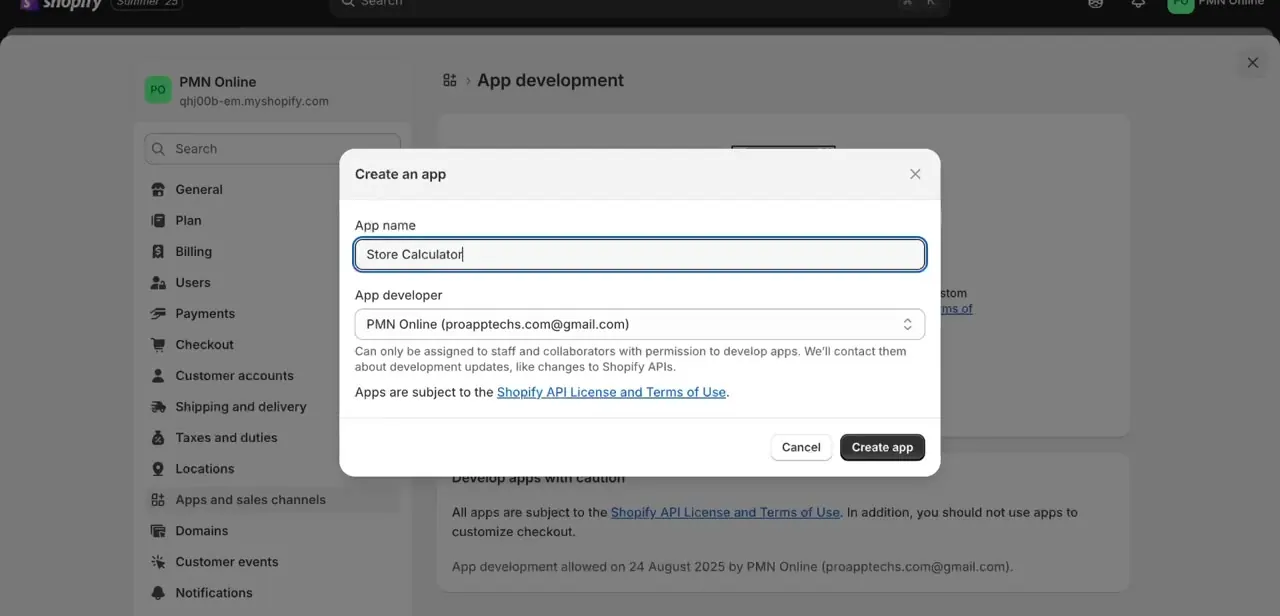
03What the retired Create an app dialog looked like
Older guides, including earlier versions of this one, describe clicking Create an app from Develop apps, naming the app, and confirming the developer account it's attached to, shown below. That dialog stopped creating new apps on January 1, 2026. Shopify's documentation is direct about it: you can no longer create new admin-created custom apps, though existing ones are unaffected and continue to work exactly as before.
04New app: create it in the Dev Dashboard
Go to dev.shopify.com/dashboard, or follow the Build apps in Dev Dashboard link that now sits where Create an app used to. Select Create app, name it, and open its Versions tab to choose the Admin API access scopes it needs; the same principle as before applies, check only what your integration will use.
Select Release once the scopes are set, then install the app to a store from its Home tab. The app and the store need to belong to the same Shopify organization, which every store already has.
05Get a Client ID and Client secret, then request a token
A Dev Dashboard app doesn't hand you a static token to copy. Under Settings, it shows a Client ID and a Client secret instead.
To turn those into something the Admin API accepts, send a POST request to https://{shop}.myshopify.com/admin/oauth/access_token with grant_type set to client_credentials, plus your client_id and client_secret. Shopify returns an access_token good for 24 hours (expires_in: 86399 seconds). There's no copy-paste step here: whatever calls the Admin API also has to request a new token before the old one expires.
06Get a Storefront API token from the Headless channel
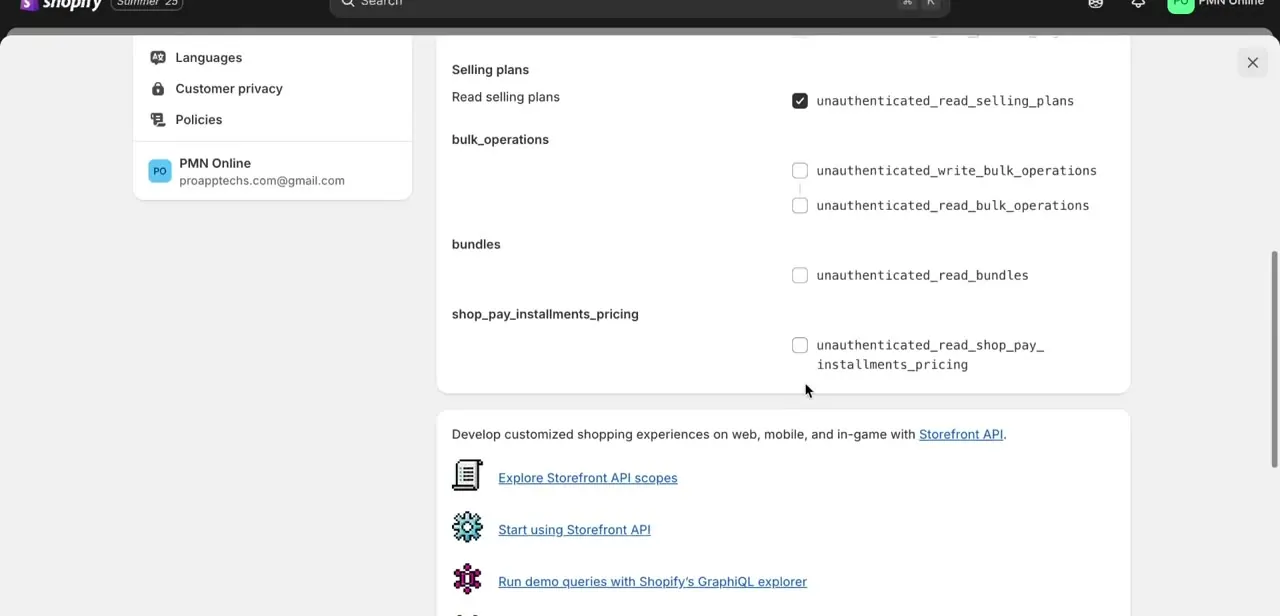
A pre-2026 custom app still shows Storefront API scopes as checkboxes grouped by resource, prefixed unauthenticated_ since storefront requests aren't tied to a staff login, shown below. For anything built today, that screen isn't where a Storefront token comes from.
Install the Headless channel from the Shopify App Store instead, then click Create storefront; it generates a public and a private Storefront API access token in one step. Go to Sales channels, then Headless, then Add storefront, for any additional ones you need.
07Keep the credentials secure going forward
Treat a Client secret, or a legacy Access Token, like a password: never commit it to a public repository, never paste it into a support ticket screenshot, and store it in environment variables or a secrets manager instead of hardcoding it into a script. If one is ever exposed, rotate it immediately: regenerate the Client secret in Dev Dashboard Settings, or uninstall and reinstall a legacy app. Either action invalidates whatever was issued before it.
| Legacy custom app (created before Jan 1, 2026) | Dev Dashboard app (created after Jan 1, 2026) | |
|---|---|---|
| Where you create it | Settings > Apps and sales channels > Develop apps | dev.shopify.com/dashboard |
| Credential shown | Admin API access token | Client ID and Client secret |
| Getting a usable token | Copy it from API credentials | POST a client_credentials request to /admin/oauth/access_token |
| Token lifetime | Doesn't expire on its own | 24 hours (expires_in: 86399) |
| Storefront API token | Configured on the app's own Storefront scopes screen | Generated separately through the Headless sales channel |
Based on Shopify's developer documentation, checked September 2026.
When it doesn't work
Requests fail with "Invalid API Key or Access Token"
Why: Common causes: the app was never installed, the token was regenerated after the one your integration is using, the request hits the wrong endpoint for that token type, or a needed scope was never checked.
Fix: Check the app's credentials, the API credentials tab for a legacy app, or Settings for a Dev Dashboard app, and confirm the scope is enabled before assuming the integration code is broken.
A Dev Dashboard token stops working after about a day
Why: Client-credentials-grant tokens expire 24 hours after they're issued. That's expected behavior, not a bug.
Fix: Build a refresh into the integration: request a new access_token with the same client_id and client_secret before the old one lapses.
The client credentials grant request fails with a correct Client ID and secret
Why: The app and the store aren't in the same Shopify organization. The grant only works within one organization.
Fix: Install the app to a store in the same organization as the app, or create the app inside the organization that owns the target store.
Clicking Create an app under Develop apps doesn't create anything new
Why: Shopify retired that flow for new apps on January 1, 2026.
Fix: Use the Dev Dashboard instead, at dev.shopify.com/dashboard, or the Build apps in Dev Dashboard link shown in its place.
Frequently asked questions
Can I still create a Shopify custom app the old way, from Develop apps, Create an app?
Not for a new app. Shopify closed that flow to new apps on January 1, 2026. Apps created before that date keep working; a new attempt today is redirected to the Dev Dashboard.
What's the difference between a Client ID and Client secret versus an Access Token?
Client ID and Client secret are credentials from a Dev Dashboard app; you exchange them for an access token through the client credentials grant. An Access Token from a legacy custom app is the credential itself, with nothing further to request.
Do Dev Dashboard access tokens expire?
Yes. Tokens from the client credentials grant last 24 hours (expires_in: 86399 seconds). An integration built on this needs to request a new one before that window closes. Legacy tokens don't expire on their own.
How do I get a Storefront API token today?
Install the Headless channel from the Shopify App Store and click Create storefront. That generates a public and a private Storefront API access token together, replacing the old per-app Storefront scopes screen for anything created after January 2026.
Do I need to write code to get a token now?
For a legacy custom app, no: install it and read the token off the API credentials tab. For a Dev Dashboard app, yes: getting a token means sending a client-credentials request yourself, since nothing hands you a static one to copy.
Can I regenerate a token if it's compromised?
Yes, though the method depends on which kind of app you have. Uninstall and reinstall a legacy app to issue a fresh Access Token, or regenerate the Client secret in a Dev Dashboard app's Settings. Either way, the old credential stops working the moment the new one is issued.
Is an Access Token, or a Client secret, the same as my Shopify password?
No. Both are separate credentials scoped for API authentication and should never be confused with, or shared like, a login password.
Sources and last check
Click path and screens for the legacy custom-app flow come from a recorded walkthrough. Re-checked against Shopify's own developer documentation in September 2026, which surfaced a platform change the original draft didn't know about: Shopify closed the Develop apps, Create an app flow to new apps on January 1, 2026. A new custom app is now created in the Dev Dashboard, issues a Client ID and Client secret instead of a static Access Token, and needs a client-credentials request that expires every 24 hours. A Storefront API token for a new integration now comes from the Headless sales channel instead of a custom app's own scopes screen. Apps created before January 1, 2026 are unaffected, and the original click path still applies to them.
- Shopify dev docs: Generate access tokens for admin-created custom apps (official)
- Shopify Help Center: About apps, custom apps section (official)
- Shopify dev docs: Create apps using the Dev Dashboard (official)
- Shopify dev docs: Authenticate an app for stores in your organization, client credentials grant (official)
- Shopify dev docs: Getting started with the Storefront API (official)
About the author

Impran M N
I've been hooked on technology for as long as I can remember — especially the new tools and AI apps that seem to land every other week. Easy Tech Tuts is where I write up whatever I've just worked out: I do the task in the real product, record the screen, and turn it into the guide I wish I'd found first.



