Easy Tech Tuts
How to Fix Compare Price Does Not Appear in Shopify & Show Discount Sale Price Easily 2026
By Impran M NLast checked against official docs
A compare-at price that never appears usually comes down to one of three things, and only the first is the obvious one. Shopify displays the original price beside the sale price when compare-at is higher than price, so a blank or equal value produces nothing.
The second is a rule about variants that catches people out on collection pages while the product page looks perfect. The third is markets, where Shopify's per-catalog price adjustment carries compare-at prices along with it by default.
This guide follows the pricing fields in the Shopify admin and checks each of those against what Shopify documents. It also separates compare-at pricing from discount codes, which behave differently on the storefront and account for a good share of the confusion.
01Look at the live page the way a customer does
Load the product page before changing anything. A single price with no original beside it and no sale badge means the compare-at value is missing, saved on a different variant, or not being rendered by your theme.
Keep this page open. It is the check you come back to after each change below.

02Set the pair correctly: compare-at above price
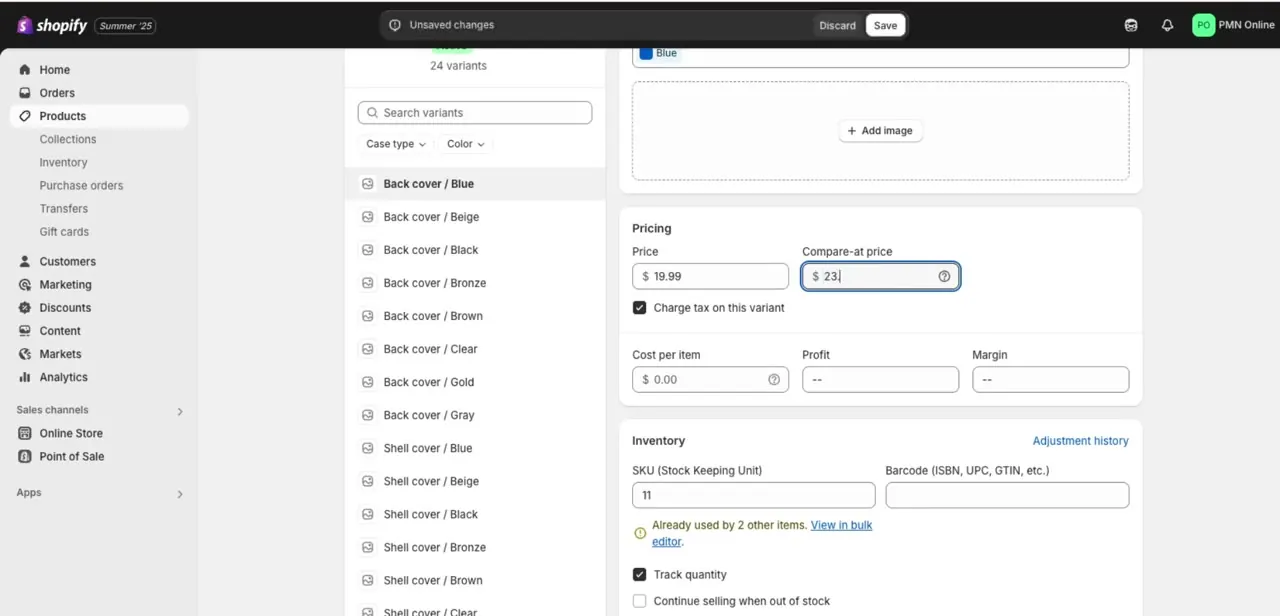
Shopify's instructions are to open Products, select the product, find the Price section, click Compare at, and put the original price there while the reduced number goes in Price. Save.
The compare-at value has to be the higher of the two, and Shopify documents that requirement plainly. Equal values, a blank field, or the two numbers swapped all produce no sale display at all.
The common error is dropping the Price for a sale and leaving Compare at empty, which loses the reference price instead of creating a discount. If the product has variants, the pair belongs to each variant, so open the exact colour or size you are testing. On a product with twenty variants, editing the wrong one looks identical to the fix not working.
03If the product page is right but the collection page is not
This one is documented and almost nobody knows it. Shopify shows the compare-at price on collection pages only when the compare-at pricing is consistent across all of a product's variants.
Mixing empty fields with $0.00 values, or giving variants different compare-at amounts, is enough to suppress it in the grid while the product page keeps showing the sale correctly. Open the variant list and check every row, including the ones you never put on sale.
Either give them all a proper compare-at value or clear them all to genuinely empty. A stray $0.00 is the usual culprit, because it looks blank in a bulk editor and is not.
04Check the market catalog if you sell internationally
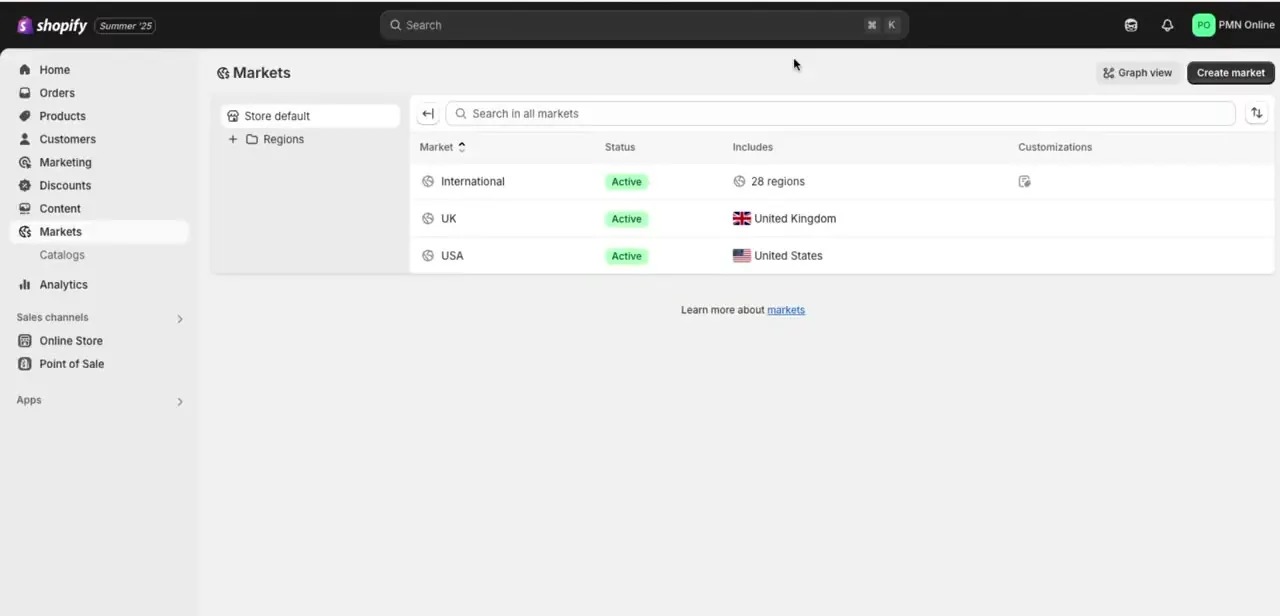
Multi-region stores add a layer. Shopify's catalogs carry an overall percentage price adjustment, and by default that adjustment applies to compare-at prices as well.
The control is a toggle named Include compare-at price, under Markets, then Catalogs, in the catalog's Pricing section. Switch it off and you take responsibility for setting compare-at prices in that catalog yourself, which is how a discount that works at home quietly disappears abroad.
One more constraint sits behind the same door: Shopify's documentation states that fixed sale prices for international markets are created through a CSV import, not in the admin interface. Manually set prices also override the percentage adjustment, so a product with a fixed price in a catalog ignores the catalog-wide maths entirely.
05Reload properly, then look at the theme
Save, then reload the storefront with a hard refresh or in a private window. A cached page after an edit sends people back to re-checking pricing that was already correct.
If a genuinely fresh load still shows one price, the data is fine and the theme is the remaining suspect. Shopify notes that sale price styling is often customisable through theme settings, so open Online Store, then Themes, then Customize, and look through the product template's section settings for anything about sale badges or compare-at display. Themes differ here, which is why the same product can look discounted on one theme and full price on another.
Frequently asked questions
Why isn't my compare-at price showing?
Usually because it is blank, equal to the price, or lower than it. Shopify only shows the original price alongside the sale price when the compare-at value is higher than the price.
It shows on the product page but not on the collection page. Why?
Shopify displays compare-at prices on collection pages only when the compare-at pricing is consistent across every variant. One variant left at $0.00 or given a different amount is enough to hide it from the grid.
Does a compare-at price carry over to other countries?
By default yes. A catalog's percentage price adjustment is applied to compare-at prices too, controlled by the Include compare-at price toggle. Fixed sale prices for international markets have to be imported by CSV instead of being typed into the admin.
Will a discount code produce the same strike-through?
No. Shopify's documentation says showing crossed-out prices for discounts on product and collection pages needs a third-party discount app or custom work. Compare-at pricing and discount codes are separate systems, and only compare-at drives the built-in sale display.
Sources and last check
The admin screens come from a walkthrough recorded in 2025. In September 2026 the behaviour was re-checked against Shopify's Help Center pages on sale pricing and on market price adjustments. Two claims changed as a result. The earlier version said fixing a variant's pricing makes the discount appear consistently across product and collection pages; Shopify documents that collection pages need consistent compare-at pricing across all variants, so that has been corrected. The earlier description of markets, that compare-at is set independently per market currency, has been replaced with what Shopify documents: a per-catalog percentage adjustment that includes compare-at prices by default, with fixed international sale prices set by CSV import. No store was tested first-hand.
About the author

Impran M N
I've been hooked on technology for as long as I can remember — especially the new tools and AI apps that seem to land every other week. Easy Tech Tuts is where I write up whatever I've just worked out: I do the task in the real product, record the screen, and turn it into the guide I wish I'd found first.