 Easy Tech Tuts
How to Sell Shopify Templates | Turn Themes Into Income | Easily 2026
By Impran M NLast checked against official docs
Selling Shopify themes can turn design or development skills into real income, since demand for good templates keeps growing alongside e-commerce. The path isn't just "design something pretty": it runs through a decision about where to sell before building anything, a real store to test the theme in, and a pricing and marketing plan before anyone sees it.
Skip the first decision and it's possible to build toward the wrong set of rules entirely, since Shopify's own Theme Store carries requirements a marketplace like ThemeForest doesn't. This guide covers picking a niche, deciding where to sell, setting up the account and store to build in, and getting a first template in front of buyers. It suits beginners exploring a side hustle and developers expanding an existing portfolio alike.
Before you start
- Shopify theme-development skills (Liquid, HTML, CSS, and JavaScript)
- A Shopify Partner account, if the plan is to submit to the Theme Store
01Identify a profitable niche
Before building anything, research which types of Shopify themes are in demand so the template targets a market that is looking to buy. Browse existing marketplaces for gaps: categories with a handful of dated options, not dozens of polished ones, are usually the best opening.
Niches tied to a specific product type, like jewelry, supplements, or print-on-demand apparel, tend to convert better than generic "all-purpose" themes, since merchants can picture their store in the preview immediately. Reviews on existing themes in the target niche are effectively a free feature list: recurring complaints show exactly what the new template should get right.
02Decide where to sell before building
This decision shapes everything that follows, so make it before writing a line of theme code. Shopify's Theme Store requires exclusivity: a theme listed there can only be distributed through the Theme Store, not alongside ThemeForest, Creative Market, or a direct sale from a personal site.
Submitting to the Theme Store also requires a Shopify Partner account, separate from a regular store login. Selling through a third-party marketplace or directly avoids that exclusivity rule and the Theme Store's technical review, but it also means building without Shopify's own audience or its checklist of what a theme needs to support. Neither path is wrong; picking one before development starts avoids building a theme that fits nobody's rules.
03Sign in to the account to build in
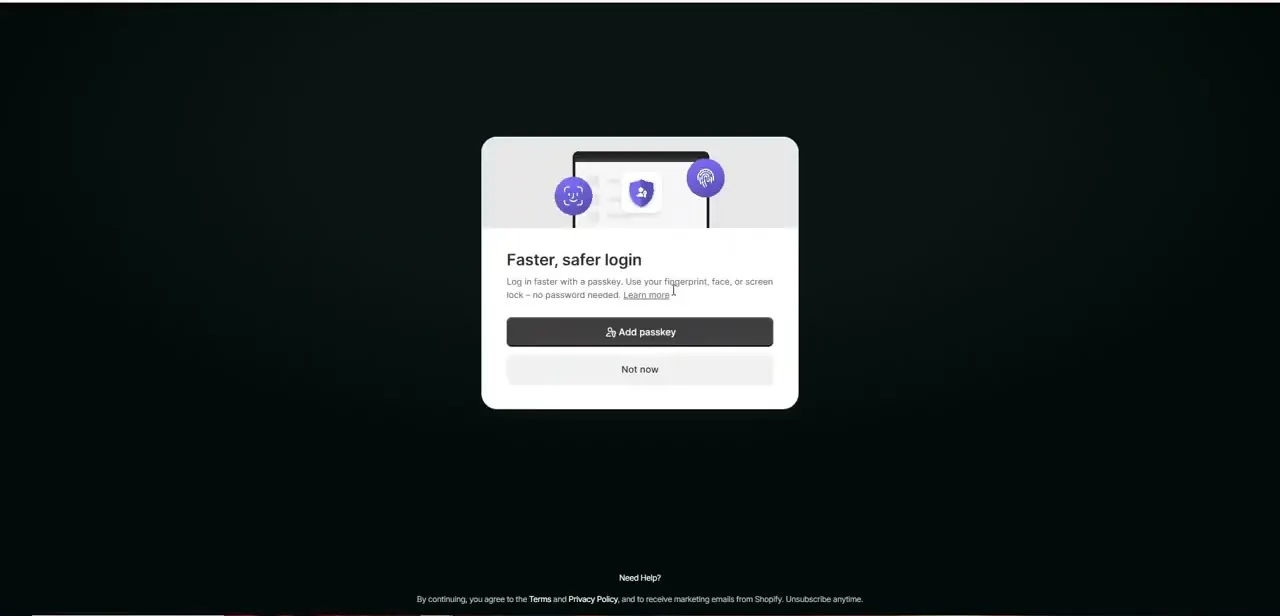
Template development happens outside a regular storefront login. Shopify's login screen defaults to passkey-based sign-in for a faster, password-free process, though the usual email and password still works if a passkey isn't set up yet.
If the plan is to submit to the Theme Store, this needs to be, or be linked to, a Partner account, not just a store's admin login. Use an account kept long-term: every theme file, test store, and eventual submission ties to it, and switching accounts mid-project complicates an active listing.
04Set up a store to build and test in
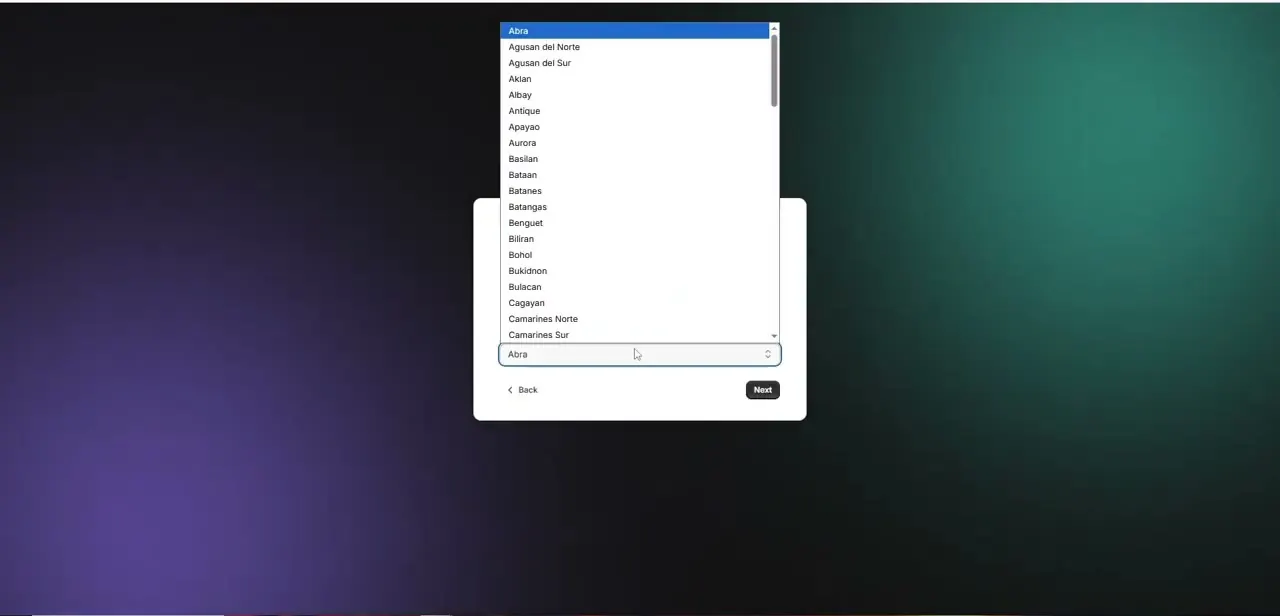
A real, working store is needed to build a theme against; there's no designing blind against nothing. Setting one up walks through basic screens, including regional details like province or state, which Shopify uses to configure tax, currency, and shipping defaults.
It can feel like overkill for a store that will never sell anything, but a theme behaves differently once real settings, sample products, and checkout flows are involved, so skipping this step tends to surface bugs later instead of now. Populate it with realistic sample data too: products with long titles, missing images, or out-of-stock variants are exactly the messy real-world content a theme needs to handle once merchants install it.
05Build the theme to the channel's standard
Design and build a theme that solves a real problem for merchants in the chosen niche. Keep the customer-facing side clean and fast-loading, and give the merchant-facing side the same attention: clear section settings and sensible defaults in the theme editor separate a template that earns five-star reviews from one that generates support tickets.
Test across mobile, tablet, and desktop before calling it done, since a theme that looks polished on a wide monitor but breaks on a small screen loses sales before a merchant reads the description. Submitting to Shopify's own Theme Store means meeting a specific technical bar, checked below. A theme sold elsewhere still needs to work well, but isn't held to these exact numbers.
06Price, list, and support the theme
Price the theme against what comparable themes charge in the same category; most successful themes land in a fairly narrow band for their niche, so undercutting or overpricing by a wide margin tends to hurt more than help. Write the listing copy around the problem the theme solves, not just its feature list, and lead with the merchant outcome, like faster checkout or better mobile conversion, instead of a spec sheet nobody reads first.
Screenshots and a live demo store do more work than written descriptions, so keep the test store polished and ready to link to. A short video walkthrough tends to outperform static screenshots for the same reason product demo videos outperform product photos: it answers how the theme behaves, not just how it looks.
Offering a limited-time discount to the first handful of buyers is a common way to generate the early reviews that make everyone after them more comfortable purchasing. If the theme lists on the Theme Store, treat the 2-business-day support window as a hard deadline from day one, not something to figure out after the first ticket arrives. Automating routine parts, like template responses for common setup questions, buys time for the fixes and updates that keep a listing in good standing once more than one template needs maintaining.
| Requirement | What it means |
|---|---|
| Exclusivity | The theme can only be distributed through the Theme Store, not also on ThemeForest, Creative Market, or a personal site |
| Templates and features | 13 core page templates (product, collection, cart, blog, article, search, 404, gift card, password, contact, and others), plus required features like accelerated checkout buttons, faceted search, product recommendations, and multi-currency or multi-language support |
| Performance | Lighthouse Performance score averaging 60 or higher across product, collection, and home pages, on both desktop and mobile |
| Accessibility | Lighthouse Accessibility score averaging 90 or higher across the same pages |
| Demo store | Real content instead of Lorem Ipsum, test-mode payments (Bogus Gateway or Shopify Payments test mode), and no third-party apps or brand partnerships built in |
| Support response | Reply to merchant support inquiries within 2 business days and fix critical bugs immediately |
From Shopify's Theme Store requirements documentation, checked September 2026. A theme sold on another marketplace or directly isn't bound by these specific thresholds, though most of them describe a genuinely better theme regardless.
When it doesn't work
A theme submission gets rejected or later removed from the Theme Store
Why: The theme is also listed on another marketplace, like ThemeForest, which violates the Theme Store's exclusivity requirement.
Fix: Pick one channel before building, or pull the theme from other marketplaces before submitting to Shopify.
Theme Store review flags performance or accessibility
Why: Lighthouse Performance or Accessibility scores fall below the 60/90 averages Shopify checks across product, collection, and home pages.
Fix: Run Lighthouse against the demo store's own product, collection, and home pages before submitting, and fix flagged issues like unoptimized images or render-blocking scripts.
A live theme gets temporarily delisted after launch
Why: Merchant support inquiries went unanswered past the 2-business-day window, or a critical bug sat unfixed.
Fix: Set up a support inbox and a way to triage bug reports before the theme goes live, not after the first ticket arrives.
Frequently asked questions
Do I need coding experience to sell Shopify templates?
Development or design skills help significantly, since building a functional, polished theme that merchants are willing to pay for happens in the Shopify editor and its underlying code.
Can I sell the same theme on the Theme Store and elsewhere too?
No. Shopify's Theme Store requires exclusivity: a theme listed there can't also be sold on ThemeForest, Creative Market, or through a personal site. Selling on those channels instead means skipping the Theme Store's review, along with its performance and accessibility requirements.
How do I know which Shopify theme niche is profitable?
Look at what kinds of stores and industries are underserved by existing templates, and build toward that gap instead of an already crowded general-purpose category.
Do I need a real store to build a theme?
Yes. A working development store is needed to design and test against, since themes behave differently once real settings, products, and checkout flows are involved.
What technical bar does a theme need to clear for the Theme Store?
A Lighthouse Performance score averaging 60 or higher and an Accessibility score averaging 90 or higher across product, collection, and home pages, 13 core page templates, and required features like accelerated checkout and faceted search, checked against Shopify's Theme Store requirements documentation.
Can beginners realistically make money selling Shopify themes?
Yes, though results depend heavily on template quality and marketing effort, so a first theme is worth treating as a learning project as much as a product.
Sources and last check
Click path and screens for account sign-in and store setup come from a walkthrough recorded in July 2025. Re-checked against Shopify's official Theme Store requirements documentation in September 2026, which corrected this guide's earlier suggestion that a theme could be sold on the Theme Store alongside other marketplaces: Theme Store listings must be exclusive, and submission requires a Partner account plus specific Lighthouse, template, and support-response thresholds.
About the author

Impran M N
I've been hooked on technology for as long as I can remember — especially the new tools and AI apps that seem to land every other week. Easy Tech Tuts is where I write up whatever I've just worked out: I do the task in the real product, record the screen, and turn it into the guide I wish I'd found first.



