 Easy Tech Tuts
How to Import Reviews from Amazon to Shopify for Free, Best App Extension to Import External Reviews
By Impran M NLast checked against official docs
A brand-new Shopify product page with zero reviews is a conversion killer, especially when the same product already has hundreds of reviews sitting on Amazon. A review-import app can pull those reviews straight onto your product page in a few clicks, using a browser extension that reads whatever Amazon listing you have open.
The one thing worth knowing before you start: Kudosi, the app used in this walkthrough, gives its free plan unlimited AliExpress imports, but Amazon specifically sits behind its paid Basic plan. This guide covers installing the app, using its extension on an Amazon product page, importing reviews into the matching product in your store, and what it costs.
Before you start
- A Shopify store with the product already listed, matching the Amazon item you plan to pull reviews from.
- Google Chrome. Kudosi's review-import extension is Chrome-only and doesn't work on other desktop browsers or on mobile.
01Install Kudosi (formerly Ali Reviews) from the Shopify App Store
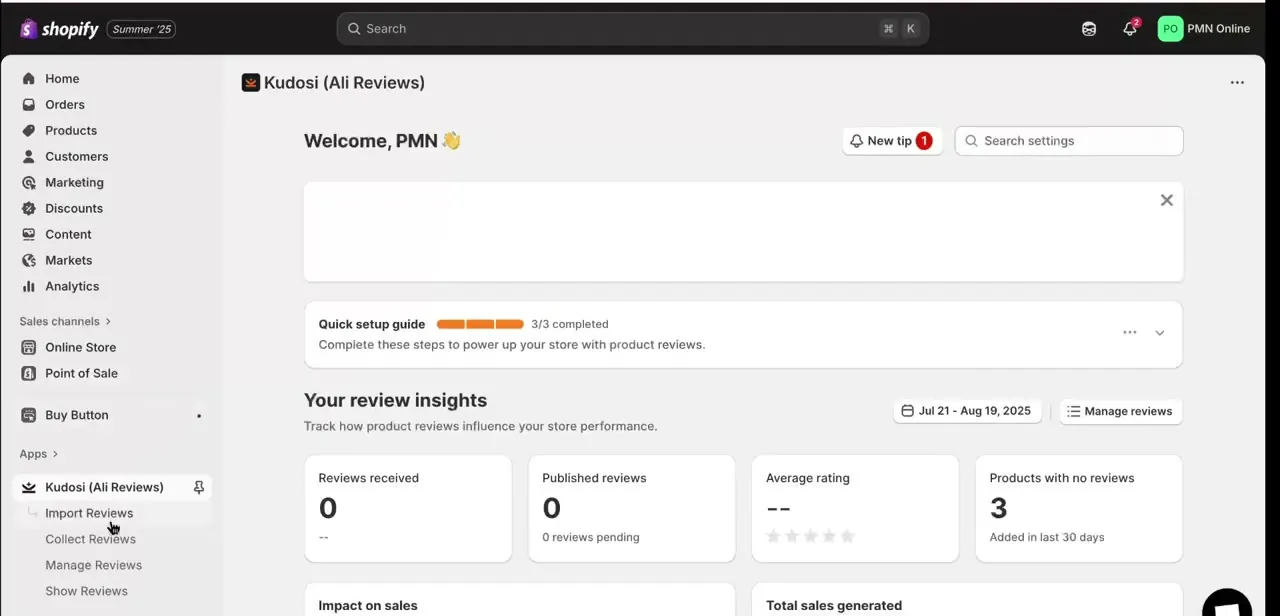
From your Shopify admin, search the App Store for Kudosi, listed there as "Ali Reviews: AI Product Review"; once installed it shows up in your admin sidebar as Kudosi (Ali Reviews). Work through its quick setup guide, then check the dashboard for review insights: reviews received, published reviews, average rating, and how many products currently have no reviews.
Note the plan you're on before going further. Free is AliExpress-only, and Amazon imports need the Basic plan.
02Find the matching product on Amazon
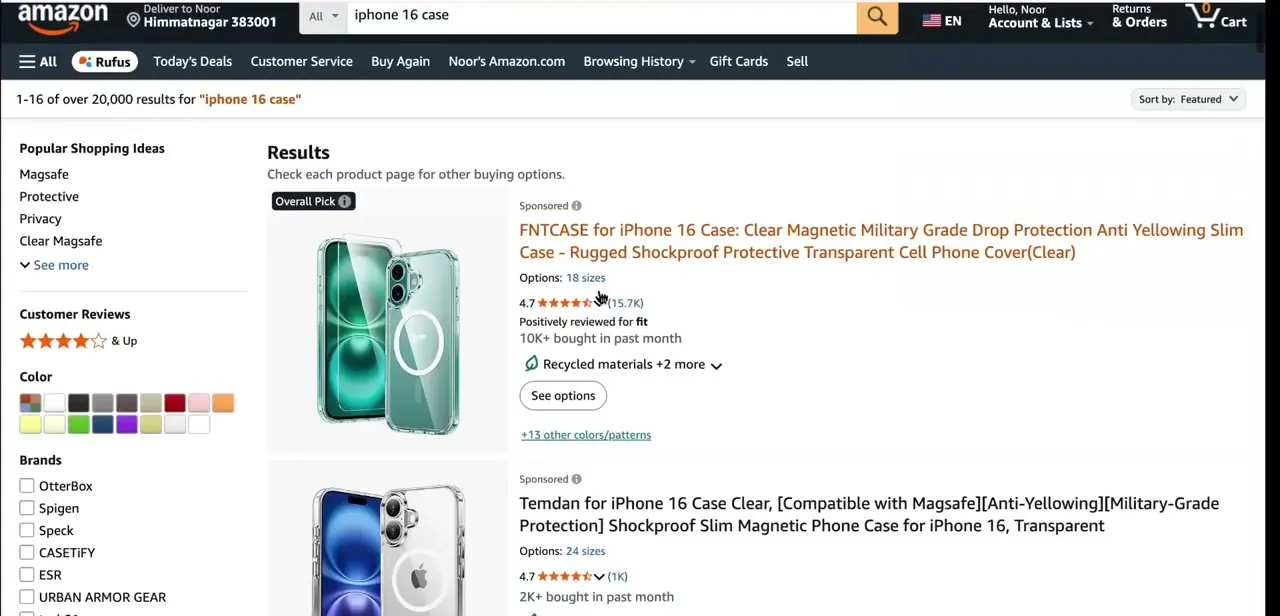
Open Amazon in a separate tab and search for the exact product you're selling. Matching brand, model, and variant matters, since importing reviews for the wrong listing misleads customers and can run into consumer-protection rules in some regions. Amazon's search results show star ratings, review counts, and how many units were bought recently, useful for judging whether a listing has enough genuine reviews worth importing.
03Open the Kudosi extension on the product page
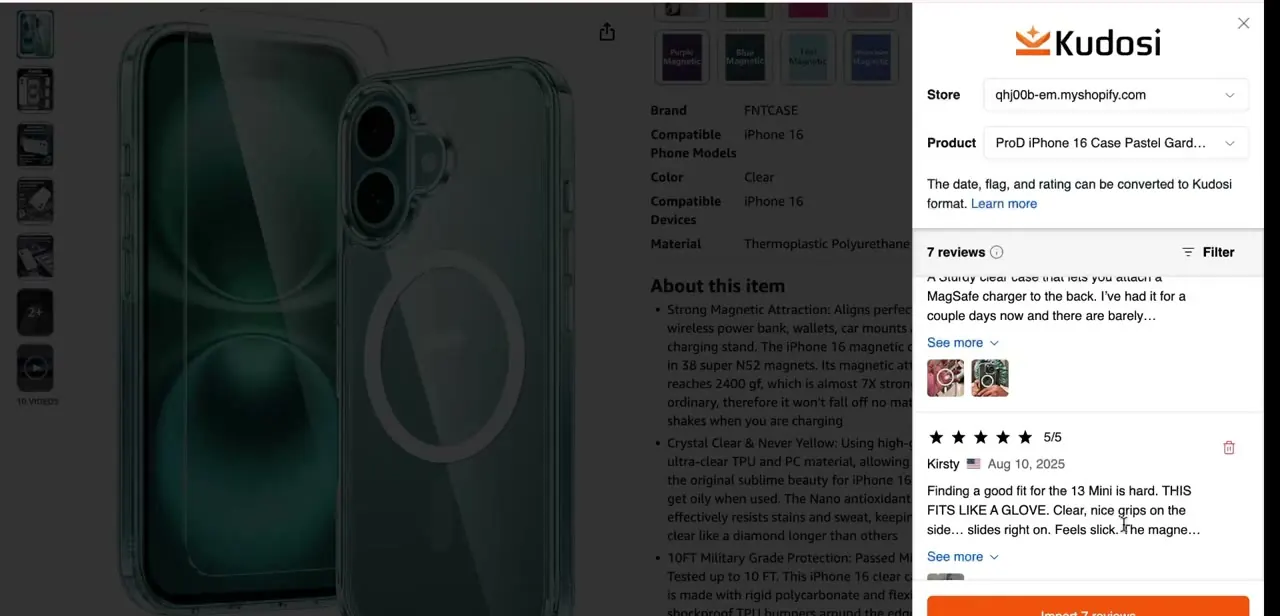
With the Chrome extension installed and the Amazon product page open while you're logged into Amazon, click its icon to open the import panel. Pick your Shopify store and the target product from the dropdowns, matching them against the Amazon listing you're viewing. Two optional filters sit above the review list, Must have photo and Must have text, useful if you only want richer reviews, not bare one-line ratings.
04Scan and select the reviews to import
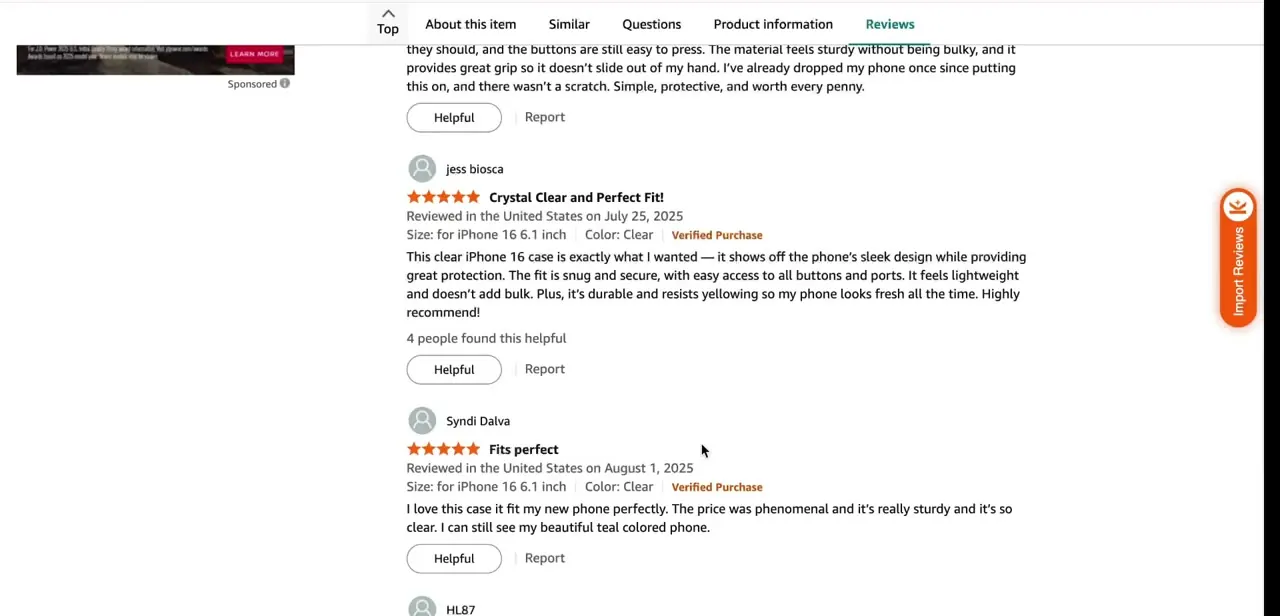
Scroll to the product's Reviews tab, where the extension adds a floating Import Reviews button alongside Amazon's own review list. Click Scan reviews.
Kudosi only reads the first five pages of a listing's reviews per scan, up to 1,000 reviews with as many as five photos each, so a product with thousands of reviews still returns a capped batch, not everything Amazon has. Deselect anything that's a bare rating with no real detail; a wall of one-line five-star reviews reads as less credible than a mix that includes specifics. Click Import Reviews once you're happy with the selection.
05Check the imported reviews in Shopify
Back in Shopify admin, open Kudosi's Manage Reviews section to confirm the imported reviews landed on the right product, with their star ratings and reviewer names intact. From here you can reorder them, hide any that don't fit your brand voice, and adjust which fields show publicly, things like reviewer photos or verified-purchase badges.
06Publish the reviews to your storefront
Click Publish all reviews inside Kudosi once you're satisfied with the import; reviews stay in draft otherwise and won't appear anywhere. Then check your theme editor to confirm the review widget block is placed on the product page, near the description or add-to-cart button where shoppers are most likely to see it before deciding. Test on both desktop and mobile, since review widgets are a common spot for layout issues on smaller screens.
When it doesn't work
The Import Reviews button doesn't do anything on Amazon
Why: The store is still on Kudosi's free plan, which imports from AliExpress only; Amazon is one of the sources gated behind the paid Basic plan.
Fix: Start the Basic plan's 14-day trial (or subscribe) from the app's billing screen in Shopify admin, then reopen the Amazon page and refresh the extension panel.
Scan reviews returns far fewer reviews than the listing holds
Why: The extension only reads the first five pages of an Amazon listing's reviews per scan, not the full history.
Fix: Re-sort Amazon's review list (Most recent, or filter by star rating) and scan again to pull a different slice of reviews.
Imported reviews don't show up on the storefront
Why: Reviews imported into Kudosi sit as drafts until published inside the app, or the storefront theme doesn't have the review widget block added to the product template.
Fix: Click Publish all reviews inside Kudosi, then check the theme editor for the review widget block on the product page.
Frequently asked questions
Is it legal to import Amazon reviews onto my Shopify store?
It depends on the product and jurisdiction. Only import reviews for the exact product you sell, disclose that reviews are sourced externally if your review app doesn't already do so, and check local consumer-protection rules on presenting third-party reviews as your own.
Does importing Amazon reviews with Kudosi cost anything?
Yes. Kudosi's free plan only imports from AliExpress. Pulling reviews from Amazon needs the Basic plan, listed at $14.95 a month with a 14-day free trial before billing starts. Free and Basic also cap how many reviews you can publish per product: 10 versus 150.
Can I choose which Amazon reviews get imported?
Yes. The extension lists reviews found on the Amazon page individually, so you can select specific ones instead of importing everything on the listing at once.
Will imported reviews show the original Amazon reviewer's name?
Typically yes, along with the star rating and review date. Kudosi's Manage Reviews screen lets you edit or hide individual fields after import if you'd rather not display real names.
What happens if the Amazon listing I imported from gets removed later?
Nothing on your end. Once reviews are imported they live in Kudosi's own database and display independently of the original Amazon listing's status.
What if the Amazon product has thousands of reviews?
Kudosi still only scans the first five pages per session. Import what that scan finds, then re-sort the Amazon review list and scan again for a different slice; one pass doesn't cover the whole listing.
Sources and last check
Click path and screens come from a walkthrough recorded in 2025 using the Kudosi (Ali Reviews) Chrome extension on a live Amazon listing. Plan names, pricing, and the free plan's AliExpress-only limit were re-checked against Shopify's official Ali Reviews (Kudosi) app listing and Kudosi's help center in September 2026, which corrected this guide's earlier claim that Amazon imports are free: they require the paid Basic plan.
About the author

Impran M N
I've been hooked on technology for as long as I can remember — especially the new tools and AI apps that seem to land every other week. Easy Tech Tuts is where I write up whatever I've just worked out: I do the task in the real product, record the screen, and turn it into the guide I wish I'd found first.



