 Easy Tech Tuts
How to Fix This App isn't compatible with your store at Shopify for Tiktok & Other Apps Easily 2026
By Impran M NLast checked against official docs
Shopify marks an app "Not compatible" when a specific setting on your store doesn't match what the app declares it needs. That's usually your store's country, but Shopify checks five separate things, and it's easy to fix the wrong one and conclude the app is broken. This guide covers all five, where to find the exact mismatch on the app's own listing page, and the one detail most troubleshooting posts skip: changing a setting doesn't fix the error immediately.
01Know the five things Shopify checks
An app can require any combination of: Point of Sale (your store has the Shopify POS channel), Shipping countries (you ship to at least one country the app supports), Currency (you sell in a currency it supports), Business address (your store's registered country), and Online Store (the Online Store sales channel is active). Country restrictions like TikTok Shop's are the most common trigger, but currency and channel mismatches produce the identical "not compatible" message.
02Find your specific mismatch on the app's own listing page
Open the app in the Shopify App Store and look at its listing page instead of guessing. Shopify shows you, directly on that page, which of the five requirements your store fails. That's a faster and more accurate check than reading generic pricing text, since it's evaluated against your actual store settings, not a general description.
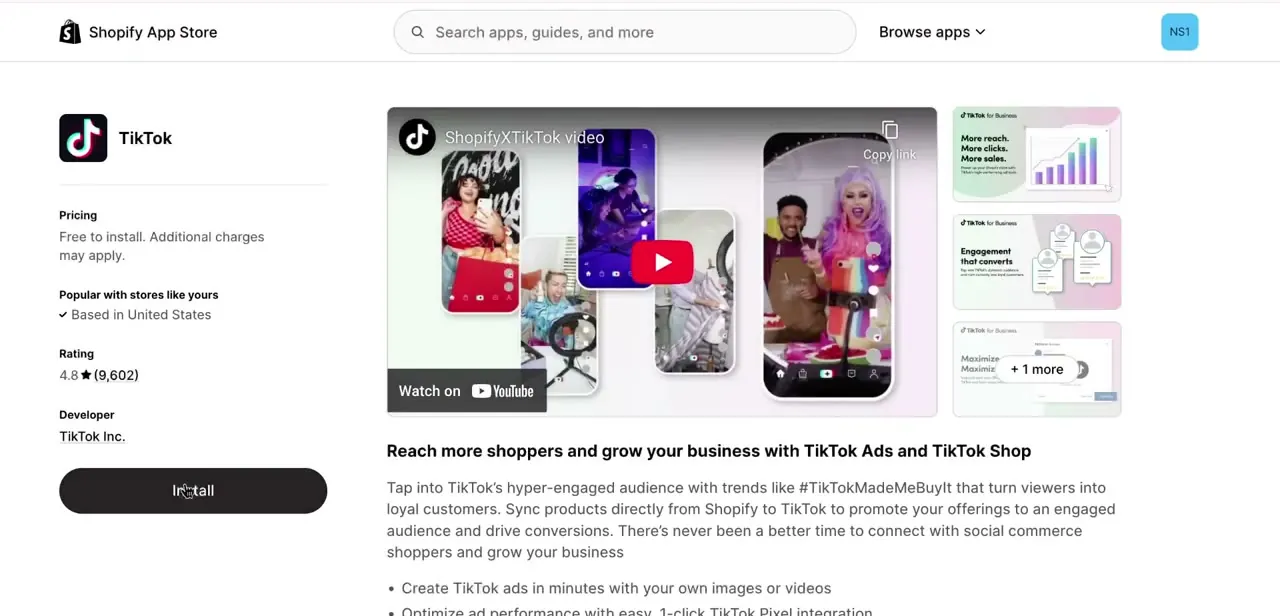
03Fix the setting, if it's fixable
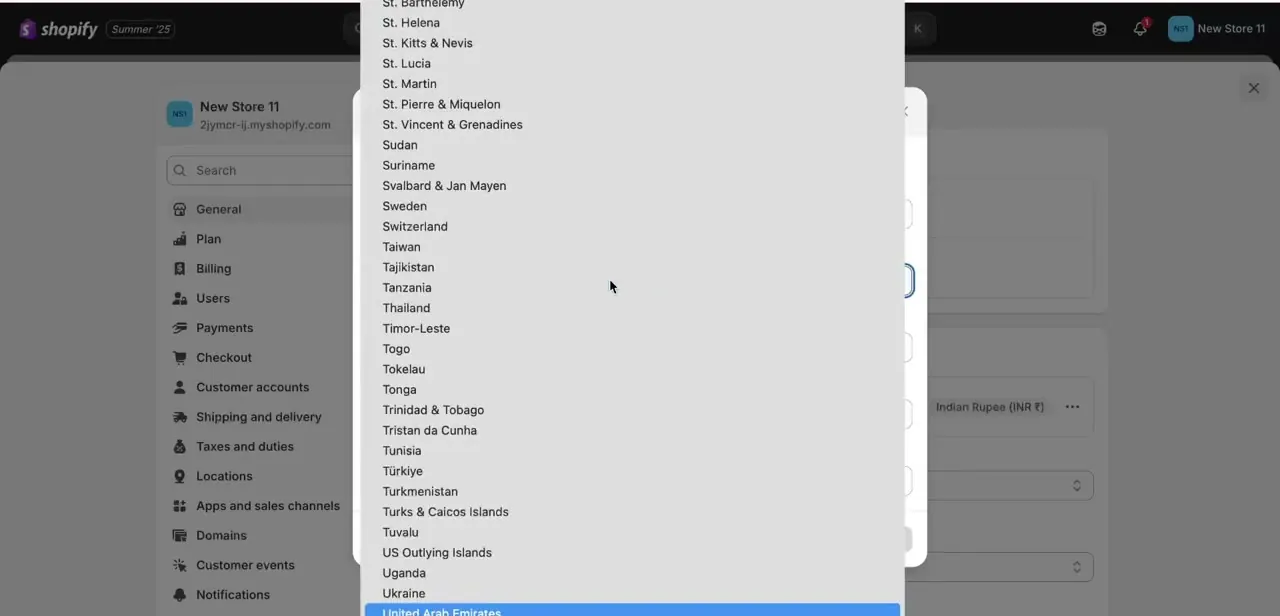
Your store's country lives under Settings → General, in the same section as your address, currency, and unit preferences. It's easy to have picked the wrong entry when the store was first set up.
If that's the mismatch and your business genuinely operates from a different country than what's set, correct it here. If the requirement is Currency or Online Store, the fix is in Settings → General or Settings → Apps and sales channels respectively.
Business address is the one that isn't always fixable: it should reflect where your business is legally registered, not wherever gets an app to install. If your business really is outside the app's supported countries, no setting change fixes that, and you need a different integration.
04Wait before retrying the install
After changing a store setting to meet a requirement, Shopify can take up to an hour to recognize it. The app stays marked Not compatible during that window even though your settings are already correct. Retrying immediately, clearing cache, or switching browsers won't speed this up; give it the hour, then try the install again.
05Finish the app's own onboarding once it installs
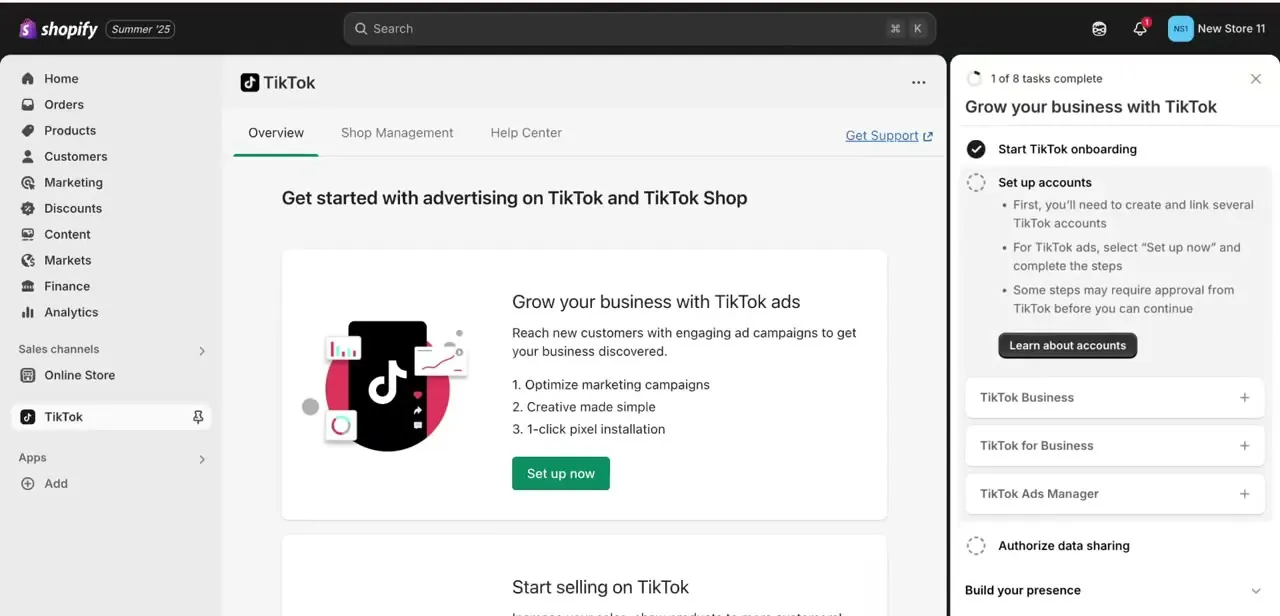
A successful install drops you into the app's own onboarding panel inside Shopify admin; it doesn't finish everything automatically. For TikTok, that means an eight-step task list covering TikTok Business and Ads Manager accounts, authorizing data sharing, and building out your presence, before ads or shop features go live. Skipping tasks here is a separate, common reason people think an app is "still not working" when it's really just unfinished setup, not a compatibility error.
| Requirement | What it checks | Where to fix it |
|---|---|---|
| Business address | The country your store is registered in | Settings → General |
| Shipping countries | Whether you ship to at least one country the app supports | Settings → Shipping and delivery |
| Currency | Whether you sell in a currency the app supports | Settings → General |
| Online Store | Whether the Online Store sales channel is active | Settings → Apps and sales channels |
| Point of Sale | Whether the Shopify POS channel is added to your store | Settings → Apps and sales channels |
Based on Shopify's official Help Center documentation as of September 2026.
When it doesn't work
Store settings match the requirement but install still fails
Why: Shopify can take up to an hour to recognize a changed setting.
Fix: Wait an hour after the change, then retry. Don't assume the app itself is broken.
App installed, but its features (ads, shop tab) don't work
Why: A successful install just adds the app. Most sales-channel apps, TikTok included, need their own onboarding checklist completed, account authorization and business verification among them, before anything goes live.
Fix: Open the app from Shopify admin and work through every step of its own setup checklist, not just the install.
The mismatch is your business address, and you can't just change it
Why: Business address has to reflect where the business is legally registered, not a field you can edit freely to unlock an app.
Fix: If your business genuinely operates from a supported country, correct the address to match. If it doesn't, the app isn't available to your store yet, and a setting change won't fix that.
Frequently asked questions
Why does Shopify say an app isn't compatible with my store?
One of five store settings doesn't match what the app requires: business address, shipping countries, currency, Online Store channel status, or Point of Sale channel status.
Is this error specific to TikTok?
No. The same message appears for Facebook and other sales-channel apps that enforce their own country, currency, or channel requirements.
I fixed my store's country, so why is the app still showing as not compatible?
Shopify can take up to an hour to recognize a settings change before the App Store reflects it. Wait, then retry the install.
Where do I see exactly which requirement my store fails?
On the app's own listing page in the Shopify App Store. It shows the specific mismatch against your store's current settings, not just a general requirements list.
The app installed but features aren't working, is that the same error?
Usually not. A successful install with missing features almost always means an onboarding task, like account authorization, hasn't been completed, not a compatibility block.
Sources and last check
Click path and screens come from a walkthrough recorded in July 2025. The cause of the compatibility error was re-checked against Shopify's official Help Center in September 2026, which corrected this guide's earlier focus on country alone. Shopify evaluates five separate requirements (business address, shipping countries, currency, Online Store channel, Point of Sale channel), and a fixed setting can take up to an hour to be recognized before a retry works.
About the author

Impran M N
I've been hooked on technology for as long as I can remember — especially the new tools and AI apps that seem to land every other week. Easy Tech Tuts is where I write up whatever I've just worked out: I do the task in the real product, record the screen, and turn it into the guide I wish I'd found first.



