 Easy Tech Tuts
How to Fix Shopify Buy it Now Button Not Showing Up, Add Missing buy button Easily 2026
By Impran M NLast checked against official docs
A missing Buy It Now button quietly costs conversions: it removes the fast lane for customers who already know they want to check out and don't want to detour through a cart page. The fix is almost always one of two things: the checkout button setting is off in your theme, or your store doesn't have a live payment provider active for it to attach to. This guide checks your storefront first to confirm the button is actually gone, then walks through both settings so you know which one is the culprit.
01Confirm the button is missing on your live storefront
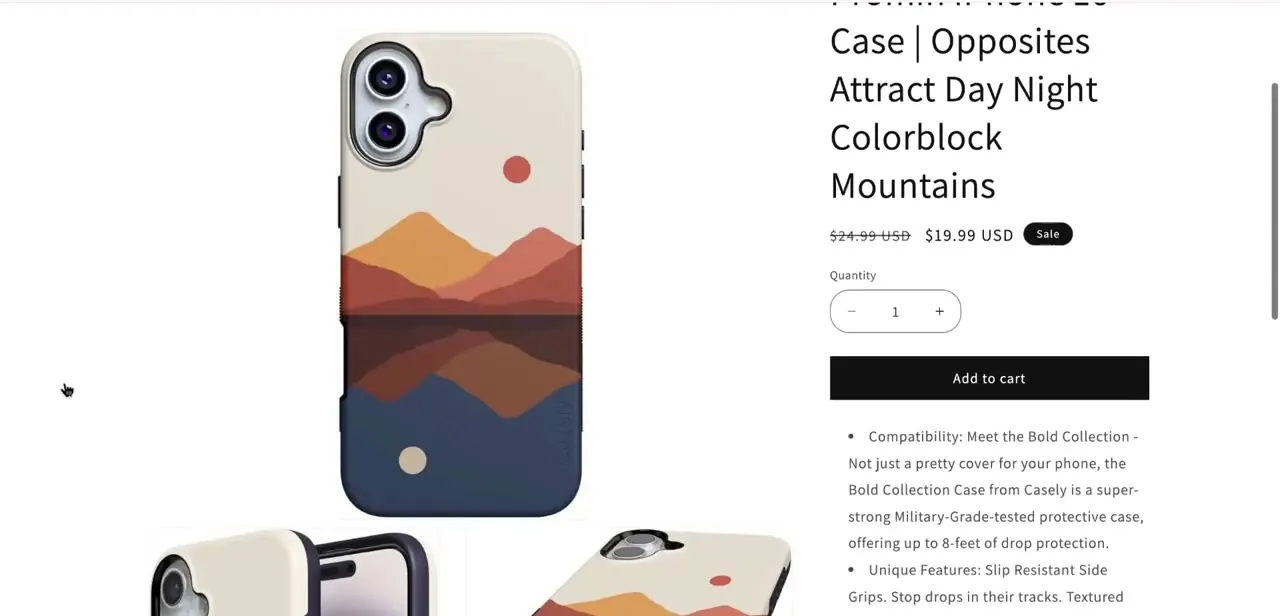
Before changing settings, open the product page on your actual storefront the way a customer would. On a working setup you'd see both an Add to cart button and a black Buy it now button beneath the quantity selector. If only Add to cart appears, as in the case below, that confirms the accelerated checkout button either isn't enabled or has no active payment method to attach to yet.
02Open your Shopify admin
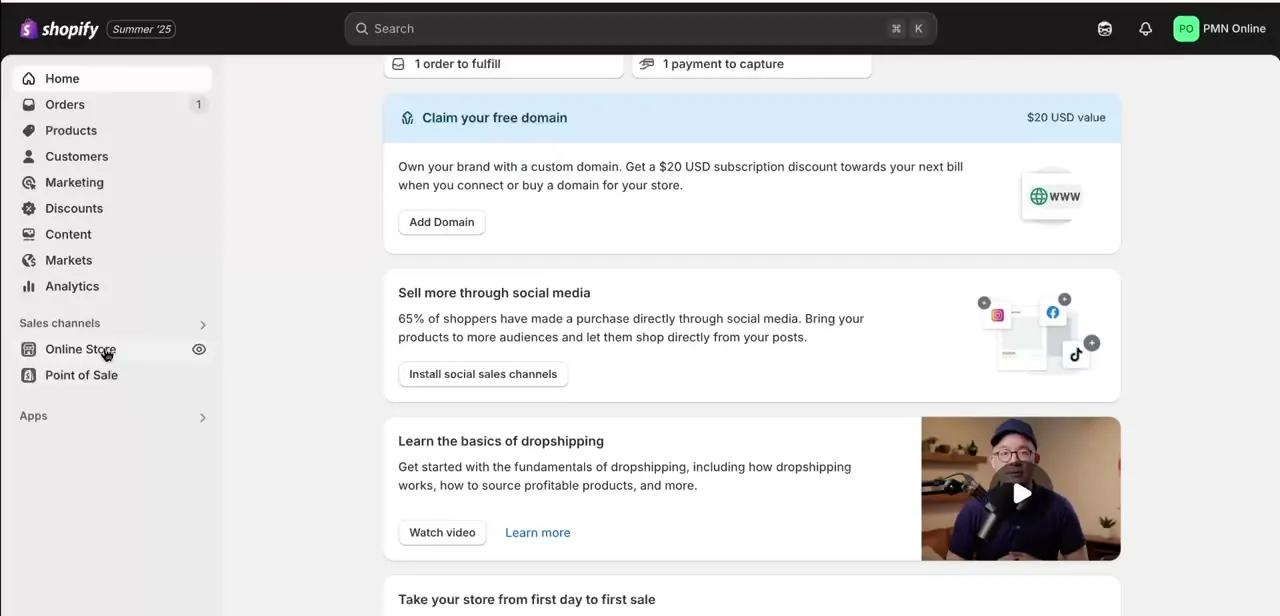
Log in to your Shopify admin dashboard. The two settings that control the Buy It Now button live in different places: one under Settings > Payments, and one inside your theme editor. You'll be checking both in turn.
03Check that a real payment provider is active
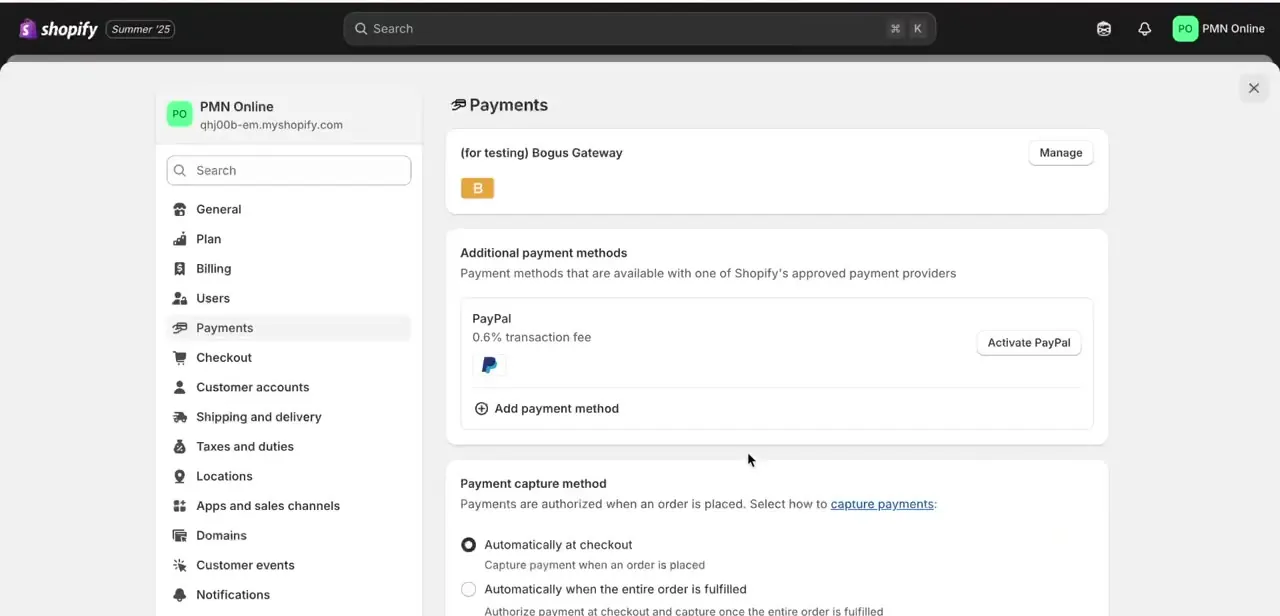
Go to Settings > Payments. If the only provider listed is "(for testing) Bogus Gateway," that's worth fixing first: Shopify's own documentation confirms customers can't complete live orders while a store's payment providers are in test mode, and that whether accelerated checkout buttons display at all depends on your active payment settings. Under Additional payment methods, activate a genuine provider like Shopify Payments or PayPal.
04Turn on accelerated checkout buttons in your theme editor
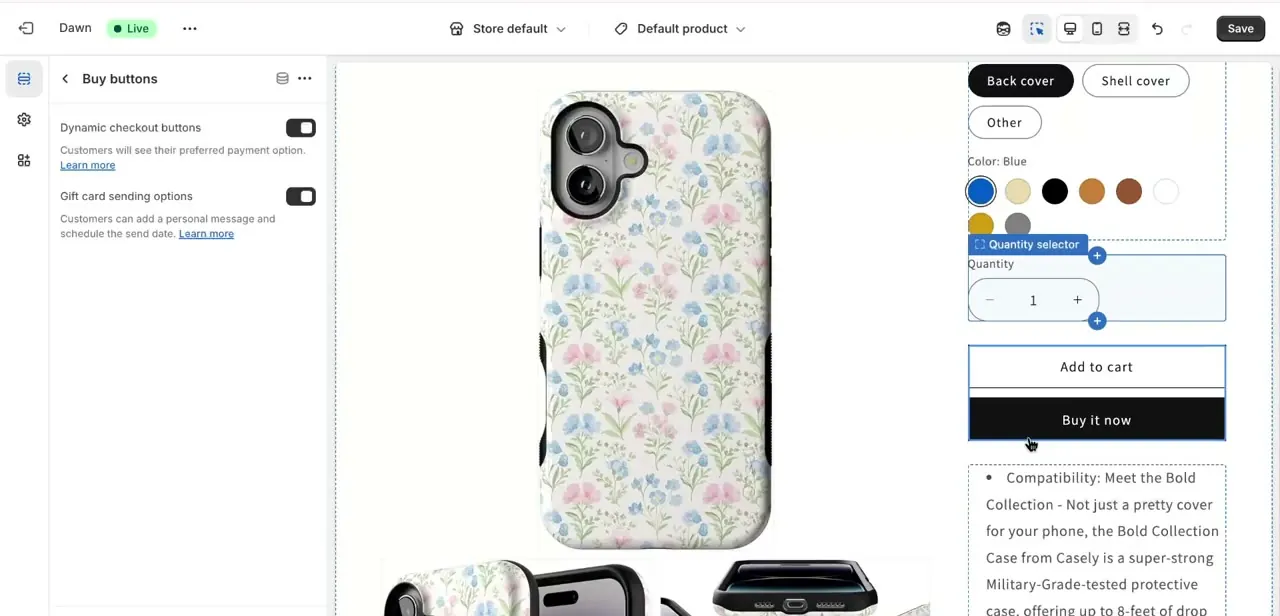
With a live payment provider active, open Online Store > Edit theme, go to the Products template, and select the Buy buttons block inside Product information. Shopify renamed this toggle: current themes label it "Show accelerated checkout buttons," while older theme versions still call it "Dynamic checkout buttons." Either way, it's the same setting.
If it's switched off, that alone hides Buy it now even with payments fully configured. Turn it on, and the preview should show both Add to cart and Buy it now stacked beneath the quantity selector.
05Rule out theme customizations hiding the button
If the payment provider and the toggle are both already correct and the button is still missing, the cause is usually a custom theme edit, not a Shopify setting: a CSS rule hiding the element, an edited product template, or a third-party app injecting its own buy-button code that conflicts with the theme's default one. Check recent theme code changes and apps installed around when the button disappeared. That timing is usually the fastest way to narrow it down.
06Save and verify on the live storefront
After making changes, click Save in the theme editor, then reload the actual product page on your storefront, not just the customizer preview, to confirm Buy it now appears for a real visitor. Test it in an incognito or private window too, since a cached page can make an already-fixed button look like it's still missing.
When it doesn't work
Only Add to cart shows, no Buy it now
Why: No live payment provider is active, or the accelerated checkout toggle is off for the Buy buttons block in the theme editor.
Fix: Activate a real payment provider under Settings > Payments, then confirm the toggle (labeled "Show accelerated checkout buttons" or "Dynamic checkout buttons," depending on theme version) is on.
Buy it now is still missing after payments and the toggle both check out
Why: A custom theme edit, CSS rule, or a third-party app injecting its own buy-button markup is overriding the theme's default block.
Fix: Check recent theme code changes and apps installed around when the button disappeared. Temporarily disabling a suspect app is the fastest way to confirm it.
The change looks applied in the editor but the live page still shows the old layout
Why: The customizer preview updated but the theme wasn't saved, or the live page is serving a cached version.
Fix: Click Save in the theme editor, then reload the live product page in a private window to bypass cache.
Frequently asked questions
Why did my Buy It Now button disappear?
Usually one of two things: the accelerated checkout toggle is off in your theme editor, or your store doesn't have a live payment provider active. Shopify's documentation confirms that whether these buttons display depends on your active payment settings, and that customers can't complete real orders while payments are only in test mode.
Do I need to edit code to fix this?
Usually not. Turning on the accelerated checkout toggle under Online Store > Edit theme and activating a real payment provider under Settings > Payments resolves it in most cases. Code edits are only needed if a theme customization or app is actively hiding the button.
Will this fix work on any Shopify theme?
The underlying settings apply across Shopify themes, but the toggle's label has changed over time: newer themes call it "Show accelerated checkout buttons," older ones call it "Dynamic checkout buttons." The exact location inside the theme editor can also vary slightly by theme.
Does turning on accelerated checkout buttons cost anything?
No, the setting itself is free. The payment provider behind it, Shopify Payments, PayPal, or another processor, carries its own standard transaction fees once live, same as any other checkout.
How can I confirm the fix worked?
Visit your actual product page on the live storefront, ideally in a private browser window to avoid cached content, and confirm the Buy it now button appears alongside Add to cart.
Sources and last check
Screens and the storefront comparison come from a recorded walkthrough. Re-checked against Shopify's official Help Center in September 2026. That check surfaced a naming change this article previously missed: Shopify's current theme editor labels the setting "Show accelerated checkout buttons," not "Dynamic checkout buttons," though older theme versions still use the old name. It also softened an overstated claim that a testing-only gateway like Bogus Gateway "never" shows the button to customers; Shopify's documentation confirms button display depends on active payment settings and that live orders are blocked in test mode, but doesn't spell out that specific mechanism.
About the author

Impran M N
I've been hooked on technology for as long as I can remember — especially the new tools and AI apps that seem to land every other week. Easy Tech Tuts is where I write up whatever I've just worked out: I do the task in the real product, record the screen, and turn it into the guide I wish I'd found first.



