 Easy Tech Tuts
How to Activate Shopify Payments for Non US Citizens or Non USA Residents Quickly 2026
By Impran M NLast checked against official docs
Shopify Payments' setup wizard asks for a business registered with the US government, but only when your store's business country is set to United States. Roughly 49 countries, including Canada, the UK, most of the EU, Australia, Japan and Singapore, have their own Shopify Payments requirements and don't need any of this. This guide shows where the US-specific wall actually shows up, how to check whether you can skip it entirely, and what Shopify's own terms and documentation say about the routes people use when their country genuinely isn't supported.
Before you start
- Know which country Shopify currently recognizes your business as being in (Settings > Payments), since that setting decides which requirements apply to you
01Check whether you need a workaround at all
Before doing anything else, check whether your country is one of the roughly 49 Shopify Payments already supports directly. Shopify's own documentation lists Canada, the UK, most of the EU, Australia, Japan, Singapore, Hong Kong, the UAE, Mexico, and New Zealand among them.
If yours is on that list, the fix is simpler than a US bank account: set your store's business country to your own, and Shopify Payments runs under that country's requirements instead of the US ones. The route this guide covers below is for sellers whose country genuinely isn't supported.
02See where the US-specific requirement shows up
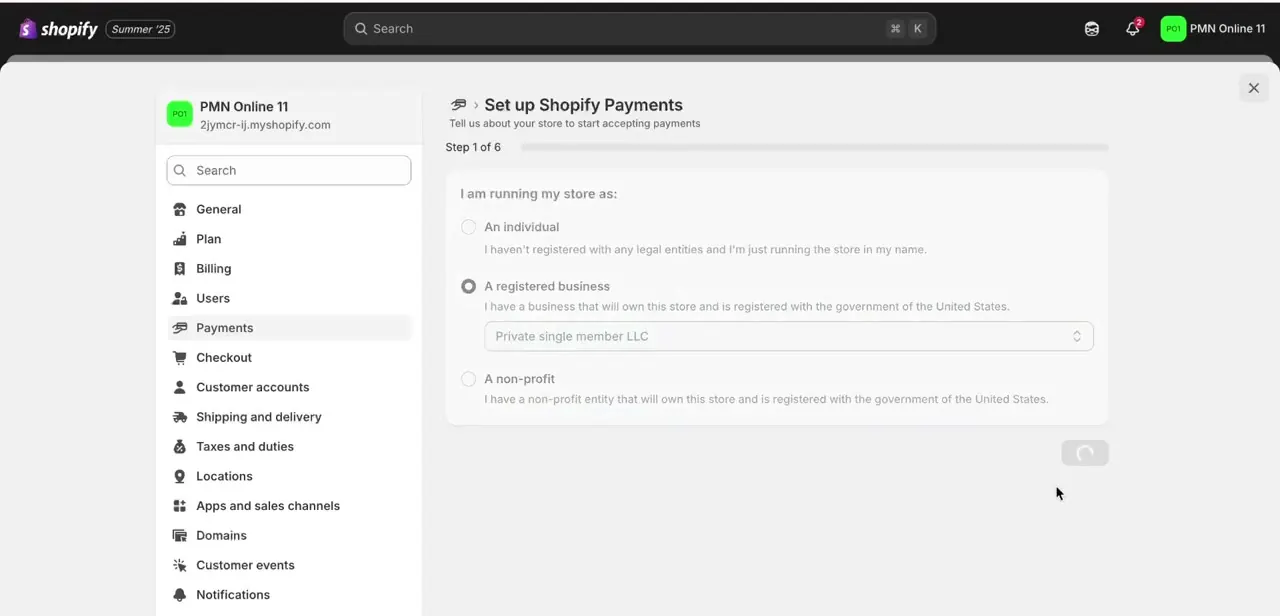
Start Shopify Payments setup from Settings, then Payments, with your store's business country set to United States, and step 1 of 6 asks how you're running your store: as an individual, a registered business, or a non-profit. Choosing "A registered business" reveals the requirement printed on the form itself: the business has to be registered with the government of the United States, with a dropdown for structures like a private single-member LLC.
This wall is specific to a US-designated store. It's the reason the routes further down exist, and the reason checking your own country's eligibility first, as in the previous step, saves most international sellers from needing them at all.
03Check what your billing information needs to match
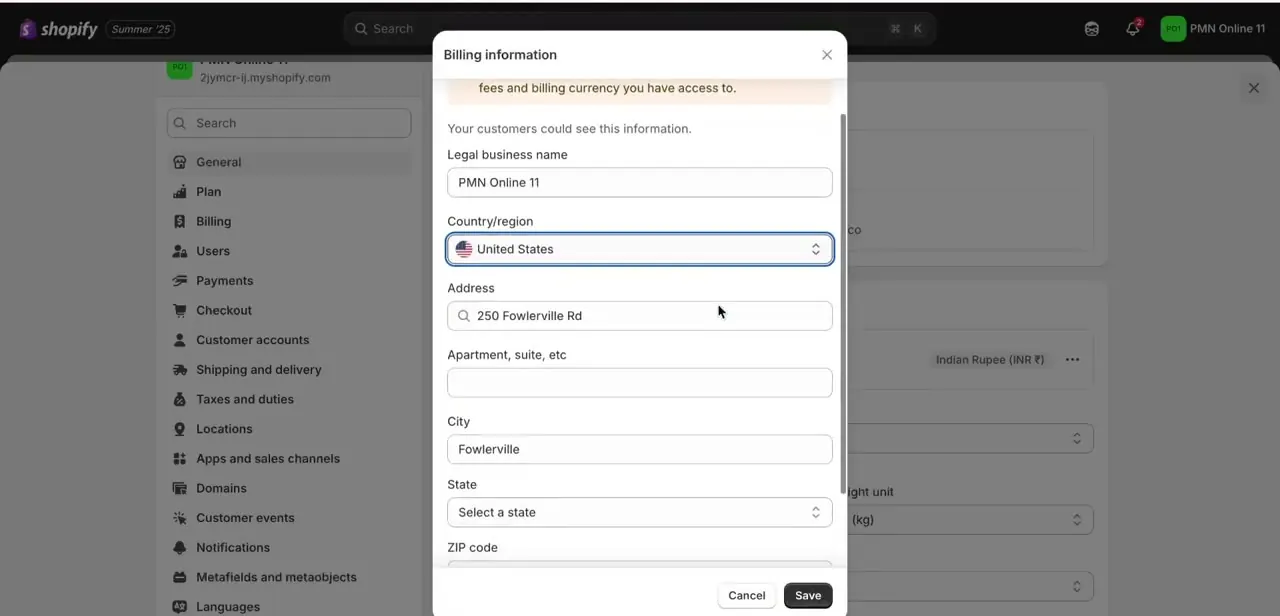
Further into setup, Shopify's Billing information panel asks for your legal business name, country/region, street address, city, state, and ZIP code, fields your customers could see, as the form itself notes. For a store set to a United States Designated Country, this address needs to reflect a genuine US business address, not just a personal mailing address. Shopify's own Payments Terms of Service define Designated Country as "the location from which you operate the business," and require you to be a legal resident of that country or a business duly registered and authorized to conduct business there; the account can then only be used in that Designated Country.
04Understand what the terms actually require if your country isn't supported
If your country genuinely isn't on Shopify Payments' supported list, Shopify's own documentation points you to a third-party payment provider instead of Shopify Payments. That matters given the Designated Country language above: an address with no real operations behind it, such as a registered agent's mailbox or a purely virtual address, doesn't obviously satisfy a requirement written around where you actually operate the business. A virtual US bank account can supply a genuine US account and routing number, useful for USD payouts and US vendor relationships, but it doesn't by itself change where your business operates or settle the residency language in Shopify's own terms.
05Look at a multi-currency payment partner, Shopify's own suggested route
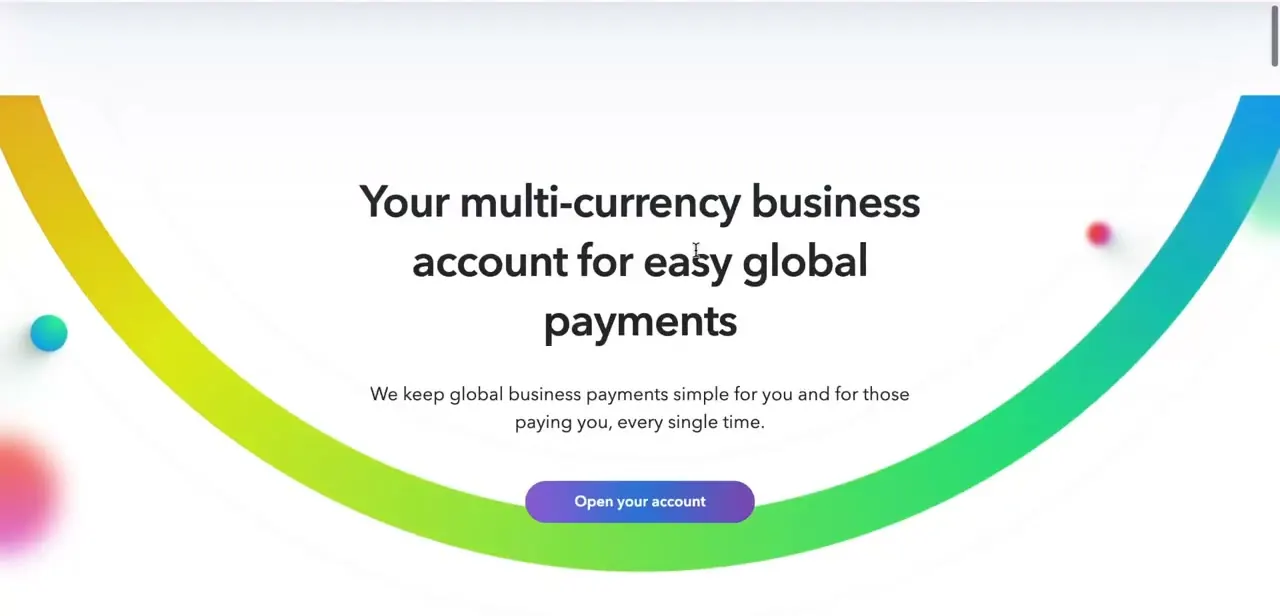
For a country outside Shopify Payments' supported list, Shopify's own supported-countries page directs sellers toward third-party payment providers built for exactly this: platforms that let international sellers receive multi-currency payments without a US entity, several of which integrate directly with Shopify's payment provider list instead of requiring Shopify Payments specifically. Compare a few on fees, payout currency, and payout speed before committing; the right fit depends more on where your customers pay from than on any single best answer.
06Add your payment method once you're set up
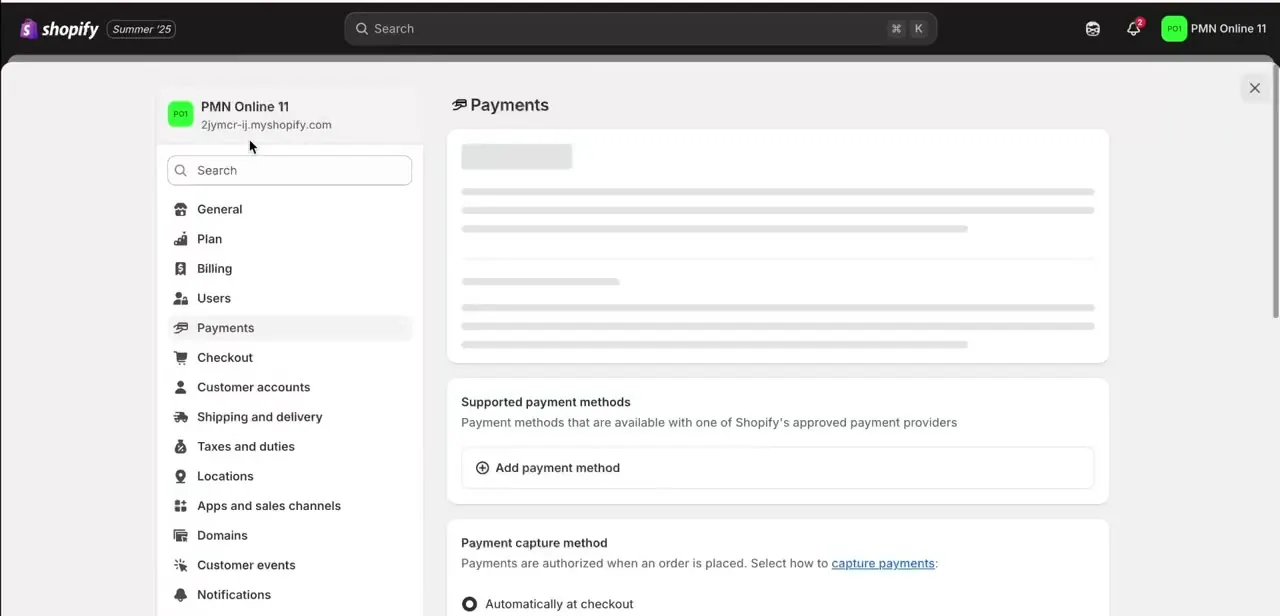
Back on the main Payments page in Settings, the Supported payment methods section has an Add payment method button once your provider, Shopify Payments through a correctly set Designated Country, or a third-party alternative, is ready to connect. This is the same screen every store owner uses regardless of location: once the underlying eligibility question is settled, the rest of the process runs the same as it does for a US-based seller.
When it doesn't work
The setup form insists on US business registration even though you don't operate there
Why: Your store's business country is set to United States, which triggers Shopify Payments' US-specific requirements regardless of where you actually run the business.
Fix: Check Shopify Payments' supported-countries list first. If your own country is on it, set your store's business country to that one instead of the US.
Payouts or the account get flagged for review after setting up with a virtual US address
Why: Shopify's Payments Terms define the Designated Country as where you operate the business, and require legal residency or a business duly registered and authorized to operate there; an address with no real operations behind it doesn't clearly satisfy that.
Fix: Keep documentation tying your business to genuine US operations if you're relying on a US Designated Country, or use a third-party provider built for your actual country instead.
The application gets held for manual review over document details
Why: The business name, address, or banking details entered into Shopify don't exactly match what your bank or payment partner has on file.
Fix: Match every field exactly to your bank or provider's records, and keep copies of the verification documents in case Shopify or the provider asks for them again.
Frequently asked questions
Can I use Shopify Payments if I'm not a US citizen?
Often, yes, without any US workaround: if your country is one of the roughly 49 Shopify Payments already supports directly, set your store's business country to your own and Shopify Payments works under that country's requirements.
Why does the setup form ask for US business registration?
That requirement only appears when your store's business country is set to United States. It comes from Shopify's Designated Country rule: an account has to be tied to, and legally authorized to operate in, the country you set.
Is a virtual US bank account enough to qualify?
It supplies US banking details, but Shopify's own Payments Terms define your Designated Country as where you actually operate the business and require legal residency or authorization to operate there. An address alone doesn't obviously satisfy that, so treat a virtual-address-only setup as a real compliance question, not a guaranteed fix.
What does Shopify itself recommend for unsupported countries?
Its own supported-countries documentation points to third-party payment providers instead of Shopify Payments, several of which are built specifically for international sellers receiving multi-currency payments.
What causes Shopify Payments applications to get held for review?
A mismatch between the business name, address, or banking details on your Shopify billing form and what your bank or payment partner has on file is the most common reason.
Sources and last check
Click path and screens come from a recorded walkthrough of the US-designated setup flow. The Designated Country rule, the list of directly supported countries, and the third-party transaction fee schedule were checked against Shopify's official Payments Terms of Service, its supported-countries help page, and its pricing page in September 2026 - that check added the country-eligibility check this guide previously skipped, and reframed the virtual-US-bank-account route as a real compliance question rather than a settled workaround.
About the author

Impran M N
I've been hooked on technology for as long as I can remember — especially the new tools and AI apps that seem to land every other week. Easy Tech Tuts is where I write up whatever I've just worked out: I do the task in the real product, record the screen, and turn it into the guide I wish I'd found first.



