 Easy Tech Tuts
How to Fix Business Information or Documents you submitted for Shopify Payments couldn’t be verified
By Impran M NLast checked against official docs
Seeing "the business information or documents you submitted for Shopify Payments couldn't be verified" is unsettling, especially since payouts typically pause until it's resolved. This almost always comes down to a mismatch between what you submitted and what Shopify's banking partners or government registries have on file, not a permanent block on your store. This guide covers what the verification screen asks for in plain terms, the specific documents Shopify names for a US EIN mismatch, and when to escalate to a real support conversation instead of resubmitting blind.
01Read the specific rejection reason on the verification screen
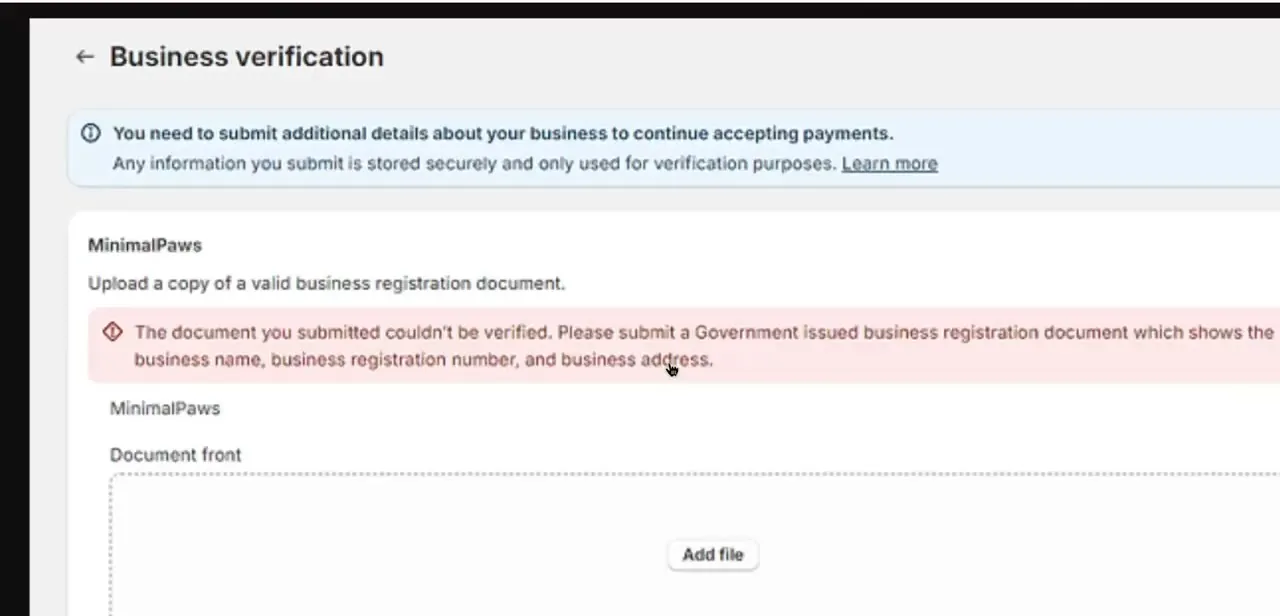
In your Shopify admin, the Business verification screen names the exact document that failed and why. A typical message asks you to submit a government-issued business registration document that clearly shows the business name, registration number, and business address. That specificity matters: Shopify checks for exact fields instead of rejecting documents at random, so re-reading this message before resubmitting saves you from repeating the same mistake.
02Match your details exactly, then prepare an acceptable document
The most common cause of this rejection is a mismatch between the legal business name, address, or registration number in Settings, Payments, Shopify Payments, and what's printed on the document. Shopify checks for an exact match down to punctuation and capitalization, so a missing suffix like "LLC," an old address, or a comma in the wrong place is enough to trigger a rejection on an otherwise legitimate document.
For a US store with an EIN that won't verify, Shopify names three specific acceptable documents: an IRS SS-4 confirmation letter, IRS Notice CP-575, or an IRS 147c letter. A business card, a utility bill, or a screenshot of an incorporation email doesn't qualify anywhere.
Whatever the document, Shopify wants a photograph of it, not a scan or a screenshot, in color, with all four borders visible and nothing cropped, blurred, or censored. Photo ID needs to be PNG or JPEG; business and proof-of-address documents can also be PDF.
03Update your business information first, then upload
Before adding the new file, go back into Settings, Payments and correct any business name, address, or registration number field that doesn't match your document. Uploading a correct document against outdated account information just produces the same mismatch in reverse. Fix the account fields first, then review the rejection reasons on the upload page and use Add file to attach the corrected document to that specific request.
04Use Shopify's Help Center Assistant if you're unsure why it failed
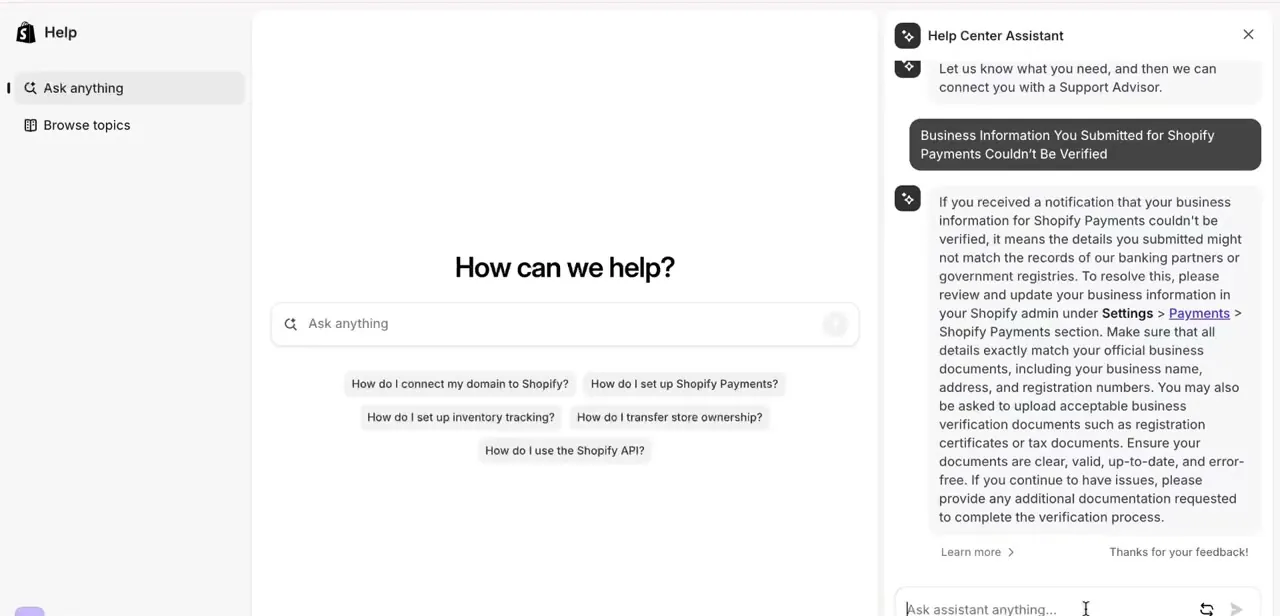
Shopify's in-admin Help Center includes an assistant you can ask directly about this error. Asking about a couldn't-be-verified business information issue returns guidance confirming the same core fix: review and update your business information under Settings, Payments, Shopify Payments so every detail matches your official documents, then upload an acceptable verification document. It's a useful second check before resubmitting if you're not sure which field is the mismatch.
05Contact Shopify support for a manual review if it keeps failing
Shopify's own documentation says once documentation is uploaded, review can take up to 24 hours, and the account shows the submission as pending during that window. If you've matched your details exactly, uploaded a clean and current document, and it's still rejected, the case likely needs a human reviewer instead of another automated attempt.
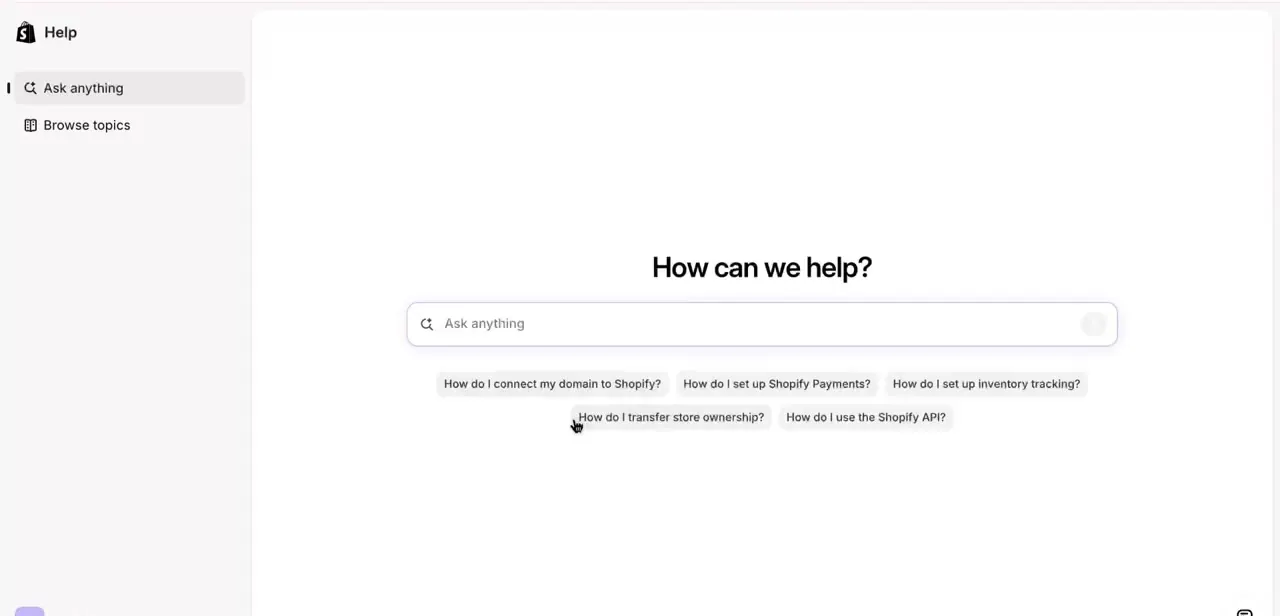
There's also a cap on how many times you can resubmit before Shopify requires you to contact Support directly to make further changes or submit additional documents. Open the Help Center from your admin and use Ask anything, or browse topics, to reach a Support Advisor once you're at that point.
06Expect payouts to resume once verification clears
While verification is pending or rejected, Shopify generally holds payouts as a precaution instead of canceling orders or disabling checkout, so existing sales aren't lost, just queued. Once a corrected document is approved, held payouts typically release on your store's normal payout schedule without a separate request.
When it doesn't work
Document rejected even though the business name looks right
Why: Shopify checks for an exact match, including punctuation and capitalization, against the business name on file. A missing "LLC" or a different comma placement is enough to fail.
Fix: Compare the document's business name field character by character against Settings, Payments, Shopify Payments, and correct whichever side is wrong before resubmitting.
A US store's EIN keeps failing verification
Why: Some EINs can't be confirmed through Shopify's automatic checks alone.
Fix: Submit one of the three documents Shopify names for this case: the IRS SS-4 confirmation letter, IRS Notice CP-575, or an IRS 147c letter.
A document gets rejected for being hard to read
Why: It was scanned, screenshotted, or has a cropped edge, glare, or blur, which Shopify's upload requirements reject outright.
Fix: Photograph the physical document in good light with all four borders visible, and upload it as PNG, JPEG, or PDF depending on the document type.
Resubmitting keeps getting rejected with no clear new reason
Why: Shopify limits how many times a document can be resubmitted before requiring manual review.
Fix: Contact Shopify Support once you hit that limit instead of uploading the same file again.
Frequently asked questions
Why does Shopify say my documents couldn't be verified?
Almost always because a detail on the document, business name, address, or registration number, doesn't exactly match what's entered in Settings, Payments, down to punctuation and capitalization, or because the document type isn't one Shopify accepts for that check.
Can I fix this myself, or do I need Shopify support?
Most cases are fixable by matching your account's business details to a clear, current document and re-uploading. Shopify caps how many times you can resubmit, though; past that limit, contacting support for a manual review is the next step.
How long does verification take after re-uploading documents?
Shopify's own documentation says review can take up to 24 hours once a document is uploaded, with your account showing the submission as pending in the meantime.
What happens to my payouts while verification is pending?
Payouts are held, not canceled. Orders and checkout keep working normally, and held funds release once Shopify Payments successfully verifies your business.
What documents does Shopify accept for a US EIN mismatch?
Shopify names three: an IRS SS-4 confirmation letter, IRS Notice CP-575, or an IRS 147c letter. A business card, utility bill, or screenshot of an incorporation email doesn't qualify.
Does the document need to be scanned, or can it be a photo?
Shopify wants a photograph of the physical document, not a scan, copy, or screenshot, with all four edges visible and nothing censored, blurred, or cropped. Photo ID must be PNG or JPEG; business and address documents can also be PDF.
What if I keep hitting a submission limit?
Shopify caps how many times you can resubmit documents. Once you hit it, you need to contact Support directly to make further changes or submit additional documents.
Sources and last check
Click path and screens come from a recorded walkthrough. Re-checked against Shopify's own Help Center documentation in September 2026: the vague "government-issued registration document" language was replaced with the three specific IRS documents Shopify names for a US EIN mismatch (SS-4 confirmation letter, Notice CP-575, 147c letter), the exact-match requirement on punctuation and capitalization was added, and the photograph-not-scan, four-borders, PNG/JPEG/PDF format rules were added from Shopify's document upload requirements. These specifics are US-focused; other countries' accepted documents weren't checked in this pass.
About the author

Impran M N
I've been hooked on technology for as long as I can remember — especially the new tools and AI apps that seem to land every other week. Easy Tech Tuts is where I write up whatever I've just worked out: I do the task in the real product, record the screen, and turn it into the guide I wish I'd found first.



