 Easy Tech Tuts
How to Connect DHL to Shopify, Add DHL Express Commerce App Easily 2026
By Impran M NLast checked against official docs
Connecting DHL to Shopify is less about the app itself, which takes two minutes, and more about the three things around it: an eligible DHL Express account, store defaults that produce sensible rate quotes, and a Shopify plan that can display carrier-calculated rates at checkout. Get those lined up and the integration pulls orders in automatically, quotes live DHL prices to the shopper, and prints labels in batches.
Miss one and you hit the classic symptom where the app installs cleanly but DHL never appears as an option at checkout. This guide walks the install and account link as the official app presents them, then covers rates, labels, and the fix for that missing-carrier problem.
01Line up a DHL Express account first
The app is free, but it isn't a way to get DHL pricing without a relationship with DHL. Its own listing says so plainly: the integration is available to DHL Express account holders.
Before you install anything, make sure you have an active DHL Express business account number and the login for it. That account is where your negotiated rates, pickup arrangements and invoicing live, and the app simply surfaces them inside Shopify.
If you're shipping only domestically and in low volume, price it against your existing carrier first. DHL's strength here is cross-border, with customs paperwork and duties handled as part of the flow. If you don't have an account yet, apply through DHL Express in your country and come back once the account number is issued.
02Set the store defaults that rate quotes depend on
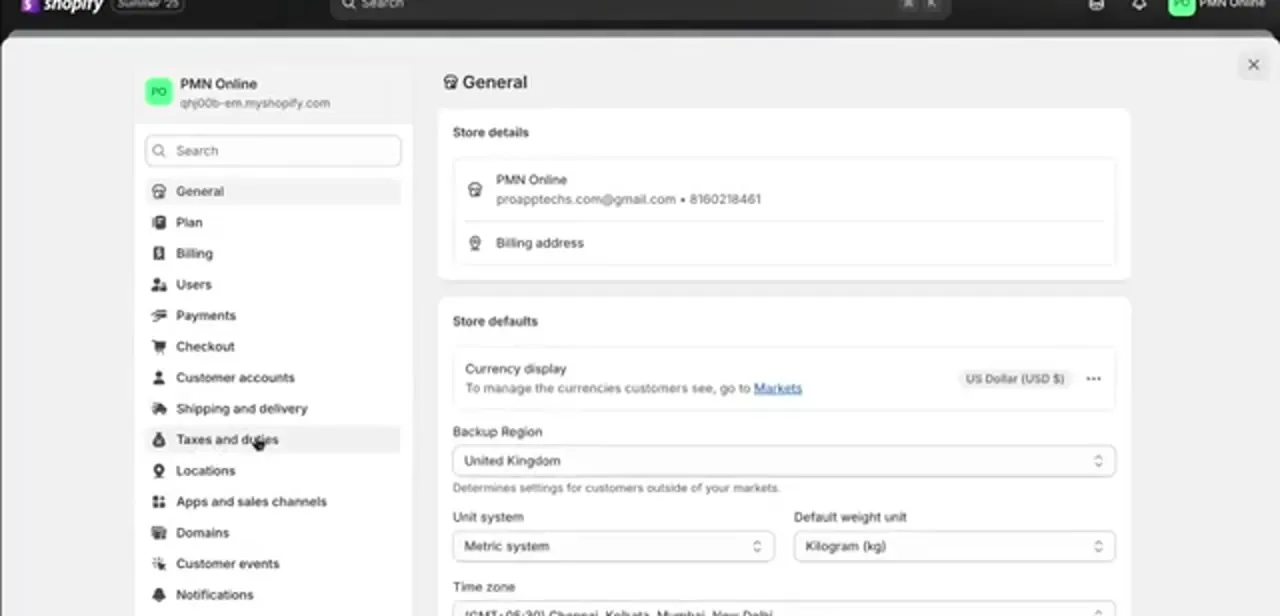
Carrier rates are calculated from weight, dimensions and origin, so wrong store defaults produce wrong quotes or none at all. In the Shopify admin, open Settings and check the General page: the unit system and default weight unit determine how your product weights are interpreted, and the store's address and time zone feed the origin and pickup logic.
In the store shown here, the unit system is metric with kilograms as the default weight unit. Pick whichever your product data uses and stay consistent, since a catalogue split between grams and pounds is a quiet reason many quotes come back wildly wrong. While you're in Settings, note that Shipping and delivery sits a few rows down in the same sidebar; that's where the carrier appears later, and it's also where your Locations and package sizes are defined.
03Install the official DHL Express app
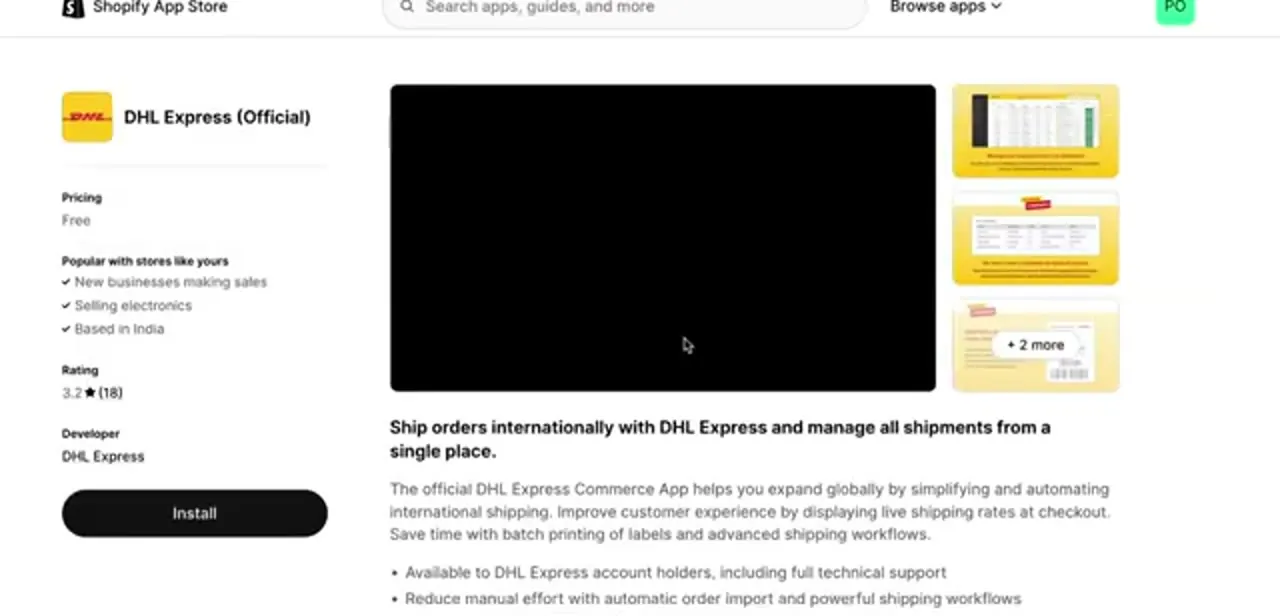
Search the Shopify App Store for DHL and choose the listing titled DHL Express (Official), published by DHL Express itself. Third-party DHL connectors with similar names exist, and the official one is the one with DHL as the developer.
The listing is free to install and describes what you're getting: automatic order import, live shipping rates at checkout, batch label printing, paperless customs clearance and advanced shipping workflows, with technical support for DHL Express account holders. Its rating sits around 3.2 stars on a small number of reviews, which is normal for carrier-published apps and mostly reflects onboarding friction, not the integration failing once it's set up. Click Install and approve the permissions Shopify lists; the app needs order and fulfilment access to do its job.
04Link your DHL Express account
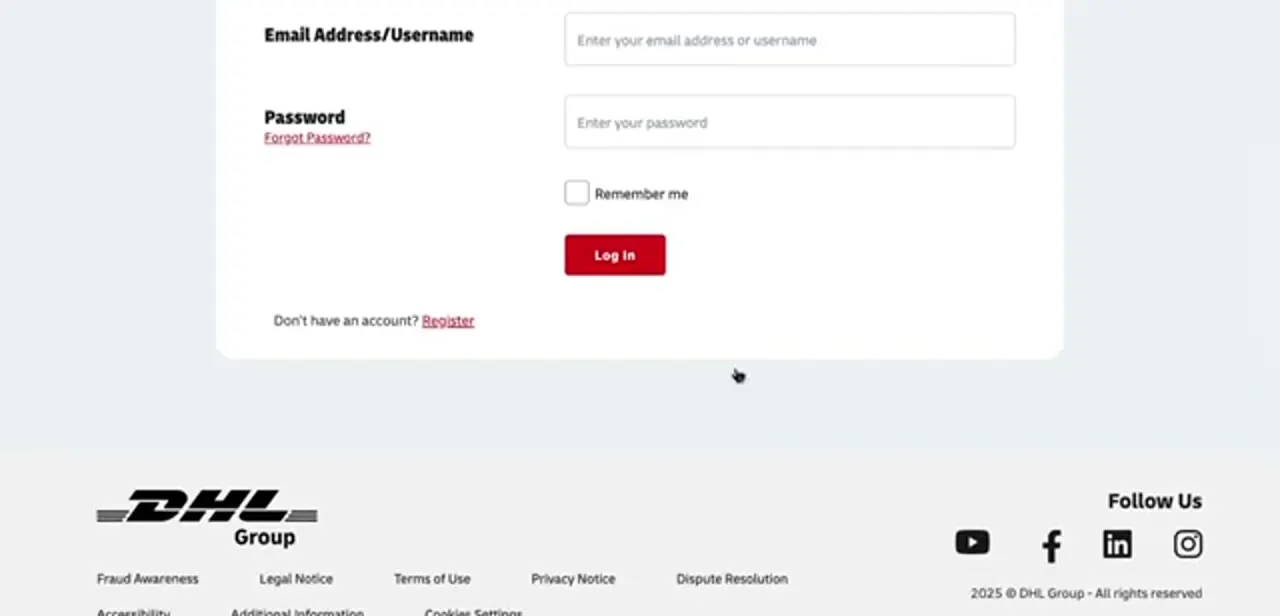
After installing, the app hands you off to DHL's own sign-in to authorise the connection: an email address or username, your password, and a Log in button, with a Register link underneath for anyone without credentials yet. Sign in with the account that holds your Express shipping agreement, not a personal MyDHL tracking login, since the connection inherits whatever rates and services that account is entitled to.
Once authorised, you're returned to Shopify and the app begins importing orders. Enter your DHL account number where the app asks for it, confirm the pickup address matches the location you ship from, and save. Mismatched pickup addresses are a common cause of labels that generate but fail at collection.
05Turn on live rates and choose which services to offer
With the account linked, decide what the shopper sees. The app can push DHL's calculated rates into checkout so the price reflects real weight and destination, or you can keep Shopify's own flat or free-shipping rates and use DHL purely for fulfilment.
Live rates are the honest option for international orders, where the difference between a 500g parcel to a neighbouring country and a 5kg parcel across the world is large enough that a flat rate loses money one way or the other. In the app's rate settings, enable only the services you want to sell.
Express Worldwide for speed, economy tiers where they exist in your lane. Offering every service turns checkout into a confusing list. Add a small handling markup if you package heavily, and set a fallback flat rate for destinations DHL can't quote so nobody hits an empty shipping step.
06Fulfil orders and print labels in batches
Once orders start importing, the app becomes your shipping desk instead of something you visit occasionally. Orders arrive with the address and item data already populated; you confirm the package weight and dimensions, pick the service, and generate the label.
Batch printing is the feature that pays for the setup effort: selecting a day's orders and producing all their labels and customs documents in one pass is dramatically faster than doing it order by order. For international parcels, make sure every product has an HS code, country of origin and a customs description saved on it, since those fields flow straight into the commercial invoice and missing values are what hold parcels at the border. When a label is created, the tracking number should sync back to the Shopify order so the customer's shipping confirmation email carries it automatically.
07Fix DHL not showing up at checkout
The most common complaint with this integration is that everything installs but no DHL option appears at checkout, and it usually isn't the app's fault. Third-party carrier-calculated rates are gated by plan: Shopify's Basic plan can't get them at all, the Grow plan (the tier Shopify renamed from plain "Shopify" in 2026) can add them for a monthly fee or free on annual billing, and Advanced and Plus include them by default.
Check that first. After that, work down the list: confirm every product in the test cart has a weight, that the shipping zone you're testing includes the destination country, that the origin location is enabled for shipping, and that DHL serves the lane at all.
Clearing and re-adding the shipping profile in Settings, Shipping and delivery often resolves a carrier that installed while a zone was misconfigured. Always test with a real address in a real destination country instead of a placeholder, since invalid postcodes silently return no rates.
When it doesn't work
DHL never appears as a shipping option at checkout
Why: Most often the Shopify plan doesn't include third-party carrier-calculated shipping: Basic doesn't offer it, and Grow needs it added as a paid add-on or annual billing.
Fix: Check the store's plan under Settings, Billing. Upgrade to Advanced, or add carrier-calculated shipping to a Grow plan.
The app installs and links but no rates come back for a test order
Why: A missing product weight, a shipping zone that doesn't cover the destination country, or an origin location not enabled for shipping.
Fix: Confirm every product in the cart has a weight, the destination country sits inside an active shipping zone, and the origin location is marked as a shipping origin.
A DHL label generates but the parcel is held or the pickup fails
Why: A mismatched pickup address on the account, or missing HS code, country of origin, or customs description on a product for an international order.
Fix: Confirm the pickup address in the app matches where you ship from, and fill in HS code, origin and customs description on every product before fulfilling international orders.
Frequently asked questions
Is the DHL Express app for Shopify free?
The app itself is free to install from the Shopify App Store. You pay DHL for shipping under your own Express account; the app is the connector, not the pricing.
Do I need a DHL Express account to use it?
Yes. The official listing states the integration is available to DHL Express account holders, and setup asks you to sign in with those credentials so the app inherits your negotiated rates and services.
Why is DHL not showing in my Shopify shipping settings?
Usually because your plan doesn't include carrier-calculated rates. Basic Shopify can't get them at all; Grow (the plan Shopify renamed from "Shopify" in 2026) needs them added as a paid extra or via annual billing; Advanced and Plus include them by default.
Can I print DHL labels directly from Shopify?
Yes. The app imports orders and generates labels, including batch printing for a whole day's orders, and syncs the tracking number back to the Shopify order.
Does it handle customs paperwork for international orders?
It generates the documentation, but only from the data you supply. Save an HS code, country of origin and customs description on each product, or parcels get held at the border for incomplete declarations.
Should I use live DHL rates or flat-rate shipping?
Live rates for international orders, where weight and destination swing the cost enormously and a flat rate either overcharges or loses money. Flat rates are fine for a narrow domestic catalogue with consistent parcel sizes.
Sources and last check
Click path and screens come from a walkthrough recorded in July 2025. App details, rating and plan gating were re-checked against the Shopify App Store listing and Shopify's Help Center in September 2026. That check updated the plan names: Shopify's former "Shopify" plan is now Grow, and Shopify's own documentation confirms carrier-calculated shipping is unavailable on Basic, a paid extra on Grow, and included on Advanced and Plus.
About the author

Impran M N
I've been hooked on technology for as long as I can remember — especially the new tools and AI apps that seem to land every other week. Easy Tech Tuts is where I write up whatever I've just worked out: I do the task in the real product, record the screen, and turn it into the guide I wish I'd found first.



