Easy Tech Tuts
Paypal Change Country: How To Change PayPal Account Address To Another Country, How can I do it?
By Impran M NLast checked against official docs
Moving abroad or launching a business in a new market raises an obvious question for PayPal users: can you just change the country your account is registered under? PayPal's own help center answers this directly: no, and it catches out a lot of people who assume it works like updating a mailing address. This guide walks through what PayPal actually lets you edit, why an account's country is locked in the first place, and the two paths people use to keep operating without losing their balance or getting limited.
Before you start
- Access to the PayPal account whose country you're trying to change
- Any balance in that account withdrawn or ready to withdraw before you close anything
01Understand what PayPal will and won't let you edit
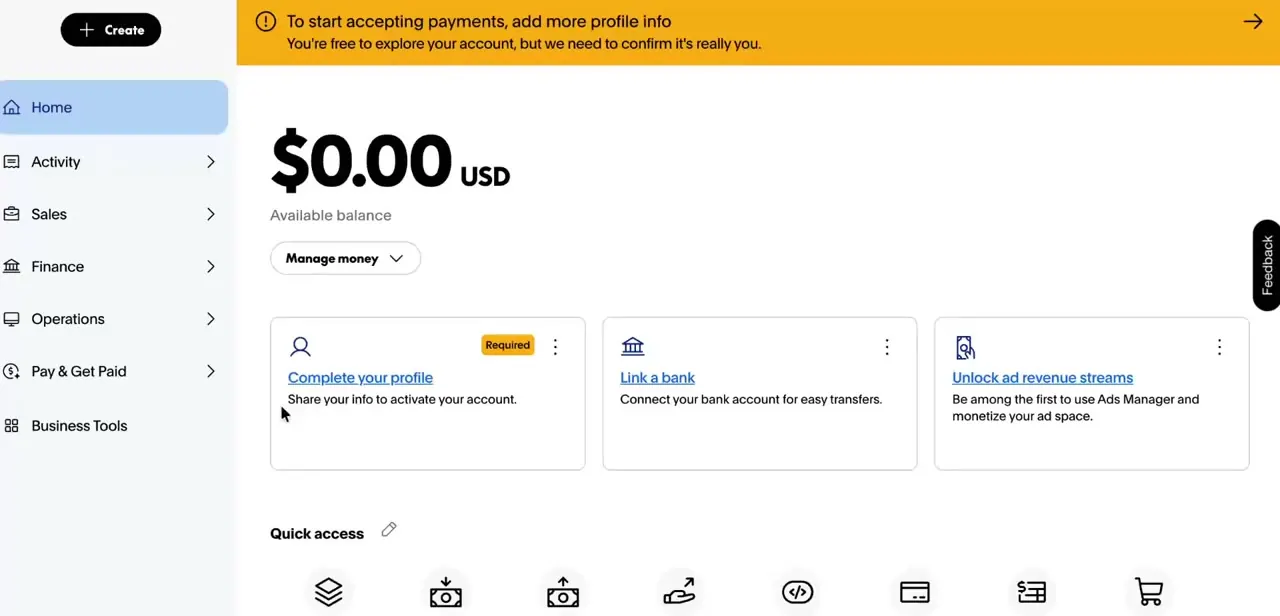
Your PayPal dashboard has no "Country" field to find, and that's not an oversight. PayPal's own help center states it plainly: you can't change your address to a country different from the one you used when you opened the account.
The account's country is tied to how it was verified, which regulations apply to it, and which bank and card networks it can connect to, so it isn't a setting you toggle later. This is different from your street address, which you can update any time from your profile.
Changing the address field alone, without the underlying account country moving with it, creates exactly the mismatch PayPal's fraud checks are built to catch. Treat the two as separate things even though they sit near each other in settings.
02Check what your profile shows
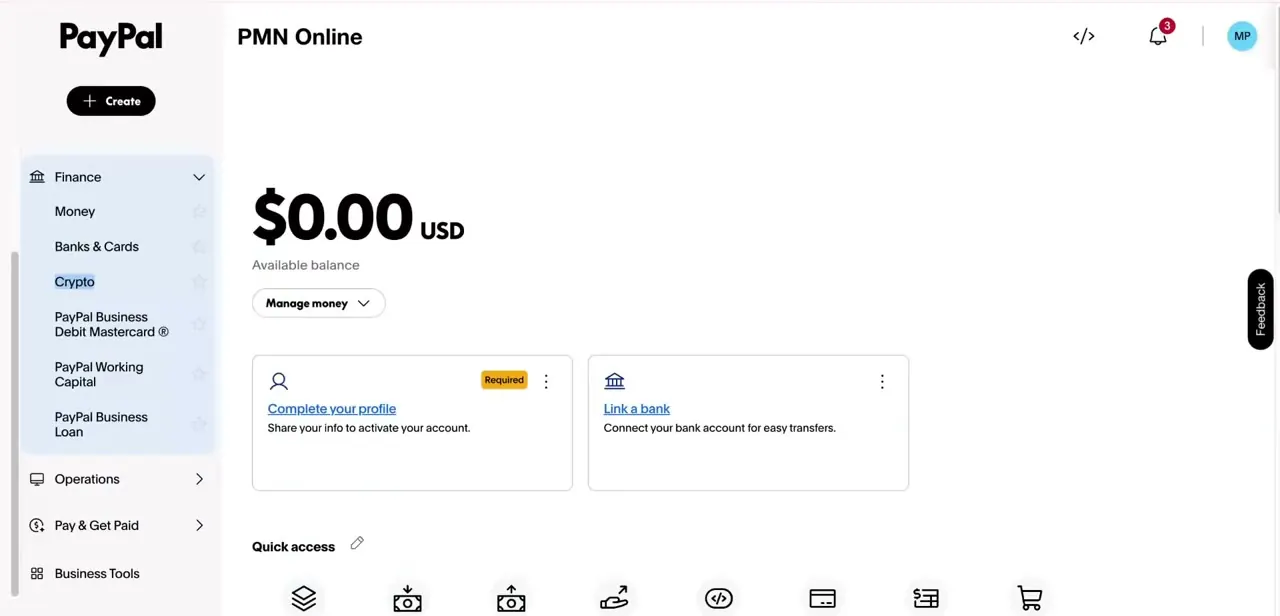
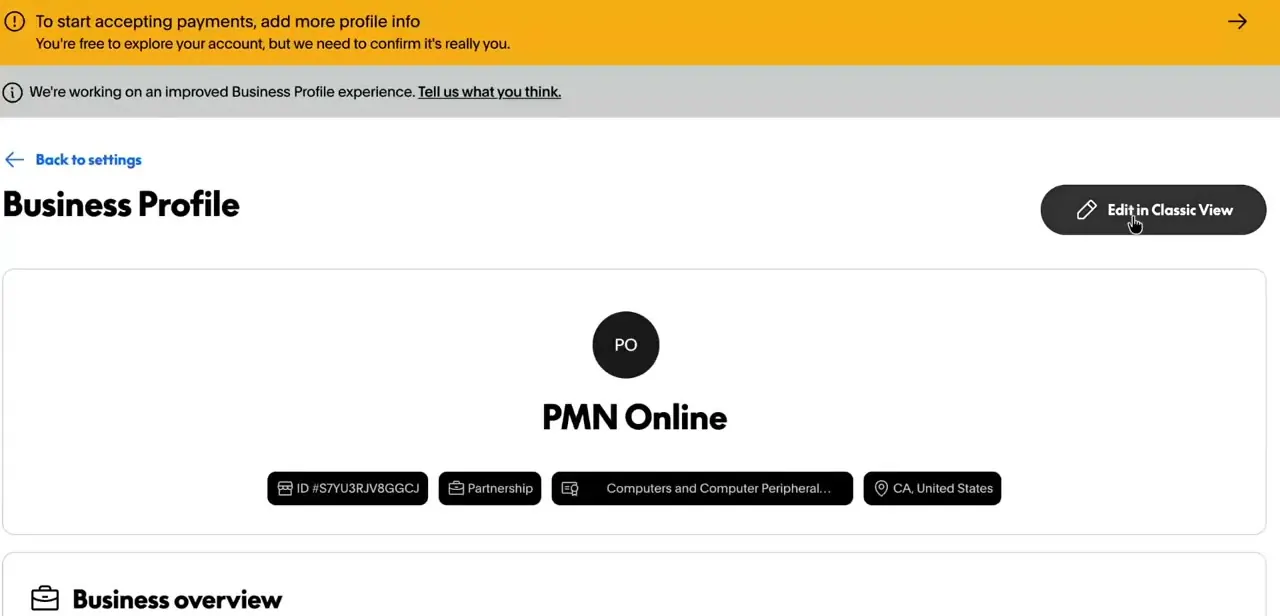
If you have a Business Profile, open it to see how PayPal has the account classified: account ID, business type, category, and the country tied to that profile, all in one place. Country is listed here as a fixed detail, not an editable field alongside things like business overview or category. Reviewing it first confirms exactly what you'd be trying to change, and gives you the details you'll want on hand when setting up a replacement account.
03Option 1: Close the old account and open a new one
This is PayPal's own recommendation, not just a workaround: if you're moving abroad, close the existing account and open a new one in the new country. It's the simplest option if the old account has little or no balance and you don't need to preserve transaction history.
Sign up for a new personal or business account and pick the new country of residence during signup, since that's the one point where country is an actual field you choose. One exception worth knowing: PayPal allows a personal account and a business account under the same person if that person genuinely maintains residences in two countries, so a full close-and-reopen isn't always required.
For everyone else, verify the new account first, then close the old one through PayPal's account-closure flow in Settings rather than abandoning it. Closing is permanent; PayPal does not allow a closed account to be reopened.
04Option 2: Route funds through an intermediary service
If the old account carries a meaningful balance, some people move funds through a service like Payoneer instead of closing the account right away: open an account with the intermediary, transfer the PayPal balance into it, then use the intermediary's card or local bank withdrawal in the new country. This doesn't touch PayPal's country restriction at all; it just moves the money somewhere not tied to it.
This is a common workaround, not something covered in PayPal's own documentation, so treat it as a personal risk decision rather than an officially sanctioned process. It also does nothing to change the PayPal account's registered country, which stays exactly as it was.
05Clear the balance and cancel recurring payments before closing
Whichever option you use, don't close the old account until it's empty. PayPal requires any remaining balance to be withdrawn first, since it isn't transferred automatically, and any active subscriptions or recurring payments need to be cancelled before the account can be closed.
Also remove linked bank accounts and cards so nothing tries to auto-reconnect later. Skipping this is the most common regret people report: a closed account with money still attached is much harder to recover from than one emptied deliberately beforehand.
06Avoid the mistakes that trigger a limited account
A few habits reliably draw PayPal's risk checks during a country move: changing the address to a country that doesn't match the account's registration, logging in repeatedly from a new country's IP address with no other change, or opening a second personal account while the first is still active and unexplained (PayPal's user agreement allows one personal and one business account per person, not two of the same type). None of this is illegal, but it reads as a signal worth a manual review, and a review can mean a frozen balance while it's sorted out. Settle the old account fully, then move on, and there's nothing left for the system to flag.
When it doesn't work
The account gets limited shortly after changing the address to a new country
Why: PayPal's fraud checks flag an address that doesn't match the account's registered country, since the registration itself hasn't changed.
Fix: Revert the address if the account is still meant to operate in its original country, or follow the close-and-reopen process instead of editing the address alone.
The old account won't close
Why: PayPal requires the balance to be withdrawn and any recurring payments or subscriptions cancelled before Close your account in Settings will go through.
Fix: Withdraw the remaining balance, cancel active subscriptions, unlink cards and bank accounts, then retry closing the account.
Realizing after closing that the account is needed again
Why: PayPal does not allow a closed account to be reopened, under any circumstances.
Fix: There's no fix after the fact. Confirm the balance is fully cleared and nothing else depends on the old account before clicking Close Account.
Frequently asked questions
Can I just edit my country in PayPal's account settings?
No. PayPal's help center states you can't change your address to a country different from the one used when the account was opened. There's no field for it because the country isn't editable after signup.
What happens to my balance if I open a new PayPal account in another country?
Nothing moves automatically. Withdraw or transfer the balance out of the old account before closing it.
Can I have two PayPal accounts if I split my time between two countries?
Yes, in that specific case. PayPal allows one personal and one business account under the same person when they genuinely maintain residences in two countries. Opening two accounts of the same type for one person is against PayPal's user agreement.
Is routing money through a service like Payoneer an official PayPal option?
No. It's a workaround people use to access funds internationally without waiting to close the PayPal account, but it isn't documented or endorsed by PayPal, and it doesn't change the account's registered country.
Can I reopen a PayPal account after closing it?
No. PayPal treats account closure as permanent, which is why clearing the balance and cancelling subscriptions before closing matters.
Sources and last check
Click path and screens come from a walkthrough recorded in 2025. In September 2026, the core claim and the close-and-reopen process were re-checked against PayPal's own help center articles on changing a country and closing an account. That check confirmed the account-country restriction as PayPal states it, added the dual-residency exception (one personal plus one business account) and the fact that closure is permanent, and reframed the Payoneer workaround as an unofficial option rather than an approved PayPal path, which the previous version overstated.
About the author

Impran M N
I've been hooked on technology for as long as I can remember — especially the new tools and AI apps that seem to land every other week. Easy Tech Tuts is where I write up whatever I've just worked out: I do the task in the real product, record the screen, and turn it into the guide I wish I'd found first.