Easy Tech Tuts
How To Transfer Money or Crypto From PayPal To Binance Account (Full Step by Step 2026)
By Impran M NLast checked against official docs
PayPal and Binance don't talk to each other directly. There's no "send to Binance" button anywhere in PayPal's interface, which catches a lot of people off guard the first time they try.
The workaround is straightforward once you know it: buy crypto inside PayPal itself, then move that crypto across to your Binance wallet the same way you'd move it between any two exchanges. It only works if PayPal's crypto feature is available on your account, which is a bigger if than most guides let on. This walks through where those options live in each dashboard and flags the eligibility rules, limits, and irreversible-transfer risks that catch people out.
Before you start
- An eligible PayPal personal account, or an eligible US-based business account, with the Crypto feature turned on; PayPal restricts sending crypto to external wallets to the US and US territories
- A verified Binance account (or Binance.US, if you're a US resident) that can generate a deposit address
01Understand why there's no direct transfer button
PayPal is a payments platform first, and while it added its own crypto features starting in 2020, it was never built to interoperate directly with outside exchanges like Binance. There's no partnership or API link between the two that moves a balance straight across.
Instead, the balance has to change form along the way: converted to crypto inside PayPal, if your account qualifies, and sent on-chain, or withdrawn to a bank and used to buy crypto somewhere else. Knowing this up front saves time hunting through PayPal's settings for an option that isn't there.
02Confirm your PayPal account can do this
PayPal's crypto feature, including sending crypto to an external wallet or exchange, isn't available to every account. It works only for eligible personal PayPal accounts and certain eligible US-based business accounts, and PayPal limits it to the US and US territories.
If you're outside the US, or your account isn't flagged as eligible, the Crypto option either won't appear or won't let you send out, and the rest of this method doesn't apply to you; you'd need a processor that sells crypto directly for a PayPal payment, or a bank withdrawal followed by a purchase elsewhere. On a business account, only the primary account holder can send; a secondary user can view the crypto hub but can't transact from it.
03Check PayPal's built-in Crypto section
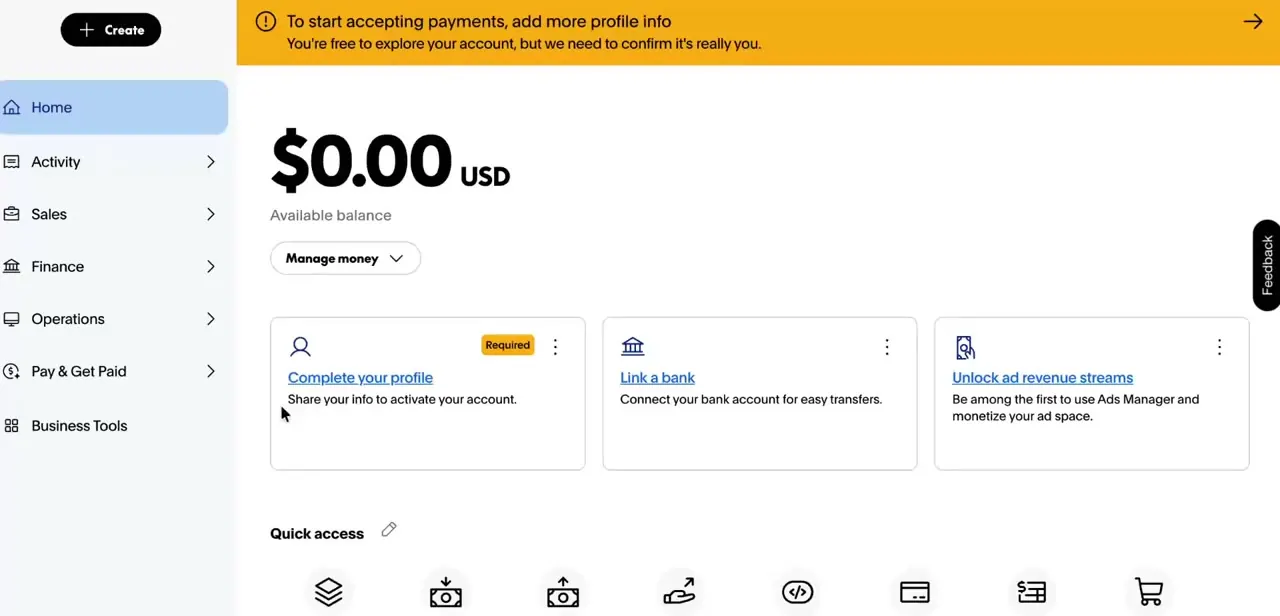
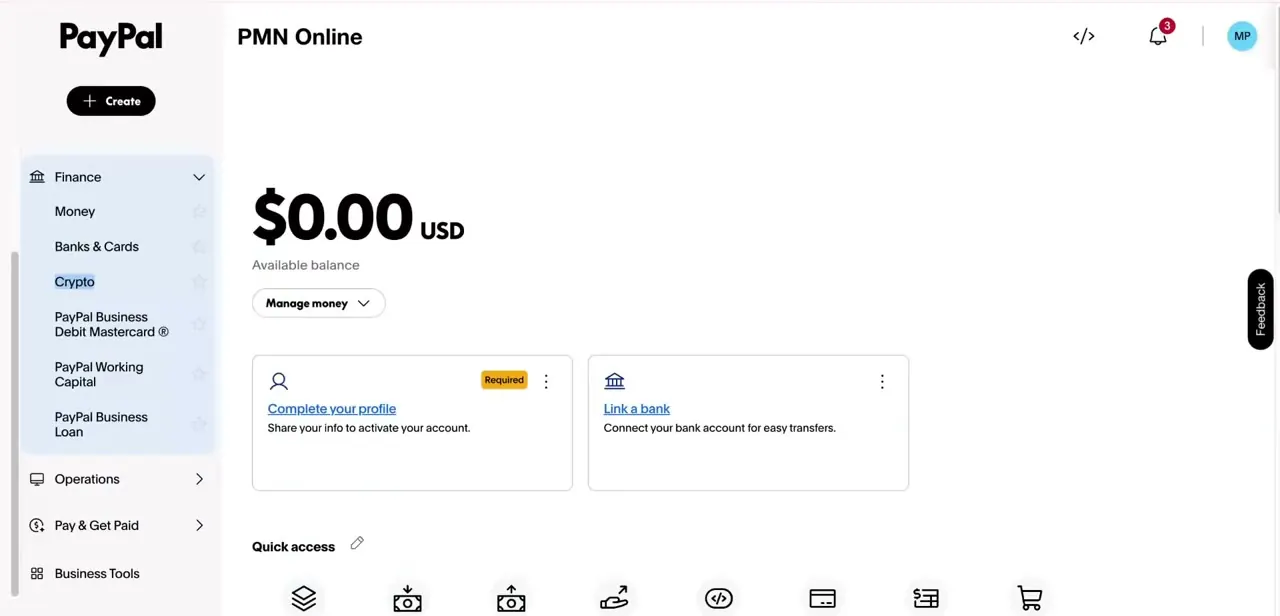
Inside the left-hand menu, under Finance, PayPal lists Crypto as its own item alongside Money, Banks & Cards, and its business credit products. This is PayPal's native crypto feature.
It lets you buy assets directly with your PayPal balance without leaving the platform; the coins currently supported for buying and for external transfer are Bitcoin, Ethereum, Bitcoin Cash, Litecoin, PayPal's own PYUSD stablecoin, Chainlink, and Solana. If your account has this enabled, it's usually the simplest first move: convert your balance to crypto here instead of routing through a third-party processor first, since it cuts out one hop and one set of fees.
04Set up Binance to receive the funds
On the Binance side, first confirm which platform applies to you. Binance.US, not the global Binance.com, is the one available to US residents, and it supports far fewer assets than Binance.com and blocks registration outright in several states, including New York and Texas.
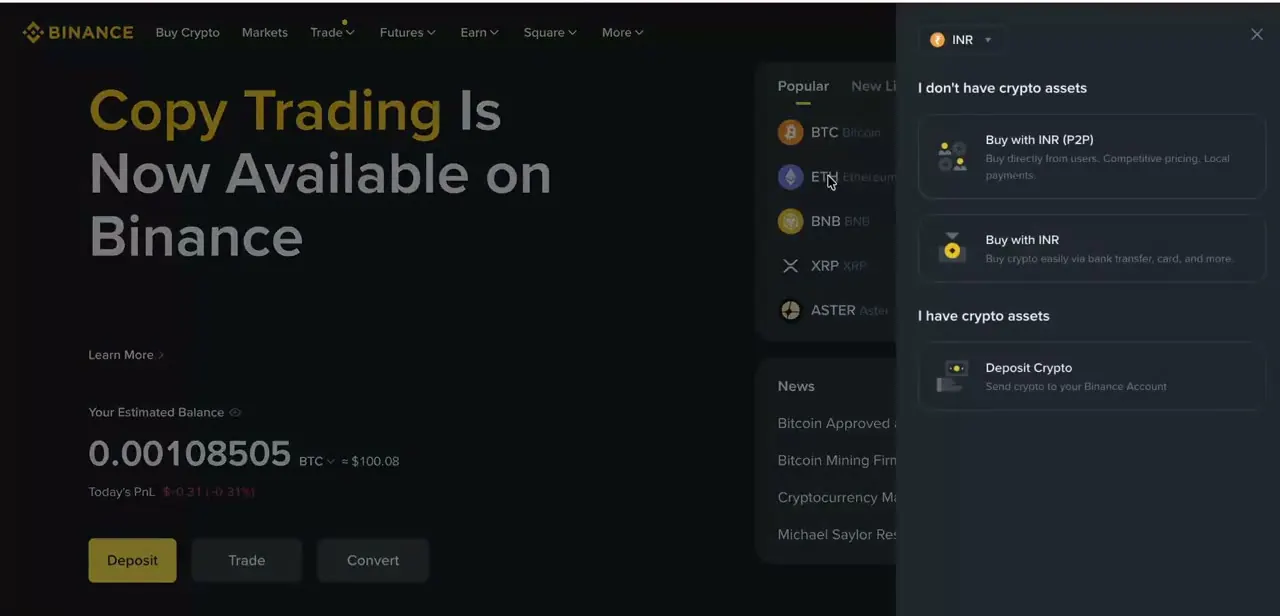
The home screen shows your estimated balance and three core actions, Deposit, Trade, and Convert, along with a panel for buying crypto directly if you'd rather skip the PayPal route. Since you're arriving with crypto already purchased through PayPal, Deposit (sometimes Deposit Crypto) is what you want: select the asset you're sending, match it against what PayPal let you buy, and the exchange generates a receiving address for that asset and network.
05Convert your balance and send it across
With crypto purchased on the PayPal side and a deposit address copied from Binance, the send follows PayPal's own path: open the Finances tab, tap your crypto balance, tap the transfer arrows icon, choose Send, then paste or scan the Binance address, enter the amount, and confirm with Send Now. Before you do, check that the network matches on both ends (Bitcoin to a Bitcoin address, Ethereum to whichever Ethereum-compatible network Binance shows, and so on), since sending on the wrong network is how funds get lost permanently. PayPal also enforces a minimum per coin for external sends: 0.001 BTC, 0.01 ETH, 0.01 LTC, 0.01 BCH, and 1 to 10 PYUSD depending on which network you're sending it over.
06Confirm the deposit and check what fees were taken
Crypto transfers aren't instant. Depending on the network and how busy it is, a deposit can take anywhere from a few minutes to an hour or more to show up and clear in Binance.
Once it lands, compare what you started with in PayPal against what arrived, since conversion spreads and network fees both eat into the total along the way. If the gap feels large, compare it against a different asset before your next transfer; network fees vary a lot between something like BTC and PYUSD.
07Stick to basic safety habits every time
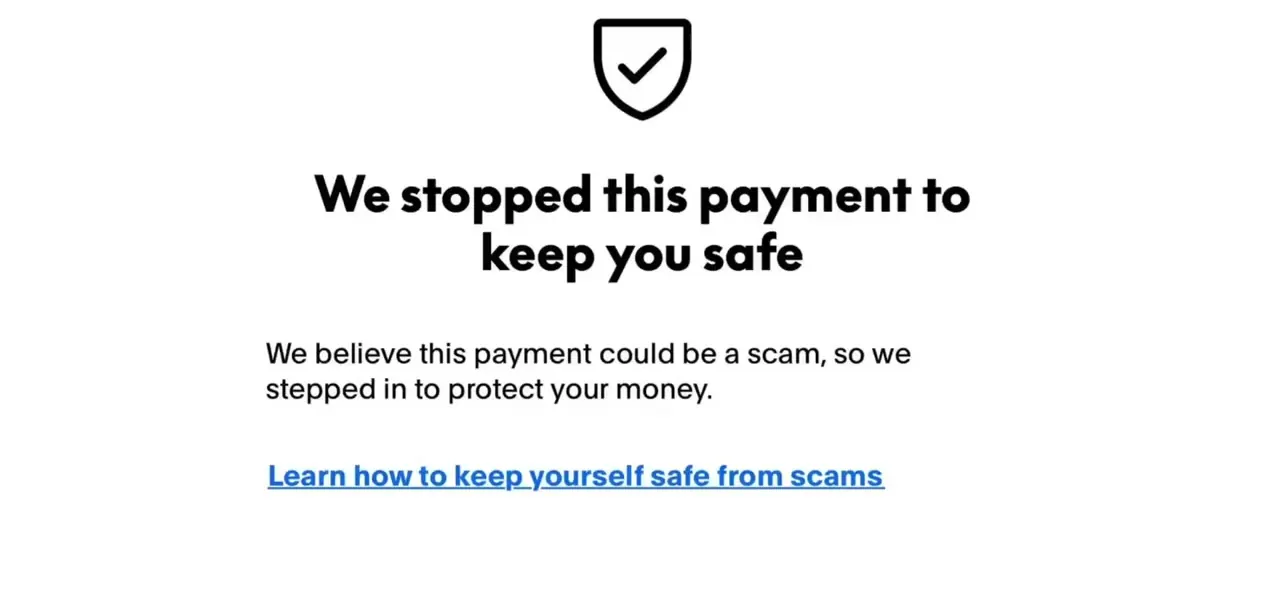
Because crypto sends can't be reversed once confirmed, the two things worth double-checking every single time are the destination address and the network. A single mistyped character or a mismatched network sends funds somewhere unrecoverable, and PayPal states plainly that its Purchase Protection doesn't cover anything in the crypto hub. Only use processors and wallets with a real track record, avoid anyone who contacts you first offering to help move funds for a fee, and treat unsolicited investment advice attached to a transfer request as a red flag, not a shortcut.
| Asset | Minimum per external send |
|---|---|
| Bitcoin (BTC) | 0.001 BTC |
| Ethereum (ETH) | 0.01 ETH |
| Litecoin (LTC) | 0.01 LTC |
| Bitcoin Cash (BCH) | 0.01 BCH |
| PYUSD, sent over Solana or Arbitrum | 1 PYUSD |
| PYUSD, sent over Ethereum | 10 PYUSD |
From PayPal's official crypto transfer help page, checked in September 2026. External transfers are also capped at $25,000 a week combined with internal transfers.
When it doesn't work
The Crypto option doesn't appear in my PayPal account
Why: The feature is limited to eligible personal PayPal accounts and certain eligible US-based business accounts, and PayPal restricts it to the US and US territories.
Fix: Check your account type and location against PayPal's eligibility rules. If you're outside the US or not eligible, this method isn't available and you'll need a different processor instead.
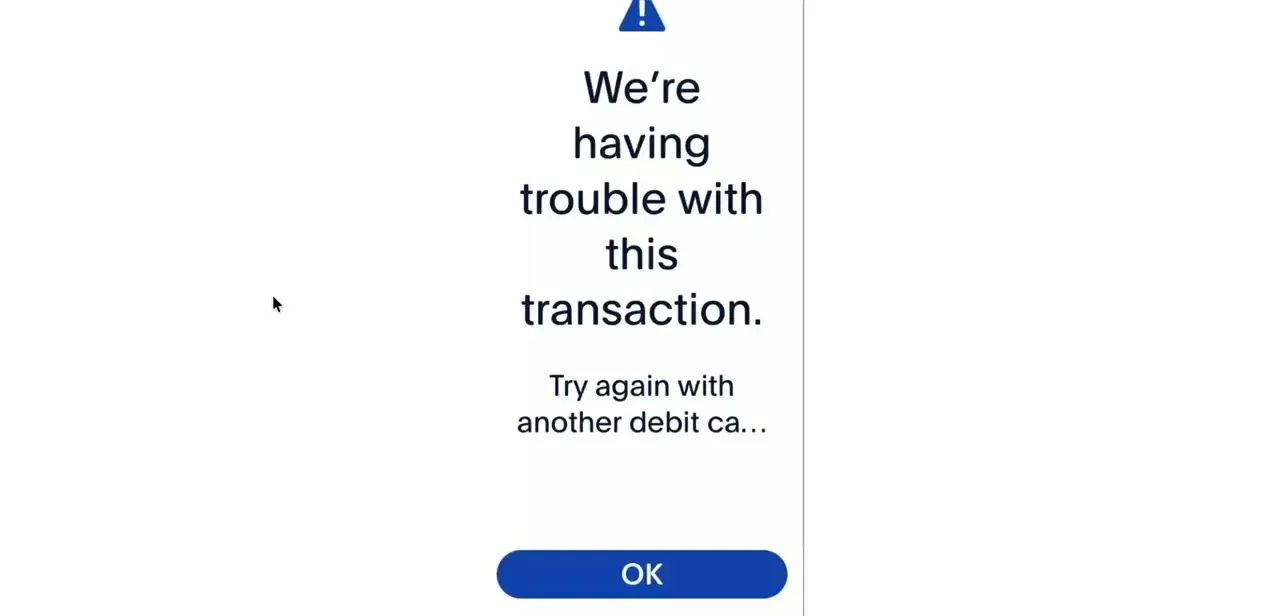
PayPal won't let the transfer go through
Why: The amount is under PayPal's minimum for that coin, for example 0.001 BTC or 0.01 ETH, or it would push you past the $25,000 weekly external transfer cap.
Fix: Check the amount against the minimums table above and against anything you've already sent that week.
Binance won't let me register, or the coin I bought isn't listed
Why: US residents are routed to Binance.US, not Binance.com, and Binance.US blocks new registrations in several states, including New York and Texas, and supports far fewer assets.
Fix: Confirm your state against Binance.US's list of supported regions and check that the coin PayPal sold you is listed there before you buy it.
The crypto never shows up in Binance
Why: Almost always a network mismatch: an address for one chain was fed a transfer sent over a different one. Crypto sends are irreversible once confirmed.
Fix: Double-check both the address and the network before every send. If it's already gone to the wrong network, contact the receiving exchange's support, but recovery usually isn't possible.
Frequently asked questions
Can I send money directly from PayPal to Binance?
No. PayPal has no direct integration with Binance, so you need to convert your balance to crypto inside PayPal (if your account qualifies) or through a processor that accepts PayPal, then send it on-chain.
Does this method work if I'm outside the US?
No. PayPal limits its crypto feature, buying, holding, and sending to external wallets, to eligible personal and business accounts in the US and US territories. Outside that, the Crypto option in PayPal isn't available at all.
Can I use a PayPal business account for this?
Yes, if it's an eligible US-based business account and you're the primary account holder. Secondary users can view the crypto hub but can't send from it.
How long does a PayPal to Binance transfer take?
The PayPal-to-crypto conversion is usually instant. The on-chain transfer into Binance depends on the network and its congestion, and can take anywhere from a few minutes to over an hour.
Is there a limit on how much I can transfer?
PayPal caps external crypto transfers at $25,000 a week, combined with internal transfers, and enforces a per-coin minimum on every send, such as 0.001 BTC or 0.01 ETH.
Is it safe to convert PayPal funds to crypto for a Binance transfer?
It can be, as long as you confirm your account is eligible, double-check the receiving address and network before sending, and stick to well-established platforms. Crypto transfers are irreversible once confirmed, and PayPal's own Purchase Protection doesn't cover crypto hub transactions.
Sources and last check
Click paths and screens come from a walkthrough recorded in August 2026. Eligibility, supported coins, transfer minimums, the $25,000 weekly cap, and the Binance.US state restrictions were checked against PayPal's and Binance.US's official help pages in September 2026. That check surfaced the biggest gap in the original draft: PayPal's crypto transfer feature is restricted to eligible US personal and business accounts, and the original guide's mention of buying with INR on the Binance side didn't fit that US-only premise at all, since a US-based PayPal sender ends up on the much more limited Binance.US, not Binance.com.
About the author

Impran M N
I've been hooked on technology for as long as I can remember — especially the new tools and AI apps that seem to land every other week. Easy Tech Tuts is where I write up whatever I've just worked out: I do the task in the real product, record the screen, and turn it into the guide I wish I'd found first.