Easy Tech Tuts
How to Connect PayPal to Ebay 2026 for Buy & checkout, Add for Selling with Zapier Easily
By Impran M NLast checked against official docs
eBay moved sellers onto its own Managed Payments system back in 2021, but PayPal hasn't disappeared from the platform. It's still there as a funding method buyers can add and use at checkout.
This guide covers the real path to linking it: signing in, opening the payment methods panel, and adding PayPal alongside cards and Venmo. It also covers the separate question sellers ask, since PayPal can no longer receive eBay payouts directly. The practical bridge is Zapier, and there's exactly one eBay trigger it offers for this.
01Sign in to your eBay account
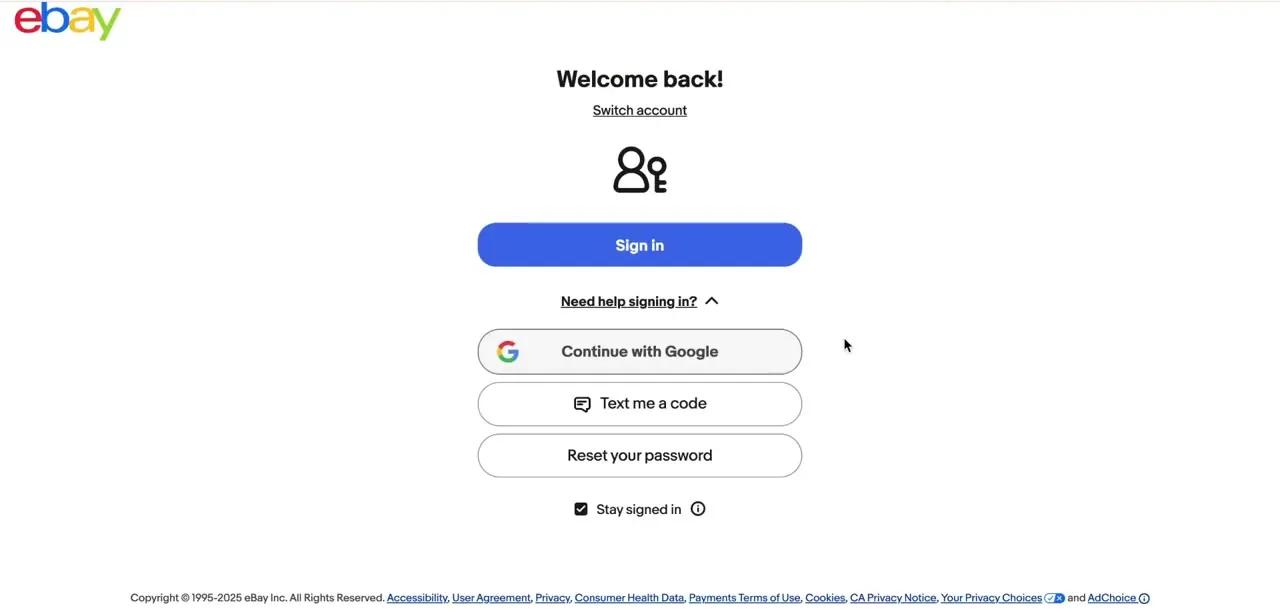
Everything here happens inside eBay account settings, so start by signing in. eBay's sign-in screen offers a password login plus alternatives like continuing with Google, texting a code, or resetting a forgotten password. Setting this up on a brand-new account means going through account creation first, choosing between a Personal and Business account type before payment methods become relevant.
02Open Add cards and accounts
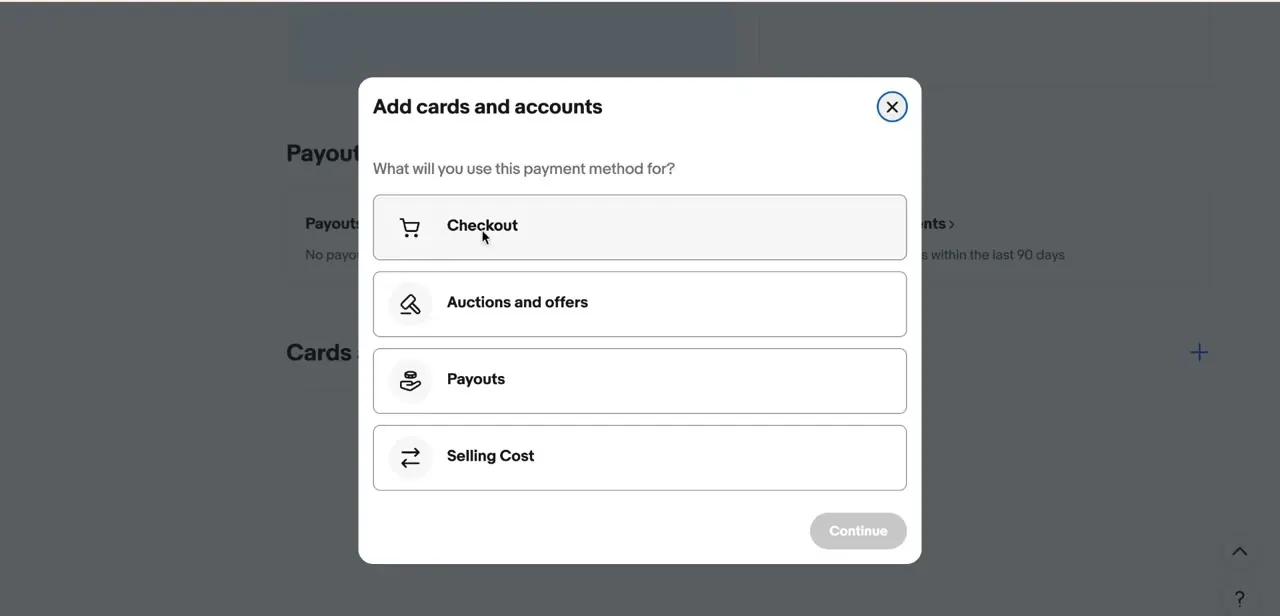
From account payment settings, find the Cards and accounts section and click the plus icon to add a new one. A modal opens asking what the payment method is for, with four options: Checkout, Auctions and offers, Payouts, and Selling Cost. A buyer who just wants PayPal available when purchasing wants Checkout; the other three relate to seller-side payouts and fees, a separate setup entirely.
03Choose PayPal as the payment method
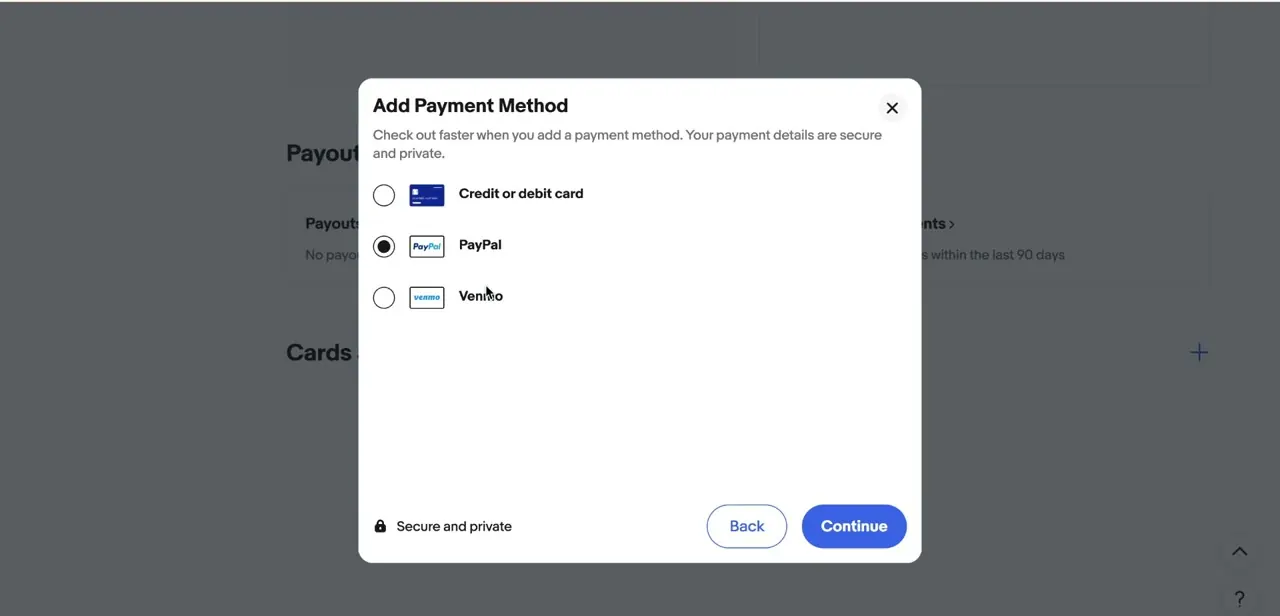
After selecting Checkout, a second modal lists what eBay accepts here: Credit or debit card, PayPal, and Venmo. Selecting PayPal and clicking Continue hands off to PayPal's own flow to confirm the account, which is why eBay notes on this screen that payment details stay secure and private instead of being typed into eBay's own forms.
04Confirm PayPal shows up as a linked account
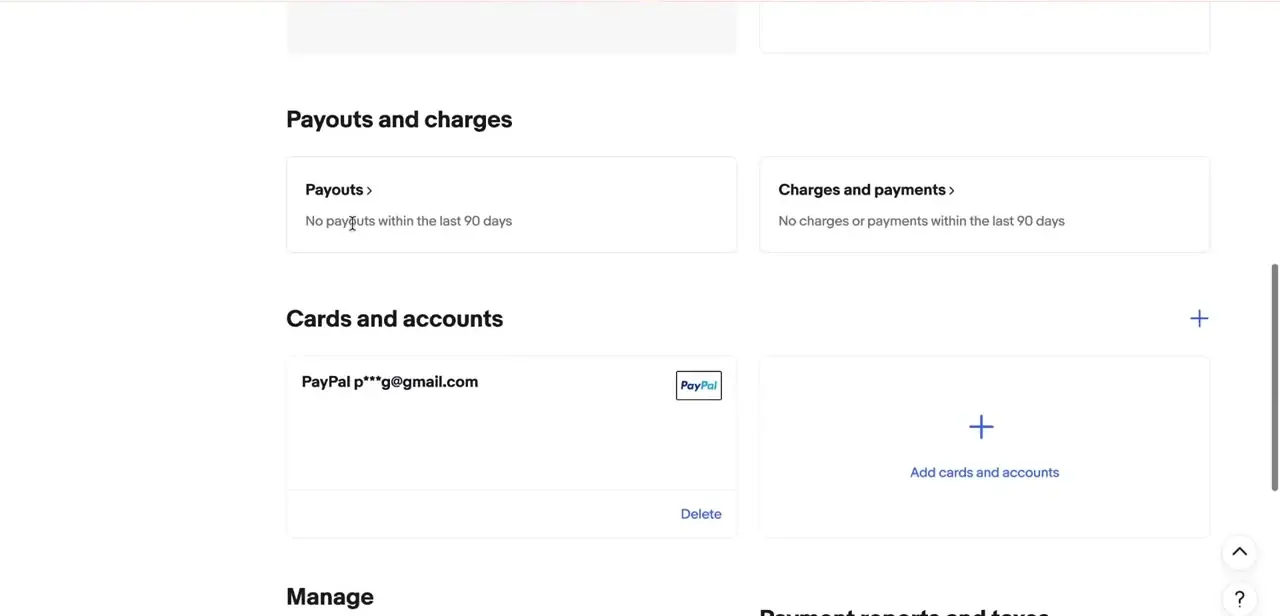
Once the PayPal flow completes, it appears back under Cards and accounts with the linked email address partially masked, plus a Delete link if it ever needs removing. The same screen shows Payouts and charges above it, worth checking periodically even as a buyer, since that's where activity tied to the eBay account settles.
05Use PayPal at checkout when it's offered
With PayPal linked, it becomes selectable at checkout on listings where the seller accepts it, not every listing will show it, since Managed Payments has moved most sellers toward cards and other funding sources by default. When it is available, PayPal draws from the linked balance or connected cards the way it would on any other site, without a separate PayPal login during checkout.
06Understand why sellers need Zapier instead of a direct link
eBay stopped paying sellers out through PayPal in 2021, when Managed Payments became the standard for sellers; payouts now go to a linked bank account, or to Payoneer for many sellers outside the US. PayPal accounts aren't a valid payout destination. That's a platform-level change, not something a setting can reverse, so for a seller who still wants PayPal in the picture, generating invoices or keeping a record outside eBay, the practical route is Zapier, not a built-in eBay-PayPal seller integration.
07Set up the Zapier automation
eBay offers exactly one trigger inside Zapier: "New Order," which fires each time a sale comes in. That trigger can feed a handful of PayPal actions: create an invoice with custom line items, create a payment order through PayPal's Orders v2 API, send an existing invoice, or search past payments, refunds, invoices, orders, and subscriptions.
A hybrid seller might, for example, trigger a PayPal invoice creation on every new eBay order to keep a parallel paper trail without copying details by hand. Both eBay and PayPal need to be connected as separate apps inside a Zapier account before the automation runs.
Frequently asked questions
Can I still use PayPal to buy on eBay?
Yes. PayPal can be linked as a funding method under Cards and accounts and used at checkout on listings where the seller accepts it.
Does eBay still support PayPal for sellers?
Not for payouts. eBay moved sellers to Managed Payments in 2021, and payouts now go to a bank account or Payoneer instead of PayPal. Zapier can still bridge PayPal into the order flow for automation.
What exactly does the eBay-PayPal Zapier integration offer?
One trigger, "New Order," fired from eBay's side. On the PayPal side it can create an invoice, create a payment order via the Orders v2 API, send an invoice, or search existing payments and orders.
Is this method suitable for dropshippers?
Yes. Hybrid sellers and dropshippers commonly use the PayPal-and-Zapier combination to track sales and payments across both platforms without manual copying.
Do I need a Zapier account?
Yes. Connecting PayPal to eBay's order flow for automation means setting up a workflow in a separate Zapier account, since it isn't a native eBay integration.
Why doesn't PayPal show up as a checkout option on every listing?
Managed Payments defaults most sellers toward cards and other funding sources, so PayPal only appears at checkout on listings where that individual seller has it enabled.
Sources and last check
Click path and screens for the buyer-side steps come from a walkthrough recorded in 2026 and match eBay's Cards and accounts layout as documented on eBay Help. The seller-side claims were re-checked against eBay Help and Zapier's own integration page in September 2026: eBay Managed Payments replaced PayPal seller payouts in 2021 (payouts now go to a bank account or Payoneer), and Zapier's eBay app offers a single "New Order" trigger paired with several PayPal actions, which the rewrite now names specifically instead of describing generically.
About the author

Impran M N
I've been hooked on technology for as long as I can remember — especially the new tools and AI apps that seem to land every other week. Easy Tech Tuts is where I write up whatever I've just worked out: I do the task in the real product, record the screen, and turn it into the guide I wish I'd found first.