Easy Tech Tuts
How to Fix PayPal "We’re Having Trouble With This Transaction" Error Solution 2026
By Impran M NLast checked against official docs
PayPal's "We're having trouble with this transaction" message is one of the more frustrating errors you can hit mid-checkout, mostly because the wording gives no clue what went wrong. This guide walks through what the error looks like on screen, where PayPal actually tells you the real reason once you look past the alert, and how to work through the specific decline reasons PayPal itself documents before you retry the payment.
01Recognize the error when it appears
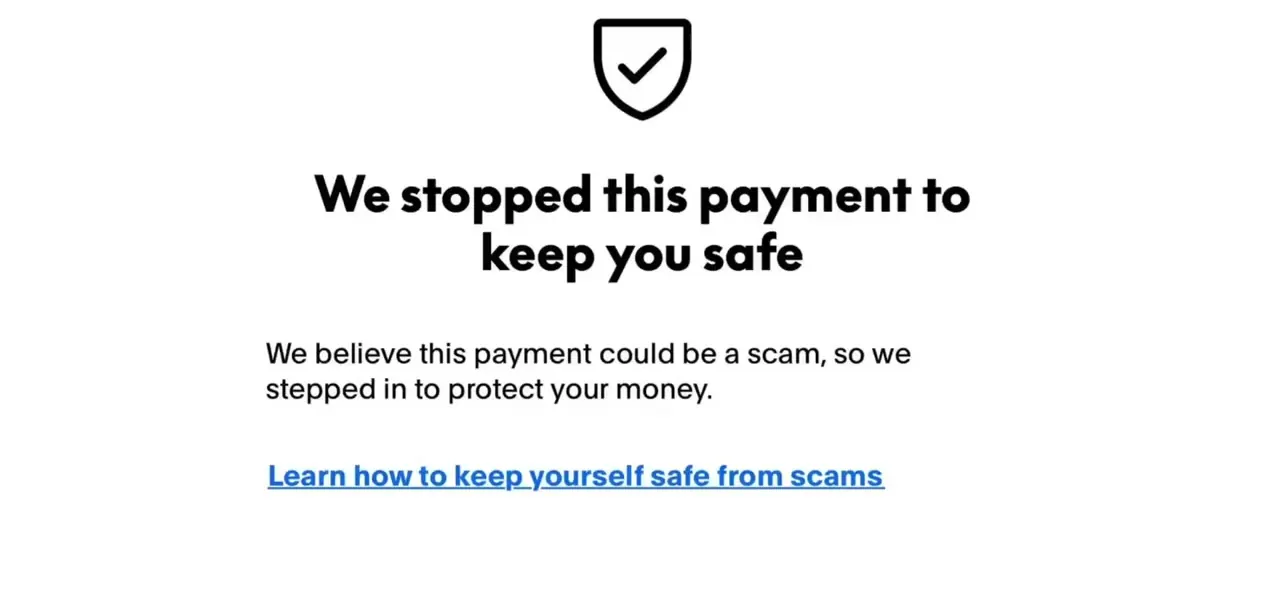
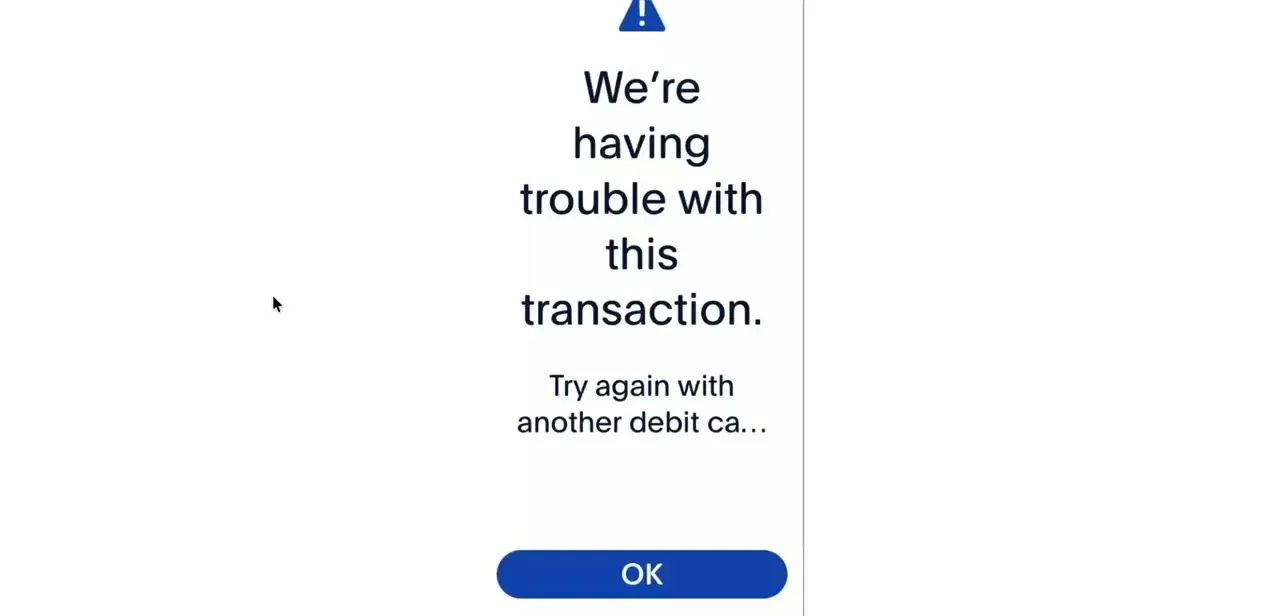
The message shows up as a full-screen alert with a warning icon, the "We're having trouble with this transaction" headline, and a smaller line suggesting you try again with another card. It's a generic screen, so the same alert appears whether the real cause is a declined card, an account hold, or a security check; the alert itself won't say which. Tapping OK just dismisses it and returns you to checkout, so the real work happens in your account, not on this screen.
02Check your notifications and the Resolution Center
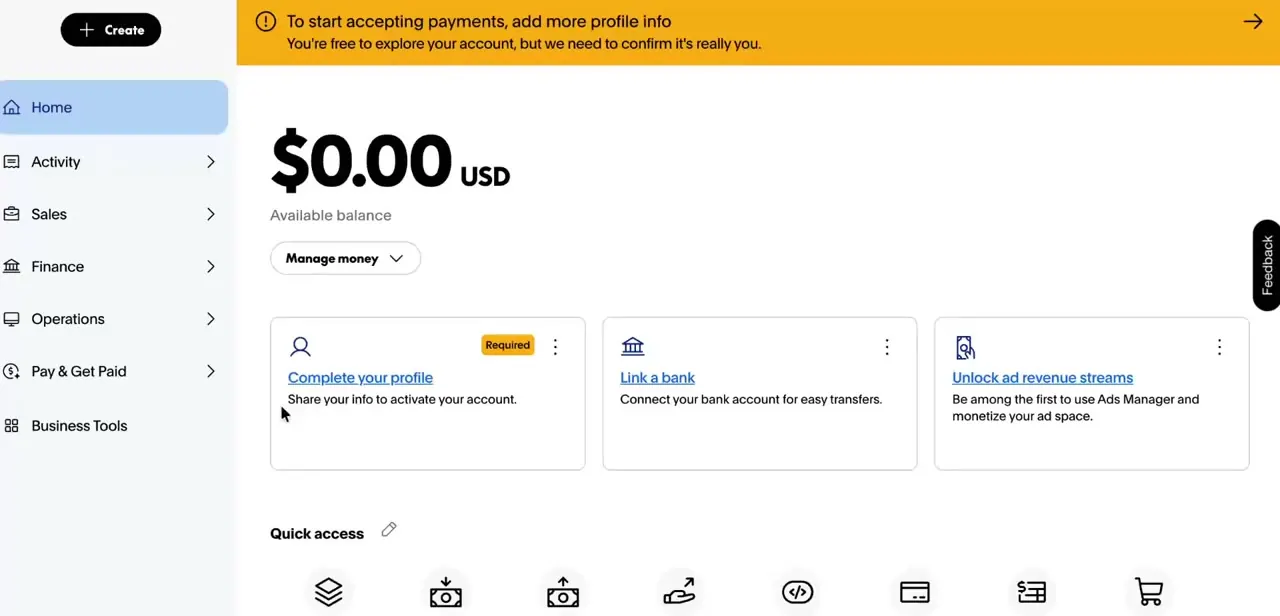
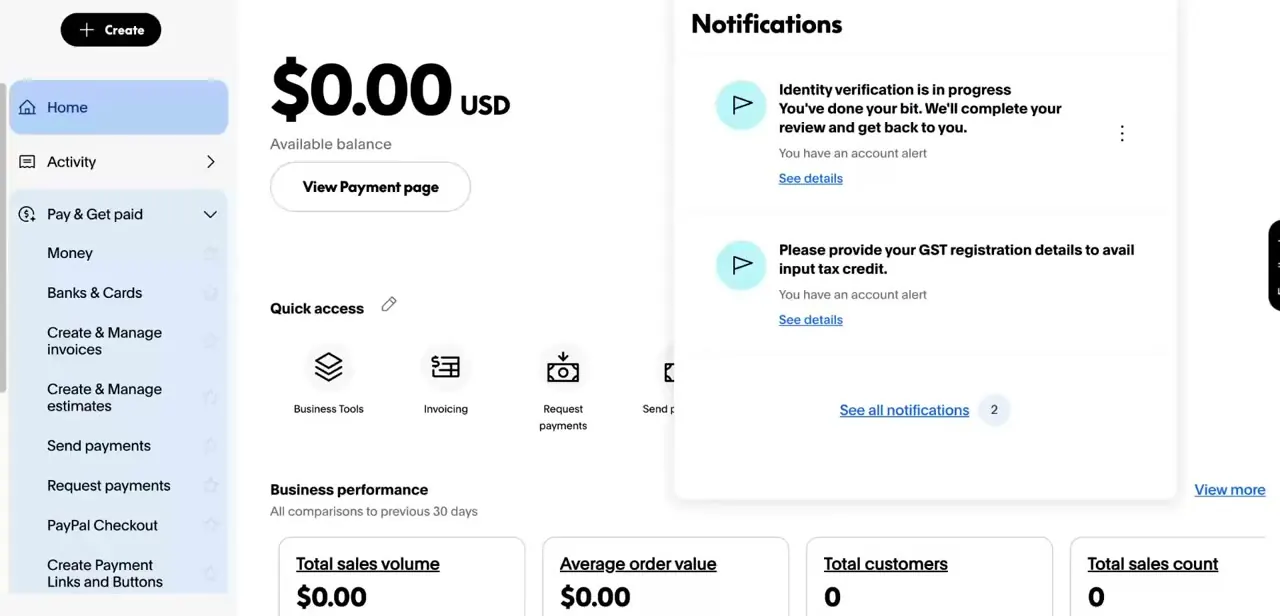
Log in to PayPal and open the notifications bell in the top right of the dashboard. PayPal's own help documentation points to this bell icon, or the Resolution Center, as the place account limitations and required actions actually surface. In a typical case you'll see items like "Identity verification is in progress" or a request to "provide your GST registration details," and either type of item can block a transaction without ever mentioning the checkout screen.
03Match your situation against PayPal's own decline reasons
PayPal's help center lists a specific set of reasons a payment gets declined, most of which produce this same generic alert instead of a specific message. Work through the table below in order; it covers the documented causes from most to least common. New accounts and accounts with a thin transaction history tend to hit the security-check and unconfirmed-card items more often, since PayPal's risk checks lean harder on unfamiliar patterns.
04Confirm your cards and bank account are properly linked
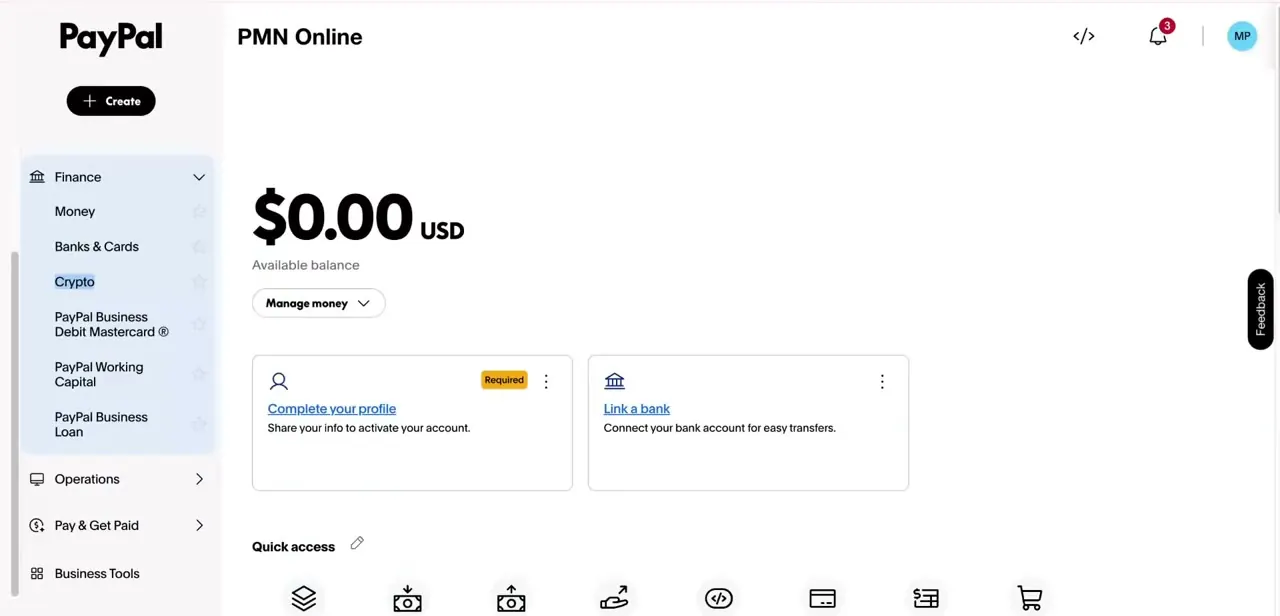
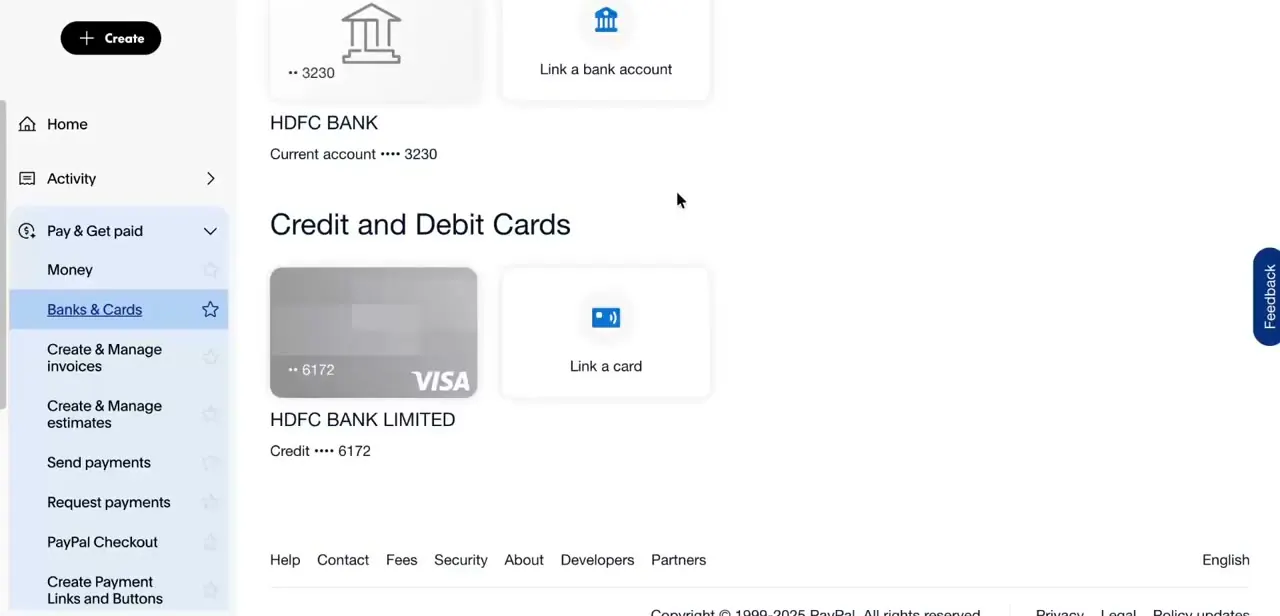
Go to Banks & Cards in the left-hand menu to see every payment method tied to your account, including masked card numbers and linked bank accounts. If the card or account you're trying to pay with isn't listed here, shows as unverified, or has a "Confirm Card" link next to it that you haven't clicked, that matches two of PayPal's own decline reasons directly. Add, confirm, or re-link the correct method from this screen before retrying.
05Retry once the underlying issue is cleared
Once you've cleared any notification, confirmed your card or bank account, and ruled out a spending limit or balance issue, retry the transaction. If PayPal asked for identity confirmation as part of a security check, complete that first; retrying before an open security check clears tends to reproduce the same generic error.
| Reason PayPal gives | What to do |
|---|---|
| Declined by your bank or card issuer | Contact your card issuer or bank directly; PayPal isn't told the specific reason. |
| Card details are outdated | Update the expiration date or billing address on the card in Banks & Cards. |
| Account is limited | Open the Resolution Center and complete the steps listed for the limitation. |
| Security check required | Confirm your identity when prompted; this verifies it's really you using the account. |
| Email address unconfirmed | Confirm the email address tied to your PayPal account in account settings. |
| Bank account unconfirmed | Confirm the linked bank account before using it to pay. |
| Card needs confirmation | Click "Confirm Card" next to the card in Banks & Cards if that link is showing. |
From PayPal's own "Why was my payment declined?" help article. PayPal shows the same generic transaction-error alert for most of these instead of naming the specific reason on screen.
When it doesn't work
The error keeps appearing even after checking notifications
Why: An older, unresolved notification further down the list is still blocking payments, even after a more recent one has been handled.
Fix: Open the Resolution Center and clear every open item, not just the newest one.
A card shows in Banks & Cards but payments with it still fail
Why: The card has never been confirmed, which is a separate status from simply being linked.
Fix: Look for a "Confirm Card" link next to that card and complete it before retrying.
The error happens specifically on large or unusual payments
Why: PayPal's security check can flag a payment for identity confirmation when it looks unlike your normal activity.
Fix: Complete the identity confirmation PayPal requests before retrying, instead of repeating the same payment.
Frequently asked questions
Why does PayPal say it's having trouble with my transaction?
It's a generic error PayPal shows for several distinct problems: a card issuer decline, an account limitation, a required security check, an unconfirmed email or bank account, or a card that hasn't been confirmed. The alert itself doesn't say which.
Does this error mean my account has been banned?
Not necessarily. PayPal's own decline reasons are mostly fixable issues, like an unverified card or a pending identity check, instead of a permanent ban.
Where do I see why PayPal flagged my payment?
Open the notifications bell on your PayPal dashboard, or the Resolution Center directly, instead of relying on the error message. That's where PayPal lists specific holds and required actions.
Can a new PayPal account cause this error more often?
Yes. Newer accounts face more frequent security checks and card-confirmation requirements, both of which are on PayPal's own list of decline reasons.
What's the difference between a linked card and a confirmed card?
A card can appear in Banks & Cards as linked but still show a "Confirm Card" link, which PayPal separately requires before that card can be used to pay.
Will contacting my bank help if PayPal declines the payment?
It can, for one specific reason on PayPal's list: if your bank or card issuer declined the payment, PayPal says it isn't told why, so the card issuer is the only one who can explain it.
Sources and last check
The error screen and dashboard screens come from a walkthrough recorded in 2025. The list of decline reasons and the Resolution Center's role were checked against PayPal's official Help Center in September 2026, replacing the article's earlier general guesses (currency mismatches, device or network changes) with PayPal's own documented reasons, which do not include those two as listed causes.
About the author

Impran M N
I've been hooked on technology for as long as I can remember — especially the new tools and AI apps that seem to land every other week. Easy Tech Tuts is where I write up whatever I've just worked out: I do the task in the real product, record the screen, and turn it into the guide I wish I'd found first.