Easy Tech Tuts
How To Link Spotify To Instagram Notes Quick Solution 2026
By Impran M NLast checked against official docs
Instagram Notes can display whatever song you're currently playing on Spotify, but the feature only works once the two accounts are linked from inside Instagram's music panel. This guide walks through connecting Spotify to your Instagram Note, including what the link prompt looks like and what to do if the connection stalls or shows a blank screen the first time. It also covers the other places that same Spotify connection unlocks once it's active, like Stories, Reels, and your bio.
01Open Instagram and go to your Notes
From the Instagram home screen, swipe over to your Messages section, where the Note option sits at the top of the screen above your conversation list. Tapping it opens a small composer where you'd normally type a status, but a row of icons underneath is what matters for music. That row is easy to miss the first time, since it looks like a secondary option instead of the main event.
02Tap the Music icon in the Note pop-up
Tapping Note brings up a pop-up with several options, and the Music icon opens the music-related settings, including the Spotify link. Selecting it takes you into a full search panel instead of a simple toggle, which is worth knowing so you don't back out thinking you tapped the wrong thing.
03Tap Link Spotify at the top of the music search panel
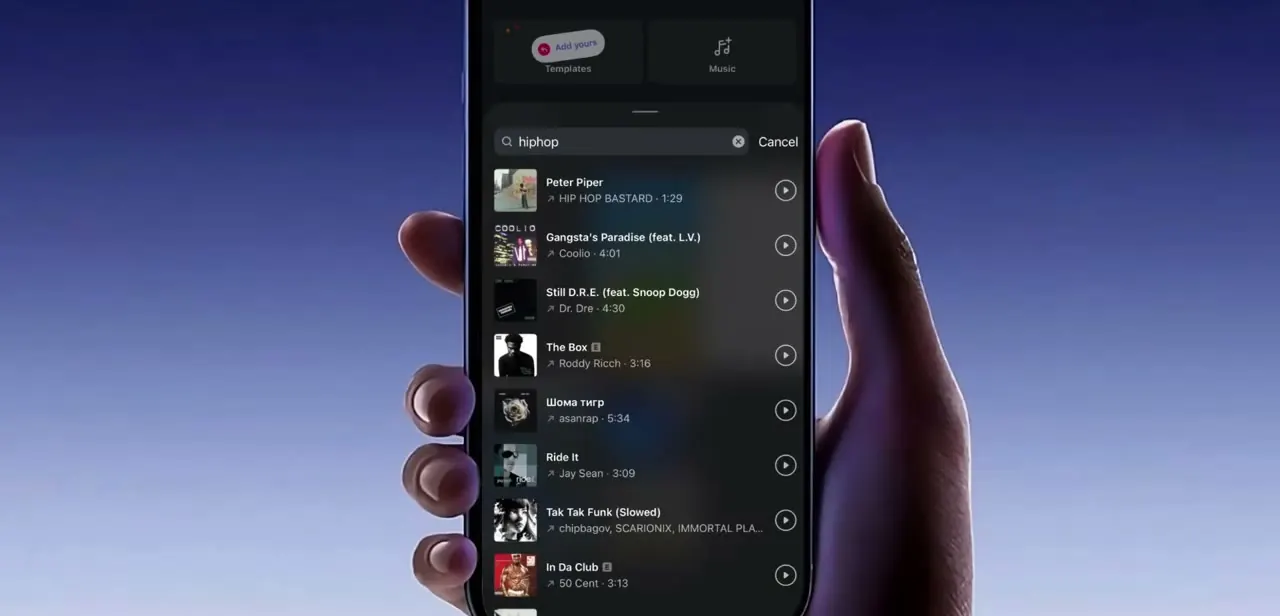
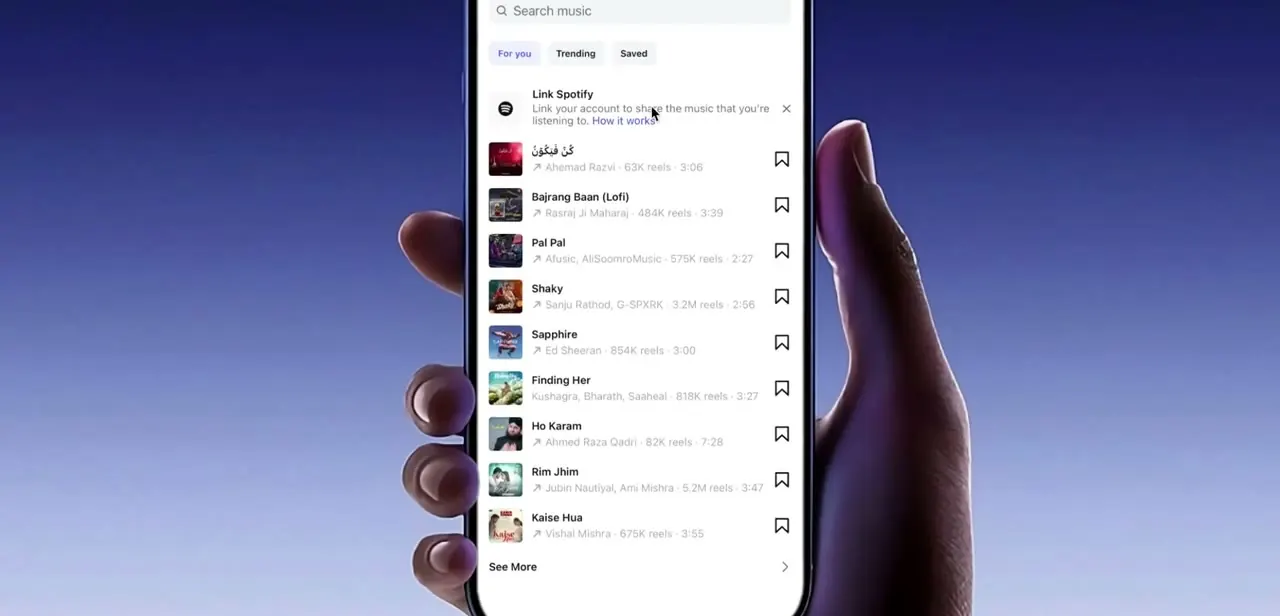
Inside the panel you'll see a search bar for music at the top and a "For you / Trending / Saved" tab row underneath it. Above the song results sits a distinct "Link Spotify" card reading "Link your account to share the music that you're listening to", with a "How it works" link.
That card is the entire feature in one tap. Everything below it is Instagram's own trending and recommended tracks, not tied to your Spotify account.
04Open Spotify and approve the connection
Tapping "Link Spotify" triggers a pop-up asking you to open the Spotify app to finish the connection. Once Spotify opens, it asks for permission to share your account data and listening activity with Instagram; tap Agree to complete the link.
After that, Instagram can read what you're currently playing and surface it in your Note automatically. If nothing is playing on Spotify at the moment you link it, Spotify has said the Note picks up whatever you play within the next 30 minutes instead of staying blank.
05Retry if the connection stalls or shows a blank screen
The handoff between the two apps can stall on the first attempt and leave Instagram showing a blank white screen with just a loading spinner, especially if Spotify was already running in the background. If that happens, close out, go back into Instagram's music panel, and tap "Link Spotify" again. A second attempt almost always completes cleanly, and you don't need to reinstall or log out of either app to fix it.
06Use the linked account beyond just your Note
Once Spotify is linked, the same connection powers music in more than your Note. You can add a track to your bio, drop songs into Stories, score your Reels with linked music, and attach tracks to regular posts, all without relinking. People often set this up for the Note and don't realize the same link now covers the rest of their profile too.
Frequently asked questions
Why won't Spotify link to my Instagram Notes?
The connection can stall on the first attempt and show a blank loading screen. If that happens, go back to the music panel and tap 'Link Spotify' again, which usually completes the connection on the second try.
Does linking Spotify let Instagram see my listening activity?
Yes. Once you tap 'Agree' on the permissions prompt inside Spotify, Instagram can access your listening activity so it can display your currently playing song in your Note.
Can I use linked Spotify music in Stories and Reels too?
Yes. Once your Spotify account is linked, you can add music to your bio, Stories, Reels, and regular posts, not just your Note.
Where exactly is the Link Spotify option inside Instagram?
Open a Note from your Messages screen, tap the Music icon, and you'll see a 'Link Spotify' card above the list of trending and recommended tracks in the search panel.
What happens if nothing is playing on Spotify when I link it?
According to Spotify's own announcement of the feature, your Note updates to show the next song you play within about 30 minutes, instead of staying empty.
Do I need Spotify Premium to link it to Instagram Notes?
Neither Spotify's nor Instagram's public description of the feature mentions a Premium requirement, so don't assume you need one; if the link option doesn't appear, check your Spotify account status directly instead of assuming it's a Premium gate.
Sources and last check
Click path and screens, including the blank loading screen mid-handoff, come from a walkthrough recorded in 2025. The 30-minute behavior for an empty Note and the lack of a stated Premium requirement were checked against Spotify's official newsroom announcement of the feature in September 2026. Instagram's own help article on the feature could not be retrieved as readable text in this session, so nothing from it is cited here.
About the author

Impran M N
I've been hooked on technology for as long as I can remember — especially the new tools and AI apps that seem to land every other week. Easy Tech Tuts is where I write up whatever I've just worked out: I do the task in the real product, record the screen, and turn it into the guide I wish I'd found first.