Easy Tech Tuts
How To Fix Instagram Live Not Working or Not Showing Up or Not Eligible 2026
By Impran M NLast checked against official docs
Most guides to this problem were written before the rule changed. In August 2025 Instagram limited live video to public accounts with at least 1,000 followers, and that one change now explains the majority of "not eligible" messages people run into.
If you have fewer than a thousand followers, or your account is private, no amount of cache clearing will bring the button back. So the first job is telling apart the two things that look identical from the camera screen.
Either the LIVE tab is missing entirely, or it is there and refuses you when you tap it. One of those can be an eligibility gate.
The other can be a stale app build. This guide checks the documented requirements first, because they are cheap to check and they account for most cases, then works through the client-side fixes for the accounts that genuinely should be able to broadcast.
01Tell the two symptoms apart
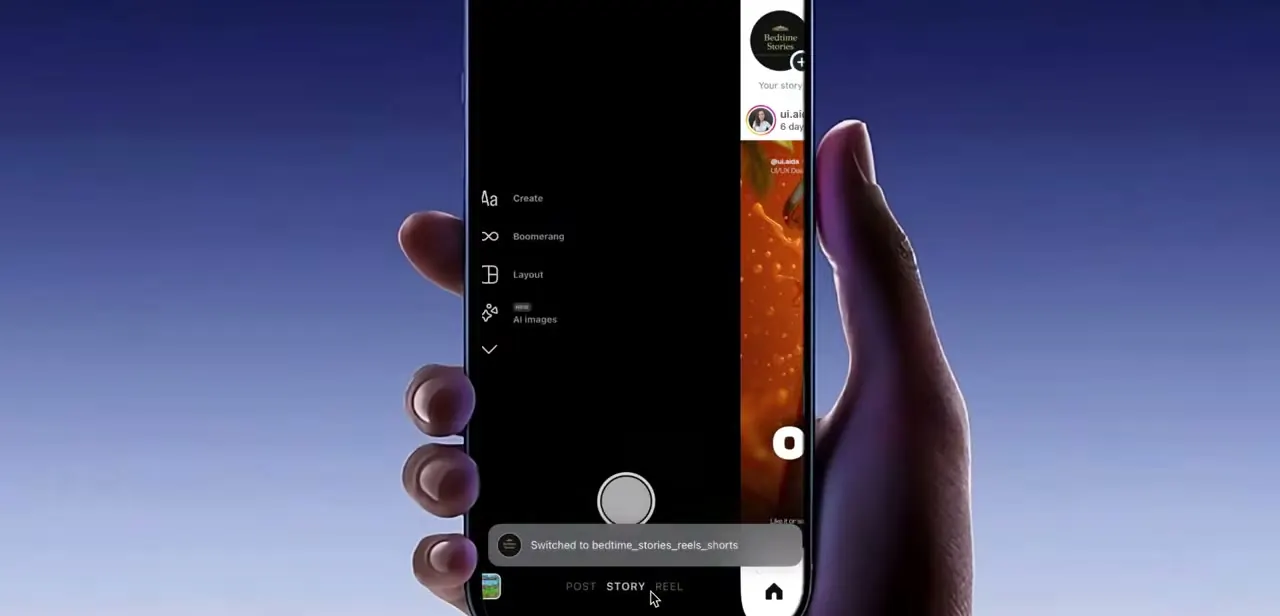
Open the camera by tapping the plus button or swiping right from your feed, then look at the row of modes along the bottom. On an account with access you can scroll that row across to LIVE.
If LIVE is absent from the row entirely, Instagram has not offered the feature to your session at all. If LIVE is there but answers with a message when you tap it, the app is fine and the decision is about your account.
Read the message carefully if you get one. The current wording for the follower gate is specific: "We changed requirements to use this feature.
Only public accounts with 1,000 followers or more will be able to create live videos." That is a different problem from a community guidelines restriction, and it has a different fix. Note which of the two you are looking at before you change any settings.
02Check the requirement that changed in 2025
Instagram's help page on starting a live broadcast now states that only users with a public account and 1,000 or more followers can start one. Before this change, anyone could go live, private accounts included, at any follower count.
Instagram confirmed the new threshold publicly on 1 August 2025 and described it as a way to improve the Live viewing experience. Guides and videos recorded before that date, including plenty still ranking today, describe a version of Instagram where this gate did not exist.
So check two things on your own profile. Is the account set to public, and does the follower count reach 1,000?
If either answer is no, Live is switched off by design and there is no workaround. Switching your account to public is instant; the follower count is the slow part. The same help page notes that newly created accounts cannot go live or co-broadcast even once they qualify on the other counts, so a fresh account that has just crossed a thousand followers may still wait.
03Read your Account Status for a feature restriction
If you clear the follower and privacy requirements and Live is still refused, the next place to look is Account Status. Instagram's own description of the tool calls it a single place to see what is happening with your account and its distribution, and it lists feature restrictions applied when an account has run against the Community Guidelines or Terms of Use.
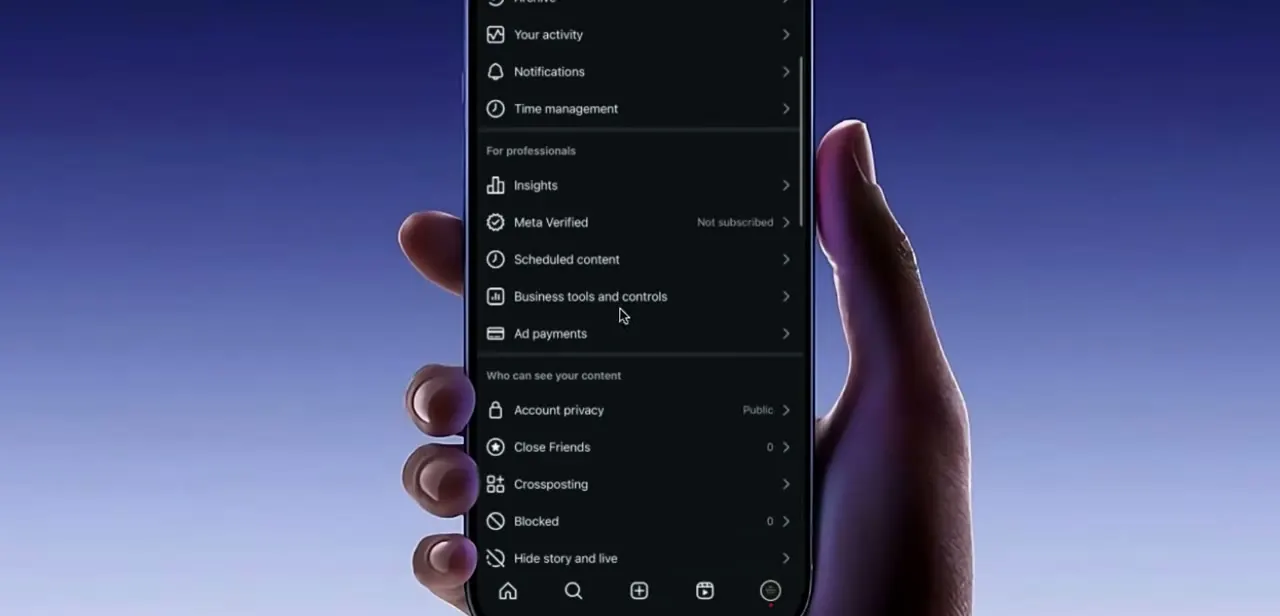
Going live is one of the features that can be switched off this way. Get there by tapping Settings, then Account, then Account Status.
A restriction that affects broadcasting will be named on that page along with the content behind it. If you believe the call was wrong, Instagram offers a Request a Review option directly from Account Status, and that appeal is the only route that can shorten a restriction. Tapping the Live button repeatedly while one is active achieves nothing.
04Check the teen account settings if the account belongs to someone under 18
Teen accounts have live broadcasting turned off by default. Instagram's help page states that the ability to start a live broadcast is off by default for teen accounts, and Meta's April 2025 announcement set out the split by age: teens under 16 cannot go Live unless a parent or guardian grants permission through supervision, while 16 and 17 year olds can turn the setting on themselves.
This one is easy to miss because the account otherwise looks completely normal. There is no strike, no follower shortfall, and nothing on Account Status. The feature is simply off, and the switch sits in the teen safety settings or, for under-16s, in the parent's supervision controls.
05Update the app, then clear its cache
Those checks cover the account. If your account meets every documented requirement and Live still will not appear, the problem is on the device.
An outdated build is the common one, because Instagram gates rebuilt features on app version. Open the Play Store or App Store, search Instagram, and install the update if the button reads Update instead of Open.
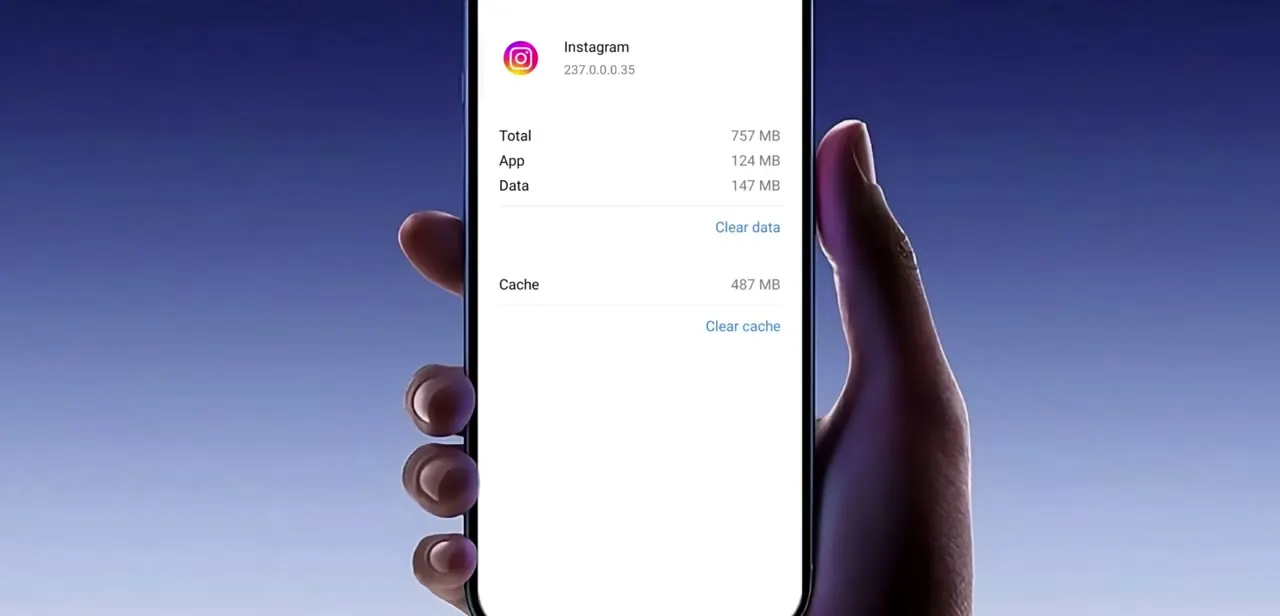
If you are already current, clear the local data next. On Android, go to your phone's Settings, then Apps, choose Instagram, and open its storage page.
You will see what the app, its data and its cache are each using, with a separate control for clearing each. Clear cache first.
It dumps temporary files and makes the app re-fetch its feature configuration on the next launch, and it costs you nothing. Clear data is the heavier option: it signs you out and resets the app to a fresh-install state, so save it for when clearing the cache alone did not work, and know your password before you tap it.
06Restart the session, then test a short broadcast
Clearing the cache only takes effect once the app fully restarts, and swiping to the home screen does not close it. Remove Instagram from your recent apps list and open it again.
If LIVE is still missing, sign out from your profile settings and sign back in, which pulls your account's feature entitlements down fresh. That is exactly what you want after a restriction has lifted or an update has landed.
Do it on a stable connection. Reinstalling is the last resort here and rarely accomplishes anything that clearing data plus a fresh login has not.
When LIVE comes back, do not save the first attempt for something that matters. Start a stream, check that camera and microphone permissions are granted, and let it run for half a minute. That catches the second tier of problems: denied permissions, a failing upload, or a restriction that stops the broadcast once it starts instead of at the button.
| Condition | Live available? | What resolves it |
|---|---|---|
| Private account, or under 1,000 followers | No | Switch the account to public and grow past 1,000 followers. No workaround exists. |
| Newly created account | No | Wait. Instagram's help page states new accounts cannot go live or co-broadcast. |
| Teen account, user under 16 | Off by default | A parent or guardian grants permission through supervision. |
| Teen account, user 16-17 | Off by default | The account holder can turn the setting on themselves. |
| Feature restriction after a guidelines violation | No, while it lasts | Check Settings > Account > Account Status and use Request a Review. |
| All requirements met, tab still missing | Should be | Update the app, clear its cache, restart, and sign back in. |
Follower and account-type requirements reflect Instagram's help documentation as of September 2026; the 1,000-follower threshold took effect in August 2025.
When it doesn't work
The message names a requirements change, not a violation
Why: The account is private or has fewer than 1,000 followers. Instagram introduced this gate in August 2025 and it applies regardless of how long the account has existed.
Fix: Set the account to public. If the follower count is the shortfall, there is nothing to fix in settings; the feature stays off until the account passes 1,000.
The account qualifies on followers but Live is still refused
Why: A feature restriction from a Community Guidelines or Terms of Use issue, which Instagram applies at the account level and does not always announce.
Fix: Open Settings > Account > Account Status. Any restriction is named there, and Request a Review on that page is the only appeal route.
A teen's account shows no strike and enough followers, but no Live
Why: Live is off by default on teen accounts. Under-16s need a parent's permission; 16 and 17 year olds have it switched off until they enable it.
Fix: For under-16s, the parent grants permission through supervision controls. Older teens can turn it on in their own settings.
Clearing the cache appeared to do nothing
Why: The app was never fully closed, so the cleared configuration was never re-fetched.
Fix: Swipe Instagram out of the recent apps list, reopen it, and if needed sign out and back in to pull a fresh set of feature entitlements.
Frequently asked questions
Why does Instagram say I'm not eligible to go live?
Since August 2025, live video needs a public account with at least 1,000 followers. Below that threshold, or on a private account, the feature is off by design. The other documented causes are a brand-new account, a teen account with the setting off, and a feature restriction from a guidelines violation.
Is there a way around the 1,000-follower requirement?
No. It is a server-side requirement in Instagram's own documentation, not a client bug, so reinstalling, clearing data or switching devices will not change it.
Does switching to a creator or business account bring Live back?
No. Instagram's documented requirements cover follower count, public visibility, account age, teen settings and content standing. Account type is not among them, and switching will not lift any of those gates.
Can a brand-new account go live once it has 1,000 followers?
Not immediately. Instagram's help page states that newly created accounts cannot go live or co-broadcast, so a young account may still be held back after it passes the follower threshold.
Does clearing the cache delete my photos or messages?
No. Clearing the cache removes temporary files and makes the app re-download its configuration. Clearing data is the destructive one: it resets the app and signs you out, so have your password ready.
The LIVE tab is gone but my friend on the same phone has it. Why?
Availability follows the account and the app build, not the handset. Compare follower counts, whether each account is public, and the two Instagram version numbers before blaming the phone.
How long does a Live restriction from a violation last?
It depends on the violation, and Instagram does not always publish an end date. Account Status shows what is applied, and Request a Review from that page is the only route that can shorten it.
Sources and last check
The camera screen and Android storage screens come from a walkthrough recorded before the 2025 rule change. Eligibility was re-checked in September 2026 against Instagram's own help page on starting a live broadcast and Meta's April 2025 teen accounts announcement. That check added the requirement this guide previously missed entirely: since August 2025 live video needs a public account with 1,000 or more followers. Two earlier claims were removed because no official documentation supports them, namely that a region setting or a switch to a professional account affects Live access.
- Instagram Help Center: Start a live broadcast on Instagram (official)
- About Instagram: Understanding Instagram Outages & Account Status (official)
- Meta Newsroom: New built-in restrictions for Instagram Teen Accounts, April 2025 (official)
- TechCrunch: Instagram now requires at least 1,000 followers to go live
About the author

Impran M N
I've been hooked on technology for as long as I can remember — especially the new tools and AI apps that seem to land every other week. Easy Tech Tuts is where I write up whatever I've just worked out: I do the task in the real product, record the screen, and turn it into the guide I wish I'd found first.