Easy Tech Tuts
How To Fix You Can't Send Message For 7 Days on Instagram, 3 Days or 1 Day DM Chat Ban in 2026
By Impran M NLast checked against official docs
A temporary Instagram DM block arrives with a fixed length: one day, three days, or seven. Those are not arbitrary numbers.
Meta publishes the same three durations in its Transparency Center, tied to how many strikes an account has picked up, and they sit alongside the spam policy that flags high-frequency messaging in the first place. This guide follows the recorded walkthrough for finding out why your account was restricted and how to ask for a review. It also corrects two pieces of advice that circulate widely and do nothing: clearing the app's data does not lift a restriction, and switching on two-factor authentication does not shorten one.
01Check Account Status before trying anything else
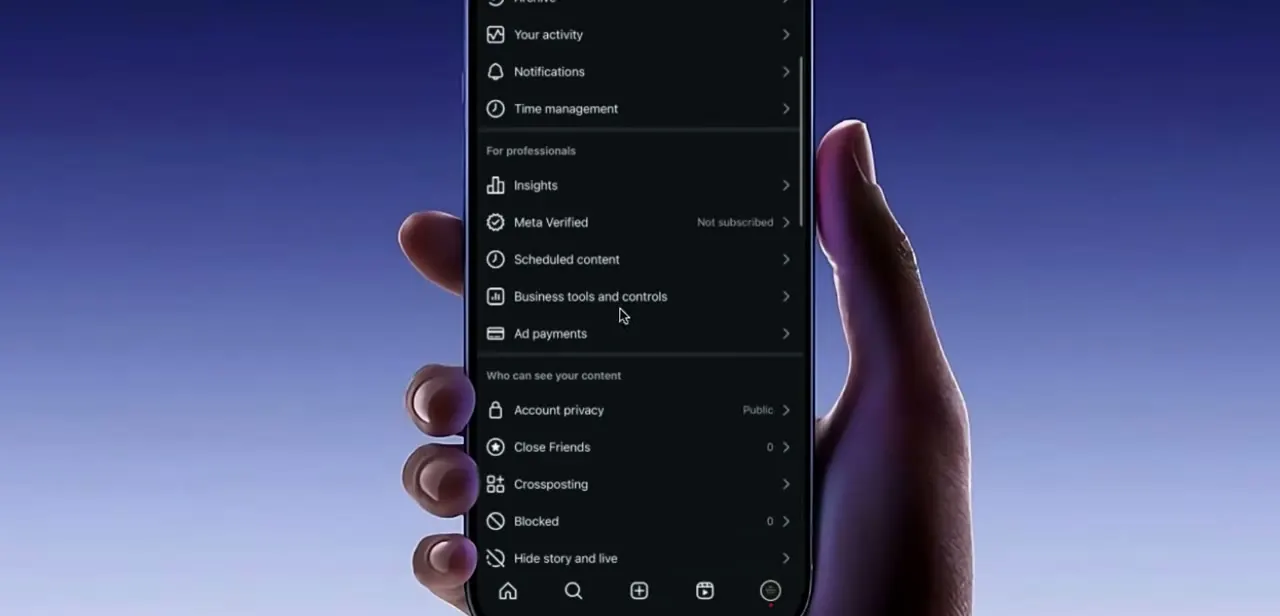
Instagram documents exactly one screen where a restriction and its remaining length are supposed to appear. Open Settings, tap Account, then tap Account Status.
Instagram's own announcement about the tool describes it as showing when features on your account have been restricted, along with the option to appeal from that same screen. What you see there decides the rest of this guide.
A logged violation with a countdown means the block is enforced on Instagram's side and you have an appeal route. An empty Account Status while messaging is still blocked usually points at a spam hold or a rate limit that was applied automatically and never became a formal strike. Those two situations need different responses, and most guides that skip this check end up giving the same advice for both.
02Read the warning Instagram showed you before the block
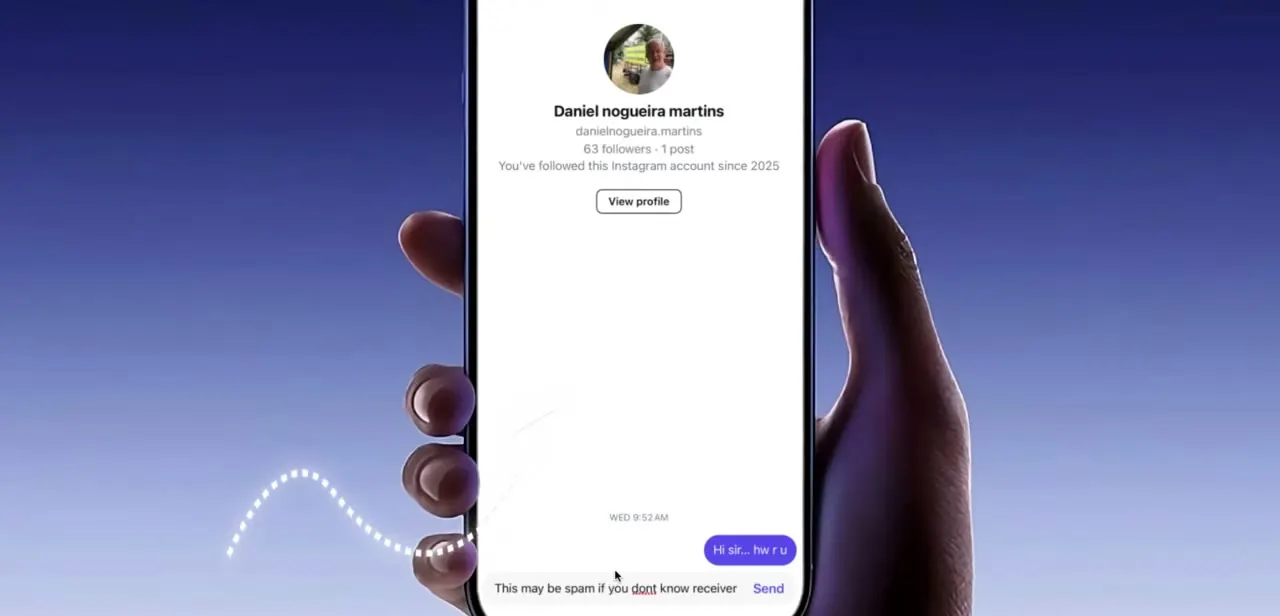
Instagram usually flags the behaviour before it restricts it. The message box shows "This may be spam if you don't know receiver" attached to the Send button when you write to someone you don't follow or have barely interacted with.
That warning is the automated system telling you which pattern it is watching. Meta's spam policy lists high-frequency activity as a violation on its own, and adds that restrictions can be applied at lower frequencies too when other spam signals are present.
Messaging strangers in quick succession hits both conditions at once. If you saw this warning in the days before your block, you have your cause.
03Find the pattern in your own inbox
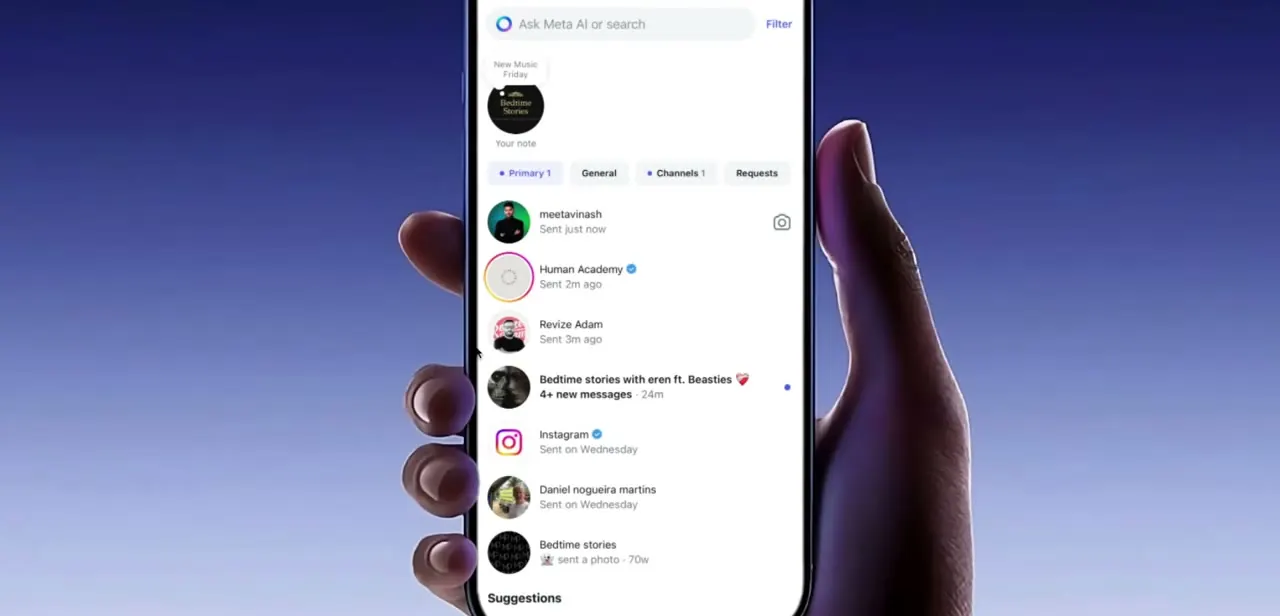
Your DM list doubles as a diagnostic. Scroll the Primary tab and count how many conversations you opened with new people in a short window.
Instagram splits the inbox into Primary, General, Channels, and Requests, and a run of fresh threads in Primary that nobody has replied to is the exact shape the spam filter reacts to. Then look at the content, not just the recipients.
Repeated wording pasted to several people, external links sent to accounts that don't follow you, and requests framed around dodging platform rules all give the language filters something to grab. Meta's spam policy also covers deceptive links and engagement bait, so a single message can trip the filter even when your volume was modest.
04Request a review, and know what Report a Problem is for
The documented appeal route is Request a Review, and Instagram places that button inside Account Status next to the violation itself. Older guides, including the earlier version of this one, send readers to Settings, Help, Report a Problem.
That path still exists, but it is Instagram's bug-reporting channel. Enforcement decisions are appealed from Account Status.
Meta reworked this in December 2025, when it announced a centralised support hub on both apps and said the appeals process now runs with fewer steps. A Meta AI support assistant that can explain content takedowns and track appeals started rolling out more widely in March 2026.
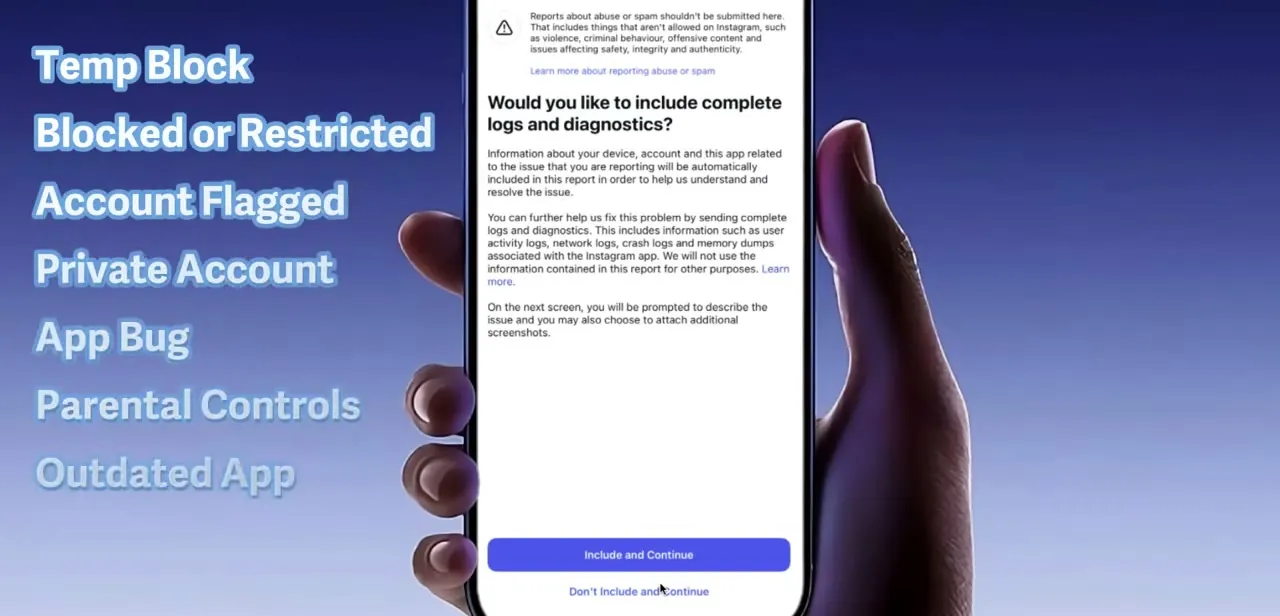
If you do end up in Report a Problem, the screen asks whether to include full logs and diagnostics. Including them gives a reviewer device and activity data to work from, and declining still submits the report.
05Wait out the clock, then change the habits that caused it
A restriction with a stated length runs for that length. Nothing you do on your handset shortens it, because the block lives on Instagram's servers and follows your account across devices and reinstalls.
When messaging comes back, three habits keep it: don't open a batch of first-contact conversations in one sitting, vary your wording instead of pasting identical text, and keep external links out of messages to people who don't follow you. Meta's strike data is also on your side over time. Strikes on Facebook and Instagram expire after a year, and most violations stop counting toward new restrictions once they are more than 90 days old, so a clean stretch genuinely resets your standing.
| Strikes | What Meta applies |
|---|---|
| 1 | A warning only, with no feature restriction |
| 2 to 6 | Temporary restriction from specific features, such as posting in groups |
| 7 | 1-day restriction from creating content, covering posting, commenting and more |
| 8 | 3-day restriction from creating content |
| 9 | 7-day restriction from creating content |
| 10 or more | 30-day restriction from creating content |
From Meta's Transparency Center. The ladder is published for content creation across Facebook and Instagram; Meta does not publish a separate table for messaging blocks, so read it as the shape of the system that produces 1, 3 and 7-day durations, not as a guarantee about your DM block.
When it doesn't work
Account Status is empty but messages still won't send
Why: Automated spam holds and rate limits are applied without a logged strike, so there is no violation entry to display and no Request a Review button attached to it.
Fix: Stop sending for the stated period. If the block persists past it, use the in-app support hub to report the problem, since there is nothing to appeal in Account Status.
Clearing cache and app data changed nothing
Why: The restriction is enforced on Instagram's side, not stored locally. Clearing storage signs you out and drops local drafts without touching the block.
Fix: Log back in and wait out the stated duration. Only clear cache if the app is misbehaving in other ways, and clear cache before storage.
The block came back within hours of expiring
Why: The same messaging pattern resumed at the same rate, and existing strikes from the past 90 days still count toward further restrictions.
Fix: Restart with a much lower volume, reply to existing threads before starting new ones, and drop links from first-contact messages.
Frequently asked questions
How long does an Instagram DM block last?
One day, three days, or seven in most cases. Meta publishes those same lengths in its strike system, where they are tied to how many strikes an account has accumulated instead of to the specific rule that was broken.
Where do I appeal it?
Settings, then Account, then Account Status. Instagram places a Request a Review button next to the violation there. Report a Problem is the bug-reporting channel and is not the documented appeal route.
Does clearing app cache or data remove the block?
No. The restriction is applied to your account on Instagram's servers, so it survives clearing storage, reinstalling, and switching phones.
Does turning on two-factor authentication lift the block faster?
There is no documentation supporting that. Two-factor authentication protects your login and is worth enabling on its own merits, but it is not part of Meta's published enforcement or appeals process.
Why was I blocked for sending ordinary messages?
Meta's spam policy treats high-frequency activity as a violation by itself, and says restrictions can also follow lower-volume activity when other spam signals are present. Writing to several people who don't follow you, repeating the same text, and attaching links all count as those signals.
Do strikes stay on my account forever?
No. Meta states that strikes on Facebook and Instagram expire after one year, and that most violations no longer count toward new restrictions once they are more than 90 days old.
Sources and last check
The screens and in-app path come from a walkthrough recorded in 2025. In September 2026 the claims were re-checked against Meta's Transparency Center pages on restricting accounts, counting strikes and spam, plus Instagram's own Account Status announcement and Meta's December 2025 account-support announcement. That check changed three things: the appeal route now points at Account Status and Request a Review instead of Report a Problem, the claim that clearing app data can lift a block has been removed as unsupported, and the claim that two-factor authentication speeds up a review has been removed for the same reason. Instagram's Help Center articles on messaging limits could not be read directly, so nothing here is sourced from them.
- Meta Transparency Center: Restricting accounts (strike ladder and durations)
- Meta Transparency Center: Counting strikes (expiry and 90-day window)
- Meta Transparency Center: Spam policy
- Instagram: Understanding outages and Account Status (official announcement)
- Meta Newsroom: Making it easier to access account support on Facebook and Instagram (December 2025)
About the author

Impran M N
I've been hooked on technology for as long as I can remember — especially the new tools and AI apps that seem to land every other week. Easy Tech Tuts is where I write up whatever I've just worked out: I do the task in the real product, record the screen, and turn it into the guide I wish I'd found first.