Easy Tech Tuts
How to Hide Active Status on Instagram, Turn off Active now on iPhone, Android in 2026
By Impran M NLast checked against official docs
The green dot beside your name in Instagram DMs quietly tells everyone you've ever messaged exactly when you're on your phone. Switching it off takes about fifteen seconds once you know the setting is called Show activity status and lives under Messages and story replies, not anywhere obviously labelled privacy.
The steps are the same on iPhone and Android because the setting lives on your account, not the device. This guide covers where to find it, the trade-off Instagram makes you accept in exchange, and Instagram's own wording for that trade-off, which is stricter than most people assume.
01See what other people currently see
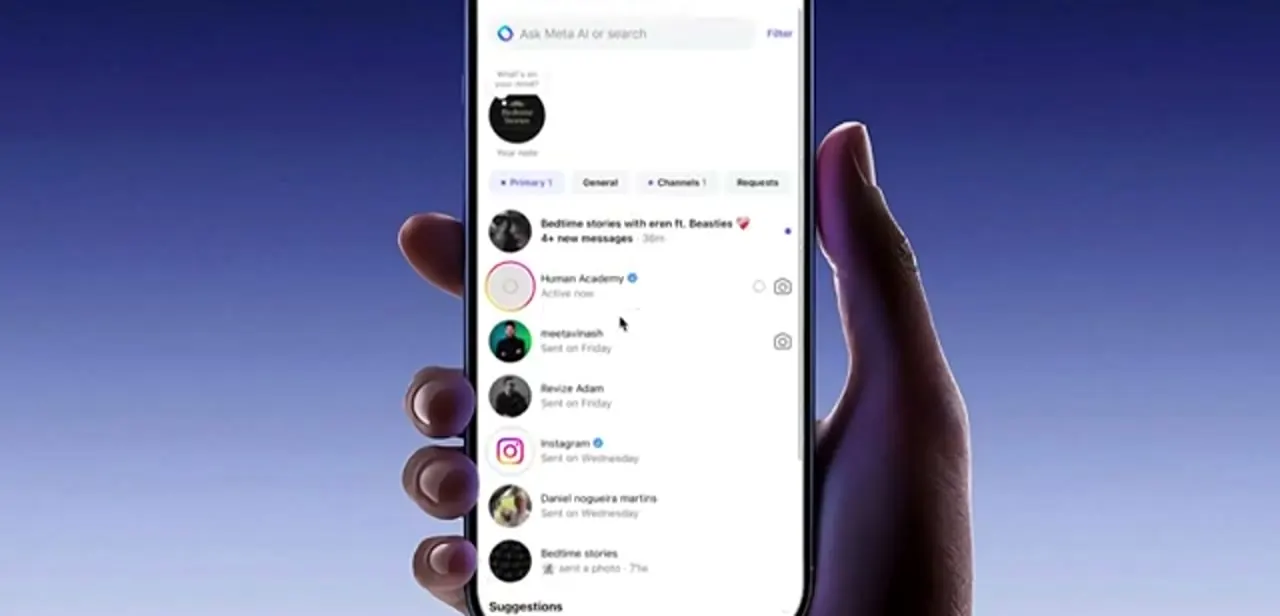
Open your DM inbox from the paper-plane icon and look at the rows. Anyone whose activity status is on shows a green dot beside their profile picture and the words Active now under their name; people who've been offline a while show a last-seen note like "Sent on Friday" instead.
That's exactly how your own row looks in everyone else's inbox right now. Checking here first gives you an obvious before-and-after: come back to this screen once you've flipped the setting, and your own dot will be gone from other people's view.
02Open Settings and privacy
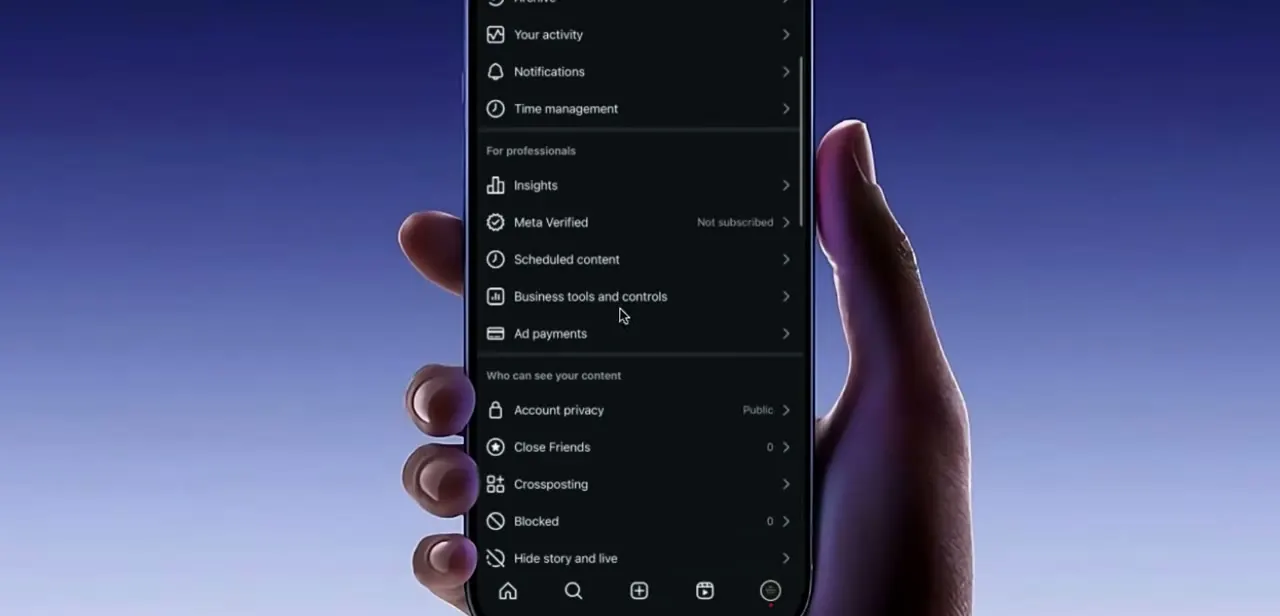
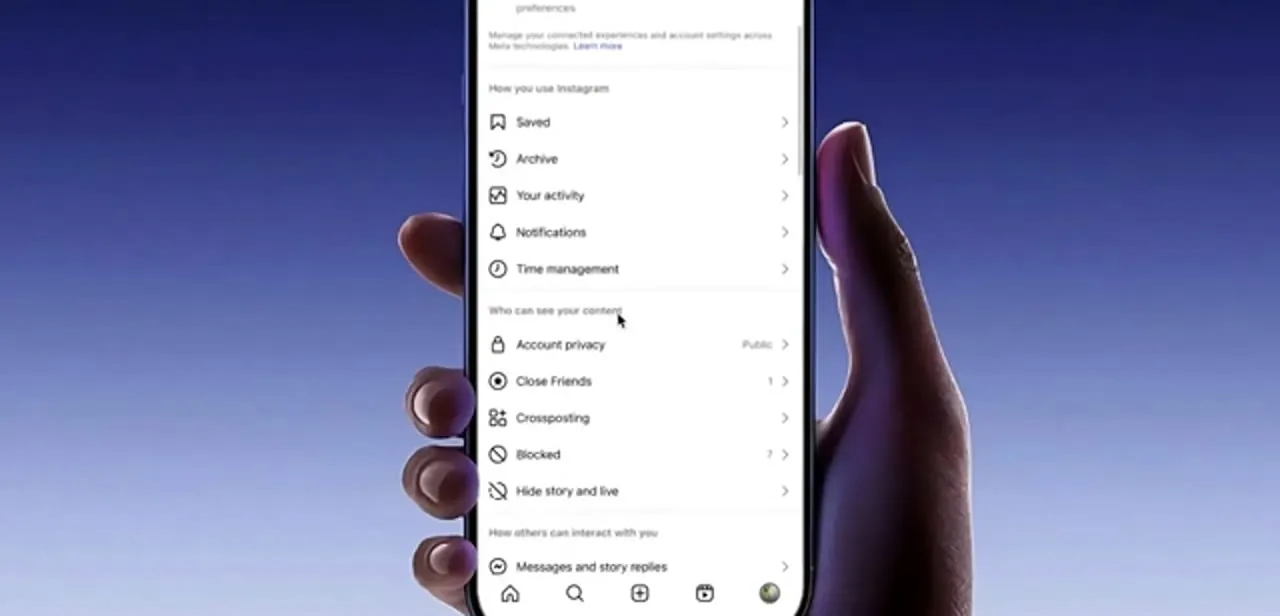
Tap your profile picture in the bottom-right corner, then the three-line menu at the top right, and choose Settings and privacy. The list is long and grouped under headings: How you use Instagram covers Saved, Archive, Your activity, Notifications and Time management; Who can see your content holds Account privacy, Close Friends, Crossposting, Blocked and Hide story and live; and below that, How others can interact with you begins with Messages and story replies. Activity status sits in that last group, not in Who can see your content, which is where most people look first and give up.
03Jump straight to Show activity status
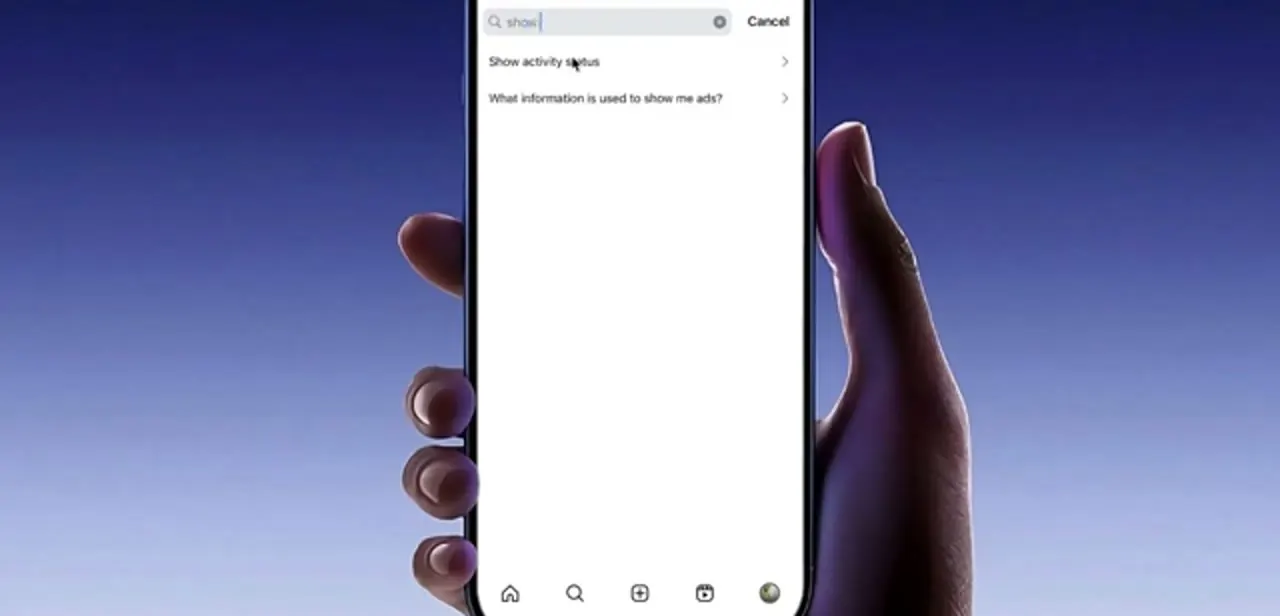
Instead of scrolling, use the search box at the top of Settings and privacy and type a few letters of "show"; Show activity status comes up as the first result. This shortcut is worth remembering generally: Instagram reorganizes this menu often enough that written directions go stale while the search stays reliable.
If you'd rather navigate manually, the setting sits inside Messages and story replies. Either way you land on the same screen.
04Turn the toggle off
The Show activity status screen has a single toggle with a line of explanatory text underneath. Blue means on, the default; tapping it turns it grey.
There's no Save button and no confirmation. The change applies immediately across your account, on every device you're logged into, and for everyone you've ever chatted with. Turning it back on later is the same tap, and Instagram doesn't tell anyone that you changed it either way.
05Accept the trade-off it makes
Instagram enforces this trade-off symmetrically, and its own help documentation spells it out directly: once you turn off your activity status, you stop seeing when anyone you follow or message is active, was recently active, or is active in the same chat as you, and they lose the same view of you. There's no setting that hides your status while keeping visibility into everyone else's. If seeing when a particular person is online matters to you, weigh that against your own privacy, because you can't have both.
06Know what it doesn't hide
Turning off activity status covers the green dot and the Active now and recently-active labels. It doesn't make you invisible elsewhere: read receipts still show a Seen marker when you open someone's message, your name still appears in the viewer list of any story you watch, and your own story stays visible to whoever your account privacy allows.
For anything broader than the online indicator, look separately at Account privacy for who can follow you, Hide story and live for specific people, and Restrict or Block for individual accounts. Activity status is one narrow switch, not a privacy mode.
Frequently asked questions
Where is the Active now setting on Instagram?
Profile, then the three-line menu, then Settings and privacy. Search for "show activity status", or open Messages and story replies and find it there. It is not under the Who can see your content group.
Is the process different on iPhone and Android?
No. Show activity status is an account setting, not a device one, so the path is the same in both apps and the change applies everywhere you're logged in.
Will I still see when other people are active?
No. Instagram's help documentation confirms the trade-off is mutual: turning off your own status also removes your ability to see everyone else's, including who's active, recently active, or in the same chat as you.
Does hiding activity status also hide when I've read a message?
No. Read receipts are separate, so the sender still sees a Seen marker when you open their message. The toggle only affects the online and recently-active indicators.
Does anyone get notified when I turn it off?
No notification is sent. Your dot simply stops appearing, and someone would have to be watching your row in their inbox closely to notice the change.
Sources and last check
Click path and screens come from a walkthrough recorded in 2025. Re-checked against Instagram's official Help Center article on Activity Status in September 2026: the mutual trade-off this guide describes matches Instagram's own wording, so no correction was needed there. The exact menu labels and tap sequence weren't reproduced in Instagram's help text, which describes the setting generally instead of as a step-by-step path, so those steps are carried over from the original recording, not independently re-verified line by line.
About the author

Impran M N
I've been hooked on technology for as long as I can remember — especially the new tools and AI apps that seem to land every other week. Easy Tech Tuts is where I write up whatever I've just worked out: I do the task in the real product, record the screen, and turn it into the guide I wish I'd found first.