Easy Tech Tuts
How To Fix Partner Monetization Policies Instagram Error 2026
By Impran M NLast checked against official docs
A Partner Monetization Policies violation in your Instagram Professional Dashboard can shut off earnings from Reels, Subscriptions, and Branded Content tools with very little warning. It usually comes down to Meta's automated system flagging inauthentic engagement, non-original content, or an account that hasn't yet built what Meta calls an "established presence." This guide walks through reading the exact flag, checking it against Meta's own published policy, and filing the review request that can lift it, using the current wording from Instagram's Help Center instead of the rule of thumb people usually repeat.
Before you start
- A Professional (Creator or Business) account; monetization status isn't shown on personal accounts
- The Instagram mobile app; Meta's own help pages note the monetization status checker isn't available on the web
01Check your monetization status first
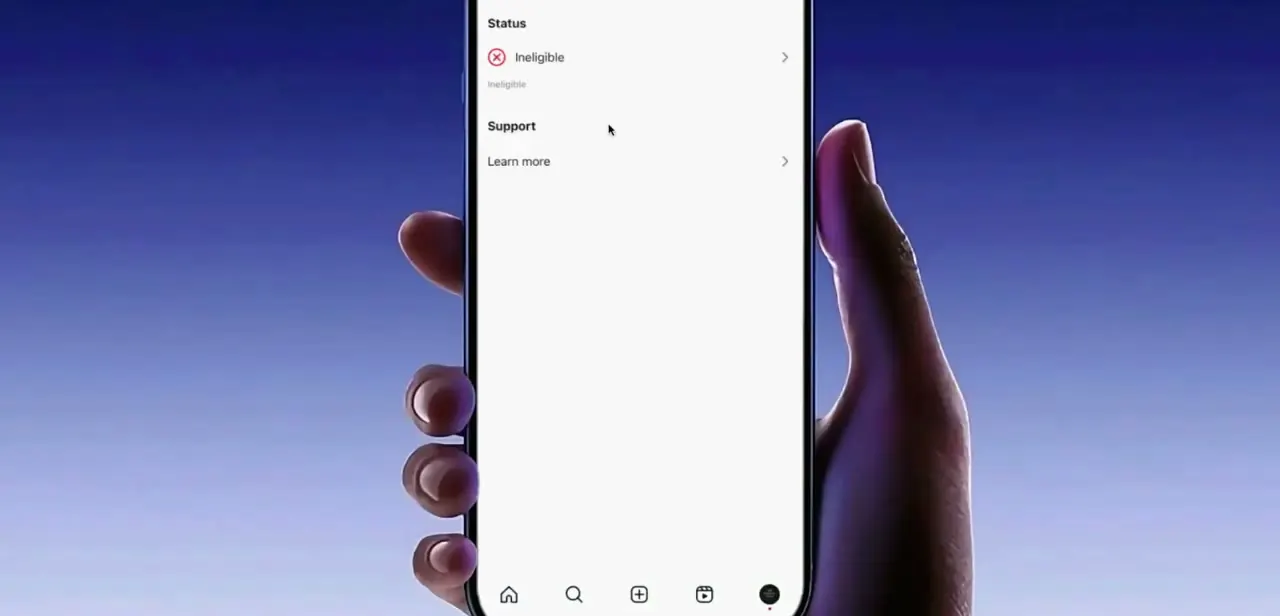
Open your Professional Dashboard and look for the Status section under your monetization tools. An account that's been flagged shows "Ineligible" next to a red X, with a Support link beneath it pointing to more detail.
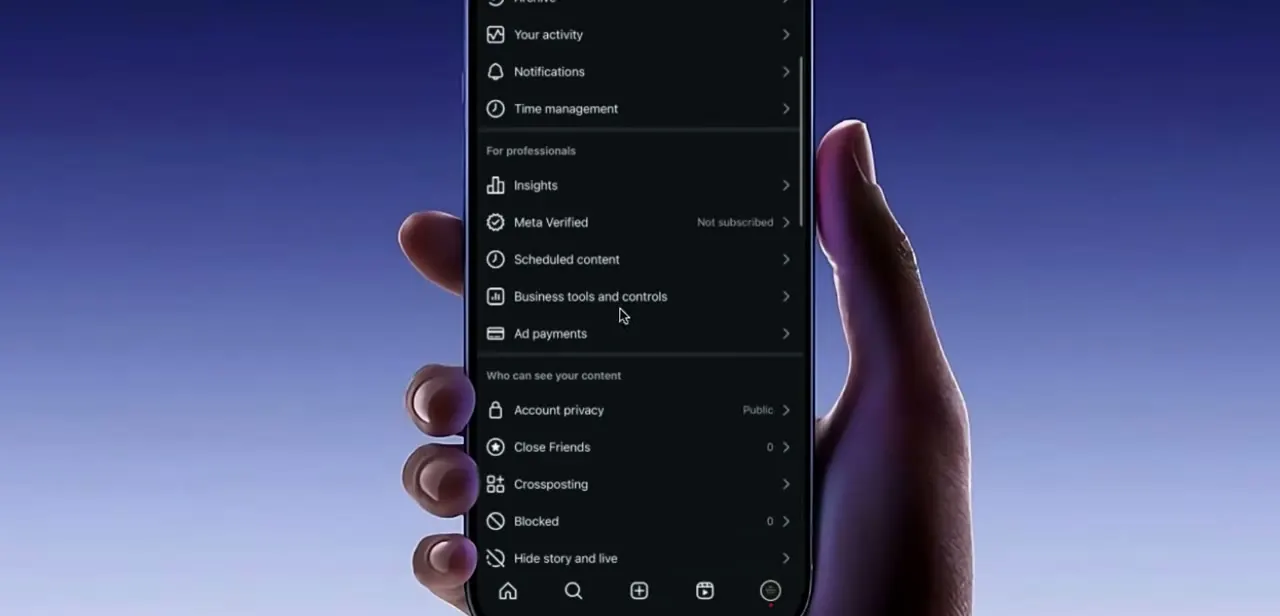
Meta's own Help Center documents a second route to the same information: Menu, then Settings, then Creator tools and controls (or Business tools and controls), then Monetization status. Either way, this is the starting point for everything else. Don't guess at what's wrong before reading what Instagram is telling you, since the screen usually names the specific policy category involved.
02Read the established presence requirement
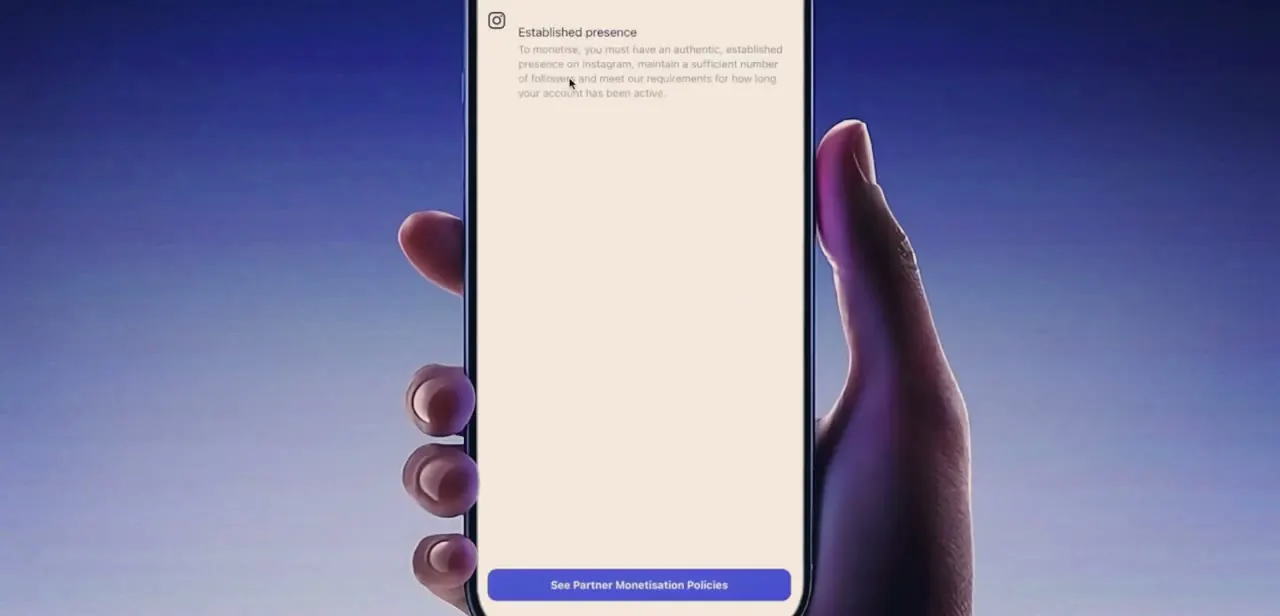
One of the most common reasons behind this flag is what Meta calls an established presence: an authentic account with a sufficient follower base and enough history on the platform. Meta doesn't publish an exact follower number or account age for this, so treat any specific figure you see quoted elsewhere as a guess, not a rule.
New accounts, or accounts that have recently changed niche or posting pattern, often trip this even without violating anything else. If your dashboard points here, the fix isn't a settings toggle; it's time and consistent, original posting until your account clears whatever bar Meta's system is applying.
03Open the full policy violations list
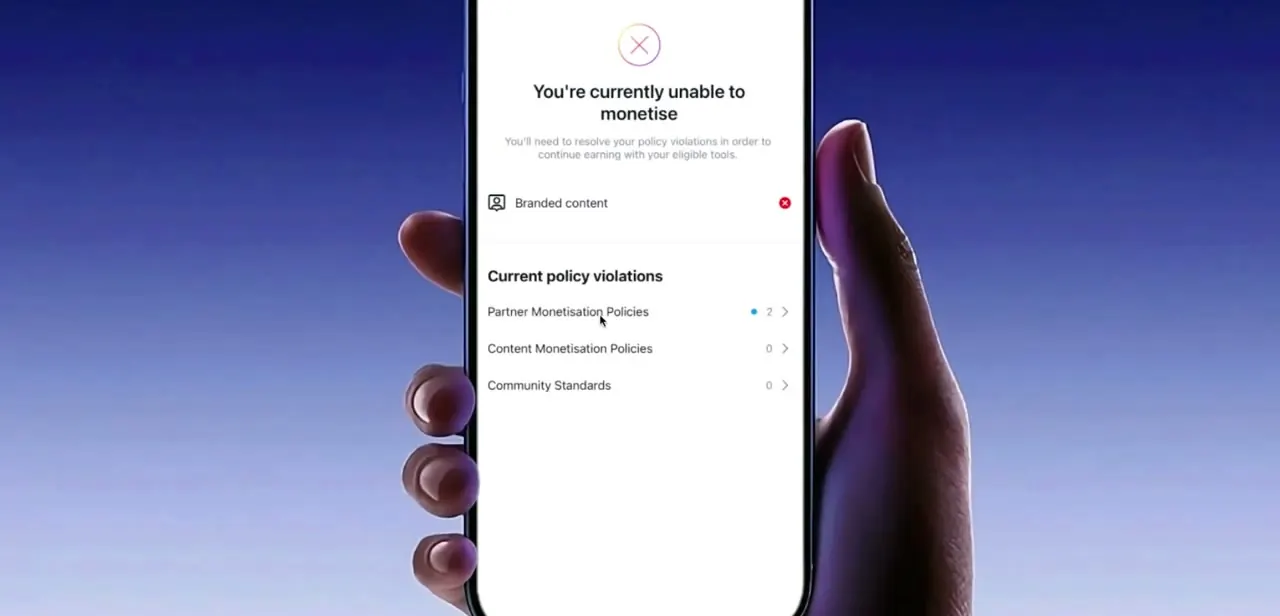
Deeper in the monetization settings is a screen titled "You're currently unable to monetise," which breaks violations into three categories: Partner Monetisation Policies, Content Monetisation Policies, and Community Standards, each with its own count. This is the single most useful screen in the whole flow, because it tells you exactly which bucket your violation falls into instead of leaving you to audit everything. A count next to Partner Monetisation Policies specifically means the issue is with your eligibility as a partner, things like branded content tool access, not with an individual post breaking community rules.
04Audit your recent content and account details
With the specific category identified, go back through your last few weeks of posts and Reels looking for anything that could read as non-original: reposted clips without added value, content pulled from other creators, or engagement that looks automated or purchased. Meta's Partner Monetization Policies also name a specific ban on "manufactured sharing," meaning coordinated distribution of content, often for payment, so paid engagement pods or share groups fall under this even if the content itself is fine. Also check basics that feed into an authentic presence: a real profile photo, a bio that matches what you post, and a username history that isn't constantly changing.
05Remove flagged content and clear your app cache
Archive or delete anything from the audit that could plausibly be read as non-original or low-effort, since a flagged account is reassessed against your current content, not your entire history. After making changes, force-close the app and clear its cache (or reinstall it) so Instagram pulls a fresh read of your account instead of relying on stale data. This doesn't guarantee reinstatement on its own, but it's a reasonable step before asking Meta to look again.
06Request a review
Some accounts see a stated waiting period before they can request review again; if yours does, appealing early won't skip it, so use the time to keep posting original content consistently. Meta's own policy pages don't state a fixed number of days for a Partner Monetization Policies flag itself; the roughly 90-day figure people cite around Instagram tends to come from strike or ban expirations, not from the monetization policy text, so treat it as a rule of thumb, not something Meta guarantees.
Once you've addressed the underlying cause, go back to Monetization status, open Current policy violations, and tap Request a review, either on the specific violation or on all of them at once. Manual reviews take longer than the automated check but carry more weight, since a person is looking at context the system missed. Keep checking Monetization status afterward; a resolved appeal shows up there first.
| Requirement | What it covers |
|---|---|
| Eligible country | You must reside in a country where the monetization tool is available; moving, or Meta changing eligibility, can flip your status. |
| Community Standards | Applies to every post and interaction, including rules on hateful conduct, violence, and sexualized content. |
| Content Monetization Policies | A stricter layer on top of Community Standards that applies specifically to monetized content and formats. |
| Accurate information | Content flagged as misinformation or false news can make an account ineligible. |
| Authentic engagement | No artificially boosted followers, views, or engagement, including paid "manufactured sharing." |
| Payment terms | You must comply with Meta's rules for sending and receiving payments. |
| Established presence | An authentic account with a sufficient follower base and enough history; Meta does not publish an exact number. |
| Political and government rules | Elected officials, candidates, parties, and government agencies are ineligible to monetize. |
| No systemic violations | Repeated violations by a connected entity can cost an otherwise compliant account its eligibility. |
From Instagram's official Partner Monetization Policies help page, checked in September 2026.
When it doesn't work
There's no stated review window, but the account has been ineligible for months
Why: Meta's published Partner Monetization Policies text doesn't commit to a fixed number of days for this specific flag; only account strikes and bans carry a defined expiry elsewhere on the platform.
Fix: Re-read the exact wording under Monetization status instead of assuming a fixed wait, and request a review once the specific listed violation has genuinely been addressed.
The account looks compliant but is still flagged as ineligible
Why: Monetization tools are gated by country. Meta can change which countries a feature is available in independently of anything the account did.
Fix: Check the tool's current list of eligible countries; a move or a regional policy change can trigger this with no content issue involved.
Monetization tools look limited despite clean content, for an account based in the EU, EEA, or Switzerland
Why: Meta restricts advertising and monetization for accounts in an Accounts Center that's subscribed to use Meta apps without ads, or with a less-personalized ad experience.
Fix: Check the ad subscription setting in Accounts Center if the account is based in one of these regions.
A review comes back with the same result
Why: Request a review re-checks the same violation. If the flagged content or engagement pattern wasn't removed or corrected, the outcome doesn't change.
Fix: Confirm the specific item named in the violation was removed or fixed, then request review again.
Frequently asked questions
How long does the Instagram monetization review period last?
Meta doesn't publish a fixed number of days for a Partner Monetization Policies flag. The roughly 90-day figure commonly mentioned tends to trace back to strike or ban expirations, not the monetization policy itself, so check the exact wording under your own Monetization status instead of assuming that number applies.
What causes the Partner Monetization Policies error on Instagram?
Meta lists nine requirements: residing in an eligible country, following Community Standards and Content Monetization Policies, sharing accurate information, monetizing only authentic engagement, following payment terms, having an established presence, complying with political and government rules, and avoiding systemic violations by connected accounts.
Can I appeal a monetization policy violation on Instagram?
Yes. Go to Monetization status (Settings, then Creator tools and controls or Business tools and controls, then Monetization status), open Current policy violations, and tap Request a review on the specific violation or on all of them at once.
Does switching account categories help fix a monetization error?
It can in some cases, but it depends entirely on what triggered the flag. Check the specific policy category on your violations screen before assuming a category switch will help.
Where do I see exactly which policy I violated?
Open Monetization status and look for the screen listing Current policy violations, or the "You're currently unable to monetise" breakdown reachable from the Professional Dashboard. Both list Partner Monetisation Policies, Content Monetisation Policies, and Community Standards separately, each with its own count.
Does my country or an EU no-ads subscription affect monetization?
Yes. Monetization tools are limited to specific countries, and Meta separately restricts monetization for accounts in an Accounts Center with a subscription to use Meta apps without ads or with a less-personalized ad experience, which applies in the EU, EEA, and Switzerland.
Sources and last check
Click paths and screens come from a walkthrough recorded in July 2025. The policy list, the Settings-based path to Monetization status, the Request a review appeal flow, and the EU ad-subscription restriction were checked against Instagram's official Help Center pages, loaded directly in a browser in September 2026 since they render via JavaScript. That check could not find any Meta-published source for the widely repeated 90-day review window, so this guide now states that plainly instead of presenting it as confirmed.
About the author

Impran M N
I've been hooked on technology for as long as I can remember — especially the new tools and AI apps that seem to land every other week. Easy Tech Tuts is where I write up whatever I've just worked out: I do the task in the real product, record the screen, and turn it into the guide I wish I'd found first.