Easy Tech Tuts
How To Fix Instagram We Restrict Certain Activity, Temporary Blocked Error 2026
By Impran M NLast checked against official docs
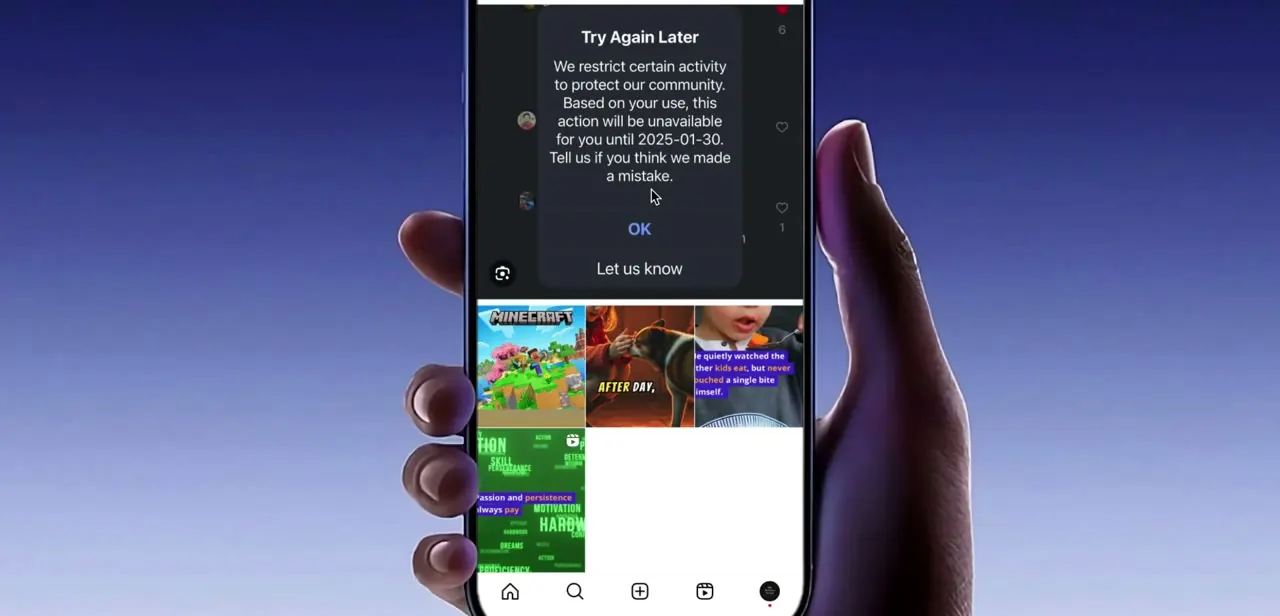
If Instagram just stopped you mid-action with a message reading "Try Again Later, we restrict certain activity to protect our community," you're not banned. The app has flagged something you did as too fast or too repetitive.
It's a common side effect of commenting quickly, sending a burst of messages, or following and unfollowing in a short window. The fix is almost always on your end, not something support needs to intervene on, and most people are back to normal within a day or two. This guide covers what the block looks like and the four fixes worth trying, in the order that tends to work best.
01Recognize what the restriction looks like
The block shows up as a pop-up titled "Try Again Later" or "Try again later," explaining that Instagram restricts certain activity to protect its community, sometimes with a specific date the action becomes available again. It can appear while you're liking posts, commenting, sending DMs, or following accounts, and it looks slightly different depending on whether you're on a phone or using Instagram through a browser.
One version even includes a "Tell us" link to dispute it if you think it's a mistake. This isn't a permanent ban. It's Instagram's automated system reacting to a pattern of activity it considers spammy, usually because too many of the same action happened in a short stretch of time.
02Wait it out before doing anything else
The single most reliable fix is also the least satisfying: stop the activity that triggered it and give the restriction time to expire. Instagram doesn't publish an exact timeline for these automated flags, but they're widely and consistently reported to run from a few hours to a day or two for a first-time trigger.
Repeating the same action right away tends to extend the restriction instead of clearing it. Close the app, do something else, and check back later before you comment, message, or follow again.
03Log out and back in from your profile
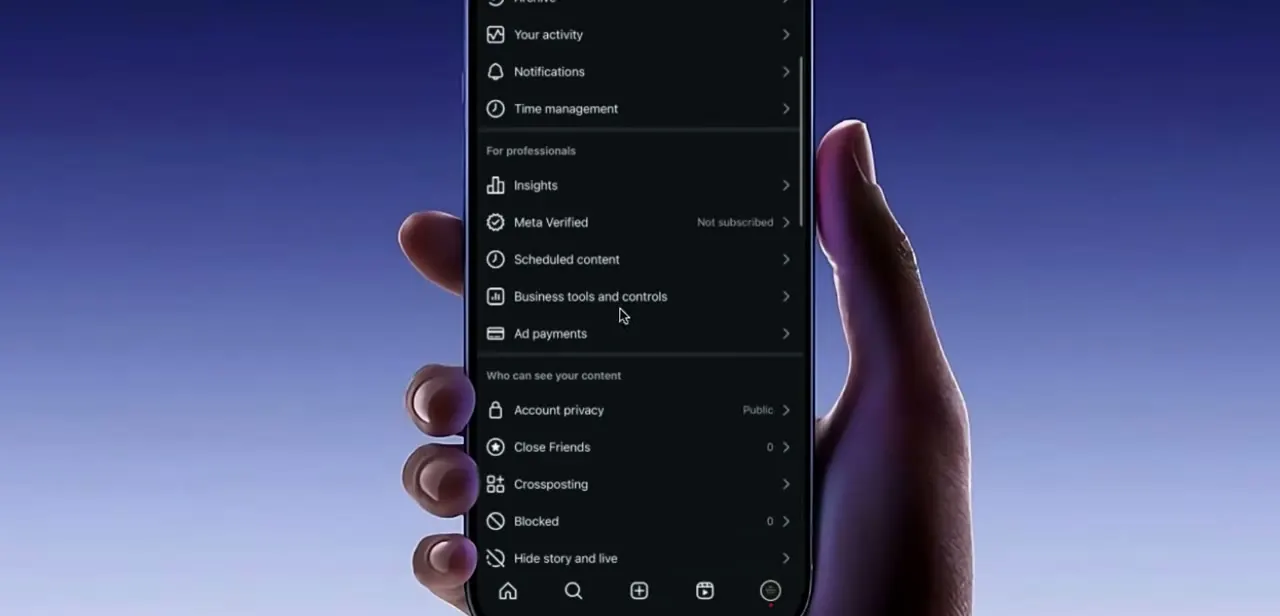
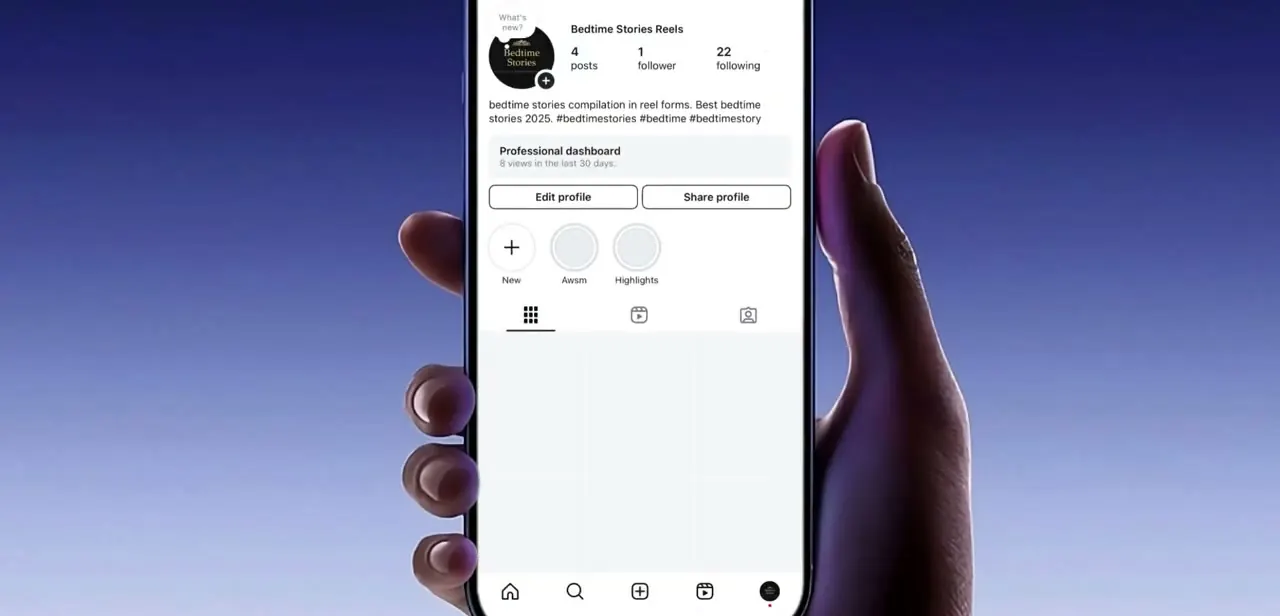
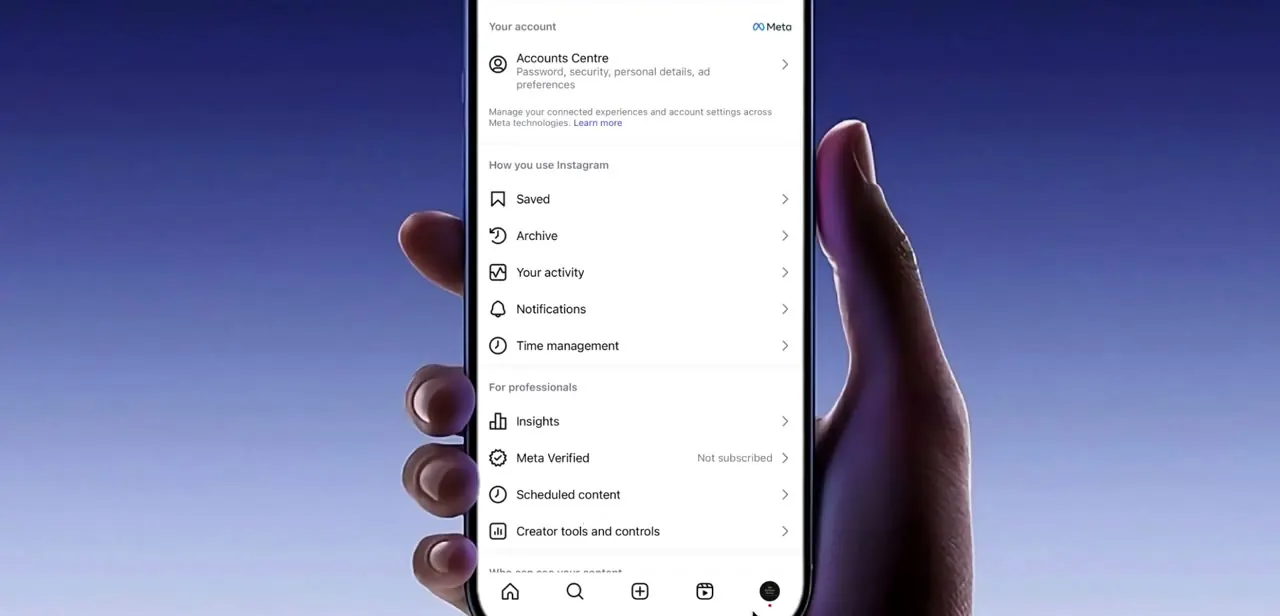
If waiting hasn't cleared it, a session reset sometimes does. Go to your profile tab, tap the menu icon in the top right, scroll to the bottom of that menu, and choose Log Out (or Log Out All Accounts if you're worried it's tied to a specific session). Signing back in refreshes your session token, which occasionally clears a restriction triggered by a background app process instead of anything you did yourself.
04Restart your phone
This sounds too simple to matter, but Instagram's mobile app can hold onto a stuck network request or a corrupted local cache that keeps re-triggering the same error even after the server-side restriction has already lifted. A full restart clears the app out of memory and forces it to establish a fresh connection the next time you open it. That resolves the loop for some users even when logging out alone didn't.
05Clear Instagram's cache from your phone settings
On Android, open Settings, go to Apps, find and tap Instagram, go to Storage, and tap Clear Cache (not Clear Data, which would sign you out and reset local preferences). This removes temporary files the app has accumulated that can sometimes conflict with how it checks your account status. iPhone doesn't offer a dedicated cache-clear option, so on iOS the equivalent move is offloading or reinstalling the app instead.
06Give it real time if none of the above clears it
If you've waited, restarted, and cleared cache and the message still appears, the restriction is likely still active on Instagram's end, not something local to your device. Avoid repeating the flagged action in the meantime; doing so during an active restriction is what tends to lengthen it into a multi-day block. For most first-time triggers, behaving normally (spacing out likes, comments, and follows instead of batching them) is enough for the flag to lift on its own.
When it doesn't work
Restarting the phone and clearing the cache don't change anything
Why: The restriction lives on Instagram's servers, not on the device, so device-side fixes can't clear a flag that's still active server-side.
Fix: Stop the action that triggered it and wait. There's no local workaround for a restriction Instagram's own systems haven't lifted yet.
There's no Clear Cache option in an iPhone's settings
Why: iOS doesn't expose an app-level cache control the way Android does.
Fix: Use Settings > General > iPhone Storage > Instagram > Offload App, or delete and reinstall the app instead.
The same restriction comes back shortly after it lifts
Why: The action that triggered it (rapid likes, follows, or comments) was repeated at the same pace right after the block cleared.
Fix: Space the action out over a longer window instead of resuming at the pace that caused the first flag.
Frequently asked questions
Why does Instagram say it restricts certain activity?
Instagram's automated systems flag fast, repeated actions, spamming comments, sending too many messages in a row, or following and unfollowing quickly, as spam-like behavior and pause the action temporarily.
How long does the restriction usually last?
Instagram doesn't publish an official duration. User reports consistently describe first-time triggers clearing within a few hours to a day or two, with repeat triggers running longer. The pop-up itself sometimes states the exact date it lifts.
Will logging out fix the error?
Logging out and back in refreshes your session and can clear restrictions tied to a stuck local session. It won't lift a restriction Instagram's servers are still actively enforcing.
Does clearing the cache delete my Instagram data?
No. Clearing the cache (not "Clear Data") only removes temporary files and doesn't delete your account, posts, messages, or login.
Does the "Tell us" link in the pop-up actually lift the restriction?
It submits your case for a manual review; it doesn't lift the block on the spot. There's no published guarantee of a response time, so treat it as a backup, not a fast fix.
Will repeating the blocked action make it worse?
Yes. Forcing the same action through while the restriction is active is one of the most common reasons a short, automatic flag turns into a longer block.
Sources and last check
Screens and click paths come from a recorded walkthrough. Instagram does not maintain a public Help Center article specifically describing this automated action-block message, its exact durations, or its triggers; a search of help.instagram.com in September 2026 turned up nothing matching it, so the duration ranges here are stated as widely and consistently reported outcomes, not as Instagram-documented facts. No official source is cited because none was found to cite.
About the author

Impran M N
I've been hooked on technology for as long as I can remember — especially the new tools and AI apps that seem to land every other week. Easy Tech Tuts is where I write up whatever I've just worked out: I do the task in the real product, record the screen, and turn it into the guide I wish I'd found first.