Easy Tech Tuts
How to Fix Instagram Established Presence Problem in Branded Content Ineligible 2026
By Impran M NLast checked against official docs
If Instagram is flagging your account as ineligible for branded content because of an 'established presence' problem, it usually means the platform hasn't verified enough authentic activity on your profile yet. This guide explains what triggers the flag, including new accounts, low followers, and inconsistent posting, and walks through the actual screens where the ineligible status shows up, so you know what Instagram is objecting to before you try to fix it. You'll also see how to request a manual review once the underlying issues are addressed.
Before you start
- A Business or Creator (Professional) account. Branded content tools and the eligibility Status screen don't exist on a personal account.
01Check your Branded Content status page
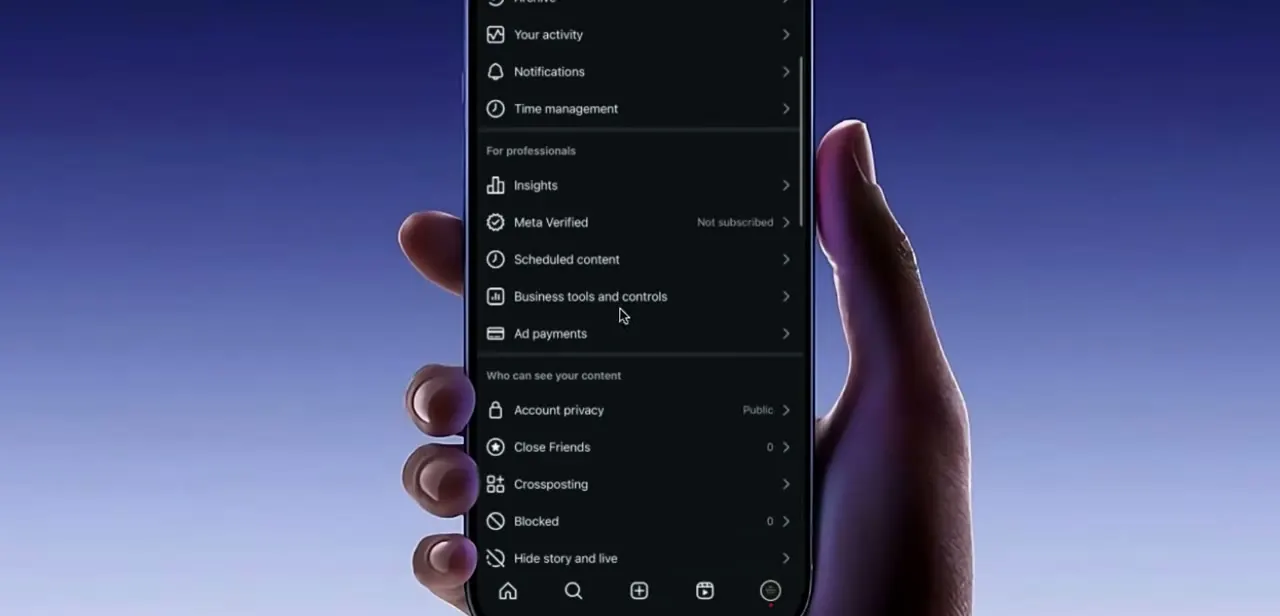
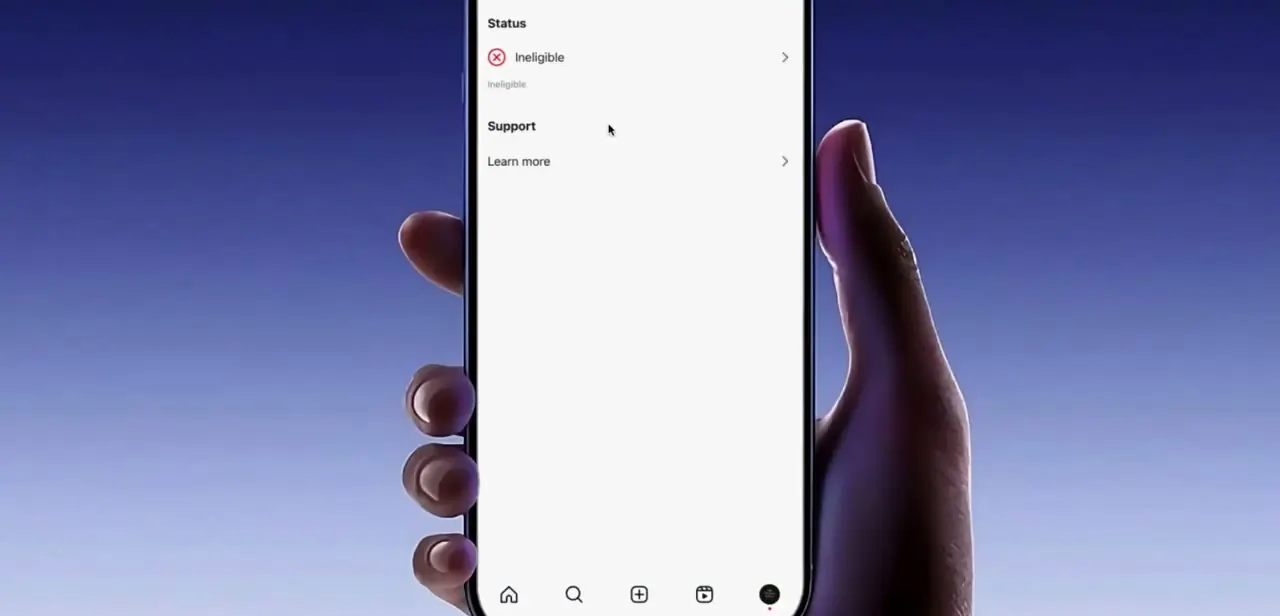
From your professional dashboard, open the branded content tools section and look at the Status entry near the top. A red X next to "Ineligible" confirms the block is active, not a temporary glitch.
Below it sits a Support section with a Learn more link, Instagram's own explanation of the requirement. Read it in full before changing anything; it spells out what the platform is checking for.
02Read the 'unable to monetise' breakdown
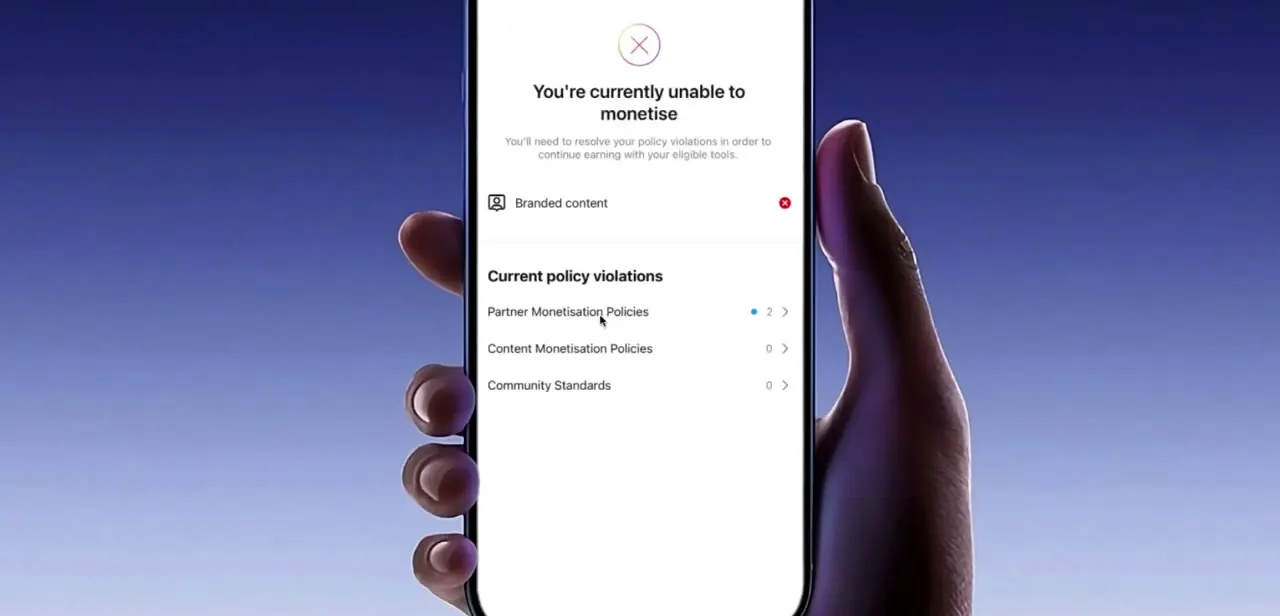
Tapping into the eligibility details brings up a screen headed "You're currently unable to monetise," listing Branded content with its own red X and a section called Current policy violations. Instagram splits eligibility into three categories here: Partner Monetisation Policies, Content Monetisation Policies, and Community Standards, each with a count of open issues next to it. A nonzero count under Partner Monetisation Policies is the established presence flag specifically, separate from any content violation under Community Standards.
03See why low activity trips the flag
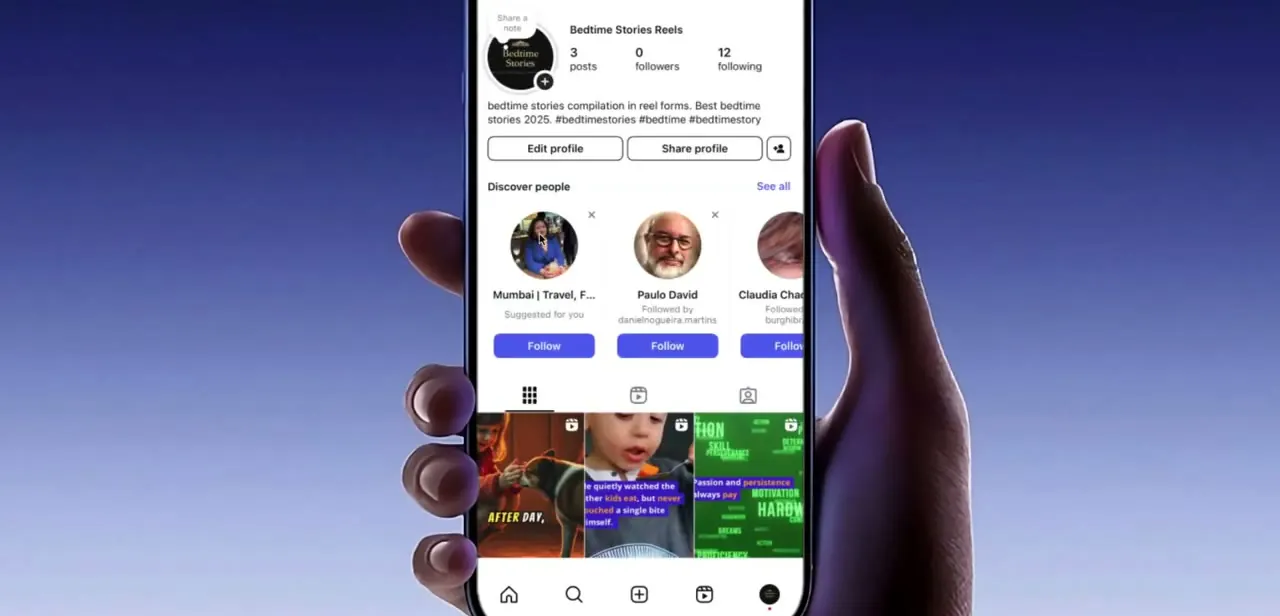
Instagram's own eligibility page states that creators and publishers must have an authentic, established presence, which includes maintaining a sufficient follower base; it doesn't publish an exact number for that. What it visibly does use is the same data shown on your own profile: post count, follower count, and following count sit right under your bio. The account in this walkthrough sits at 3 posts and 0 followers, about as clear a version of the pattern the established presence check is designed to catch as it gets.
04Build a consistent posting and engagement history
Established presence is a pattern check, not a one-time hurdle, so the fix is rarely instant. Post original content regularly over several weeks instead of in a single burst, and engage with your own audience through replies and Stories; consistent activity reads as a real, ongoing account instead of one set up purely to unlock monetization tools. Avoid reposted or low-effort content during this window, since it can work against you if it also trips Community Standards.
05Resolve any listed policy violations first
Go back to the Current policy violations screen and clear anything showing a nonzero count before requesting a review. Instagram won't reconsider an account with open violations, no matter how active it has become since. Work through each category listed: a review request submitted while violations are still open typically comes back with the same ineligible result.
06Request a manual review
Once your account shows consistent activity and the violations list is clear, use the Learn more or Support link from the Status screen to submit a review request. Instagram's systems also re-check periodically on their own, so if no review option appears right away, maintaining the improved activity for a few more weeks is often enough to clear the flag without any manual step.
When it doesn't work
A review request comes back with the same ineligible result
Why: A different category, Content Monetisation Policies or Community Standards, still shows an open violation even though the established presence issue improved. Instagram won't clear the flag while any category has a nonzero count.
Fix: Go back to the Current policy violations screen and confirm all three categories read zero before requesting another review.
No option to request a review appears on the Status screen
Why: Instagram's systems reassess eligibility periodically on their own; a manual review option doesn't always show up right after changes are made.
Fix: Keep posting and engaging consistently and check back over the following weeks. The flag can clear automatically once an activity pattern holds, without a manual request ever being submitted.
Follower count looks reasonable but the account is still flagged
Why: Instagram's eligibility wording bundles authenticity and consistency together with follower count, not follower count alone. Purchased or inactive followers, or a burst of posts after a long gap, can still read as inauthentic even with a decent-looking number.
Fix: Focus on genuine engagement and a steady original-posting schedule, not the raw follower count by itself.
Switched to a Professional account but branded content tools are still unavailable
Why: Professional (Business or Creator) status is necessary but not sufficient. Established presence and any open policy violations are checked separately.
Fix: Check the Status screen directly (step 1) instead of assuming the account type switch alone resolved it.
Frequently asked questions
How long does it take to fix an established presence problem on Instagram?
There's no fixed timeline. Instagram is checking for a consistent pattern of authentic activity, so it can take anywhere from a few weeks to considerably longer on a very new account.
Does follower count affect branded content eligibility?
Yes, but not on its own. Instagram's eligibility requirements state accounts need an authentic, established presence, including a sufficient follower base, without publishing an exact number. A low follower count combined with inconsistent posting is a common reason accounts get flagged.
Do I need a Business or Creator account to use branded content tools?
Yes. Branded content tools and the eligibility Status screen aren't available on personal accounts at all; switching to a Professional Creator or Business account is required first.
What's the difference between the established presence flag and a policy violation?
On the eligibility breakdown screen, established presence issues show up under Partner Monetisation Policies, while content-specific problems appear separately under Content Monetisation Policies or Community Standards. Each needs to be resolved on its own.
Can I appeal if I think Instagram made a mistake?
You can request a manual review from the Support section of the Status screen once any listed violations are cleared. Instagram doesn't publish a separate appeals process specifically for the established presence flag beyond that review request.
Is there a minimum follower count Instagram requires?
Instagram hasn't published one. Its help documentation says a "sufficient follower base" is part of the established presence requirement but doesn't attach a number to it, so treat follower count as one signal among several, not a target to hit exactly.
Sources and last check
Screens and click path come from a recorded walkthrough on a real, very new test account, visible in the screenshots at 3 posts and 0 followers. The established presence and follower-base wording were checked against Instagram's official eligibility Help Center page in September 2026; the live page didn't fully render on fetch, but Instagram's own indexed text for that page was cross-checked and matches what's quoted here. No specific follower-count threshold is published anywhere official, despite that number circulating in third-party guides, so this version deliberately doesn't state one.
About the author

Impran M N
I've been hooked on technology for as long as I can remember — especially the new tools and AI apps that seem to land every other week. Easy Tech Tuts is where I write up whatever I've just worked out: I do the task in the real product, record the screen, and turn it into the guide I wish I'd found first.