Easy Tech Tuts
How to Fix Instagram Ad Account Disabled Reasons & Recovery Guide 2026
By Impran M NLast checked against official docs
A disabled Instagram ad account stops your campaigns cold, and the reason isn't always obvious from the notice you get. Because Instagram ads run through Facebook's ad infrastructure, the fix involves checking your account status in Facebook's tools even though you noticed the problem inside the Instagram app. This guide walks through the common causes, where to see the exact reason, and how to file an appeal if you believe the disablement was a mistake.
01Understand why accounts get disabled
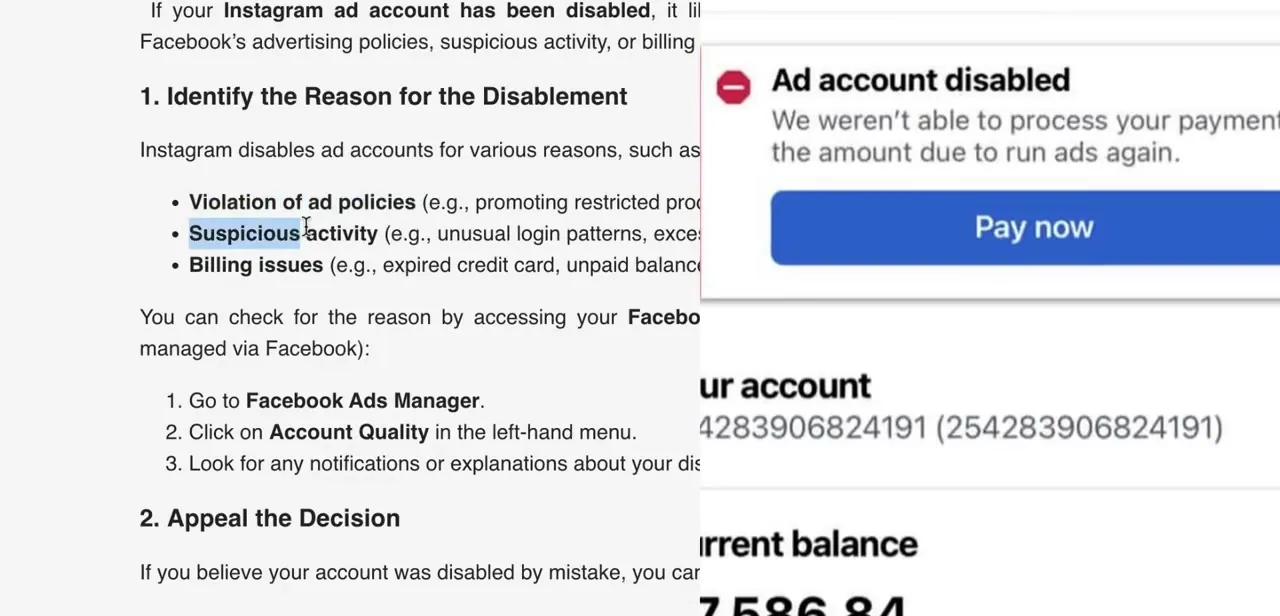
Instagram and Facebook disable ad accounts for a handful of recurring reasons: violating advertising policies (restricted products or inappropriate content), suspicious activity such as unusual login patterns or a burst of ad submissions in a short window, and billing issues like an expired card or an unpaid balance. Billing problems are the easiest to fix and the easiest to miss, since the account can look disabled for policy reasons when the real cause is a failed payment.
One of the most common notices looks like the one shown here: a red "Ad account disabled" banner stating the payment couldn't be processed, with a Pay now button, your account number, and your outstanding balance. If you see this specific message instead of a policy-violation warning, the fix is usually just clearing the balance and updating your payment method.
No appeal needed. Check this before assuming you've been flagged for a content or conduct violation, since the two recovery paths are different.
02Check your account status inside Instagram
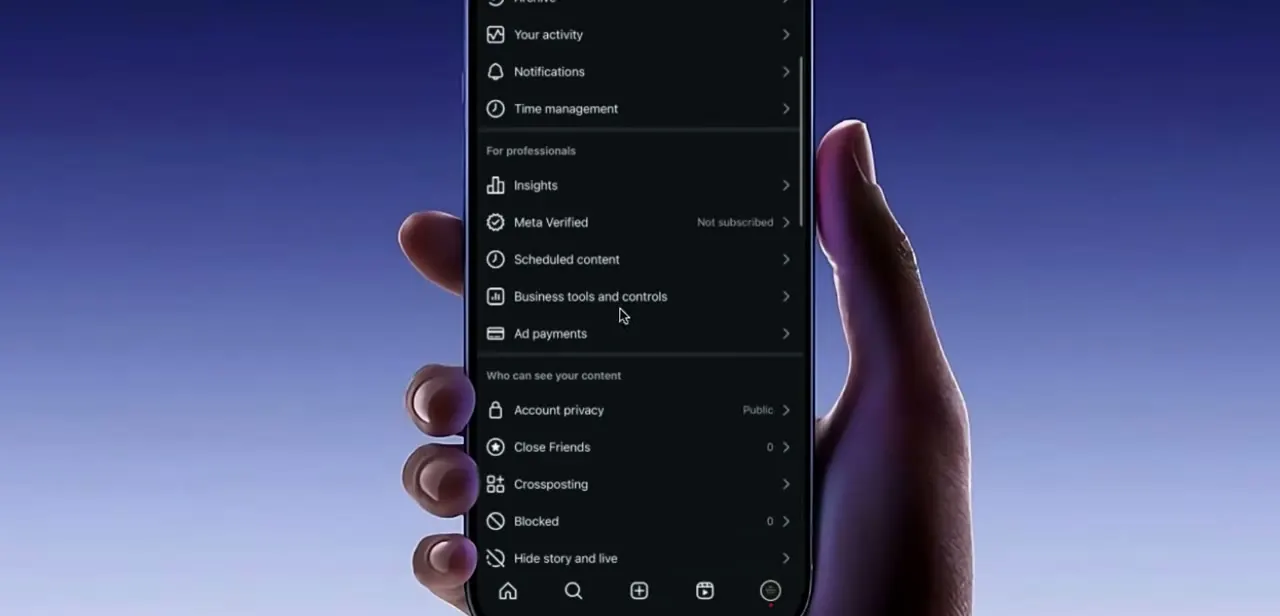
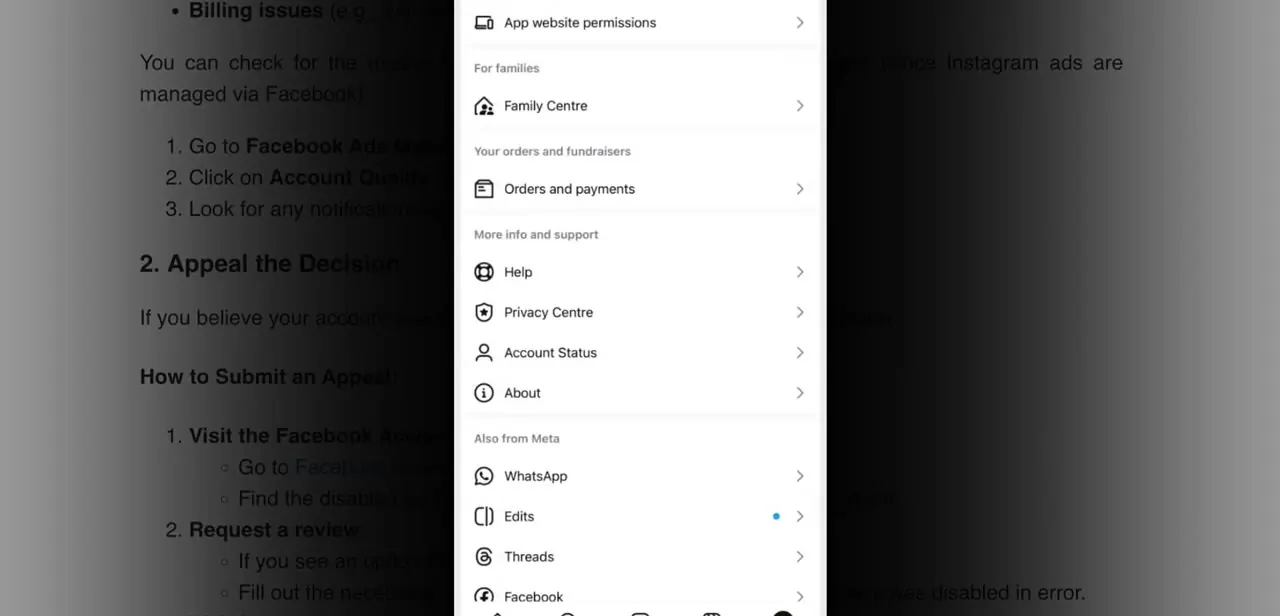
Open the Instagram app, go to your profile, tap the menu icon in the top right, and choose Settings and Privacy. Scroll to the "More info and support" section, where Account Status sits alongside Help, Privacy Centre, and About.
Tapping it shows whether any of your ads or content have been flagged, and for what. This is the first place to check when you don't yet know whether you're dealing with a policy issue, a billing issue, or something else.
03Check the reason from Facebook Ads Manager
Instagram ads are managed through Facebook's ad system, so a more detailed breakdown lives in Facebook Ads Manager instead of the Instagram app. Go to Ads Manager, click Account Quality in the left-hand menu, and look for any notifications tied to your disabled account. This view often gives more specific detail than the in-app Account Status screen, including which ad, policy, or billing event triggered the disablement.
04Submit an appeal if you believe it was a mistake
If the disablement wasn't due to an unpaid balance and you believe it was applied in error, you can request a review. Visit the Facebook Account Quality page, find the disabled account listed there, and choose the option to request a review.
Fill out the appeal form completely, explaining clearly why you believe the account was disabled by mistake. Vague appeals with no specifics tend to move slower and are more likely to be denied, so reference the exact ad or policy the notice pointed to if you can.
05Wait for a response and avoid repeating the trigger
After submitting, Facebook reviews the appeal and responds by email, so check your inbox including spam over the following days. While you wait, avoid creating a new ad account to work around the disablement or resubmitting large batches of ads. Both can look like the same suspicious pattern that led to the disablement in the first place, and can complicate the review of the account you're trying to recover.
When it doesn't work
The disablement notice shows a red banner with a Pay now button and an outstanding balance
Why: This is a billing failure, not a policy violation, even though the account shows the same "disabled" label either way.
Fix: Clear the balance and confirm a valid payment method. No appeal is needed for this path.
An appeal comes back denied, or gets no response for a long time
Why: Appeals that describe the situation in general terms, without naming the specific ad, policy, or notice involved, are harder for a reviewer to act on.
Fix: Resubmit or follow up referencing the exact ad, policy, or Account Quality notice shown on your account.
The account is still disabled and a new ad account seems like the faster fix
Why: Creating a second ad account, or resubmitting a large batch of ads, while the first is under review can register as the same suspicious pattern that triggered the original disablement.
Fix: Wait for the email response on the existing appeal instead of working around it with a new account.
Frequently asked questions
Why was my Instagram ad account disabled?
Common reasons include violating advertising policies, unusual account activity like a burst of ad submissions, or billing problems like an expired card or unpaid balance. The billing case usually shows a specific Pay now notice instead of a policy warning.
How do I check why my account was flagged?
In the Instagram app, go to Settings and Privacy, then Account Status under More info and support. For more detail, check Account Quality inside Facebook Ads Manager, since Instagram ads run through Facebook's systems.
How do I appeal a disabled ad account?
Submit a review request through the Facebook Account Quality page, explaining specifically why you believe it was disabled by mistake instead of giving a general statement.
How long does an appeal take?
The response time varies. Facebook notifies you by email once your appeal has been reviewed, so check spam folders in case the notification lands there.
What if my ad account was disabled for a billing issue, not a policy violation?
You'll typically see a red notice stating the payment couldn't be processed, with a Pay now button and your outstanding balance. Clearing the balance and confirming a valid payment method usually resolves this without an appeal.
Will creating a new ad account fix this faster?
It tends to make things worse. A new ad account created while the original is under review can look like the same suspicious pattern that caused the disablement, which can complicate recovering the account you want back.
Sources and last check
Click path and screens come from a recorded walkthrough. Meta's Business Help Center pages on Account Quality and advertising restrictions render through JavaScript and returned no readable article text to an automated fetch attempted in September 2026, so the appeal mechanics described here could not be checked against a readable official source in this session. The one Meta/Instagram help page that did return readable content covers disabled personal accounts under Community Standards, a different mechanism from ad-account billing or policy holds, so it isn't cited here since it wouldn't directly support this article's claims. No factual corrections were made to the recorded steps; the changes in this pass are structural and to the prose.
About the author

Impran M N
I've been hooked on technology for as long as I can remember — especially the new tools and AI apps that seem to land every other week. Easy Tech Tuts is where I write up whatever I've just worked out: I do the task in the real product, record the screen, and turn it into the guide I wish I'd found first.