Easy Tech Tuts
How to Connect Hostinger Domain to Shopify Easily 2026
By Impran M NLast checked against official docs
Buying your domain through Hostinger while running the store on Shopify works fine, but the two platforms don't talk to each other automatically. Shopify tells you exactly which DNS records it needs; the work is logging into Hostinger and entering those values correctly, and clearing a couple of Hostinger defaults that get in the way if you skip them. This guide walks through reading Shopify's DNS instructions, updating the A and CNAME records in Hostinger, and two settings Hostinger's own documentation says to check first: an active CDN and a leftover AAAA record.
Before you start
- A domain managed at Hostinger, with the store already added under Shopify admin > Settings > Domains > Connect existing domain
- Admin access to hPanel for the domain in question
01Check your domain's status in Shopify admin
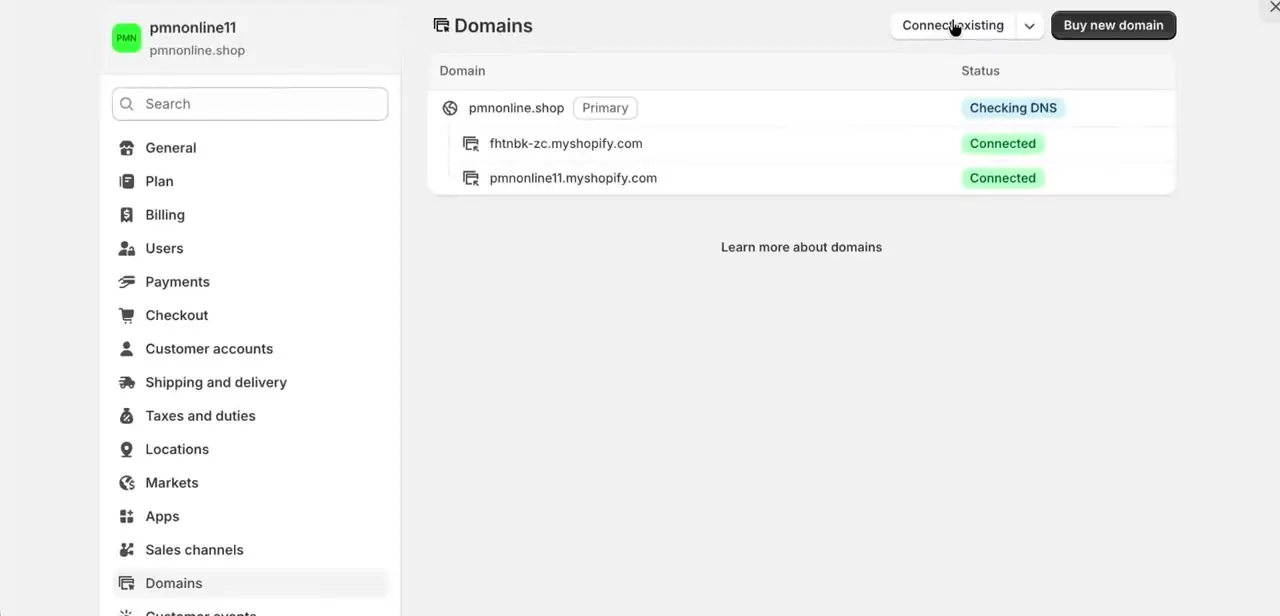
In Shopify, go to Settings then Domains to see every domain connected to your store. A fresh connection attempt shows your custom domain (pmnonline.shop in this example) sitting alongside the two default myshopify.com addresses that come with every store. The status column tells you where things stand: "Checking DNS" means Shopify is still waiting on the records you're about to set, and "Connected" means that address already works.
02Open the domain and read Shopify's DNS instructions
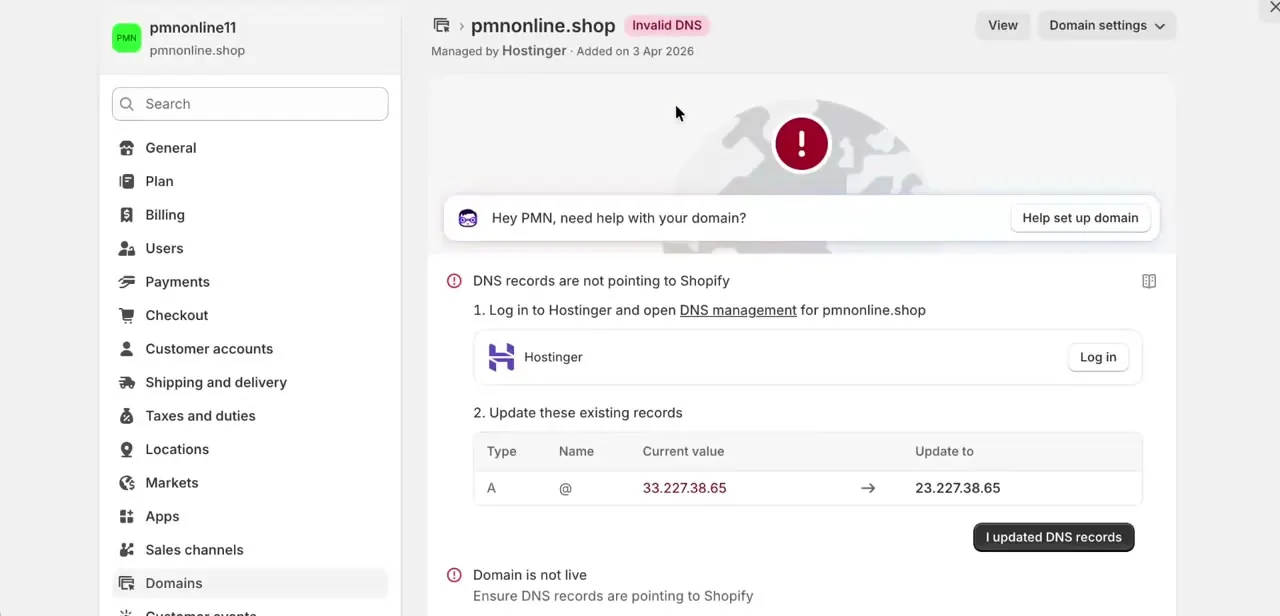
Click into the domain to see the specific problem and the fix. Shopify flags "Invalid DNS" when your A record doesn't point to its servers yet, and it names the exact value to change.
In this case, an A record with name @ needs a new IP address. Copy this value exactly as shown. Shopify's own support documentation notes the address is usually 23.227.38.65, but a domain can be assigned a different valid IP with the same trailing digits, so use whatever your own Shopify panel displays instead of a number from a guide.
03Open Hostinger's DNS records and clear the defaults that block a clean switch
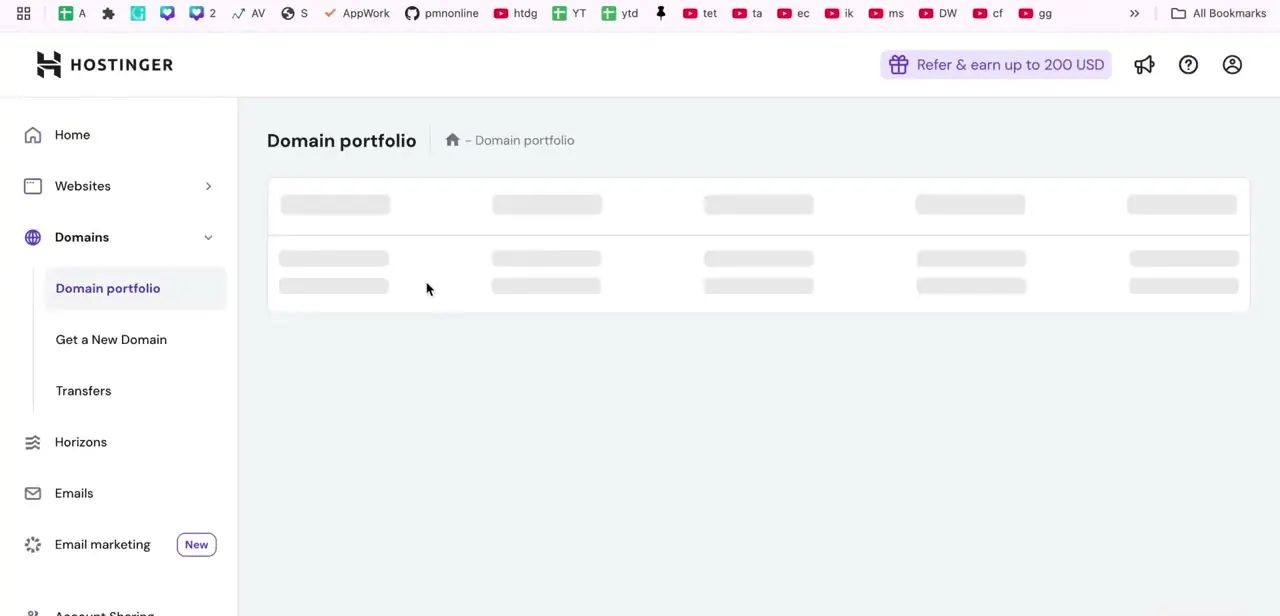
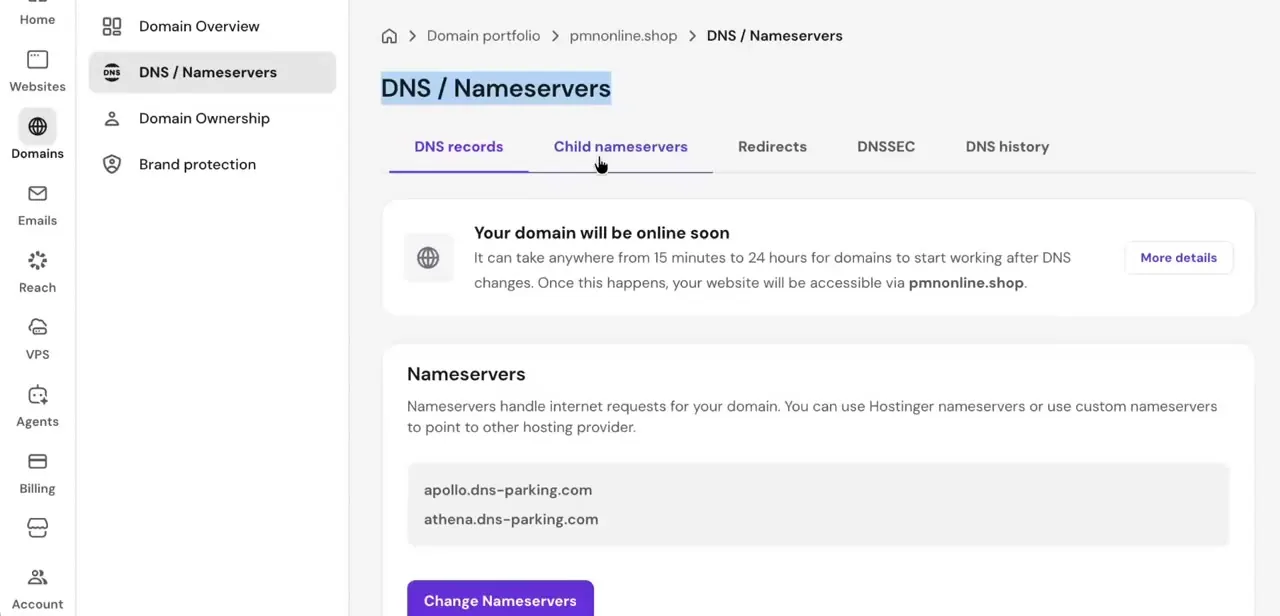
In hPanel, go to Domains, select the domain, and open DNS / Nameservers, then the DNS records tab. Before touching the A record, Hostinger's own support documentation lists two things to check first: turn off Hostinger's CDN if it's enabled for the domain, since a proxied connection can mask the DNS change from Shopify, and delete any existing AAAA record on the root domain (@) instead of leaving it pointing at Hostinger's old IPv6 address. Neither is obvious from the DNS records screen alone, which is why a technically correct A record sometimes still doesn't connect.
04Set the A record and add the www CNAME
Find the existing A record with name @ and edit its value to the IP address Shopify showed you. If an old A record points somewhere else entirely, such as a previous host or a parking page, remove it, since Shopify only recognizes one A record per domain. Then add a CNAME record with host www pointing to shops.myshopify.com, so the www version of your domain resolves the same way the bare domain does.
05Add the verification TXT record, if Shopify asks for one
For some domains Shopify requests an extra ownership check: a TXT record with host shopify_verification and a value it generates for you in the Domains panel. Not every connection needs this step, so only add it if Shopify's admin shows the request. Paste the value exactly; a partial copy is the usual reason this record fails verification.
06Wait for propagation and confirm in Shopify
DNS changes don't apply instantly. Shopify's help documentation states it can take up to 48 hours for a domain to come online after a change, though Hostinger's own guide puts its typical window closer to 24.
Check back on Shopify's Domains page periodically; once the records are picked up, the status moves from "Checking DNS" to "Connected," and Shopify starts provisioning an SSL certificate automatically. SSL sitting at pending for a few hours after DNS shows connected is normal and not a separate problem.
When it doesn't work
The A record and CNAME are set correctly but the domain still won't connect
Why: Hostinger's CDN is enabled for the domain, which proxies traffic instead of letting Shopify see the DNS records directly.
Fix: Disable the CDN for this domain in hPanel, then give the DNS check another pass. Hostinger's own instructions list this as a required step before pointing a domain to Shopify.
Connection is flaky or the storefront loads inconsistently
Why: A leftover AAAA record on the root domain is still pointing at Hostinger's IPv6 address, so some visitors resolve to the old host and others to Shopify.
Fix: Delete the AAAA record on @ in Hostinger's DNS records tab; Shopify's connection only needs the A and CNAME records.
Shopify shows an unverified or failed domain check after DNS looks correct
Why: Shopify asked for a TXT verification record and it either wasn't added or the value was copied incorrectly.
Fix: Go back to Shopify's Domains panel for the exact TXT value, then add or correct a TXT record in Hostinger with host shopify_verification.
Shopify's DNS check reports multiple A records
Why: An old A record from a previous host or parking page is still present alongside the new one.
Fix: Delete every A record on the root domain except the single one pointing to the IP Shopify gave you.
Frequently asked questions
What IP address does the A record need?
Use whatever address Shopify's own Domains panel shows you. It's usually 23.227.38.65, but Shopify's documentation notes a domain can be issued a different valid address, so treat the panel as the source of truth over any number in a guide.
Why does Hostinger say to disable the CDN and remove the AAAA record first?
Hostinger's CDN proxies the domain instead of exposing the DNS records Shopify checks for, and a stale AAAA record can send some visitors to the old IPv6 address. Both are listed in Hostinger's own instructions for pointing a domain at an external service.
Do I need to remove my old A record before adding Shopify's?
Yes. Shopify only recognizes one A record per domain, so an old one pointing elsewhere needs to be deleted, not left alongside the new one.
Does every domain need the TXT verification record?
No. Shopify only requests it for some connections. If your Domains panel shows a TXT value, add it with host shopify_verification; if it doesn't ask, skip this step.
How long before the domain shows as connected?
Shopify's documentation allows up to 48 hours, and Hostinger's guide suggests changes are often picked up within 24. Either way, check back on the Domains page instead of assuming it failed within the first hour.
Sources and last check
Click path and screens come from a walkthrough recorded in 2025. DNS record values, the propagation windows, and the CDN/AAAA-record and TXT-verification steps were re-checked against Shopify's and Hostinger's official documentation in September 2026. The CDN and AAAA-record steps, plus the note that the A-record IP can legitimately differ from the commonly cited default, were missing from this guide's previous version.
About the author

Impran M N
I've been hooked on technology for as long as I can remember — especially the new tools and AI apps that seem to land every other week. Easy Tech Tuts is where I write up whatever I've just worked out: I do the task in the real product, record the screen, and turn it into the guide I wish I'd found first.