Easy Tech Tuts
How to Transfer or Migrate Google Workspace Account 2026 Easily
By Impran M NLast checked against official docs
Moving a Google Workspace setup from one organization or domain to another is a common need when businesses merge, restructure, or switch admins. What trips people up is assuming there's one migration flow that carries Gmail, Drive, Contacts, and Calendar across together.
There isn't. Google's admin console handles each of those as a separate job, with separate limits, and Drive in particular can't be moved to a different domain by an admin at all without extra tooling. This guide walks through which tool covers which data type, the source-account authorization step that trips up most migrations, and where the native tools stop and a bigger tool (or a third-party one) becomes necessary.
Before you start
- Super admin access on both the source and target Google Workspace accounts
- The source organization's admin available to approve the authorization request within 24 hours
- For more than about 1,000 users, budget for Google Workspace Migrate, a separate downloadable tool with its own Windows server requirements, rather than the standard admin console import
01Start from the Admin console and confirm super admin access
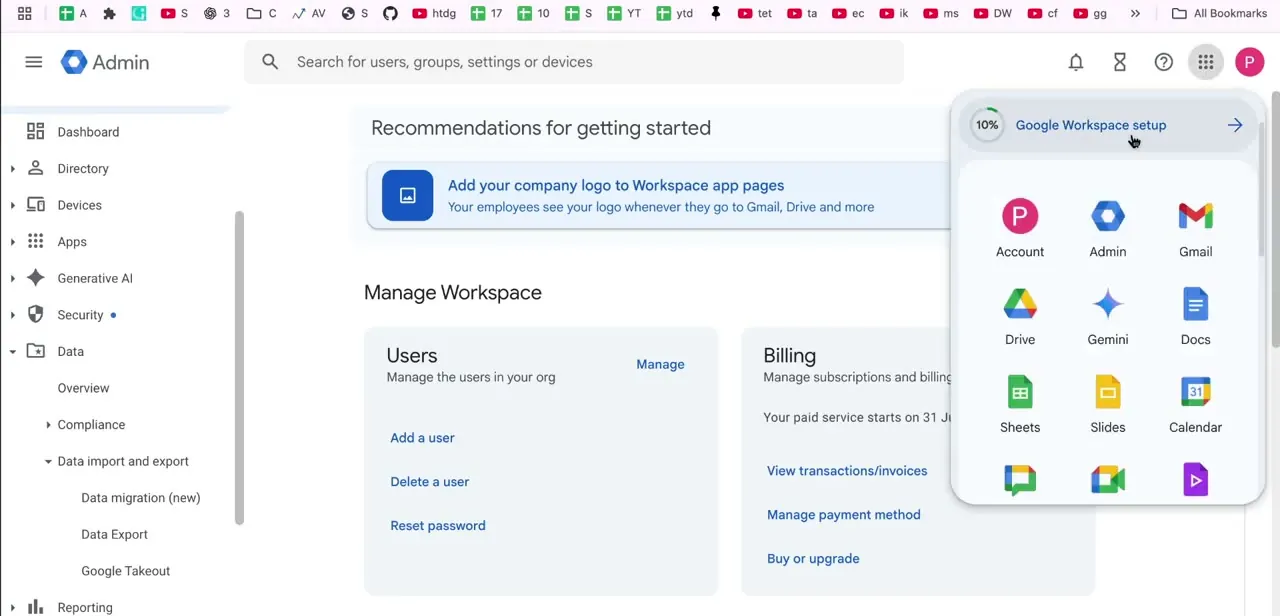
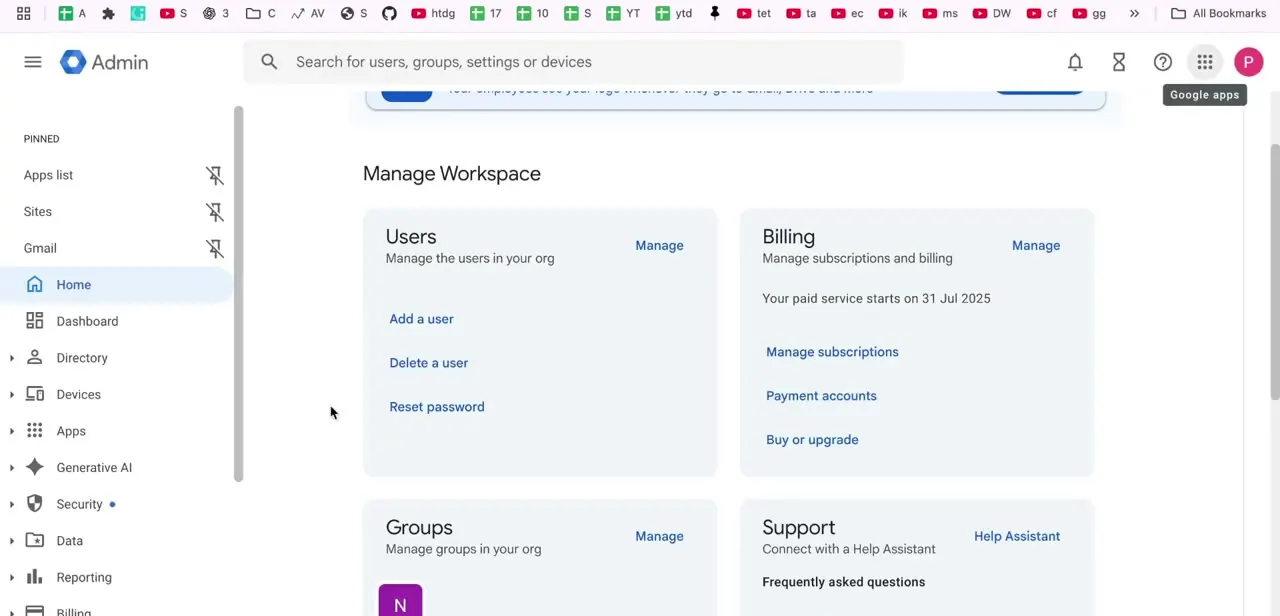
Everything begins at admin.google.com, signed in as a super admin on the target account. The home screen's Users, Billing, and Groups tiles give you a map of the organization you're migrating into. A regular admin role isn't enough here; authorizing a cross-account data transfer specifically needs super admin permissions on both sides of the move.
02Know which tool covers which data type
Google's Data import tool moves Gmail, Contacts, or Calendar, one data type at a time and one user pairing at a time; it does not move Drive files. Drive works under a different rule entirely: an admin can reassign file ownership between two accounts only inside the same organization.
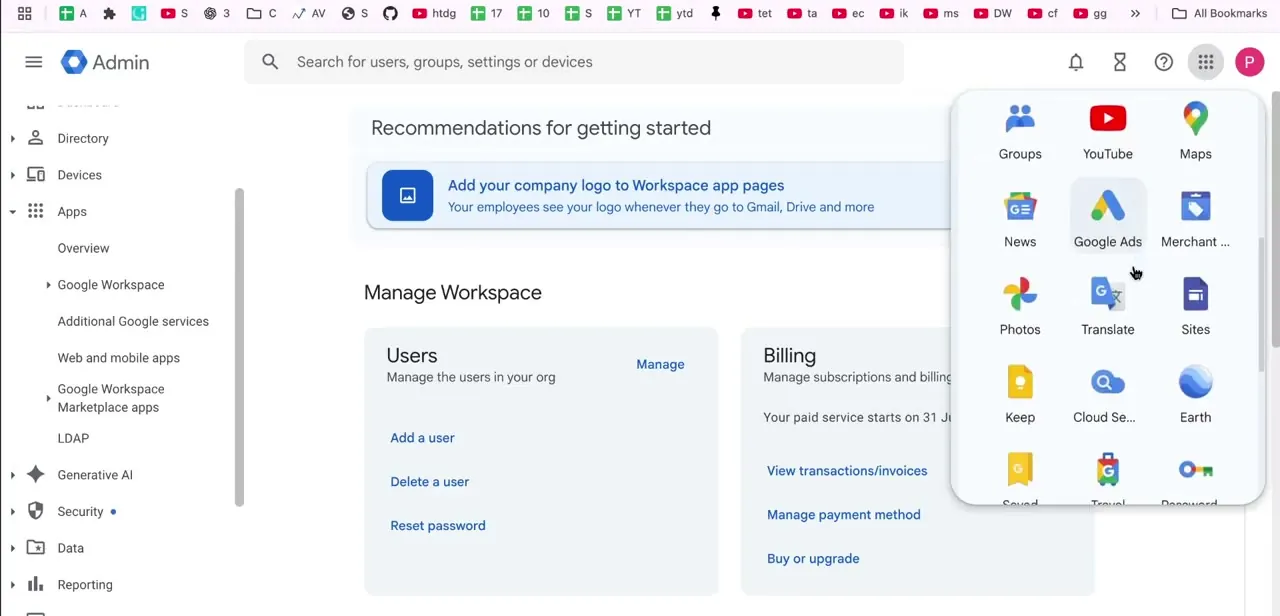
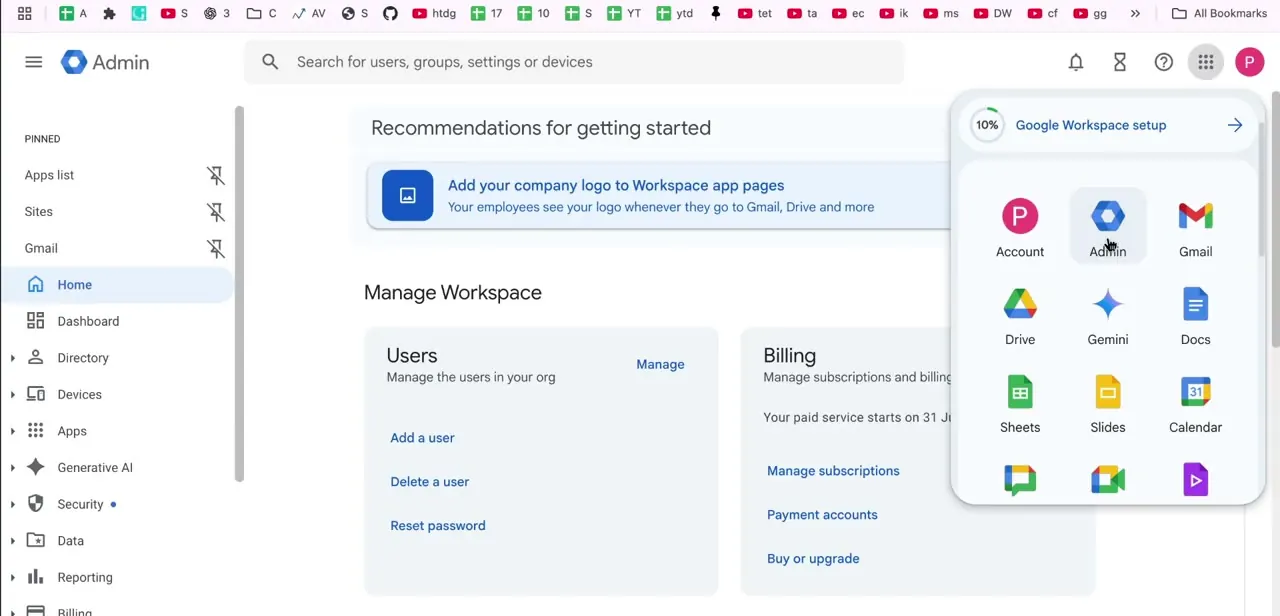
Moving Drive content to a different domain isn't something the standard admin console offers, so it needs either Google Workspace Migrate (Google's own tool for larger migrations) or a third-party Drive-to-Drive tool. The app switcher in the top corner is worth knowing about here, since a migration means bouncing between the Admin console to configure each job and Gmail or Drive to spot-check where data landed.
03Open the Data import tool
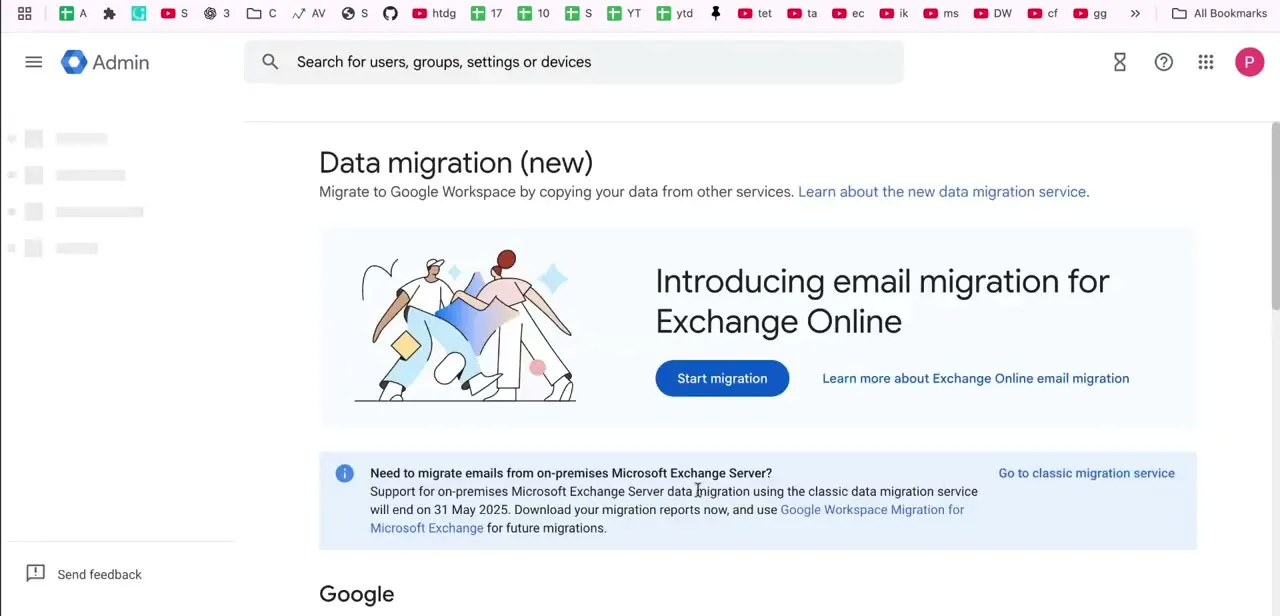
In the left-hand navigation, go to Data, then Data import and export, then Data import. Pick the data type you're moving: Business Gmail for an org-to-org email move, Contacts, or Calendar, then click Import.
Each is a separate job. If you're coming from on-premises Microsoft Exchange rather than another Workspace account, the console points to Google Workspace Migration for Microsoft Exchange instead of this tool.
04Authorize the source account
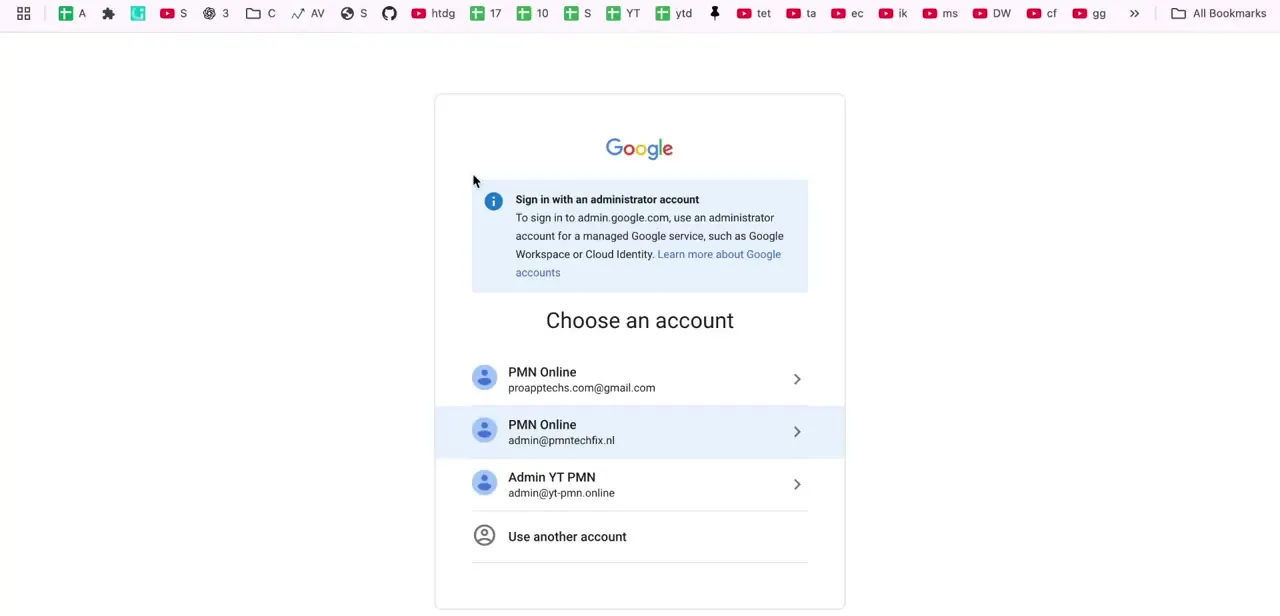
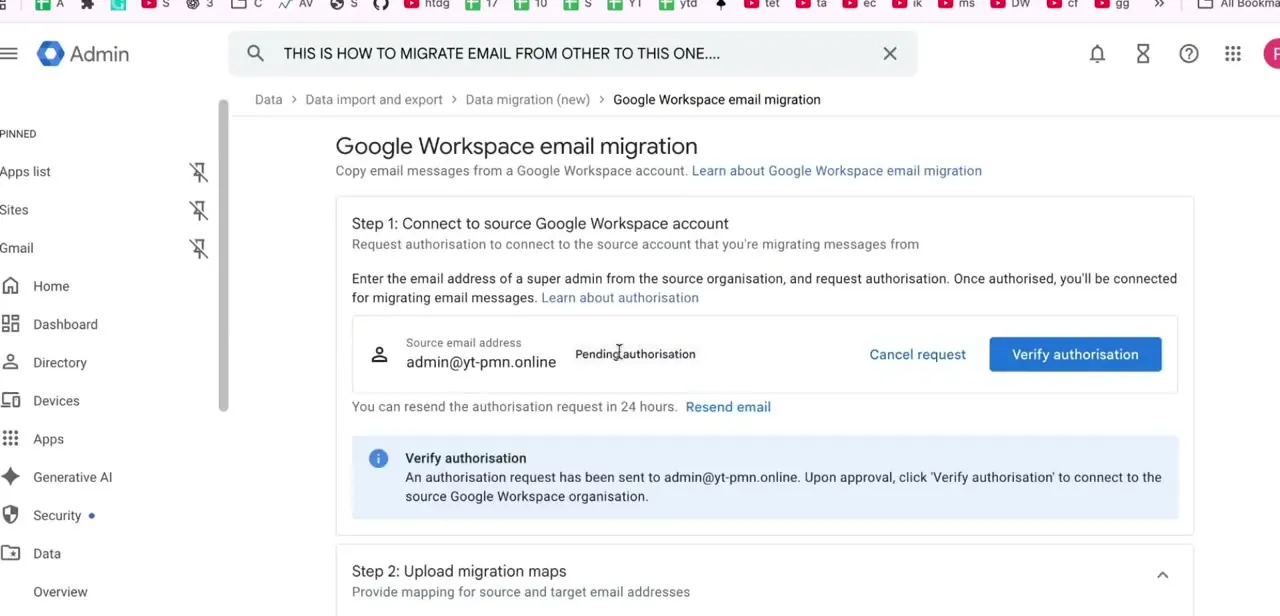
Enter the source super admin's email address and click Request authorization. Google emails that admin a link, valid for 24 hours, that they need to open, sign in through, and confirm with Authorize.
Until then, the job sits at Pending authorization. If nobody acts in time, the request shows as expired and you click Refresh request to send a new one; only the admin address you entered can approve it, so double-check that address before sending. If you're moving between two organizations you control yourself, have that source admin login ready to go the moment you send the request, since nothing else proceeds until this clears.
05Upload the mapping file and run the import
Once authorization clears, upload a CSV pairing each source address with its target address, then start the import. The console tracks progress live: discovered, successful, failed, skipped, and warning counts per item, so a partial failure is visible while the job runs rather than only at the end.
Repeat this whole process separately for Contacts or Calendar if you need those too; there's no combined job that carries all three at once. While mail is mid-migration, set up routing or forwarding on the old domain so messages to addresses that haven't moved yet still reach the right person. Hold off on changing MX records or shutting the old domain down until that routing is confirmed working.
06Handle Drive separately
For a small number of users moving Drive content into a different organization, the practical option is often for each user to share or copy their own files into the new account, since there's no admin bulk transfer across domains. For a full company migration, Google Workspace Migrate is built for this, but it's a separate download that runs on its own Windows server rather than living inside the admin console, and Google positions it for organizations around 1,000 users or more. Below that scale, a third-party Drive migration tool from the Workspace Marketplace is usually the faster route.
07Verify data and permissions after each transfer completes
A job reporting complete isn't the same as one that preserved everything correctly. Spot-check message counts against the source mailbox, open a handful of Drive files that had specific sharing permissions to confirm those permissions carried over, and check that Calendar events with multiple attendees still show the full guest list. Sharing permissions and attendee lists are the details most likely to need a manual fix, so leave time for this check before retiring the old account.
| Data type | Tool | Scope |
|---|---|---|
| Gmail | Data import (Business Gmail) | One user pairing per job, via CSV mapping |
| Contacts | Data import | One user pairing per job, separate from Gmail |
| Calendar | Data import | One user pairing per job, separate from Gmail and Contacts |
| Drive (small scale, cross-domain) | Manual per-user sharing/copying, or a third-party tool | No native admin bulk transfer across domains |
| Drive and full org (roughly 1,000+ users) | Google Workspace Migrate | Separate downloadable tool, own Windows server requirement |
Ownership of a Drive file can only be reassigned by an admin when both the current and new owner are in the same organization; Google does not support a direct cross-domain ownership transfer.
When it doesn't work
The migration is stuck on "Pending authorization"
Why: The source admin hasn't opened the authorization email and clicked Authorize within the 24-hour window, so the request has expired.
Fix: Click Refresh request to send a new one, and confirm the email address entered actually belongs to someone with super admin access on the source account.
Drive files aren't showing up after the Gmail migration finished
Why: The Data import tool only moves Gmail, Contacts, and Calendar. It never touched Drive, which needs its own process.
Fix: Use per-user sharing or copying for a handful of accounts, or Google Workspace Migrate for a full organization; don't expect Drive content to appear as a side effect of the email migration.
Some messages, contacts, or events show as failed or skipped in the import report
Why: The live progress view separates discovered, successful, failed, skipped, and warning counts, so partial failures are expected on large mailboxes rather than a sign the whole job broke.
Fix: Review the failed and skipped items specifically in the report rather than the overall completion status, and re-run just those addresses if needed.
Frequently asked questions
Does one migration move Gmail, Drive, Contacts, and Calendar together?
No. Google's Data import tool handles Gmail, Contacts, and Calendar as separate jobs, one at a time, and it doesn't touch Drive at all. There's no single combined migration.
How do I move Drive files to a different Workspace organization?
An admin can only reassign Drive file ownership within the same organization. Moving files to a different domain means each user sharing or copying their own files, using Google Workspace Migrate for a full-company move, or a third-party Drive migration tool.
Why is my migration stuck on "Pending authorization"?
The source super admin needs to open the emailed link and click Authorize within 24 hours. If that window passes, the request expires and you click Refresh request to send a new one.
What's the difference between Data import and Google Workspace Migrate?
Data import lives in the admin console and handles Gmail, Contacts, or Calendar for individual user pairings. Google Workspace Migrate is a separate tool you install on your own Windows server, built for larger, full-organization migrations, roughly 1,000 users and up.
How do I avoid email downtime during the switch?
Keep routing or forwarding active on the old domain while the migration runs, and don't change MX records or shut the old domain down until that routing is confirmed working.
Sources and last check
Click path and screens come from a walkthrough recorded in 2025. In September 2026 the migration scope was re-checked against Google's own Workspace Admin Help articles on email migration and on transferring data between accounts. That check found the previous version significantly overstated the tools: there is no single migration that moves Gmail, Drive, Contacts, and Calendar together, the Data import tool works one user pairing and one data type at a time, and Drive ownership transfer is restricted to accounts within the same organization, with Google Workspace Migrate or a third-party tool needed for a cross-domain Drive move. This version corrects that scope and adds a comparison table of which tool covers which data type.
About the author

Impran M N
I've been hooked on technology for as long as I can remember — especially the new tools and AI apps that seem to land every other week. Easy Tech Tuts is where I write up whatever I've just worked out: I do the task in the real product, record the screen, and turn it into the guide I wish I'd found first.