Easy Tech Tuts
How to Build a Website on Google Workspace, Setup Google Workspace Website Builder Easily 2026
By Impran M NLast checked against official docs
Google Workspace does not sell a website builder as a separate product. The builder is Google Sites, already in your app grid, included in the plan, and it works by dragging content blocks around a page.
Building the site is the easy half. The half that generates support threads is the address.
Publishing gives you a sites.google.com URL immediately. Putting your own domain in front of it happens inside Sites under Settings, needs a subdomain such as www (a bare yourbusiness.com is refused), and quietly does nothing at all unless the site is shared publicly. This guide covers the editor, the publish dialog, and the domain mapping, with the constraints that catch people stated up front instead of after the fact.
01Open Google Sites from the app grid
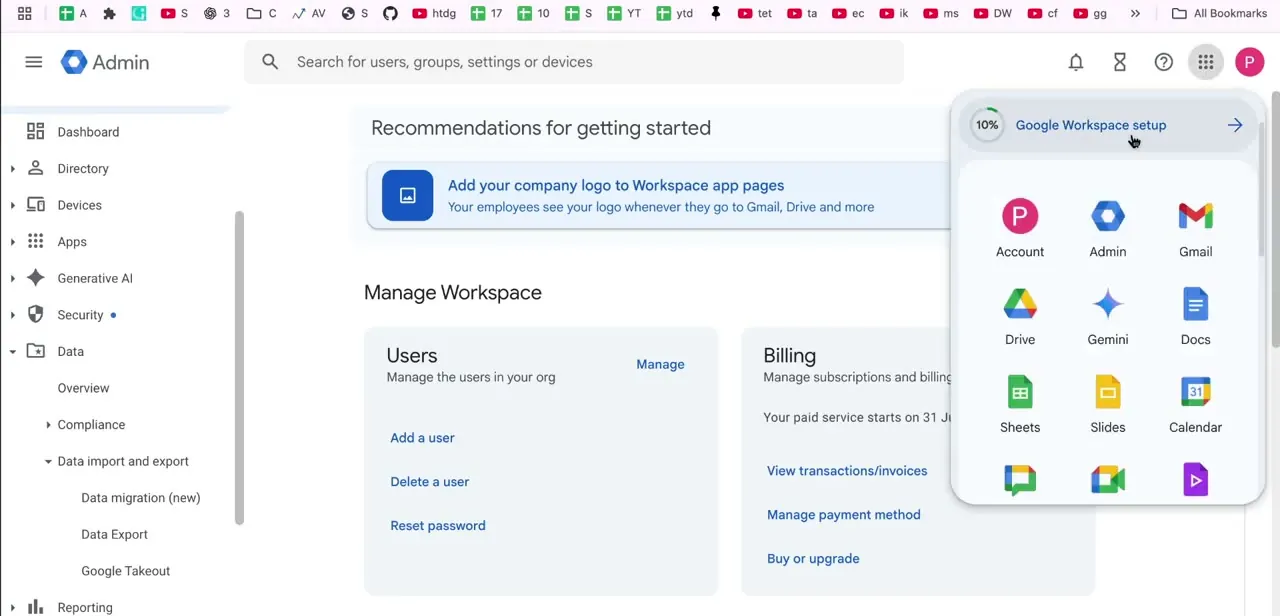
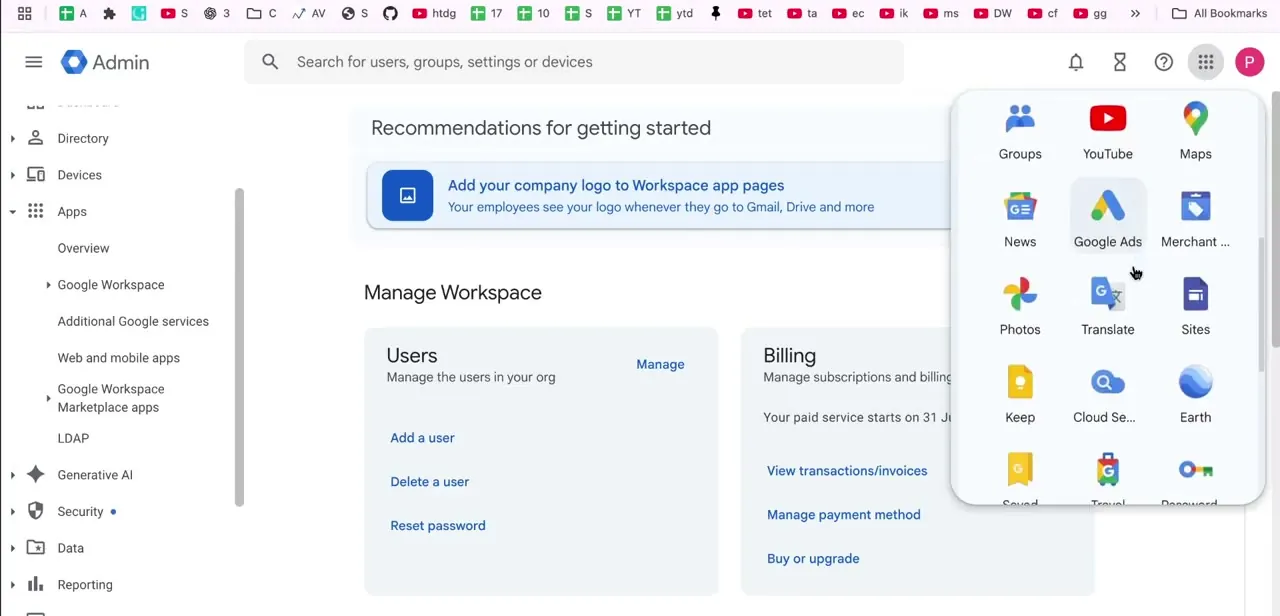
Sites is not a separate purchase or a separate signup. It sits in the Workspace app grid alongside Groups, YouTube, Maps, Photos, and Translate, reachable from the app launcher in any Google product.
The icon is easy to miss the first time, because the grid is long and Sites is not near the top with Gmail and Drive. Scroll the grid. Searching the web for a standalone product page leads nowhere.
02Build the page from blocks and embeds
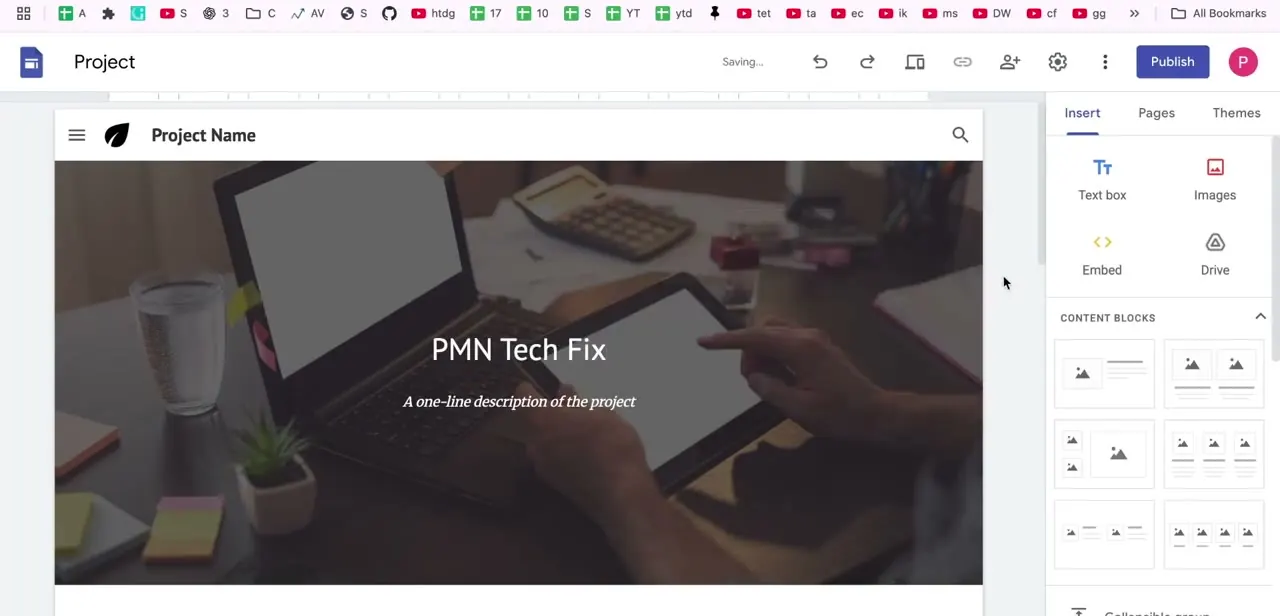
A new site opens as an untitled Project with a placeholder hero: "Project Name", a one-line description, and a full-width image behind it. The right-hand panel is the whole editor.
It splits into Insert, Pages, and Themes. Insert puts Text box, Images, Embed, and Drive along the top, with a scrollable gallery of pre-built layout blocks below that pair images and text in different arrangements.
Click a block to drop it on the page and drag it where you want it. Further down that same panel are dedicated buttons for Calendar, Map, YouTube, Docs, Slides, Sheets, and Forms.
These are the reason to build here instead of somewhere else: a booking calendar, a location map, or a contact form is a matter of pointing the button at the right file, with no embed code to paste and no plugin to install. A Form embedded this way keeps collecting responses into its Sheet exactly as it would anywhere else.
There is no save button. A "Saving..." indicator near Publish is the only confirmation you get, and it is enough.
03Set the viewer tools before you publish
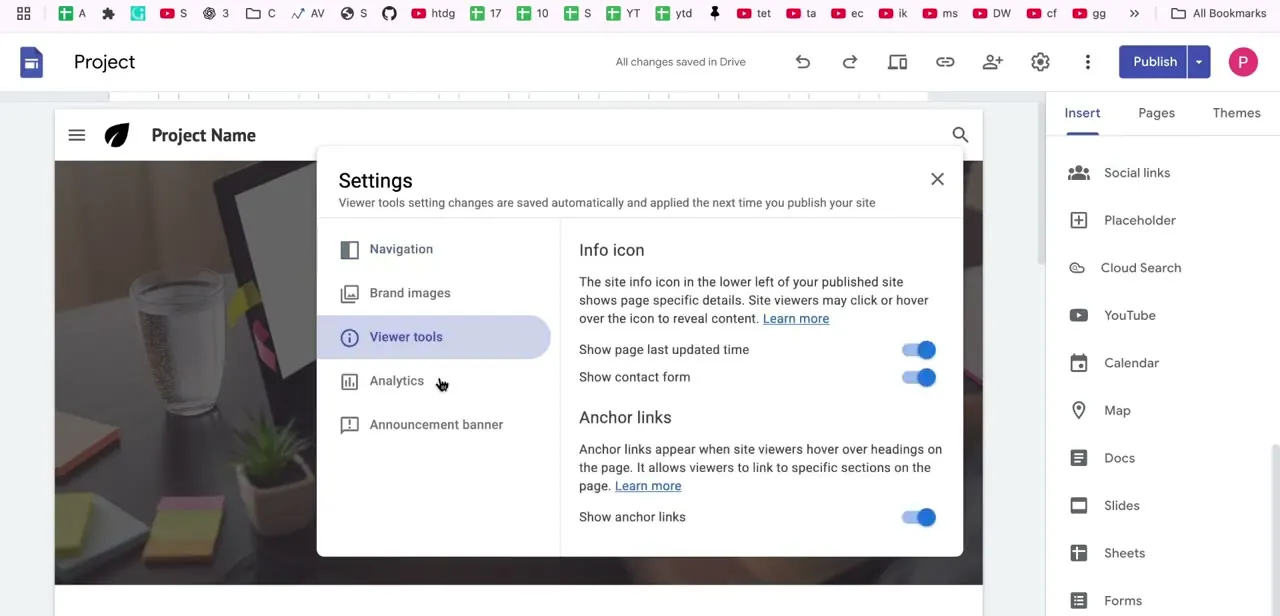
Settings on the toolbar opens six tabs: Navigation, Brand images, Viewer tools, Analytics, Announcement banner, and Custom domains. Viewer tools is the small one worth two minutes.
It carries an info icon toggle that surfaces when the page was last updated, a contact form shortcut, and "Show anchor links", which lets a visitor hover over any heading and copy a link straight to that section. On a long page, anchor links are the difference between sending someone a URL and sending them a URL plus instructions to scroll. These settings save as you make them and take effect at your next publish, so nothing here needs doing in a particular order.
04Publish and set the web address
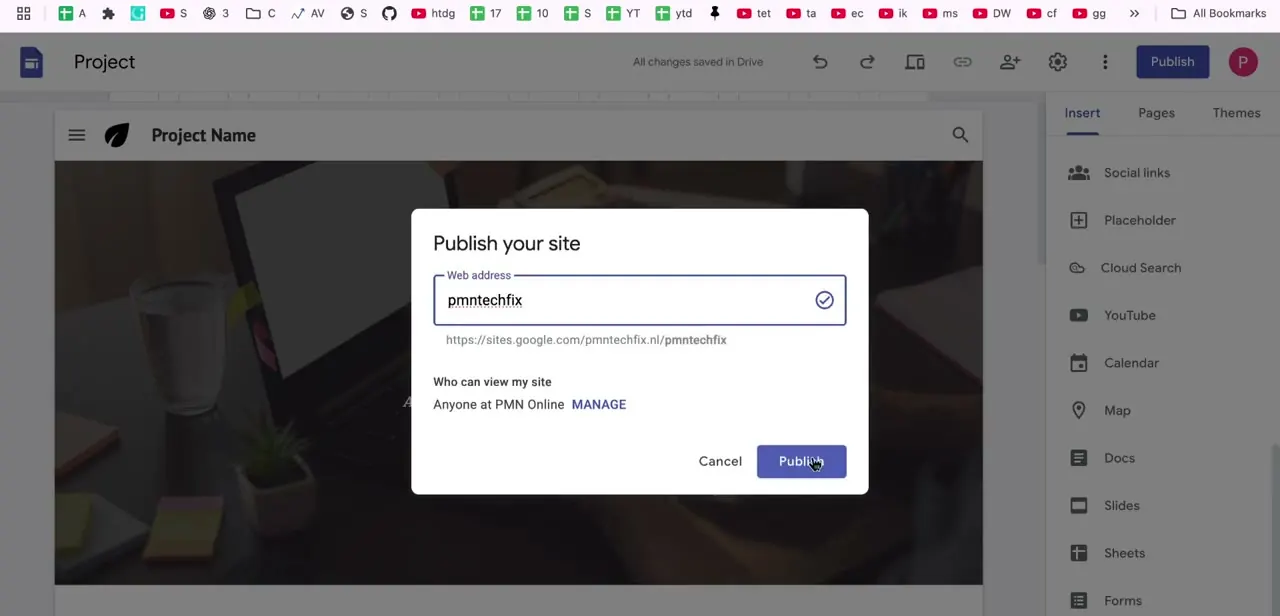
Preview first, from the toolbar, then click Publish. The dialog asks for the web address of your site.
Sites checks availability as you type and marks a valid one with a green tick, and it rejects addresses that breach Google's Acceptable Use Policy. On a Workspace account the published URL takes the form sites.google.com/domain/sitename, so a site named storefront on example.com publishes to sites.google.com/example.com/storefront.
Reusing an address that another site already holds means changing that site's address or deleting it permanently first. Audience is set through Share, in the dropdown beside "Published site": Restricted shares with named people and groups, Public makes it viewable by anyone.
If you invite named viewers, pick Published viewer as their role so they see the site and not the editor. Public sites also get a "Request public search engines to not display my site" option in the publish settings. Google is explicit that this is a request and not a guarantee, so it is not a way to keep something genuinely private.
05Connect a custom domain, and the two rules that break it
The sites.google.com address is fine for an internal handbook. A customer-facing site usually wants its own name, and that is set up inside Sites, not through the Publish dialog: Settings > Custom domains > Start setup, then enter the domain and follow the instructions for your registrar.
You add a CNAME record there, and you verify ownership by adding a TXT record through Google Search Console using its "Any DNS Provider" instructions. Google says changes can take up to 48 hours to appear.
Two rules decide whether this works, and both are easy to hit. First, the address has to include a subdomain.
Google's requirement is stated plainly: "Your URL must include a subdomain, like 'www'." A bare yourbusiness.com will not map. Set up www.yourbusiness.com and have the registrar redirect the naked domain to it.
Second, sharing governs whether anyone sees the domain at all. The mapped URL is only visible when the site is shared with anyone outside your organisation.
Share it with named people, or with your organisation only, and every visitor keeps seeing sites.google.com/example.com/sitename. A site that is not shared with the world simply redirects back there.
The rest is worth knowing before you commit. You can attach up to five custom domains to a single site, and Google caps mappings at 20 per week per URL.
Only a site owner can connect a domain, and on a work or school account that may mean asking your Workspace administrator. Once the site is off sites.google.com, features that depend on a Google Account sign-in can stop working, and embedded Google Groups content does not render on a custom domain at all.
When it doesn't work
Sites will not accept your domain during setup
Why: You entered the naked domain. Google requires the mapped URL to include a subdomain such as www.
Fix: Map www.yourbusiness.com instead, then set a redirect at your registrar so the bare domain forwards to the www version.
The domain is mapped but visitors still land on sites.google.com
Why: The site is not shared publicly. Google only shows the mapped URL when the site is shared with anyone outside your organisation, and an unshared site redirects back to the sites.google.com address.
Fix: Set the published site to Public through Share. If the content genuinely has to stay internal, accept the sites.google.com URL, because the two requirements are incompatible.
Custom domains is greyed out or missing
Why: Only the site owner can connect a custom domain, and on a work or school account the option can sit behind an administrator.
Fix: Confirm you own the site and are not merely an editor on it, and raise it with your Workspace administrator if the option still does not appear.
An embed stopped rendering after the domain was mapped
Why: Embedded Google Groups content does not display on a custom domain, and anything requiring a Google Account sign-in can fail once the site is no longer hosted on sites.google.com.
Fix: Replace a Groups embed with a plain link, and test any sign-in-dependent embed on the custom domain before announcing the address.
Frequently asked questions
Is Google Sites included with Google Workspace?
Yes. It appears in the app grid next to Gmail, Drive, and Calendar, with no separate signup and no additional charge for the builder.
Can I use my own domain name?
Yes, through Settings > Custom domains > Start setup inside Sites. It needs a CNAME record at your registrar and a TXT record for verification via Google Search Console, and changes can take up to 48 hours. Google Domains is no longer Google's registrar, so the domain itself comes from a partner or third-party registrar.
Why does my custom domain not show up?
Almost always sharing. Google only serves the mapped URL when the site is shared with people outside your organisation. A site restricted to named viewers or to your organisation shows the sites.google.com address to everyone.
Can I map a domain without www?
No. Google's requirement is that the URL includes a subdomain such as www. Handle the bare domain with a redirect at the registrar.
How many domains can one site have?
Up to five custom domains per site, with a limit of 20 mappings per week for a given URL.
Do I need to know how to code?
No. The page is assembled from content blocks and the Insert panel's buttons for Calendar, Map, YouTube, Docs, Slides, Sheets, and Forms, none of which require touching embed code.
Sources and last check
The editor screens and click path come from a walkthrough recorded in 2025. In September 2026 the publishing flow and the custom domain setup were re-checked against Google's own Sites help pages, and that check corrected the domain section of this guide. Custom domains are configured inside Sites under Settings > Custom domains, not separately from the Publish dialog; the reference to Google Domains was removed, since Google no longer operates it as a registrar; and three documented constraints that were previously absent have been added, namely the requirement for a subdomain such as www, the rule that a mapped URL only appears when the site is shared outside your organisation, and the limits of five domains per site and 20 mappings per week.
About the author

Impran M N
I've been hooked on technology for as long as I can remember — especially the new tools and AI apps that seem to land every other week. Easy Tech Tuts is where I write up whatever I've just worked out: I do the task in the real product, record the screen, and turn it into the guide I wish I'd found first.