Easy Tech Tuts
How to Associate Google Account With a Device in Laptop, PC, Android, Windows, iPhone, Macbook 2026
By Impran M NLast checked against official docs
"This Google Account is not yet associated with a device" turns up when you try to install something from the Play Store website, and it names no setting you can go and change. It means one specific thing: Google Play has no device on record for your account.
Play keeps its own register of the hardware tied to your account, separate from the list of browsers and sessions in your account's security settings. Installing from the web needs an entry in the first list.
Being signed in everywhere only populates the second. That distinction is where most fixes for this go wrong, this guide included until it was rechecked. Sorting it out means putting a real device into Play's register, and on some setups that turns out to be impossible for a reason nobody explains.
01Understand what the message is telling you
This is not a ban, a lock, or a security hold. Google Play is saying it has nothing to install onto.
The error surfaces most often on play.google.com, where the Install button asks which of your devices should receive the app. Google's documentation describes that flow as installing on another device from your phone, tablet or computer, and the dropdown is populated from the devices Play associates with your account.
An empty register means an empty dropdown, and the message you are looking at. A new phone, a factory reset, or an account that has only ever been used in a browser all produce the same empty register.
02Know which device list you are looking at
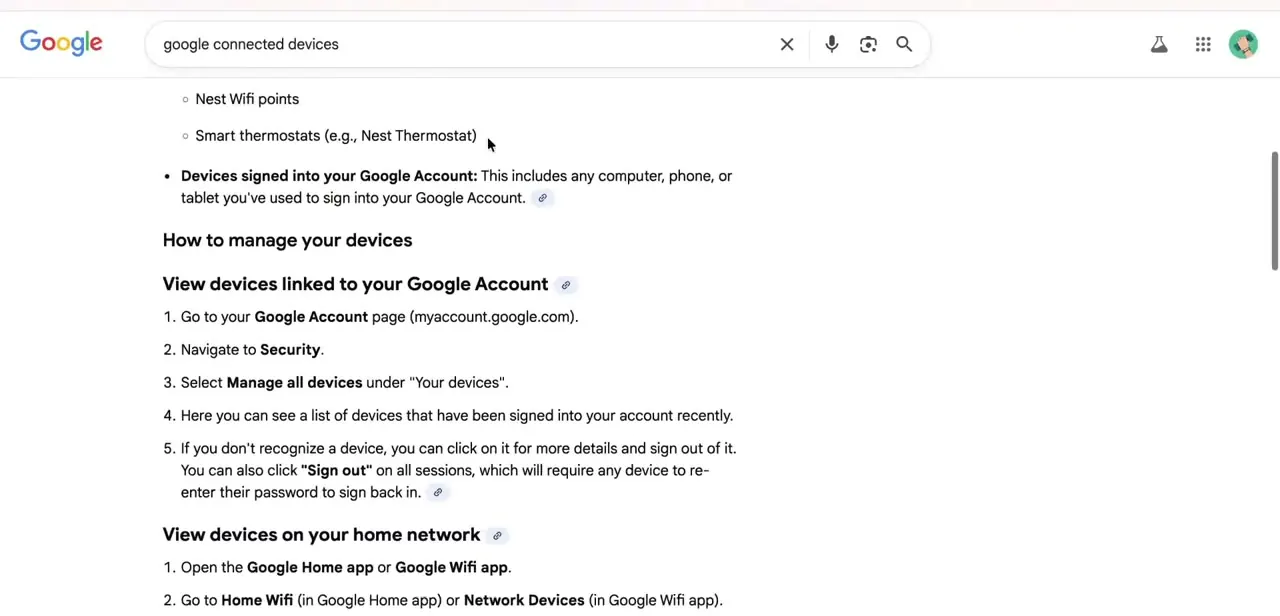
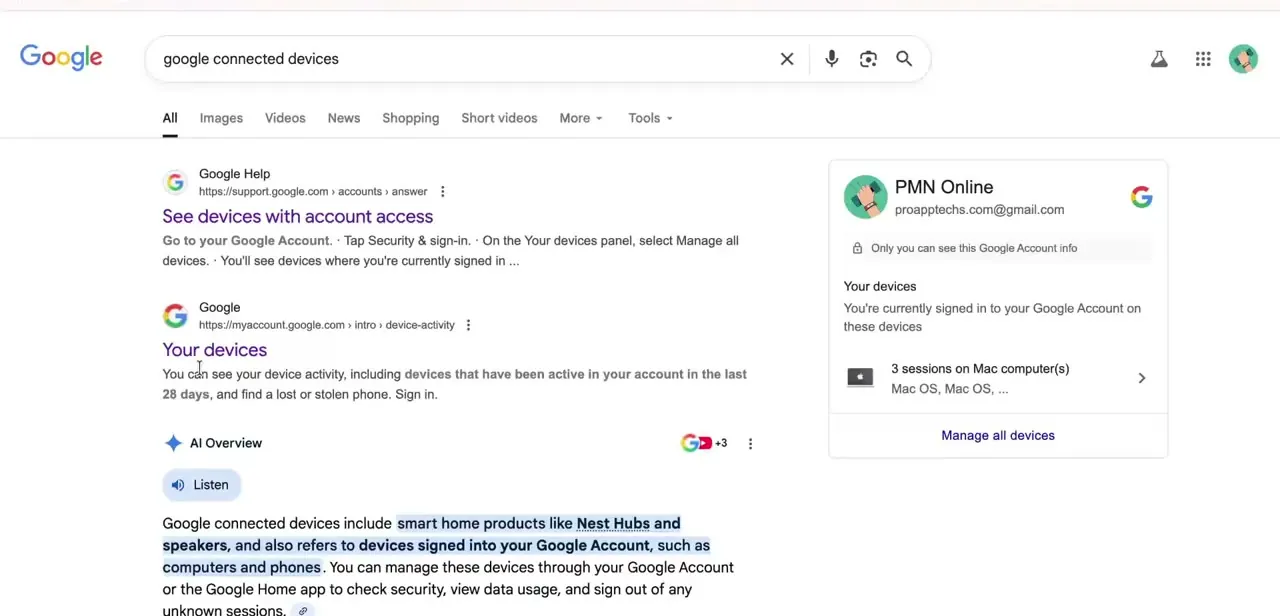
Your Google Account has a devices panel at Security, then Your devices, then Manage all devices. It is worth opening, and it is not the list causing this error.
Google describes that panel as showing computers, phones and other devices where you are signed in or have been in the last few weeks, and notes that in some cases you see sessions instead of devices. A session is one period of being signed in from a browser, app or service.
So a laptop that has only ever opened Gmail in Chrome appears there as a session, and that has no bearing on what Play will install to. Play keeps its own list.
Google's help page on installing across devices points at play.google.com/library/devices, where the devices tied to your Play account can be seen and renamed. That is the register the error is complaining about.
03Read what is currently registered
Open both lists and compare them. The security panel typically shows more entries than you expect, with several sessions on the same machine, because each browser or app sign-in counts separately.
The Play list is the one to check against the error. If the device you want to install to is missing there, the diagnosis is confirmed, and no amount of signing out and back in on a laptop will change it. One caveat on the security panel before you use it as evidence: entries drop off after a few weeks of no activity, so a phone left in a drawer disappearing from that list is normal and means nothing about Play.
04Put a device into Play's register
The register fills when the account signs in on a device that runs the Play Store and the Play Store is opened at least once. In practice: add the account in the device's system settings, not inside a single app, then launch the Play Store and let it load.
Which hardware qualifies is the part that catches people. Google's documentation for this feature lists phones, tablets, Wear watches, Android TV, cars running Android Automotive and Chromebooks.
An iPhone, an iPad or a Windows PC will never appear, because none of them runs a Play Store to register with. If those are the only devices you own, this error is not something you can clear; install from the App Store or the web version of the service instead.
Use the same account throughout. Google states that content cannot be transferred between accounts on Play, so registering a different account's device leaves you exactly where you started.
05Retry the install, and tidy the list while you are there
Go back to play.google.com and open the app's page again. With a device registered, the dropdown shows it and Install proceeds.
Google's own note is that the Install button indicates whether an item is available for some, none or all of your devices, so an app that is simply incompatible with the device you registered will still refuse, with a different message. A fresh registration is not always instant.
If the dropdown is still empty a minute after the Play Store first opened on the device, wait and reload. While you are in play.google.com/library/devices, rename anything called Unknown device or by a model code. Google suggests renaming for exactly this reason, and it is the difference between picking the right target and installing an app onto a television.
When it doesn't work
The device shows in Security but not in Play
Why: Those are different registers. The security panel records sign-in sessions, including browser-only ones; Play records hardware that has run the Play Store on this account.
Fix: Open the Play Store app on the device itself, signed in with the same account, and let it finish loading. Then recheck play.google.com/library/devices.
You only own an iPhone and a Windows laptop
Why: Neither can register as a Play device. Google's supported list for this feature covers Android phones and tablets, Wear watches, Android TV, Android Automotive and Chromebooks.
Fix: There is nothing to fix on the account. Get the app from the App Store, or use the service's web version. A Chromebook or an Android tablet would also satisfy Play if you have one.
The device is listed but the app still will not install to it
Why: Compatibility, not association. Google notes the Install button reflects whether an item is available for some, none or all of your devices.
Fix: Check the app's listing for that device type. Phone-only apps will not install to a watch or a TV however the account is set up.
A device you use daily vanished from the security devices list
Why: Google lists devices signed in now or within the last few weeks. Inactivity ages entries out.
Fix: Sign in on the device again. This has no effect on Play's register either way, so do not treat its absence as the cause of the install error.
Frequently asked questions
What does the error actually mean?
Google Play has no device on record for your account, so the web Play Store has nothing to install onto. It is not a restriction on the account.
Can an iPhone or a Windows PC count as the device?
No. Google's documentation for installing across devices covers Android phones and tablets, Wear watches, Android TV, cars with Android Automotive, and Chromebooks. Devices that cannot run the Play Store never enter its register.
Where is Play's own device list?
At play.google.com/library/devices, which Google's help page points to as the place to see and rename the devices tied to your Play account. It is separate from the security panel in your Google Account.
Does signing into Chrome on a laptop associate a device?
It creates a session in your account's security panel, which Google describes as a period of being signed in from a browser, app or service. That is not a Play device, and it does not clear this error.
Why don't all my devices appear under Security?
That panel shows devices signed in currently or in the last few weeks. Older entries drop off on their own, which is normal and unrelated to the Play error.
Can I install to a second phone from my computer?
Yes, once both are on the same account. Google documents choosing the target from a dropdown on the app's page at play.google.com, and states that content cannot be transferred between accounts, so a device signed in under a different account is not a valid target.
Does any of this differ for a Google Workspace account?
The mechanism is the same, with one addition: a Workspace administrator can apply device policies that affect whether a given device is permitted to enrol on the account at all. If a personal account registers a device and the work account will not, check with your admin before troubleshooting the device.
Sources and last check
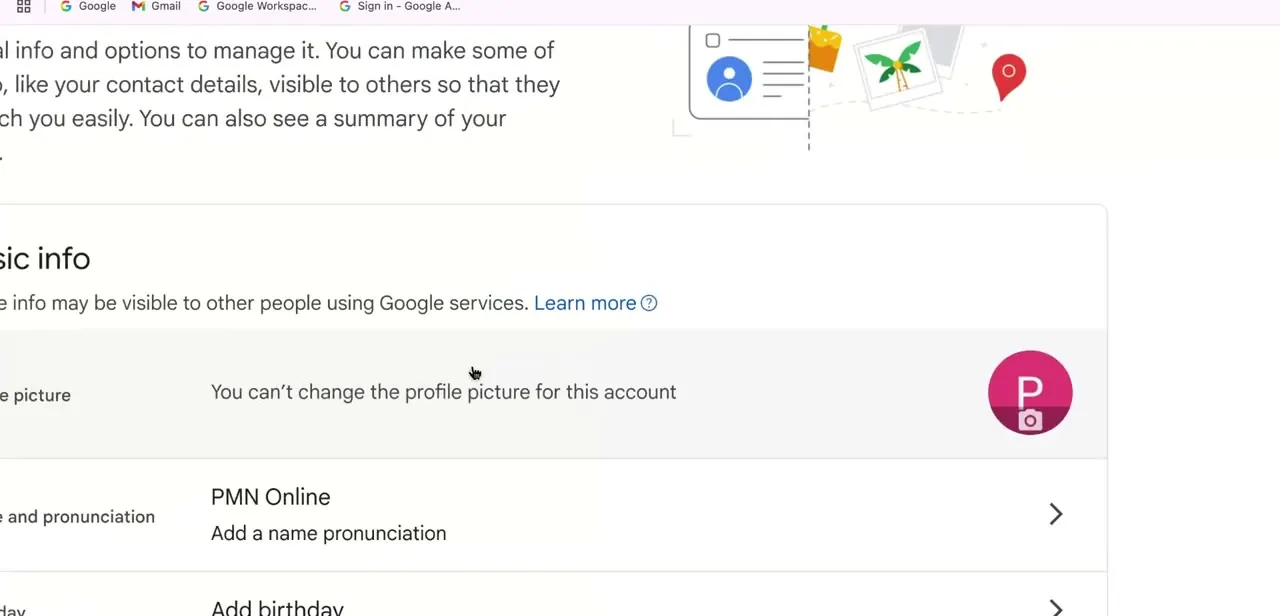
The screens come from a walkthrough of the Google Account devices panel. In September 2026 the diagnosis was re-checked against Google's official help pages on installing apps across devices and on seeing devices with account access. That check corrected the central claim of the earlier version, which sent readers to the security devices panel as the fix: Google describes that panel as a record of sign-in sessions from the last few weeks, while the register behind this error is Play's own device list at play.google.com/library/devices. The same check corrected the previous advice that the fix is identical on iPhone, since Google's supported device list for this feature has no iOS entry, and added the same-account requirement Google states for installing across devices.
About the author

Impran M N
I've been hooked on technology for as long as I can remember — especially the new tools and AI apps that seem to land every other week. Easy Tech Tuts is where I write up whatever I've just worked out: I do the task in the real product, record the screen, and turn it into the guide I wish I'd found first.