Easy Tech Tuts
How to Set Up a No reply Email in Google Workspace 2026 (100% Working with PROOF)
By Impran M NLast checked against official docs
A no-reply address keeps automated mail, order confirmations, newsletters, system alerts, out of a real inbox that someone has to manage. The cleanest way to build one in Google Workspace isn't a full user license.
It's a Group, paired with a Gmail routing rule that silently rejects anything sent back to it. This guide follows that path through the Admin Console: creating the group, locking down who can post or view it, and adding the routing rule that makes replies bounce instead of pile up. It also covers the part that decides whether the mail lands in an inbox at all: SPF, DKIM, and, if the sending volume is high enough, the DMARC record Google now requires.
Before you start
- Admin access to the Google Workspace Admin Console
- Ability to add DNS TXT records for the sending domain, needed to set up SPF, DKIM, and DMARC
01Open the Admin Console
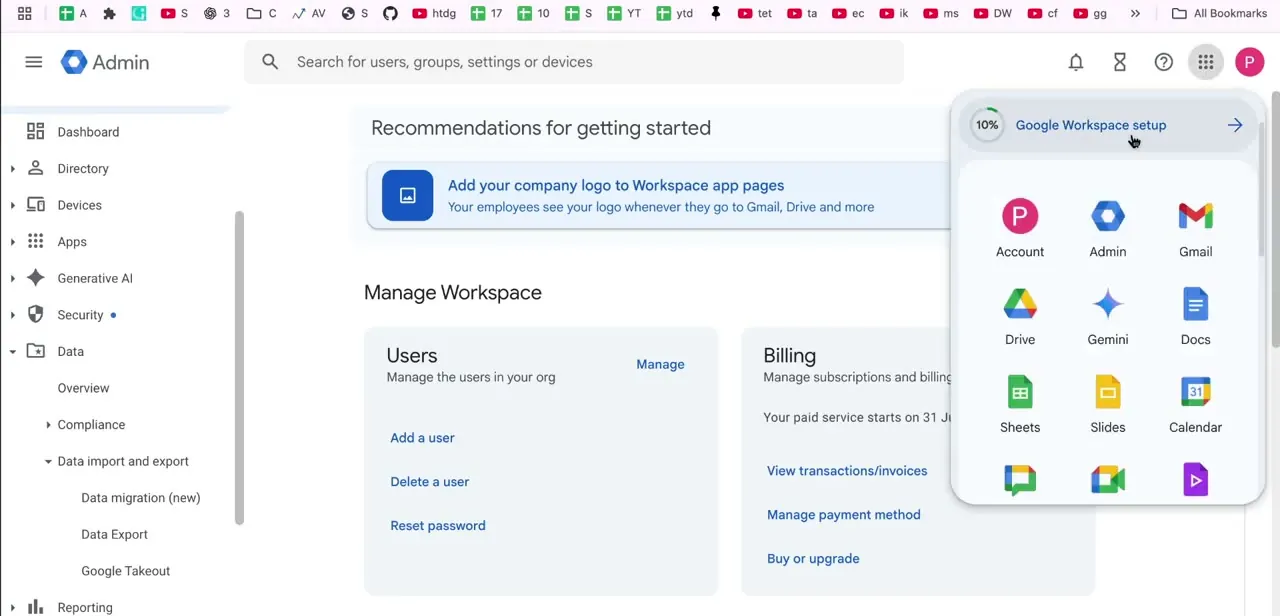
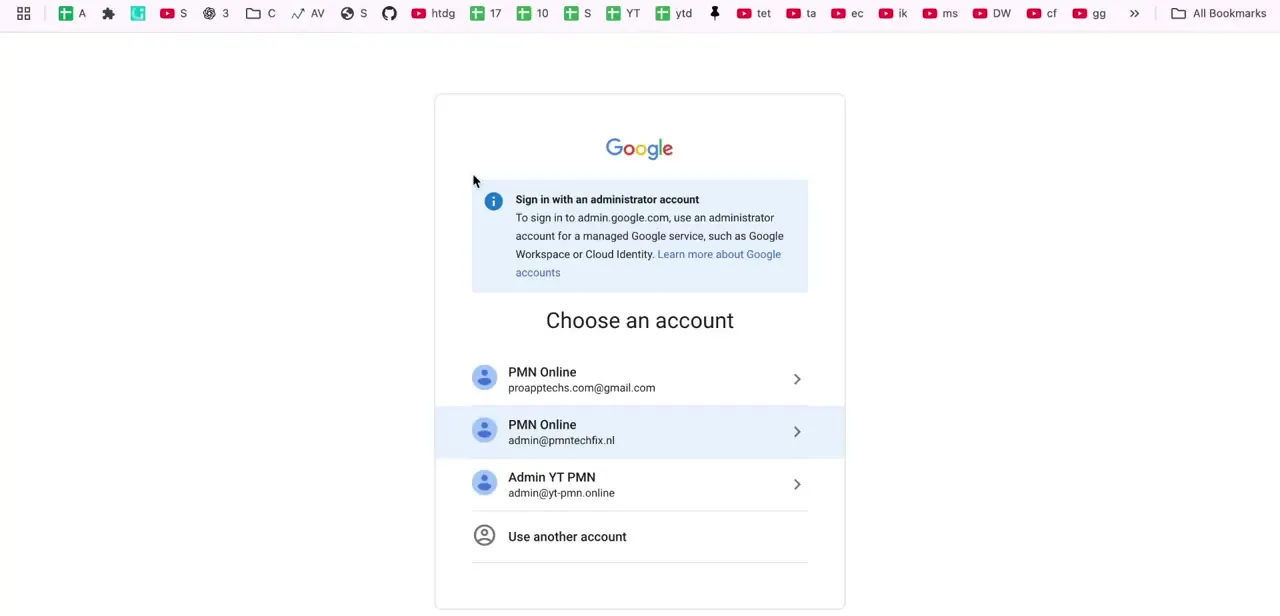
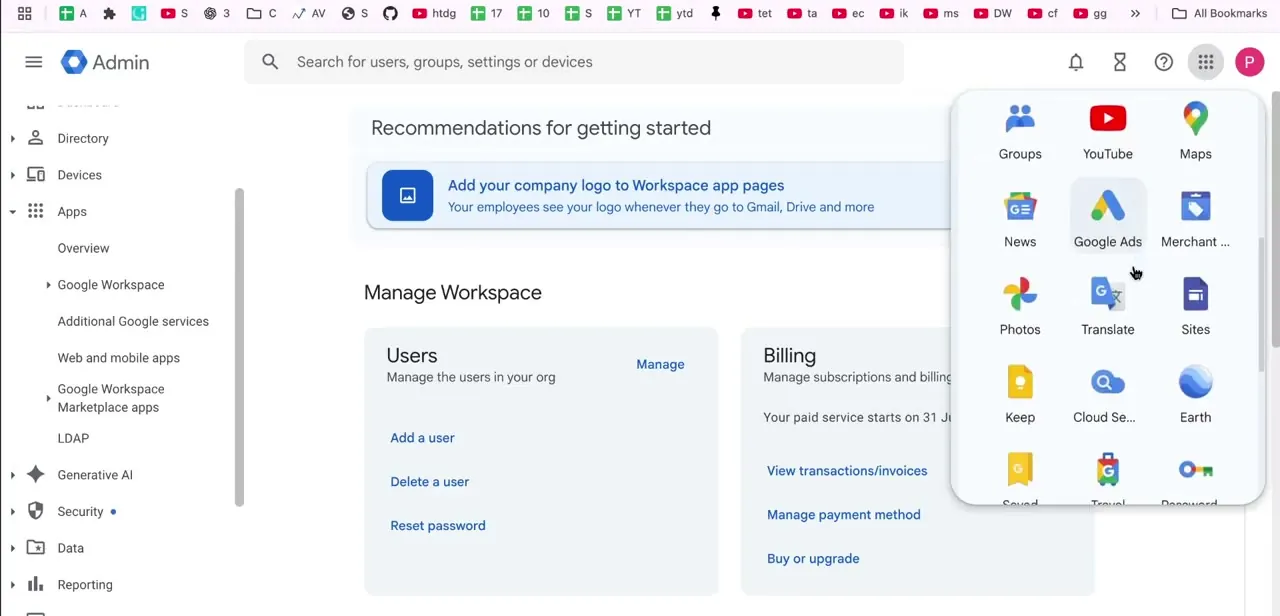
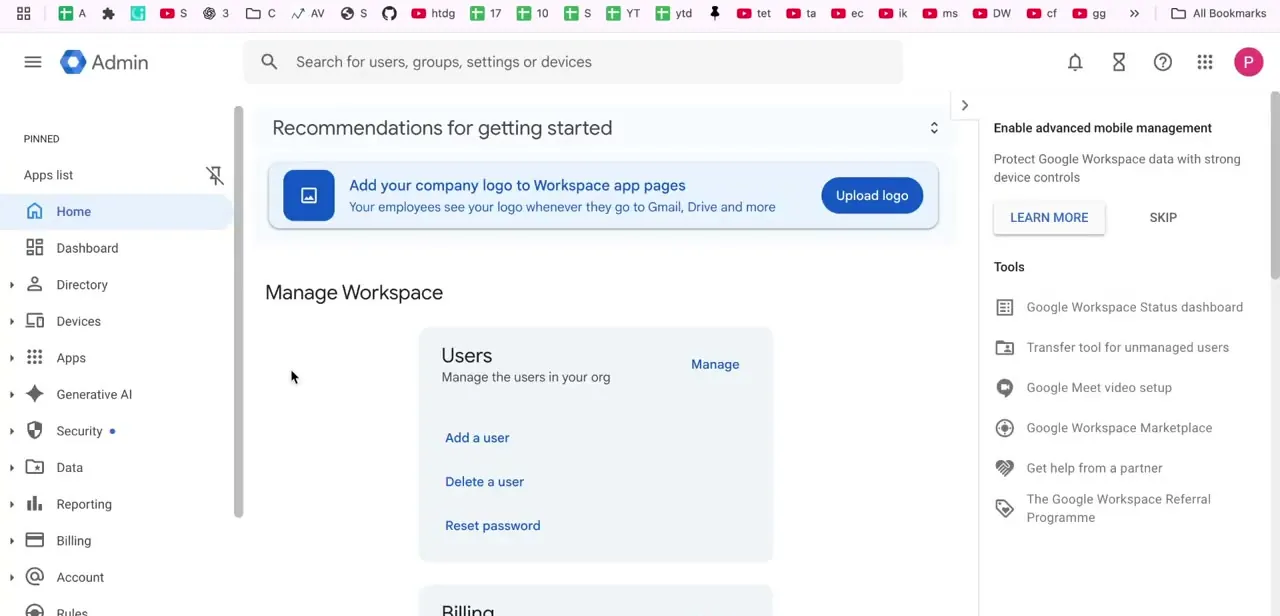
Everything here happens in the Google Workspace Admin Console, reached at admin.google.com while signed in with an admin account. The Home screen puts Users, Billing, and the rest of Manage Workspace front and center, with Directory, Apps, Security, and Data down the left sidebar. This task only touches two of those: Directory, where the no-reply address gets created, and Apps, where the routing rule that blocks replies lives.
02Create a Group for the no-reply address, not a user
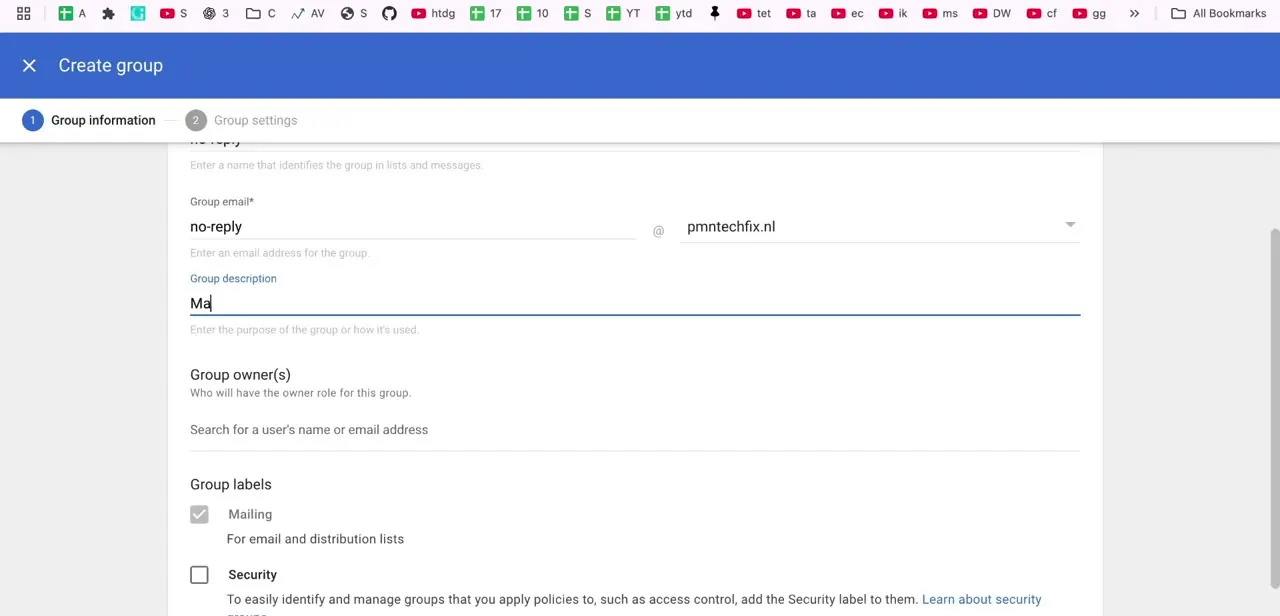
From Directory, choose Groups and start Create group. The key field is Group email: enter no-reply and pick the domain from the dropdown next to it, producing an address like no-reply@yourdomain.com.
Add a description so anyone else in the console later understands what it's for. A Group here instead of a full user account is the practical choice: it doesn't consume a paid license, and it's built to receive mail on behalf of an address nobody logs into, which is exactly the behavior a no-reply sender needs.
03Lock down who can post or view the group
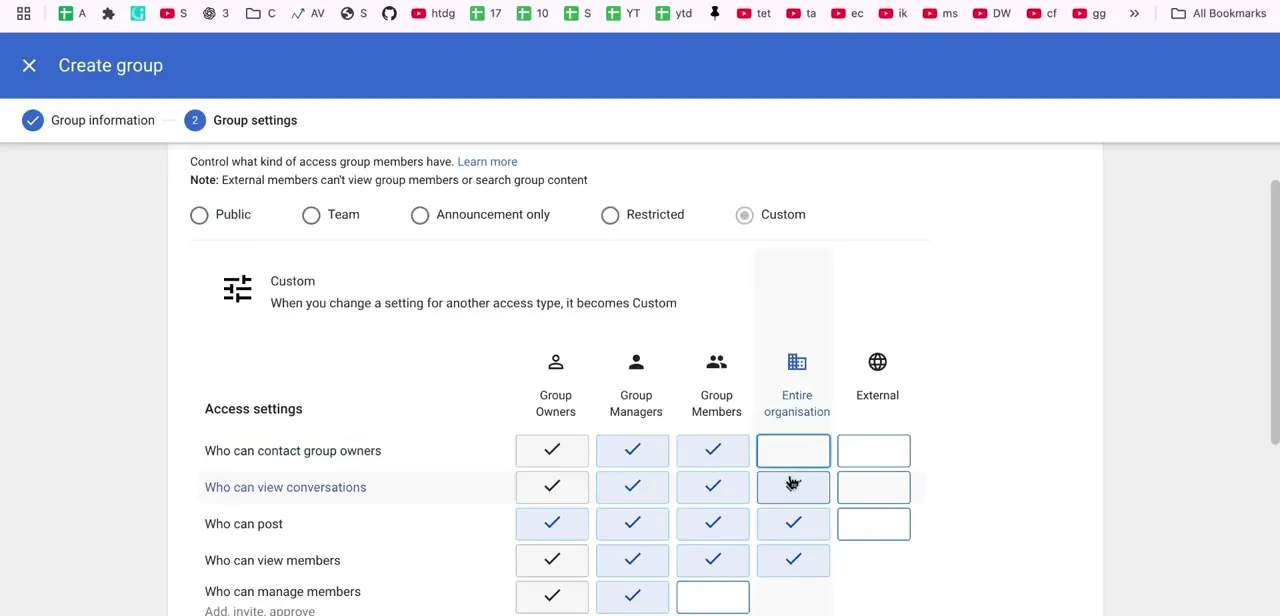
The second step of group creation is Group settings, where access is set. Choosing Custom instead of one of the presets (Public, Team, Announcement only, Restricted) opens a full grid: who can contact group owners, view conversations, post, view members, and manage members, set separately for group owners, managers, members, the entire organization, and external senders.
For a no-reply address, keep this tight. Nobody needs to post to it, view its conversations, or manage its membership except the admin setting it up. This is what stops the address from quietly turning into an inbox someone has to check.
04Add a Gmail routing rule to reject incoming mail
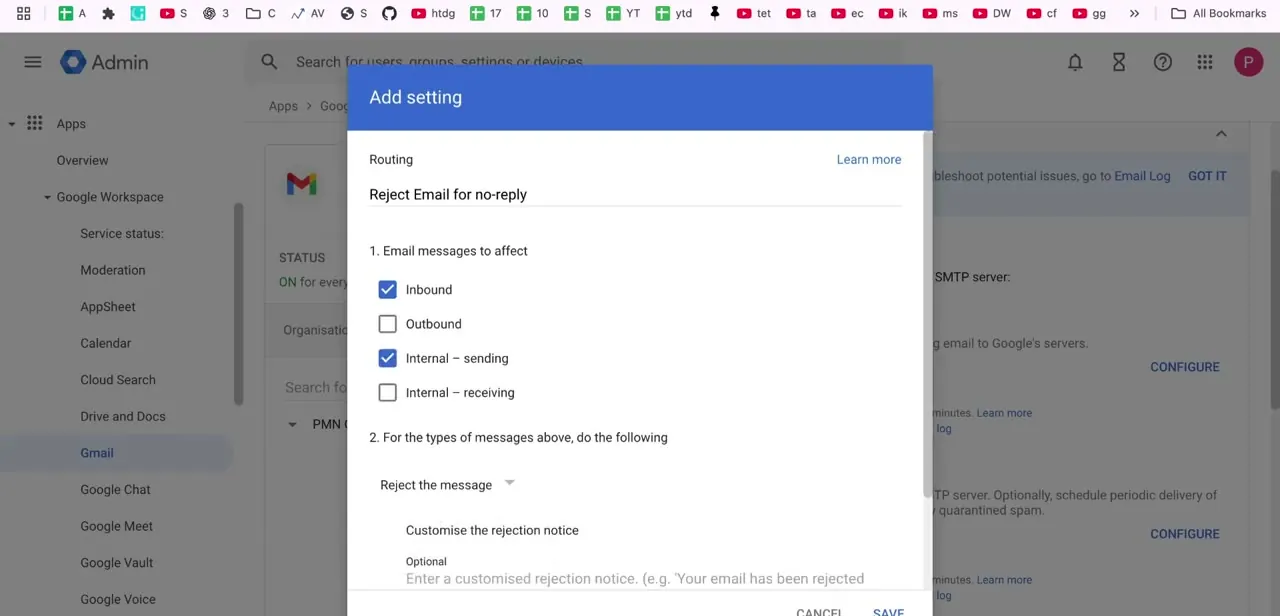
Locking down the group's own permissions stops people posting through Groups, but someone can still hit reply on an email and send straight to the address over SMTP. To block that path too, go to Apps, Google Workspace, Gmail, Routing, and add a new setting.
Choose "Reject Email for no-reply," then under "Email messages to affect" check Inbound (and Internal - sending, if internal replies should bounce as well) and leave Outbound and Internal - receiving unchecked. Set the action to reject the message, and fill in a custom rejection notice so the sender gets a clear explanation instead of a generic bounce.
05Set a clear display name on outgoing mail
Whatever system sends the automated mail, an e-commerce platform, a marketing tool, a script, configure its sender display name to something unambiguous, like "Yourstore (no reply)" rather than a bare address. Most people scan the display name before the address, and a name that flags itself as automated cuts down on confused replies before they're sent, which means the routing rule fires less often. This step happens outside the Admin Console, in whatever tool is doing the sending.
06Confirm SPF and DKIM are configured for the domain
A rejected-reply rule doesn't help if the original message never reaches the inbox. Check that the domain's SPF record authorizes Google Workspace and any third-party sending tool in use, and that DKIM signing is turned on and verified under Apps, Google Workspace, Gmail, Authenticate email. Missing or misconfigured records are the most common reason automated mail ends up in spam, so treat this as required rather than optional before relying on the new address for real traffic.
07Add a DMARC record if the domain sends at any real volume
Google now requires more than SPF and DKIM alone. Any domain sending roughly 5,000 or more messages a day to personal Gmail addresses is a "bulk sender" in Google's terms, and bulk senders must also publish a DMARC record, with a policy of at least p=none, aligned to either the SPF or DKIM domain.
This has been enforced since February 2024, with stricter rejection of non-compliant mail rolled out from November 2025 onward, so a domain sending newsletters or order confirmations through this same no-reply address is very likely covered by it even if it feels like a small operation. Bulk senders also need a one-click unsubscribe option on marketing and promotional messages (not required for one-off transactional mail like a receipt), and Google recommends keeping the spam complaint rate under 0.1%, with anything above 0.3% losing eligibility for Gmail's delivery support.
08Send a test message before going live
Before pointing production systems at the new address, send test emails from it to a few different providers, Gmail, Outlook, and whatever customers mostly use, and confirm both that they land in the inbox and that a reply actually bounces the way the routing rule intends. This is the cheapest point to catch a misconfigured permission or an over-broad rule, well before a real customer hits reply on an order confirmation and gets an unexpected result.
When it doesn't work
Mail passes SPF and DKIM but still lands in spam at real sending volume
Why: Google requires a DMARC record too once a domain sends around 5,000 or more messages a day to personal Gmail addresses; SPF and DKIM alone no longer satisfy that bar.
Fix: Publish a DMARC TXT record with at least p=none, aligned to the SPF or DKIM domain, then tighten the policy once reports confirm legitimate mail is passing.
Rejected replies get a generic, unhelpful bounce
Why: The routing rule's "Customise the rejection notice" field was left blank, so the sender only sees a default failure message.
Fix: Edit the routing rule and add a short custom notice, for example pointing the sender to a real support address.
Someone other than the admin ends up able to view or manage the group
Why: One of the Custom access rows, most often "who can manage members" or "who can view conversations," was left at a broader audience than intended.
Fix: Reopen the group's Access settings and check every row against the group owners/managers/members/organization/external columns, not just the ones that seemed relevant at setup.
Frequently asked questions
Why use a Group instead of a full user account for a no-reply address?
A Group doesn't consume a paid license and is designed to receive mail without anyone logging into it, which matches what a no-reply address needs: somewhere to send from, not an inbox to manage.
Will emails from a no-reply address end up in spam?
Not if SPF and DKIM are configured correctly, and, once the domain sends at real volume, a DMARC record too. Poor authentication is the most common cause of automated mail landing in spam, separate from the no-reply routing rule itself.
Do I need a DMARC record for a no-reply address?
It's required by Google once the sending domain reaches roughly 5,000 messages a day to personal Gmail addresses, and it's a good idea well before that threshold, since it's what SPF and DKIM alone don't fully cover.
Can someone still email my no-reply address even if I don't want them to?
They can send to it, but a Gmail routing rule set to reject inbound mail bounces it back automatically instead of it arriving anywhere that needs checking.
Do I need a separate license for a no-reply email address?
No. Creating it as a Google Group rather than a full user account avoids consuming an additional paid license.
Should internal replies be rejected too, not just external ones?
It depends on the setup, but checking "Internal - sending" in the routing rule alongside Inbound is worth doing if coworkers replying to automated internal mail should bounce the same way external replies do.
Do I need a one-click unsubscribe link on no-reply mail?
Only for marketing or promotional messages sent at bulk-sender volume, not for one-off transactional mail like a receipt. If the same domain also sends newsletters, the whole domain needs to meet that bar.
Sources and last check
The group-creation flow, the Custom access permission grid, and the Gmail routing rule dialog were checked directly against this guide's own screenshots, and all of them matched exactly, including the five Custom access rows and the four "email messages to affect" checkboxes. The SPF/DKIM menu path and Google's bulk-sender rules were checked against Google's official documentation in September 2026. That check found a real gap in the previous version of this guide: it covered SPF and DKIM but never mentioned DMARC, which Google has required for domains sending roughly 5,000+ daily messages to Gmail addresses since February 2024, with stricter enforcement since November 2025. That requirement, plus the one-click unsubscribe and spam-rate thresholds, has been added as its own step.
About the author

Impran M N
I've been hooked on technology for as long as I can remember — especially the new tools and AI apps that seem to land every other week. Easy Tech Tuts is where I write up whatever I've just worked out: I do the task in the real product, record the screen, and turn it into the guide I wish I'd found first.