Easy Tech Tuts
How to Resend Google Workspace Invite Easily 2026
By Impran M NLast checked against official docs
New users sometimes miss their original Google Workspace welcome email, or the link inside it goes stale before they click it. Google Workspace has no standalone "resend invite" action on a user's profile.
The fix admins use is resetting the user's password from the Admin console and emailing them the new sign-in details, which gets a stuck account moving without deleting or recreating anything. This guide walks through that flow: finding the user, resetting their password, and sending it to their recovery email so they can get in.
Before you start
- Admin console access with permission to manage users
- A working secondary (recovery) email address already saved on the user's account — this is where the new sign-in link goes
01Open the Admin console and find the user
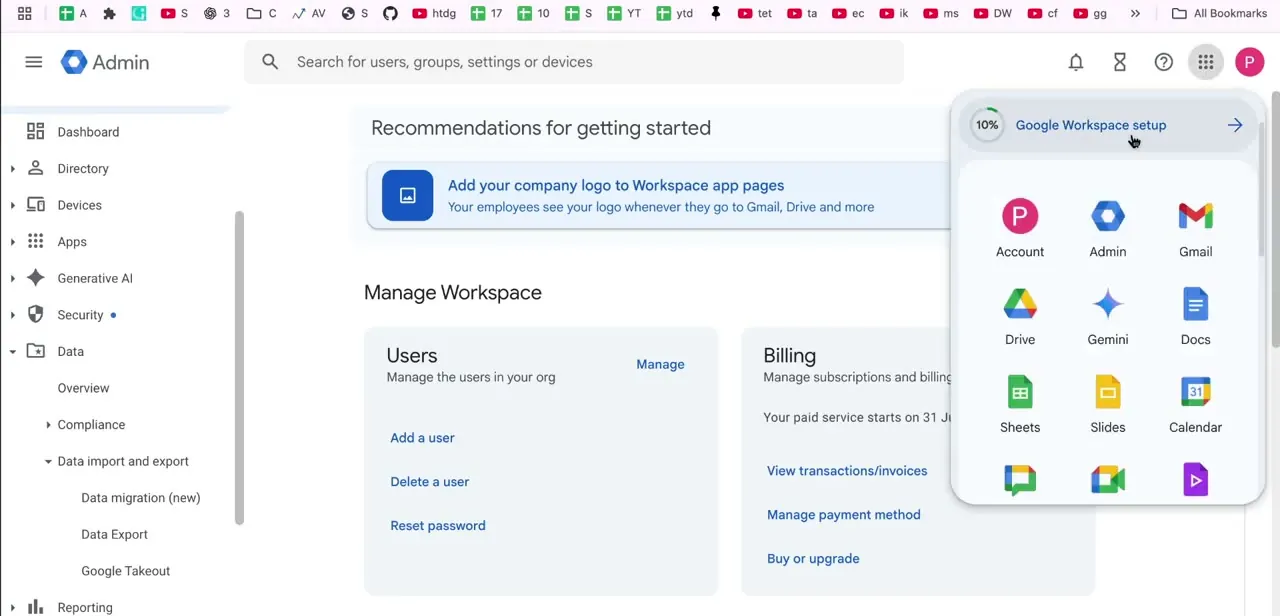
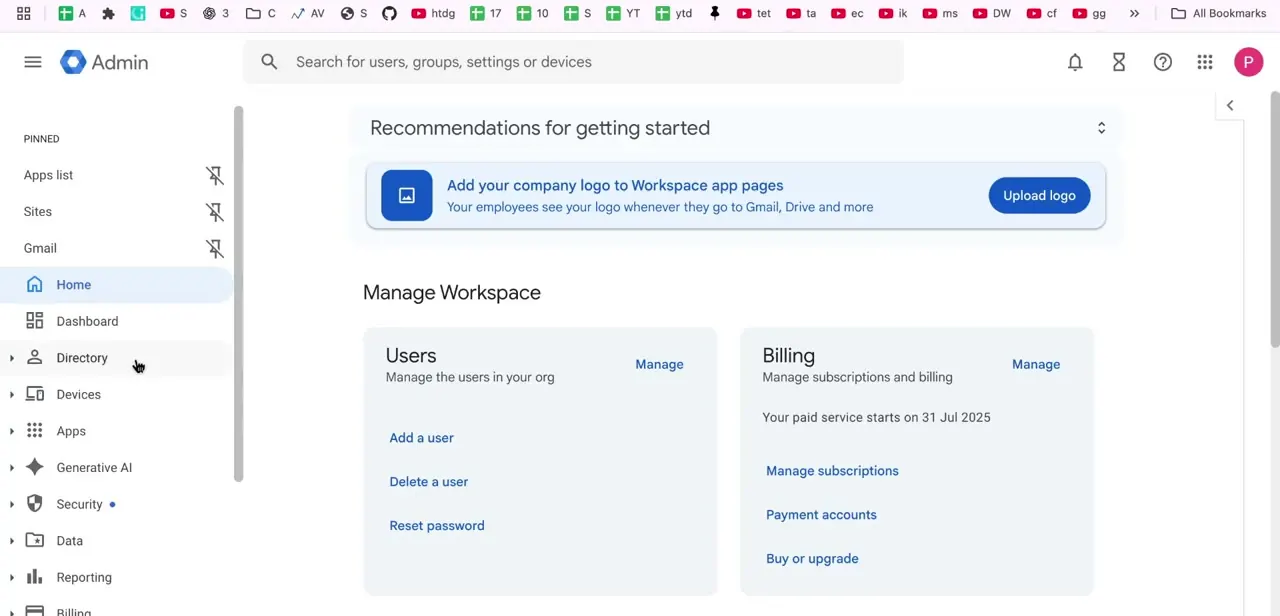
Sign in to admin.google.com and land on the home dashboard, where the Manage Workspace section groups core admin tasks: Users on one side with Add a user, Delete a user, and Reset password shortcuts, Billing on the other. Click Manage under Users, or Users in the left-hand Directory menu, to reach the full list of accounts.
Search or scroll to the user who hasn't activated their account and click their name to open their profile. The panel across the top shows whether the account is Active, when they last signed in, and when it was created. A user who's never signed in despite the account existing for days or weeks is the clearest sign the original invite never landed.
02Reset the user's password
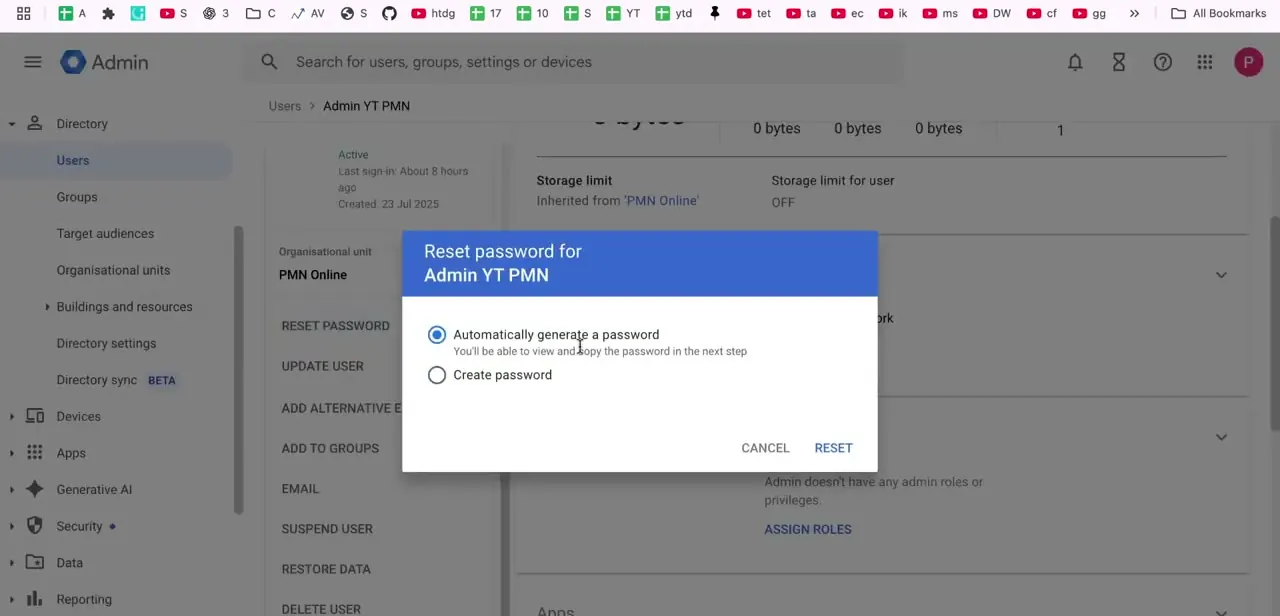
From the user's profile, the left-hand list of actions includes Reset Password, Update User, and Suspend User. Click Reset Password to open the reset dialog.
There are two options: let Google generate a password automatically, viewable and copyable on the next screen, or set one with Create Password. For a user who's simply stuck outside their account, the automatic option is simpler since the next step sends it directly instead of requiring it to be relayed by hand.
03Confirm the reset and copy the password
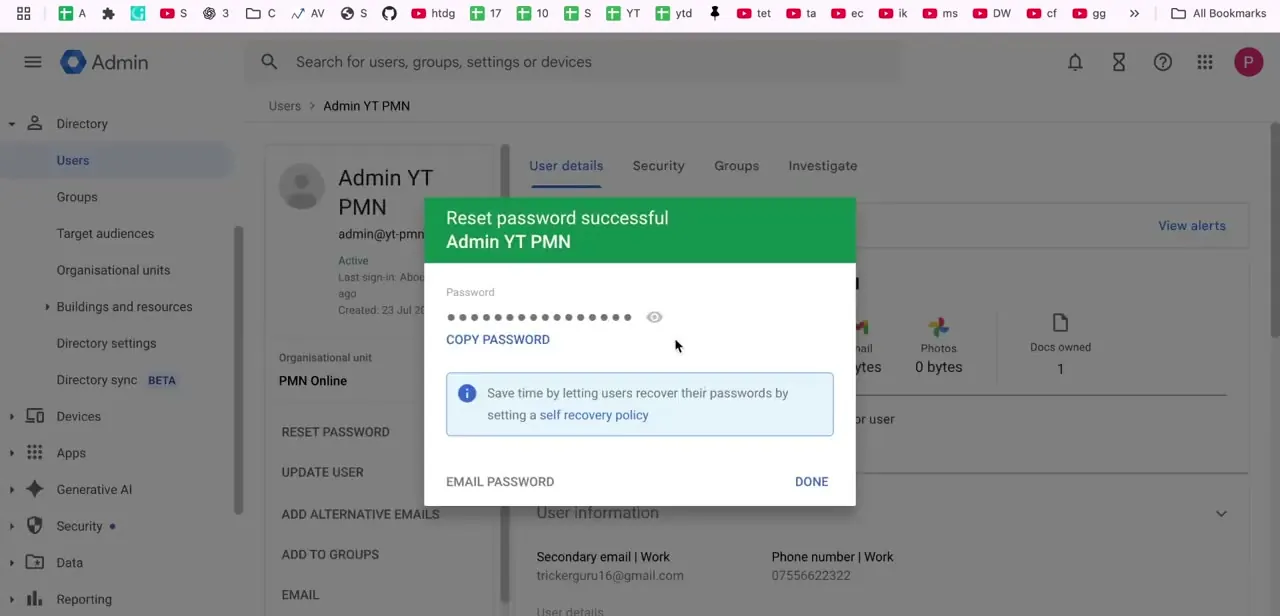
After confirming, a green "Reset password successful" banner appears with the new password in a masked field that can be revealed or copied. This screen also has the Email Password button, which is the part that gets the user unstuck. Copying the password here only helps if it's being relayed some other way.
04Email the new password, then confirm activation
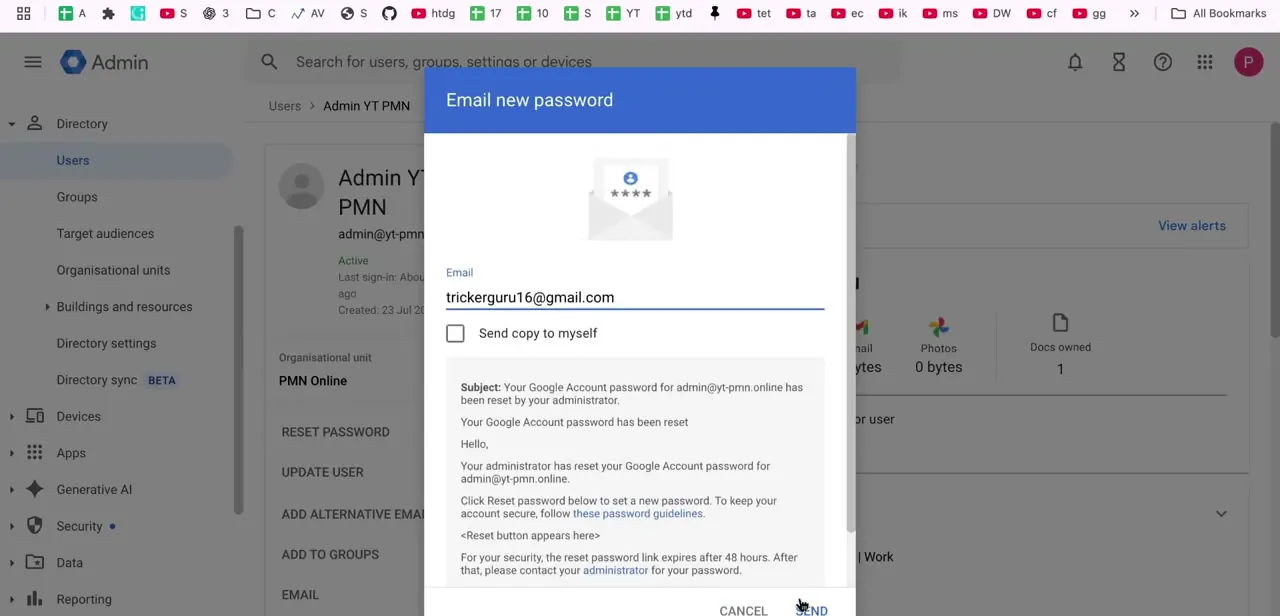
Clicking Email Password opens a dialog pre-filled with the user's secondary email address, along with a preview of the message: a note that an administrator reset the account's password, a reset button, and a line warning that the link expires. Double-check the address before sending; a wrong or outdated one recreates the same delivery problem as the original invite, just with a different message.
Once the email lands, the user clicks the link, sets a password they'll remember, and signs in. Their account status then flips to Active with a real last-sign-in timestamp, checkable by reopening their profile.
If it still doesn't arrive, check the secondary email for typos and ask the user to check spam. If the link has already expired, click Reset Password again instead of trying to revive the old one. A fresh reset issues a fresh link.
When it doesn't work
There's no "resend invite" option anywhere in the Admin console
Why: Google Workspace's current Admin console doesn't ship a standalone resend-invitation action.
Fix: Use Reset Password followed by Email Password on the user's profile. It produces the same practical outcome: a new password and a new sign-in link sent to the user.
The user never receives the reset email
Why: A typo in the secondary (recovery) email address on file, or the message landing in spam.
Fix: Reopen the user's profile, check the secondary email field is correct, and ask the user to check their spam folder before resetting again.
The user clicks the link after some delay and it no longer works
Why: Google's setup links for new or unactivated users expire; an old link that's timed out can't be revived.
Fix: Click Reset Password again on the same profile to issue a fresh password and a fresh link, then send that one instead.
Frequently asked questions
Is there a dedicated "resend invite" button in Google Workspace?
No. The Admin console doesn't have that as a standalone action on a user's profile. The practical equivalent is resetting the user's password and emailing it to them, which sends a fresh link.
Can I resend access without deleting the user account?
Yes. Resetting the password and emailing it doesn't touch the account itself. It issues a new password and a new link, leaving the user's data, groups, and settings untouched.
Why might a user not receive the reset email?
The most common causes are a typo in their secondary email address or the message landing in spam. Both are worth checking before assuming Google failed to send it.
How do I confirm the reset worked?
Reopen the user's profile in the Admin console. An account that's successfully signed in shows Active status with a recent last-sign-in timestamp instead of a blank one.
Sources and last check
Click path and screens come from a walkthrough recorded in 2026. Re-checked against Google's official "Reset a user's password" documentation in September 2026: it confirms there is no separate resend-invitation action in the current Admin console and that Email Password is the documented way to send a user a fresh sign-in link. No factual error was found in this article; the rewrite tightened the steps, added prerequisites and troubleshooting, and cited the source instead of correcting a claim.
About the author

Impran M N
I've been hooked on technology for as long as I can remember — especially the new tools and AI apps that seem to land every other week. Easy Tech Tuts is where I write up whatever I've just worked out: I do the task in the real product, record the screen, and turn it into the guide I wish I'd found first.