Easy Tech Tuts
How to Remove Domain From Google Workspace, Can you remove or change primary domain 2026 (Answered)
By Impran M NLast checked against official docs
Restructuring your organization's email setup sometimes means removing a domain you no longer need, or wondering whether you can swap your primary domain entirely. This guide walks through the correct way to delete a secondary or unused domain in Google Workspace, including exactly what Google warns you about before the deletion happens, and closes with the real process for changing the primary domain itself, which turns out to be self-service for most accounts, not the support-only process it's often assumed to be.
Before you start
- The Domain settings administrator privilege on the Google Workspace account (Google requires this specifically to remove a domain)
01Open Domains in the Admin Console
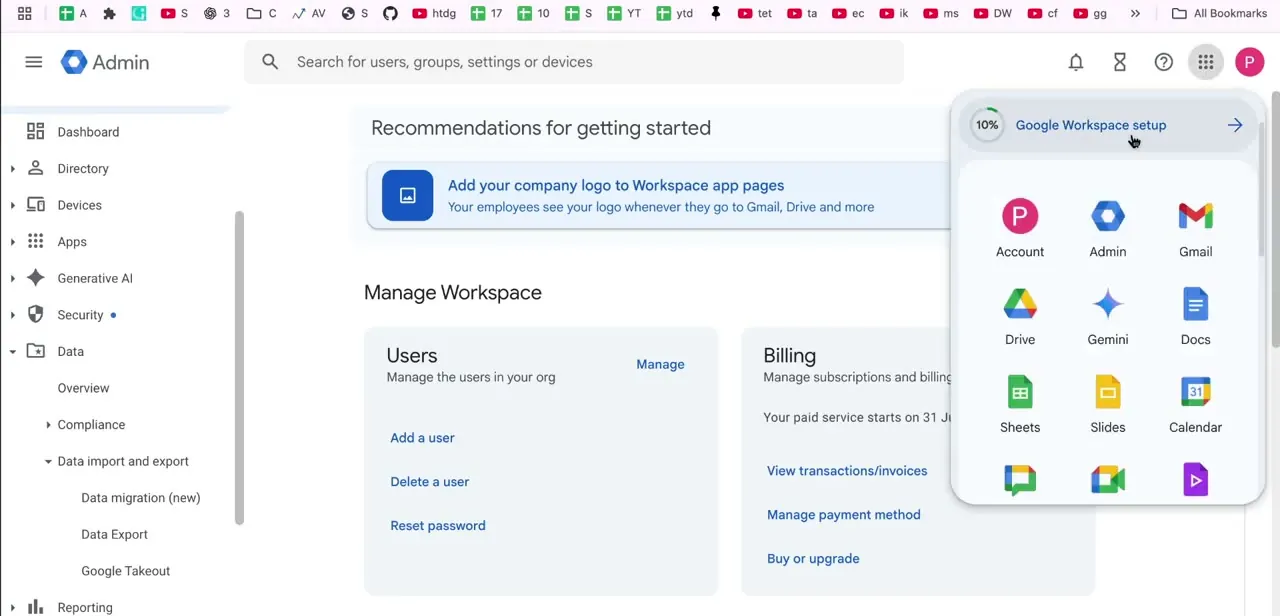
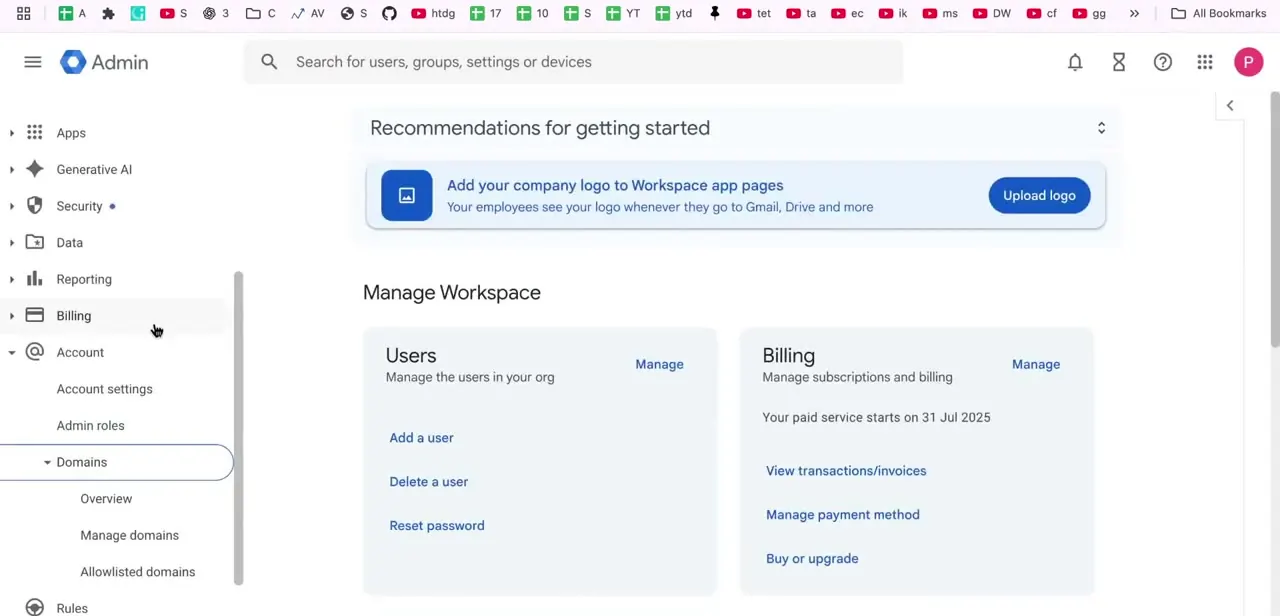
From the Admin Console, open Account in the left sidebar and expand Domains to reveal Overview, Manage domains, and Allowlisted domains. Manage domains lists every domain attached to your organization and is where every action in this guide happens: there's no separate "delete domain" tool hiding elsewhere in the console.
02Confirm you're removing a secondary domain, not the primary
Google Workspace only lets you remove secondary domains and domain aliases from Manage domains; the primary domain, the one your organization was originally set up with, isn't deleted from this screen. If the domain you're looking at is the primary one, deletion isn't the tool you want. Jump to the last two steps of this guide, which cover how to change a primary domain instead.
03Delete groups, remove aliases, and reassign users first
Before removing a secondary domain, Google's documentation lists three things to clear out first: any groups associated with that domain, any email aliases on it, and any users whose address is on that domain, renamed to a different one. Each domain listed in Manage domains has an Add users link next to it, useful for reviewing who's currently on that domain. Anyone left with a primary or alias address there loses the ability to receive mail at that address the moment the domain is removed, so this step isn't optional cleanup; it's what Google expects to be done before removal will go through cleanly.
04Find the domain's action links
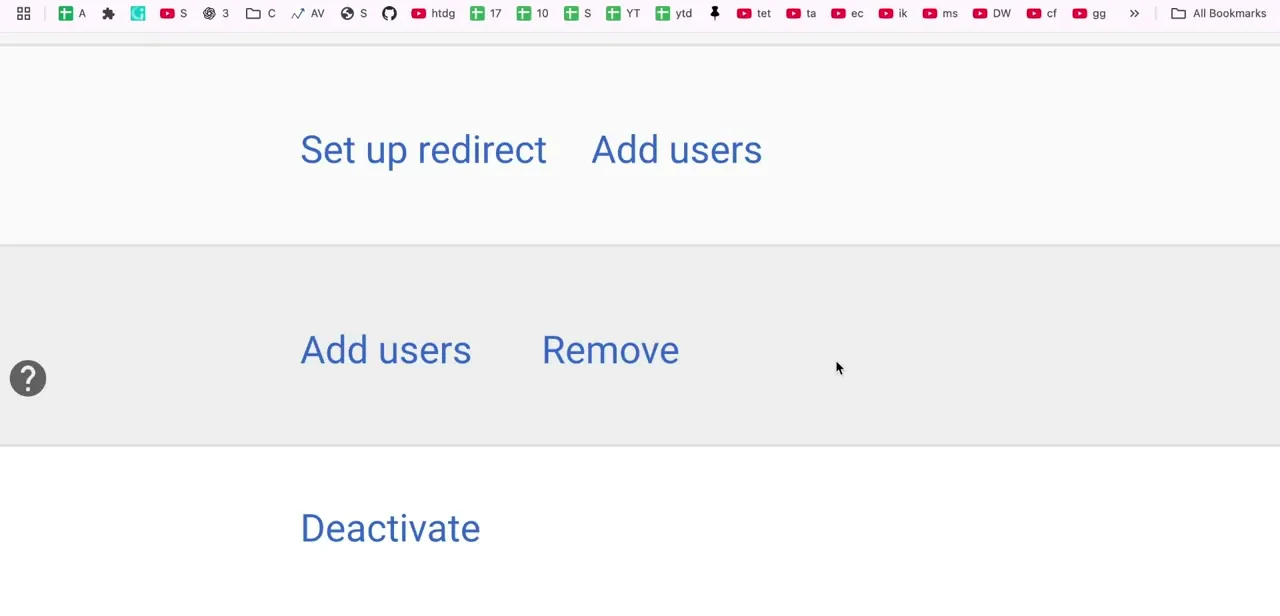
Each domain row exposes a small set of actions: Set up redirect, Add users, Remove, and Deactivate. Set up redirect is worth considering as an alternative to outright removal if you want the domain to keep forwarding traffic or mail somewhere else instead of disappearing entirely. Deactivate is the softer option: it disables the domain without permanently deleting its configuration, safer if you're not fully certain you want it gone for good.
05Read the Remove domain warning before confirming
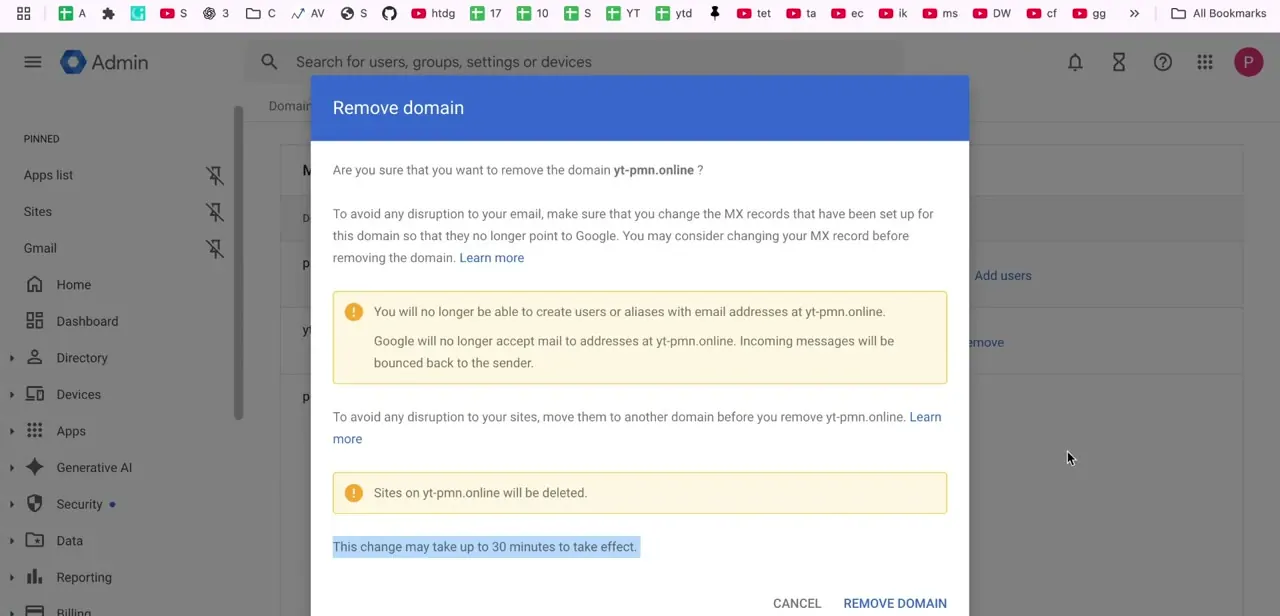
Clicking Remove opens a confirmation dialog that spells out exactly what breaks. Google stops accepting mail to addresses at that domain, so incoming messages bounce back to the sender, and you won't be able to create new users or aliases on it going forward.
If any Google Sites were built on that domain, the dialog states plainly that those sites are permanently deleted, not migrated; copy anything worth keeping to another domain first. The dialog also flags updating MX records before removal so mail stops routing to Google ahead of time.
06Clean up DNS after removal
Once the domain is removed from Workspace, go back to your domain registrar or DNS host and clear out any records that were only there to support the integration: the MX records pointing at Google, any TXT records used for verification, and CNAME records tied to Workspace services you no longer need. Google's documentation notes you can usually reuse the domain's name in your account again within about 30 minutes of removal, though it can take up to 24 hours if the domain had a large number of users. Leftover DNS pointing at a disconnected service is a common source of confusing mail issues months later.
07Add the new domain as secondary and verify it
Changing a primary domain starts the same way as removing one: in Manage domains, click Add a domain, enter the new domain name, and add it as a secondary domain. Verify ownership through the DNS records Google requests, then update that domain's MX records so it can actually handle mail. Setting up SPF and DKIM for it now, before the switch, keeps outgoing mail from that domain from landing in spam once it's live.
08Switch your primary domain
Once the new domain is verified, Manage domains has a Change primary domain option; select the new domain there and confirm. For most Google Workspace accounts this is fully self-service through the admin console, not something that requires opening a support ticket, and Google allows up to 48 hours for the change to propagate.
There are documented exceptions where support involvement is required instead: if the domain being replaced was purchased during Workspace signup, if the account is on a free trial with the wrong domain, if the new domain isn't yet verified, if the account belongs to a reseller, or if it's on the legacy free G Suite edition. Outside those cases, budget for the propagation window, then update each user's primary email address, rename any groups to the new domain, and decide whether to keep the old domain as an alias, leave it as a secondary domain, or remove it using the earlier steps in this guide.
When it doesn't work
Google won't let the domain be removed
Why: Groups, email aliases, or users are still attached to that domain. Google's documentation lists clearing all three as a precondition for removal.
Fix: Delete the domain's groups, remove its aliases, and rename its users to a different domain, then retry Remove.
There's no Change primary domain option, or it's greyed out
Why: The account falls into one of Google's documented exceptions: the current primary domain was purchased at Workspace signup, the account is on a free trial, the new domain isn't verified yet, the account is under a reseller, or it's on the legacy free G Suite edition.
Fix: Contact Google Workspace support for these cases; the self-service switch isn't available to them.
Mail bounces for a short window after removing or switching a domain
Why: DNS and Google's own propagation take time; the documentation cites up to 30 minutes for a removed domain to free up (24 hours for large domains) and up to 48 hours for a primary domain switch.
Fix: Wait out the propagation window before treating bounced mail as a permanent problem, and keep the old domain's MX records intact until the switch is confirmed.
Frequently asked questions
Can I remove a secondary domain from Google Workspace?
Yes. Secondary domains are deleted through Manage domains in the Admin Console, after deleting the domain's groups, removing its aliases, and reassigning its users to a different domain.
Can you change the primary domain in Google Workspace?
Yes, and for most accounts it's self-service: add the new domain as secondary, verify it, then use the Change primary domain option in Manage domains. Google requires support involvement only in specific cases, such as a domain purchased at signup, an unverified new domain, a free trial, a reseller account, or the legacy free G Suite edition.
What happens to email when I remove a domain?
Google stops accepting mail for that domain once removal completes, and incoming messages bounce back to the sender. Update MX records and move affected users before removing it.
Will removing a domain delete my Google Sites?
Yes. The Remove domain dialog states that any Google Sites built on that domain are permanently deleted, not migrated, so copy them to another domain first if you want to keep them.
Is there a safer alternative to removing a domain outright?
Yes. Deactivate disables the domain without permanently deleting its configuration, and Set up redirect forwards it elsewhere instead of removing it entirely.
How long does a primary domain switch take?
Google allows up to 48 hours for the change to propagate after confirming the switch in Manage domains.
Sources and last check
Click path and screens for domain removal come from a walkthrough recorded in 2026. Both the removal and primary-domain-change procedures were re-checked against Google's official Workspace Admin Help documentation in September 2026. That check corrected the previous version of this guide, which claimed changing the primary domain always requires working with Google Workspace support; Google's own documentation describes a self-service Change primary domain flow in the admin console for most accounts, with support required only for a specific, documented set of exceptions. The groups/aliases/users precondition for removing a secondary domain was also added from that documentation.
About the author

Impran M N
I've been hooked on technology for as long as I can remember — especially the new tools and AI apps that seem to land every other week. Easy Tech Tuts is where I write up whatever I've just worked out: I do the task in the real product, record the screen, and turn it into the guide I wish I'd found first.