Easy Tech Tuts
How to Recover Deleted User Account in Google Workspace Easily 2026
By Impran M NLast checked against official docs
Google Workspace doesn't erase a deleted account the moment you click delete. It holds the account in a recovery state for 20 days, and a super admin can pull it back from the same Admin Console screen used to manage every other user.
The clock starts at deletion, not when someone notices they're locked out, so if a user reports missing access unexpectedly, checking the deleted-users list is worth doing early rather than as a last resort. This guide covers where that recovery list lives, the license requirement that can quietly block a restore, and the cleanup worth doing once the account is back.
Before you start
- Super admin access to the Google Admin console
- The account must have been deleted within the last 20 days — Google does not keep the data past that window
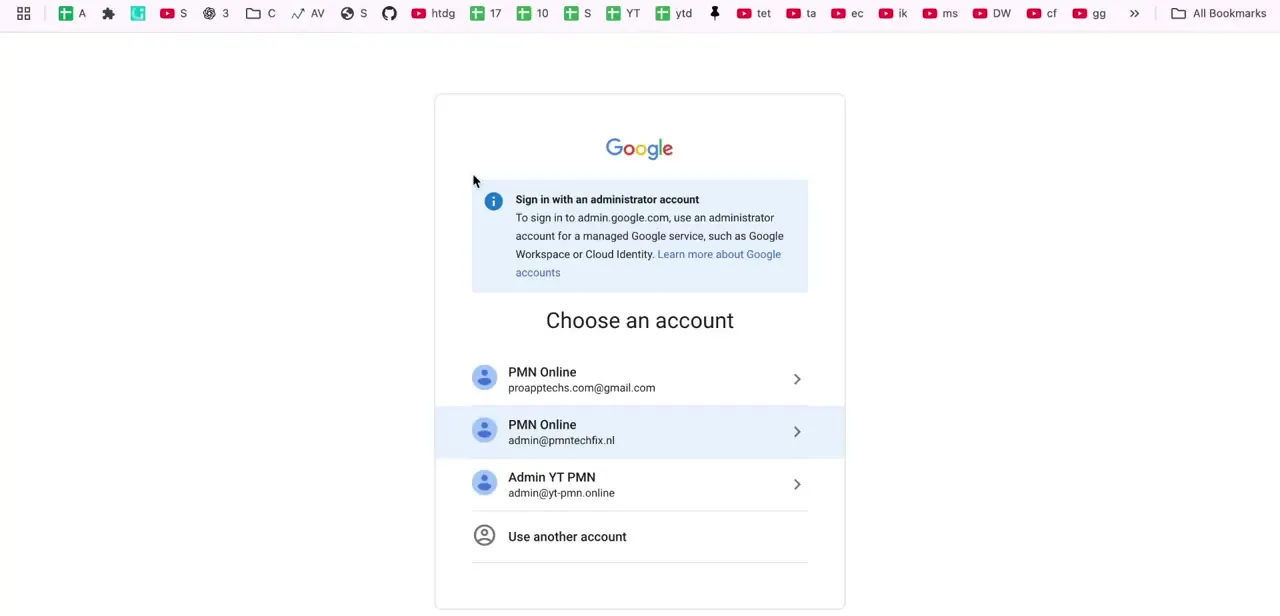
01Open the Admin Console
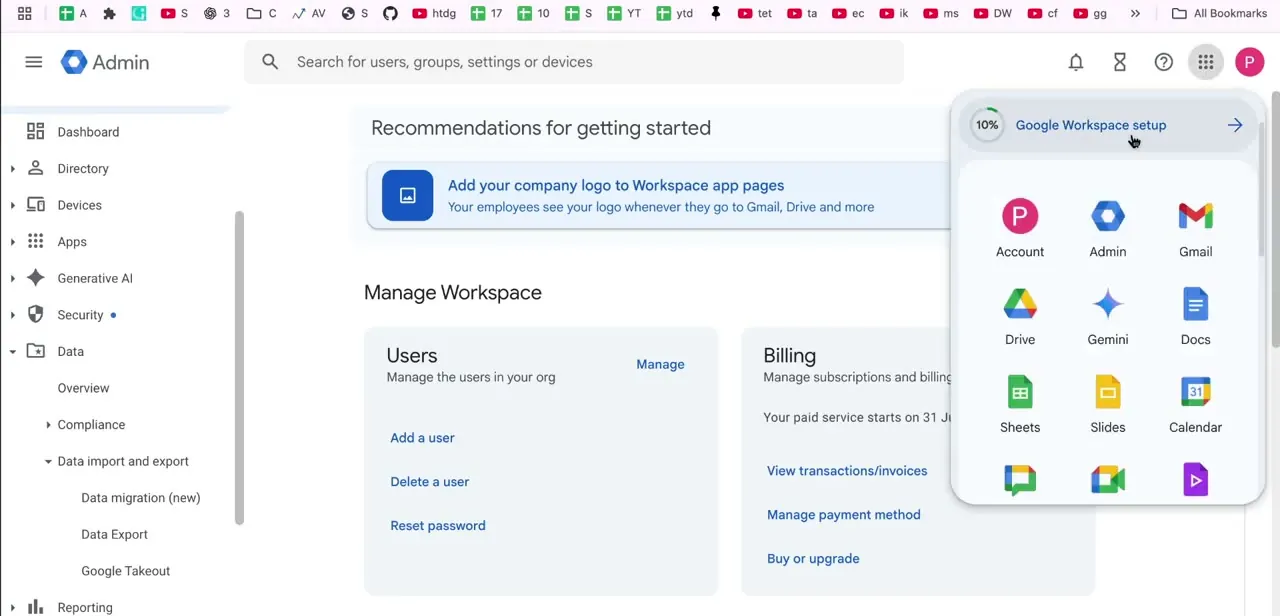
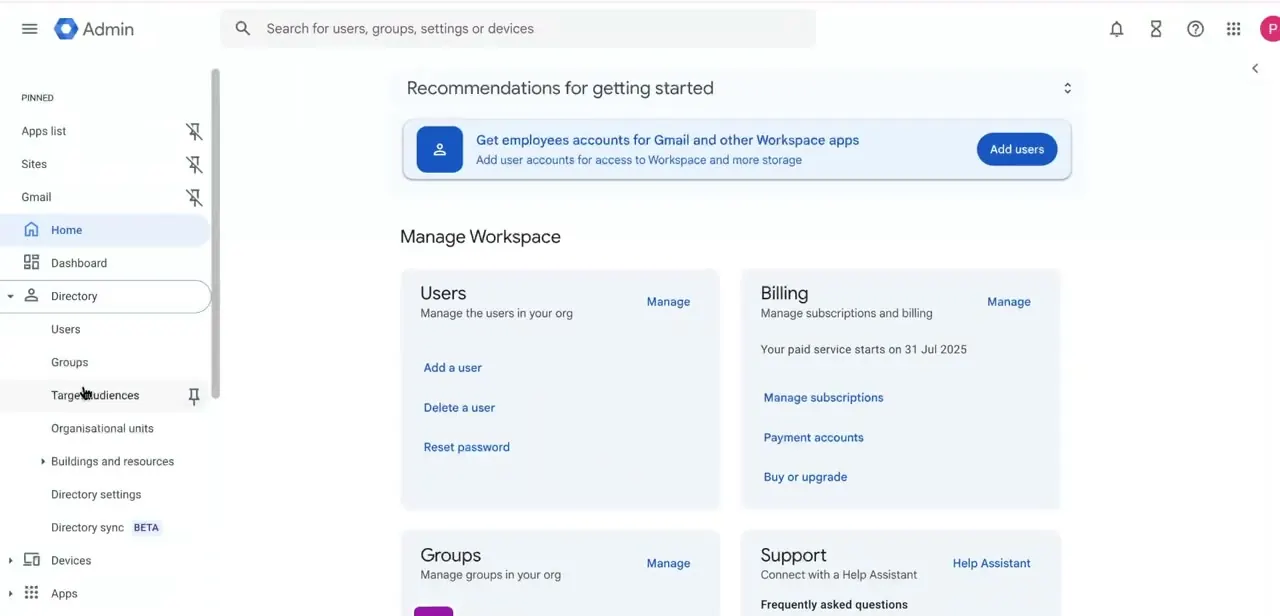
Sign in with a super admin account and land on the Admin Console home screen, where the "Manage Workspace" section gives you shortcut cards for Users, Billing, Groups, and Support. The Users card has quick links to Add a user, Delete a user, and Reset password, but recovering a deleted account isn't one of the shortcuts here. You need the full Users list, filtered down, which is the next step.
02Filter the Users list for recently deleted accounts
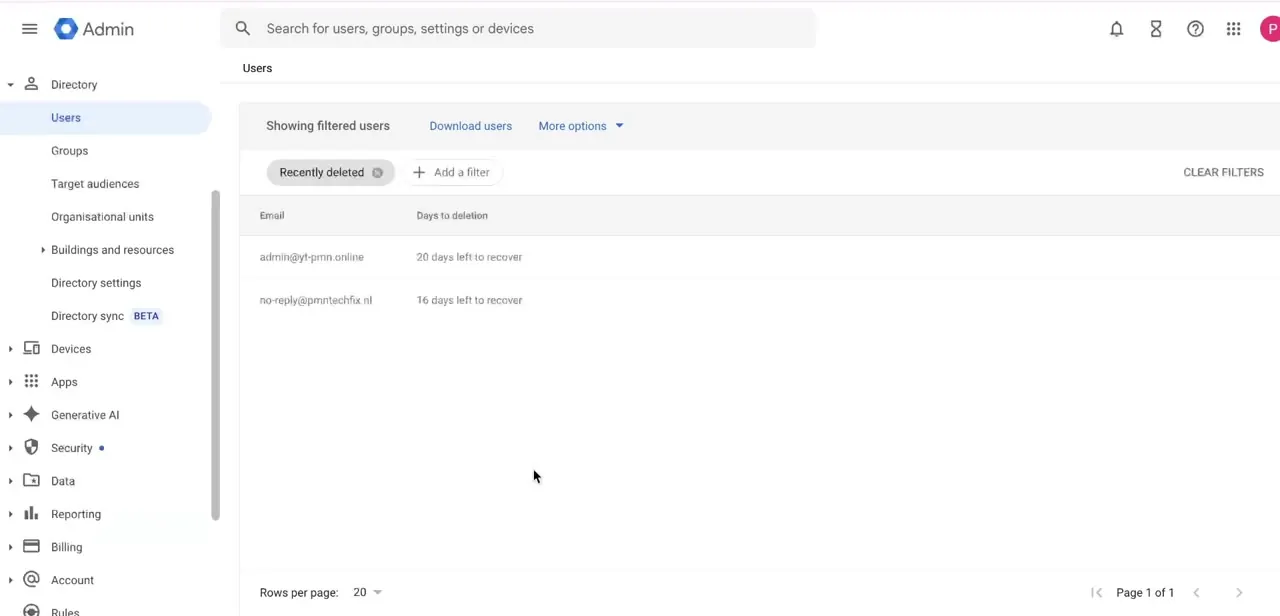
Go to Directory → Users, open the More options dropdown, and choose Recently deleted. The list changes to show only accounts still inside the recovery window, each with a "Days to deletion" column counting down. That countdown is the most important number on the page: an account with a handful of days left needs action now, while one that just entered the list gives you time to confirm with the user before restoring it.
03Restore the account
Point to the deleted account in that filtered list and click Recover. A confirmation notice appears; read it, then click Continue.
You'll be asked to pick an organizational unit for the restored account before a final Recover click completes the process. Google brings the account back along with its Gmail, Drive, and Calendar content, provided none of it has already been purged by the deadline or a separate retention policy.
The restore only completes if a license is available for the service or edition the user previously had. Without one, free up a seat before trying again.
04Verify data and access
Restoring the account doesn't mean everything is instantly usable. Google's own documentation notes the change usually takes up to 24 hours to fully take effect, and in rare cases up to 5 days.
Once that window has passed, check that Gmail, Drive, and Calendar data are intact and that the user can sign in normally. Group memberships, shared drive access, or delegated permissions occasionally need to be reattached by hand even after a successful restore.
05Update passwords and permissions
As a final security step, reset the recovered account's password instead of leaving whatever it was before deletion; you don't know why the account was removed or whether the old password was exposed. Review the account's group memberships, organizational unit, and any admin roles it held, so the user comes back with exactly the access they're supposed to have.
When it doesn't work
The Recover option won't complete, or the restored user has no access to their old service
Why: No license is available for the edition the user previously had assigned.
Fix: Free up a license by suspending or deleting an unused account, or buy an additional seat, then retry the recovery.
Recovery fails with a message about the username or domain
Why: Another account or group is already using that username, or the domain has since moved to a different Workspace account.
Fix: Free the username from whichever account or group holds it, or confirm the domain is still on this Workspace account, before recovering.
The user is restored but can't see their old Gmail, Drive, or Calendar data right away
Why: Google's documentation states restoration usually takes effect within 24 hours, occasionally up to 5 days.
Fix: Wait out the propagation window before troubleshooting further. If data is still missing after 5 days, contact Google Workspace support.
Frequently asked questions
How long do I have to recover a deleted Google Workspace user?
Exactly 20 days from deletion. The Recently deleted filter in the Users list shows the days remaining for each account, so you don't have to track the deadline yourself.
Will all the user's emails and files come back after recovery?
Yes, provided recovery happens inside the 20-day window and a license is available for their previous edition. Data can take up to 24 hours to reappear, occasionally longer.
Can a regular user recover their own deleted account?
No. Recovery has to be started by a super admin through the Admin Console's Users list, not by the affected user.
What happens if there's no license free to restore the user?
The recovery won't complete. Suspend or delete another account to release a matching license, or purchase an additional seat, then try again.
What happens if I don't recover the account in time?
Once the 20-day window closes, the account and its data are removed for good. There is no extension.
Sources and last check
Click path and screens come from a recorded walkthrough. The 20-day window, the license requirement, the username/domain constraints, and the up-to-24-hours (rarely 5-day) propagation delay were checked against Google's official Admin Console documentation in September 2026. The restore step was rewritten to match the documented hover-Recover-confirm-OU flow, which the original draft compressed into a single click.
About the author

Impran M N
I've been hooked on technology for as long as I can remember — especially the new tools and AI apps that seem to land every other week. Easy Tech Tuts is where I write up whatever I've just worked out: I do the task in the real product, record the screen, and turn it into the guide I wish I'd found first.