Easy Tech Tuts
How to Check Email on Google Workspace, Access Gmail Instantly 2026
By Impran M NLast checked against official docs
Checking email on a Google Workspace account works almost identically to a personal Gmail account, but new hires and small-team owners often lose a few minutes hunting for the right entry point, especially when they're also managing the account's admin settings on the same login. This guide covers signing in, finding Gmail from the Google apps grid, and reading your inbox once you're there, plus what to do if multiple accounts or a login error get in the way.
Before you start
- A Google Workspace account already set up by your organization or its admin (this guide covers accessing it, not creating one)
01Sign in with your Workspace email
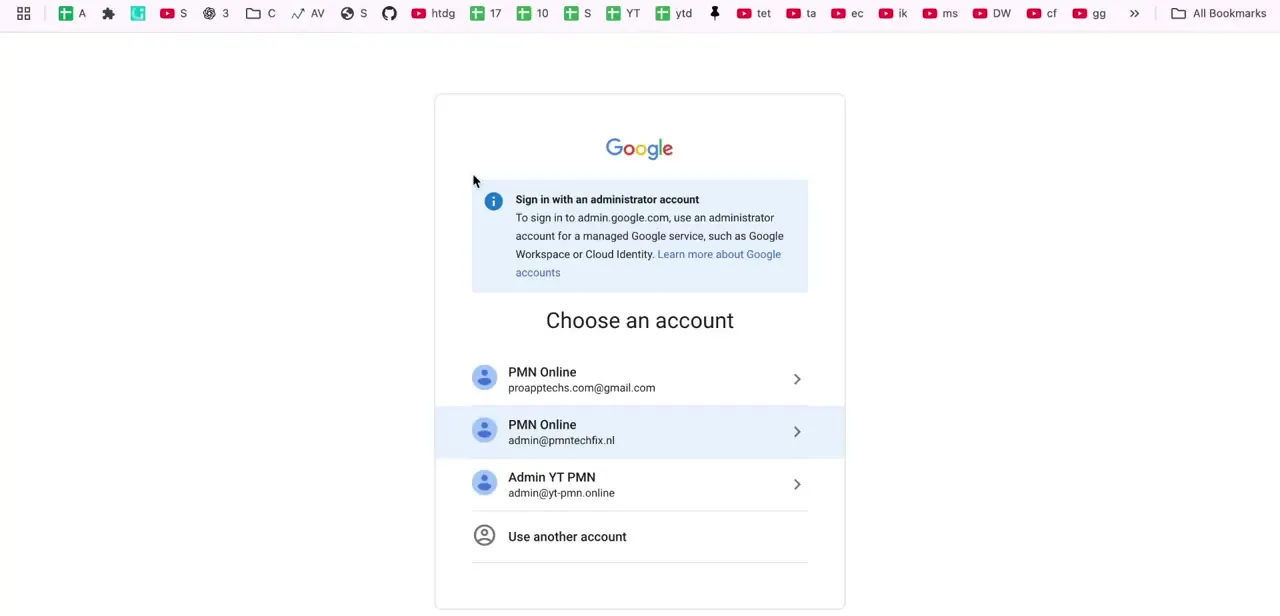
Go to gmail.com or accounts.google.com and enter your Workspace email address and password. The login screen looks identical to a personal Gmail sign-in; the only difference is your address ends in your organization's domain instead of gmail.com. If your organization uses single sign-on, you may be redirected to a company login page first before landing back on Google's side of the process.
02Open Gmail from the Google apps grid
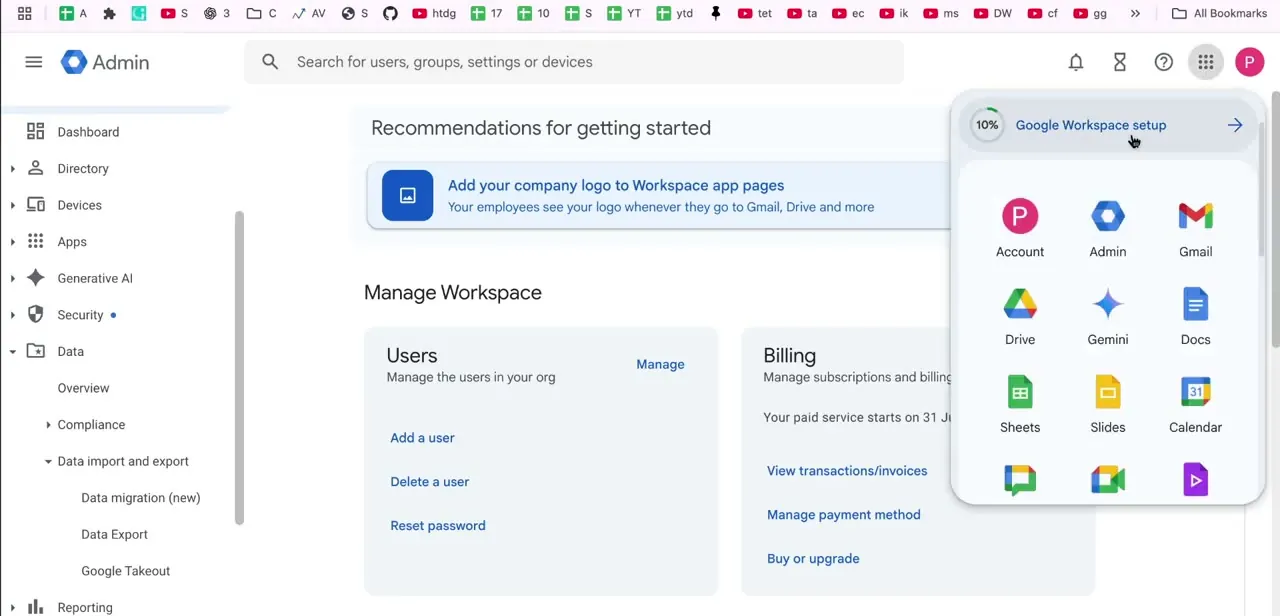
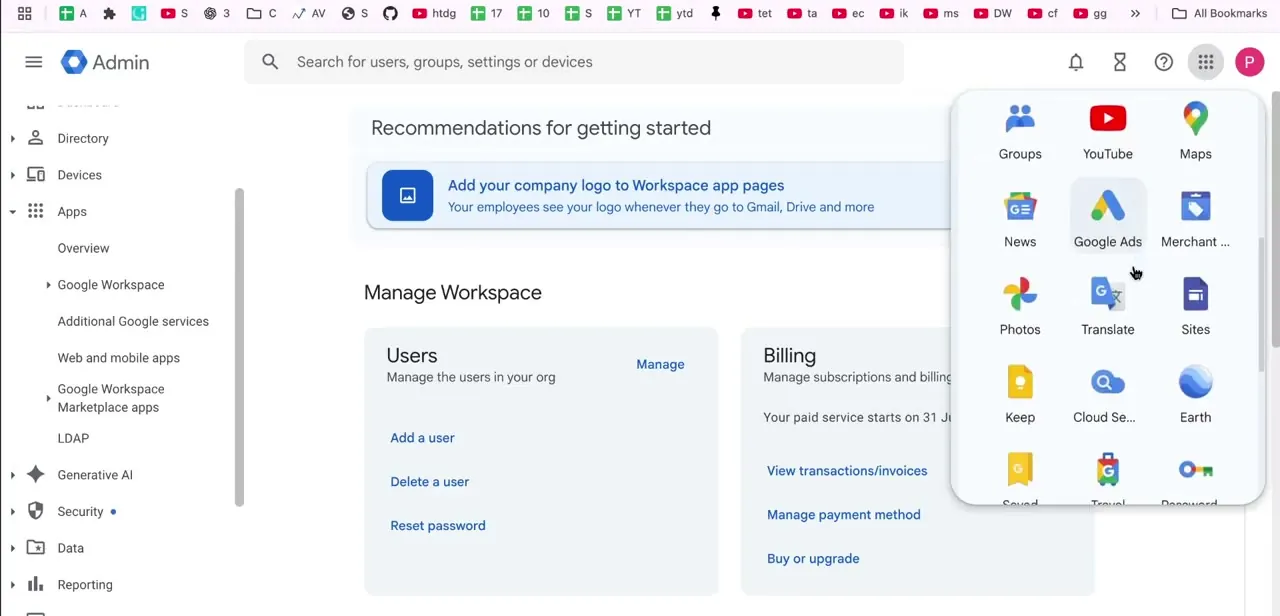
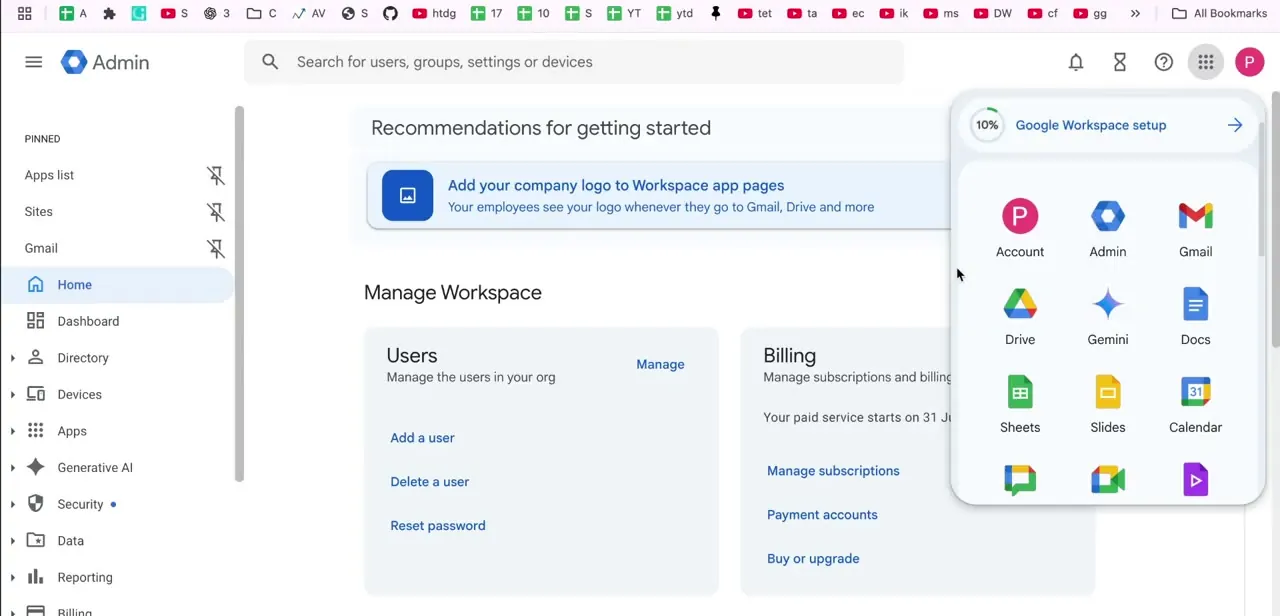
If you land in the Admin console or another Google service instead of your inbox, click the grid icon in the top-right corner to open the Google apps menu. Gmail sits near the top of this grid alongside Account, Admin, Drive, Gemini, and Docs, and clicking it takes you straight to your inbox without needing to re-enter your credentials. This is also the fastest way to jump to Gmail if you're an admin who just finished managing users or billing and now needs to check your own mail.
03Read and manage your inbox
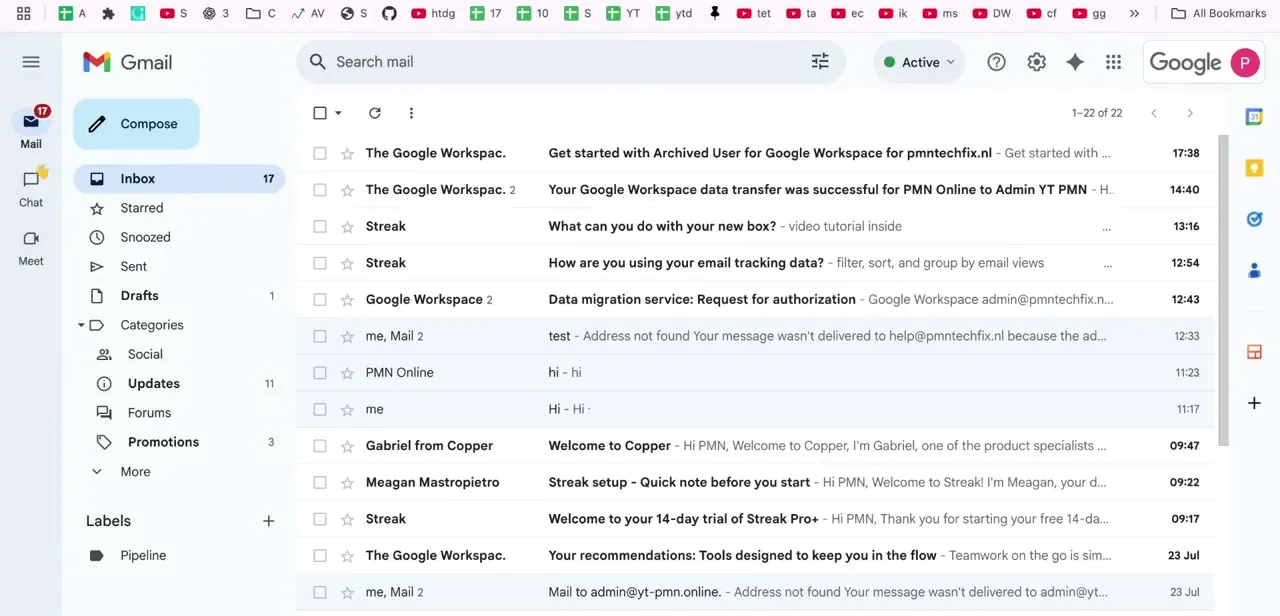
Once Gmail loads, your inbox lists messages by sender, subject, and time received, with an unread count shown next to Inbox in the left sidebar. Compose sits at the top for starting a new message.
Below it, the sidebar breaks your mail into Starred, Snoozed, Sent, Drafts, and expandable Categories like Social, Updates, Forums, and Promotions. Check those category tabs if an email you're expecting isn't in your primary inbox; Gmail sorts a lot of automated mail into them by default.
04Use labels to keep a busy inbox organized
Labels sit at the bottom of the left sidebar and work like flexible folders. A single email can carry more than one label, unlike a traditional folder system where a message lives in exactly one place. Create a label for an ongoing project or a recurring sender, then drag matching emails onto it, or set up a filter so Gmail applies it automatically going forward.
05Switch between multiple accounts
If you manage both a personal Gmail account and a Workspace account, click your profile circle in the top-right corner to open the account switcher, which lists every Google account you're signed into on that browser. Selecting a different account swaps your entire Gmail view instantly, without signing you out of the others. This is useful for checking a work inbox and a personal one back to back during the day.
06Check email from the mobile app
The Gmail app supports Workspace accounts the same way it supports personal ones. Open the app, tap your profile icon in the top right, tap Add another account, and choose Google.
Sign in with your Workspace address and it appears as a separate inbox you can switch into from that same profile icon, mirroring the desktop switcher. Google's own help pages describe this path as Profile, then Add another account, then Google, on both Android and iOS; there is no separate Workspace option to look for.
When it doesn't work
Gmail won't open, or throws an error right after signing in
Why: A common cause is trying to sign into a personal Gmail session with Workspace credentials in the same browser tab, or a cached login state getting confused between accounts.
Fix: Confirm you're using the intended account, then try a different browser or an incognito window to rule out a stuck cache.
A newly added or recently changed account can't load mail
Why: The account may be suspended, or your organization's admin has a data migration in progress; a migration in progress can briefly delay access.
Fix: Confirm with your organization's admin that the account isn't suspended and that any migration has finished.
Frequently asked questions
Is checking email on Google Workspace the same as regular Gmail?
Yes, the interface and experience are nearly identical. The main difference is signing in with your business domain email address instead of a gmail.com one.
Can I check my Workspace email from my phone?
Yes. In the Gmail app, tap your profile icon in the top right, tap Add another account, choose Google, and sign in with your Workspace address. It appears as a separate inbox you switch into from the same icon.
What should I do if Gmail shows an error when I try to log in?
Try a different browser or an incognito window to rule out a cache issue, double-check you're using the right account, and confirm with your admin that your account isn't suspended or mid-migration.
How do I search for a specific email in my Workspace inbox?
Use Gmail's search bar at the top with keywords, sender names, or filters like date range to locate a specific message across your whole inbox, not just what's currently visible.
Where is Gmail if I'm logged into the Admin console instead?
Click the grid icon in the top-right corner to open the Google apps menu. Gmail is listed there and takes you straight to your inbox without re-entering your password.
Can one email have more than one label?
Yes. Gmail's own help documentation notes that labels work differently from folders precisely because a single message can carry several labels at once, so it can show up under more than one without being duplicated.
Sources and last check
Click path and screens come from a walkthrough recorded in 2026. The mobile sign-in step, the labels behaviour, and the account-switcher description were re-checked against Gmail's official help documentation in September 2026. That check corrected the mobile step, which previously told readers to add a Workspace account under an app Settings menu; Google's documented path is the profile icon, then Add another account, then Google, with no separate Workspace option.
About the author

Impran M N
I've been hooked on technology for as long as I can remember — especially the new tools and AI apps that seem to land every other week. Easy Tech Tuts is where I write up whatever I've just worked out: I do the task in the real product, record the screen, and turn it into the guide I wish I'd found first.