Easy Tech Tuts
How to Change Primary Email on Google Workspace 2026 Easily
By Impran M NLast checked against official docs
The primary admin email in Google Workspace is where Google sends service notices, billing alerts, and account-critical messages. Point it at an old address, a typo, or an inbox nobody checks anymore, and you can miss things that matter. This guide covers the Account settings page where that address lives, how to switch into the right admin account first, and a constraint most guides skip: the field doesn't accept just any address you type.
Before you start
- Super admin access with the Domain settings administrator privilege
- If you're redirecting notices to someone new, that person must already exist as a super admin user in Directory — this page can't create a new contact address on its own
01Make sure you're signed into the right admin account
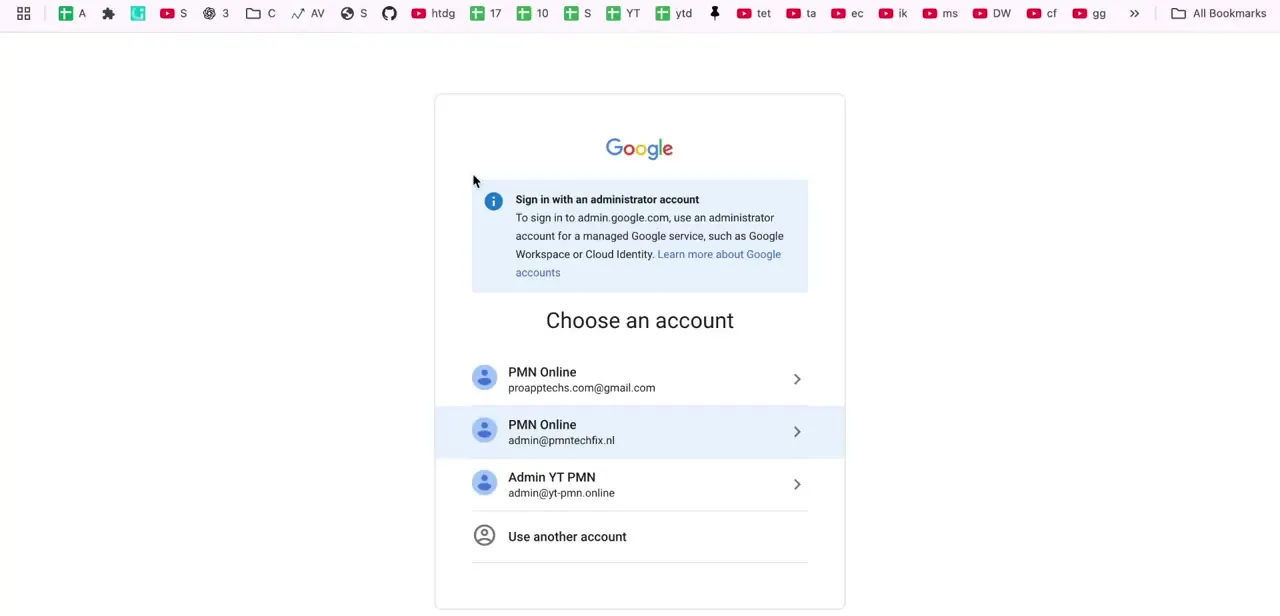
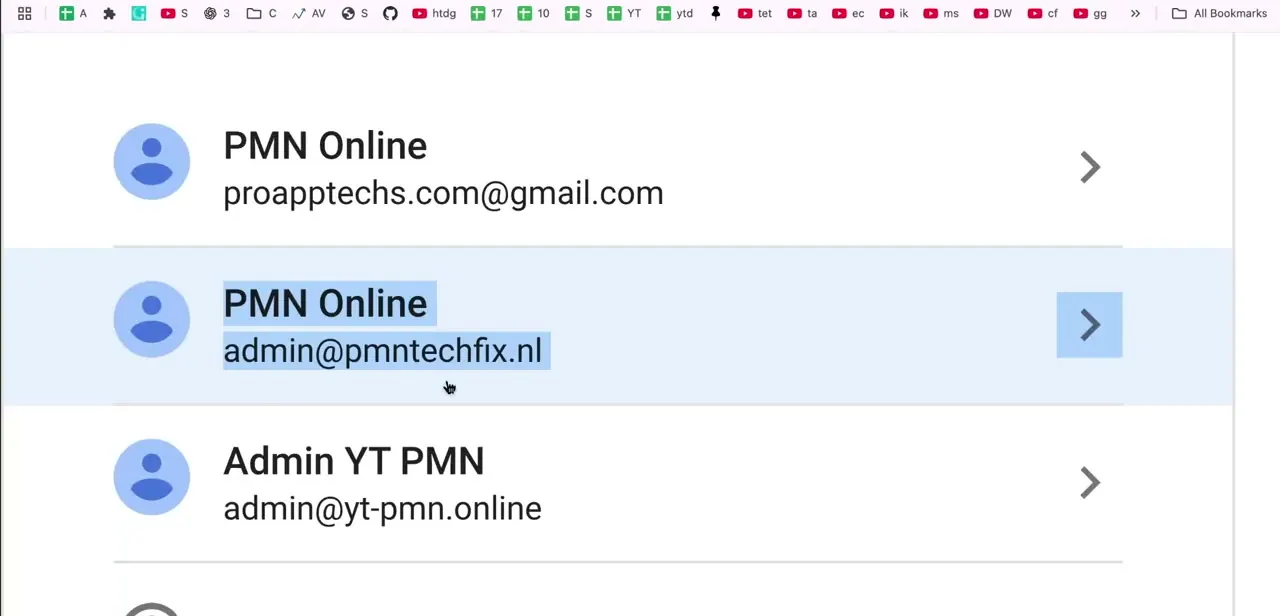
If you manage more than one Google account, open the account switcher from your profile circle in the top right of any Google page. It lists every account you're signed into.
In a typical setup you might see the same organization name attached to two different addresses, plus a separate admin account for another property entirely. Click the one tied to the Workspace organization whose contact email you're actually changing before going any further.
02Re-verify your identity for admin.google.com
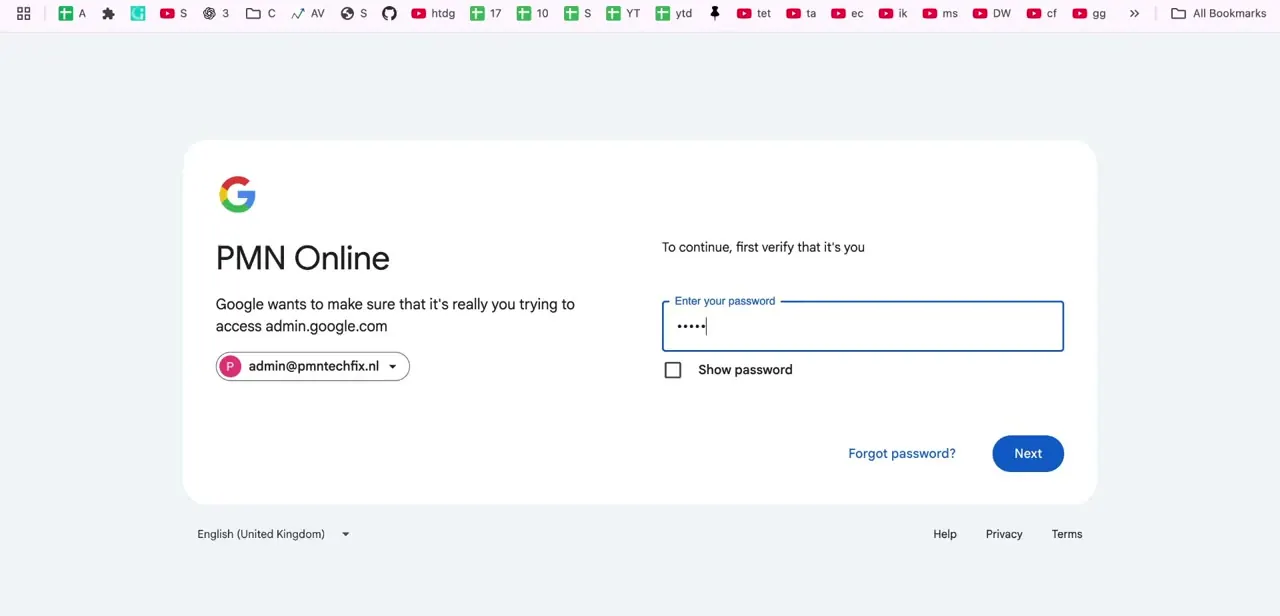
Opening the Admin Console after a break often triggers a fresh identity check: Google shows the organization name and asks you to re-enter your password before continuing, confirming it's really the account owner making changes. This step is normal for any admin-level action, not specific to email changes. Enter your password and click Next to proceed into the console.
03Go to Account settings, then Profile
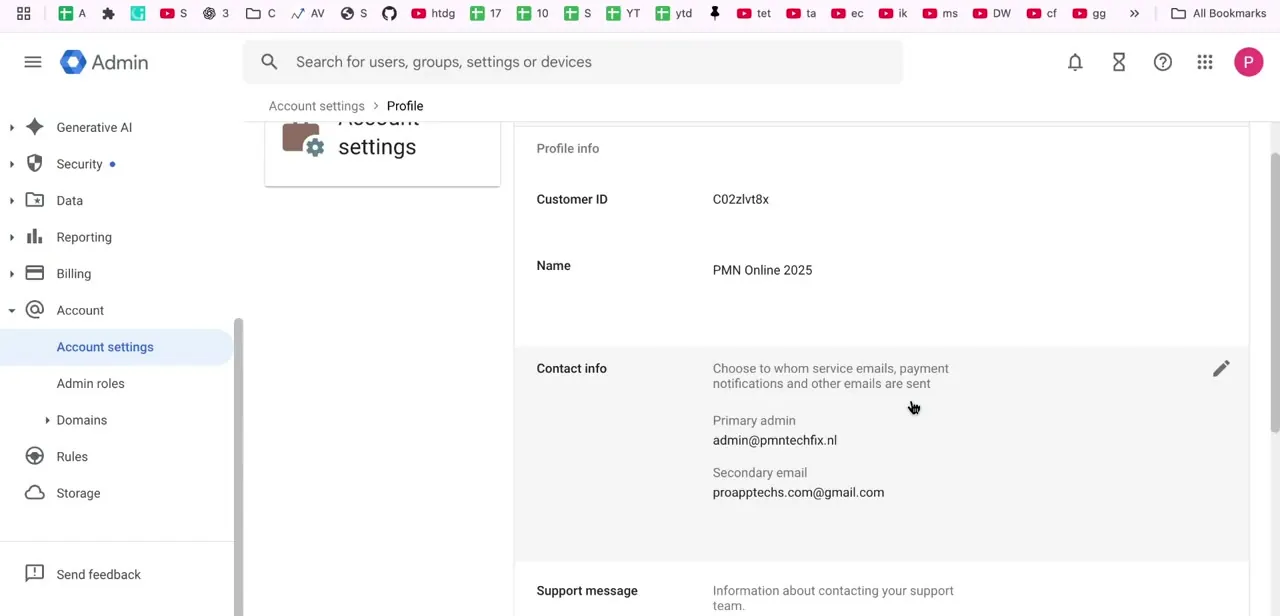
In the Admin Console's left menu, expand Account and select Account settings, then open the Profile tab. This page holds your organization's core details: Customer ID, organization Name, and a Contact info section that controls where Google sends service emails, payment notifications, and other account-level messages. It's a different page from the Directory, where you'd manage individual users' login usernames.
04Understand what the Contact info fields actually require
The Contact info card shows two fields, and both have a constraint the page doesn't spell out for you. Primary admin must be the username of an existing super admin on your account, not a new address you invent on the spot.
Google's own guidance is explicit: use the super admin's username, not an alias. Secondary email works differently; it must sit outside the domain you use for Google services, so a personal Gmail address qualifies but another address on your own domain does not. Note down both fields before changing anything, since the edit pencil opens them together and it's easy to overwrite the secondary email by accident while focused on the primary one.
05Edit the primary admin address
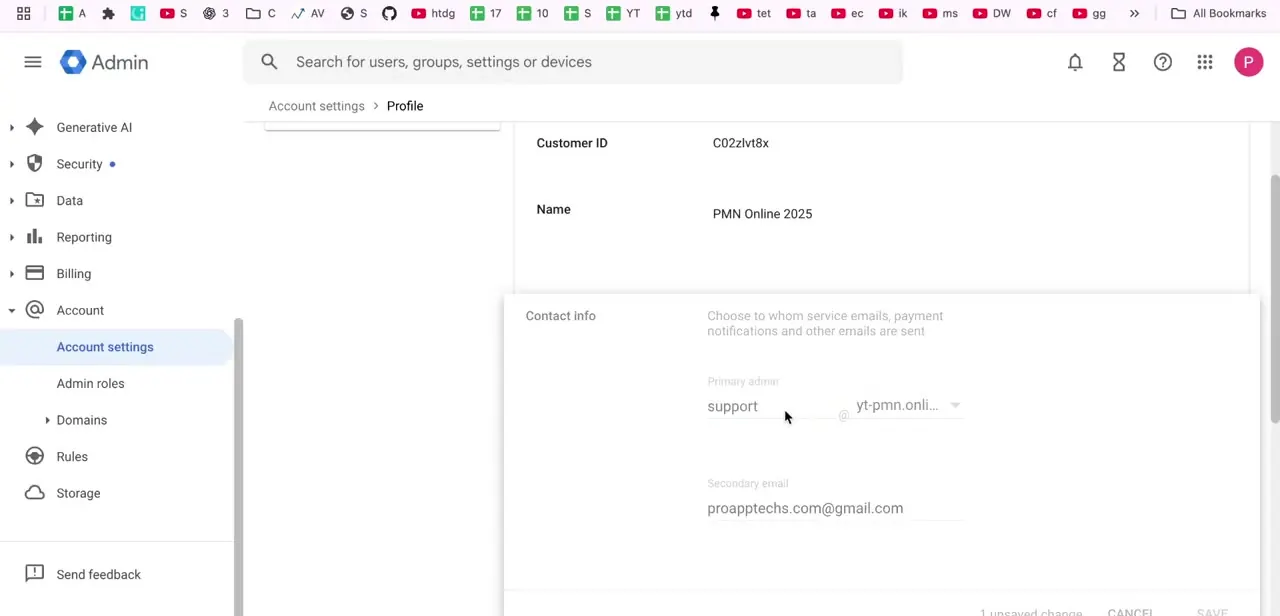
Click the pencil icon on Contact info to switch the fields into edit mode. If you want notices routed to someone who isn't already a super admin, stop here and grant them that role from Directory → Users → their account first; this screen can only point at an existing super admin, it can't create one.
Once that's in place, enter their username in the Primary admin field and confirm the correct domain is selected. Leave the secondary email field alone unless you're deliberately changing that too, and if you do, use a personal or off-domain address rather than one on your own domain.
06Save and understand what this does and doesn't change
Save once you're satisfied it's correct. This updates where Google routes account-level notifications.
It does not delete, move, or affect any Gmail, Drive, or Calendar data tied to the account, and it's a different setting from an individual user's login username in the Directory. If your goal was actually to rename a specific user's sign-in address, that change happens from Directory → Users → that person's account instead of this Profile page.
07Confirm the change took effect
Give it a few minutes, then revisit Account settings → Profile and check that the Contact info card shows the new primary admin username. If you're relying on this address for billing or security alerts, trigger a low-stakes notification, such as a test from the Billing section, to confirm mail is arriving at the new inbox instead of assuming the save was enough.
When it doesn't work
The Primary admin field won't accept the address I typed
Why: Primary admin must be the username of an existing super admin account on your Workspace, not an arbitrary email address.
Fix: Grant the intended person the super admin role from Directory → Users → their account first, then return here and enter their username.
The Secondary email field won't save my work address
Why: Secondary email must sit outside the domain you use for Google services; an address on your own Workspace domain is rejected.
Fix: Use a personal address, such as a Gmail account not tied to your organization.
I can't find Account settings in the left menu at all
Why: Viewing and editing this page needs the Domain settings administrator privilege, which not every admin role includes by default.
Fix: Ask a super admin to either grant you that privilege or make the change on your behalf.
Frequently asked questions
Will changing the primary admin email delete any of the account's data?
No. Updating Contact info in Account settings only changes where Google sends service and billing notifications. It doesn't affect Gmail, Drive, or Calendar data, and it's separate from any individual user's login credentials.
Can I set the primary admin contact to any address I want?
No. Google requires the Primary admin field to be the username of an existing super admin on your account, not a new address typed in on the spot. If the person you want isn't a super admin yet, grant them that role in Directory first.
Does the secondary email field have any restrictions?
Yes. It must be outside the domain you use for your Google service, for example a personal Gmail address. An address on your own Workspace domain won't be accepted there.
Is the primary admin contact email the same as a user's login username?
No. The primary admin address in Account settings → Profile controls where organization-level notices go. Changing an individual user's sign-in address is a separate action done from Directory → Users.
Why does Google ask for my password again before I can open the Admin Console?
This is a routine identity check for admin-level actions, especially after time away from the console. It confirms the person making changes is the account owner, and it isn't specific to editing contact info.
Do I need a special admin privilege to change this?
Yes. Viewing and editing Account settings requires the Domain settings administrator privilege, which isn't automatically included in every custom admin role.
Sources and last check
The sign-in, identity check, and Profile screens come from a recorded walkthrough. The Contact info field rules were checked against Google's official documentation in September 2026, and that check corrected a real error in the earlier draft: it described the Primary admin field as accepting any address chosen from a domain dropdown, when Google actually requires it to be the username of an existing super admin, and requires Secondary email to sit outside your Workspace domain.
About the author

Impran M N
I've been hooked on technology for as long as I can remember — especially the new tools and AI apps that seem to land every other week. Easy Tech Tuts is where I write up whatever I've just worked out: I do the task in the real product, record the screen, and turn it into the guide I wish I'd found first.