Easy Tech Tuts
How to Change Admin on Google Workspace, Change Roles Easily 2026
By Impran M NLast checked against official docs
Admin rights in Google Workspace control who can touch billing, security, and every user's account. Handing them off needs to be deliberate, not rushed.
Whether you're promoting a teammate, restructuring who owns what, or transferring full control before you step away, the process runs through the Admin console's role tools. This guide follows the real path from the console home into the Admin roles list, the exact buttons involved in assigning a role, and how to hand over Super Admin without locking anyone out, including yourself.
Before you start
- A Google Workspace account signed in as an existing super admin; only super admins can view or change Admin roles
01Open the Admin console
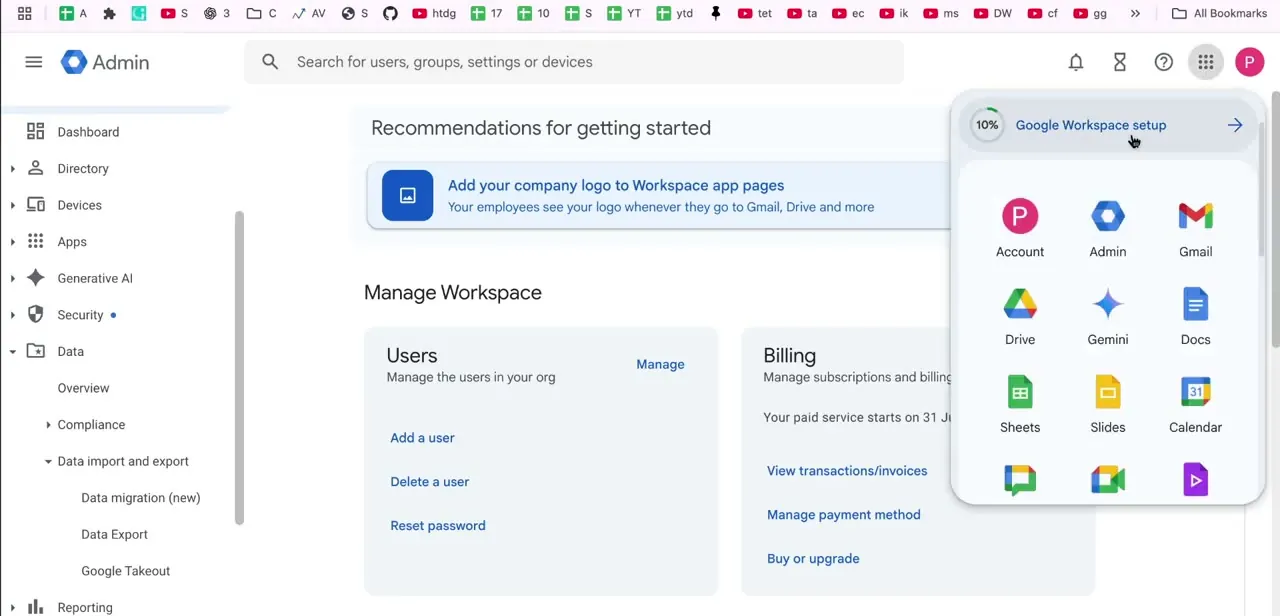
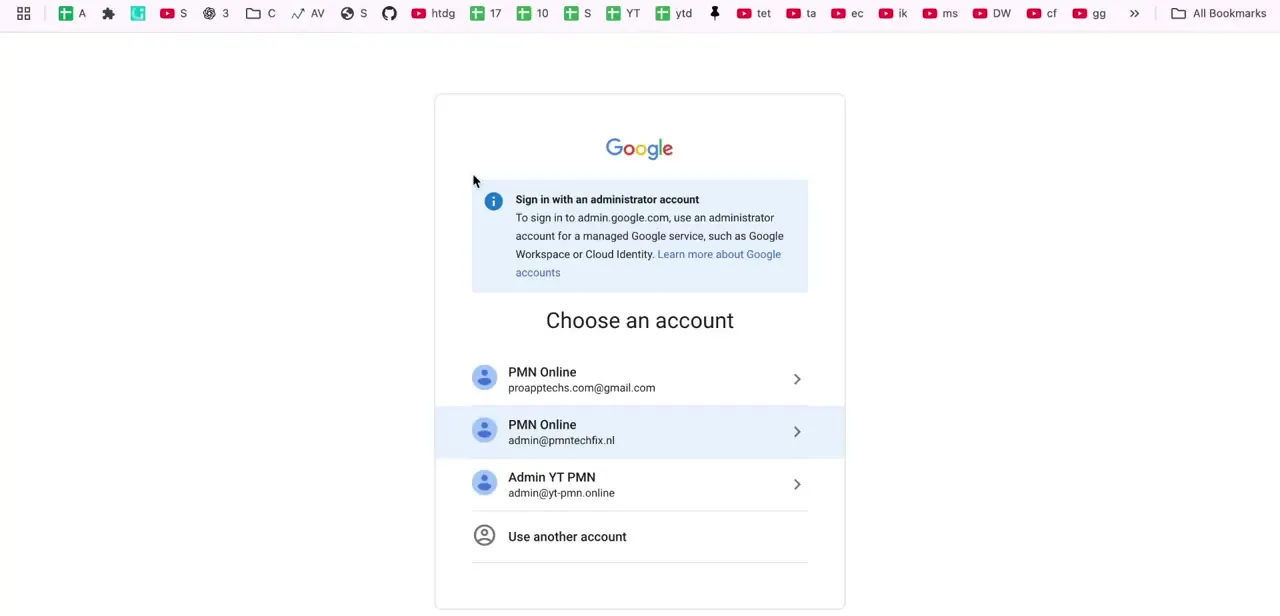
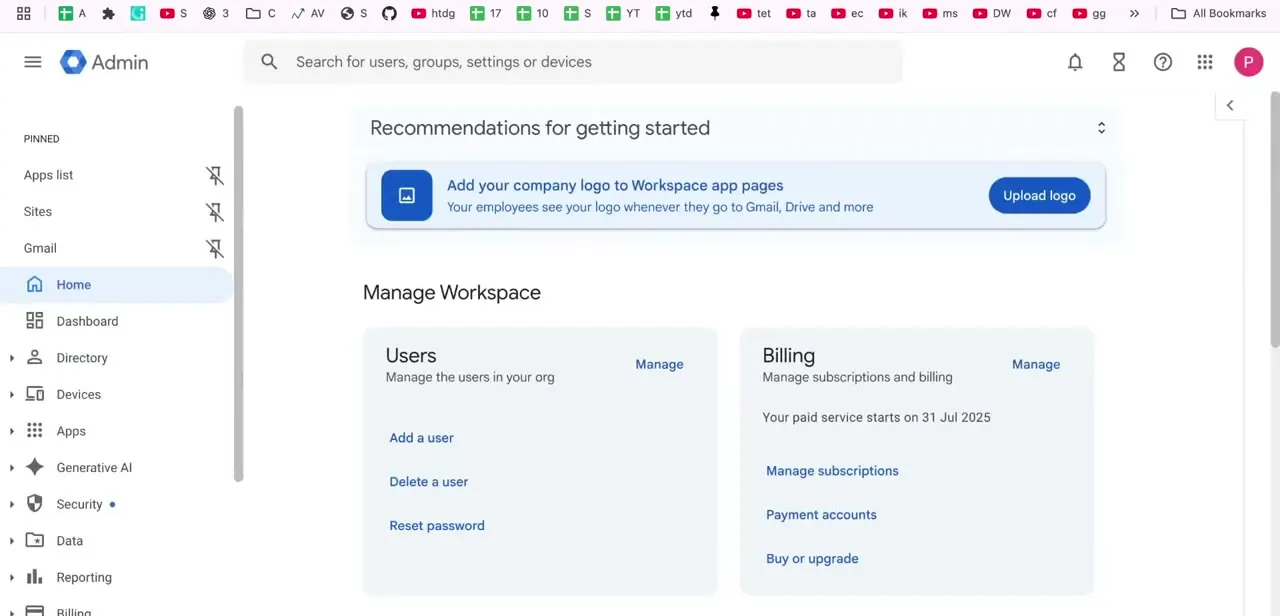
Sign in with an account that already has admin access and land on the Admin console home. The dashboard shows a Manage Workspace section with quick cards for Users and Billing, plus setup recommendations along the top. None of that is where role changes happen; the role tools sit deeper in the left-hand navigation, under Account.
02Navigate to Admin roles under Account
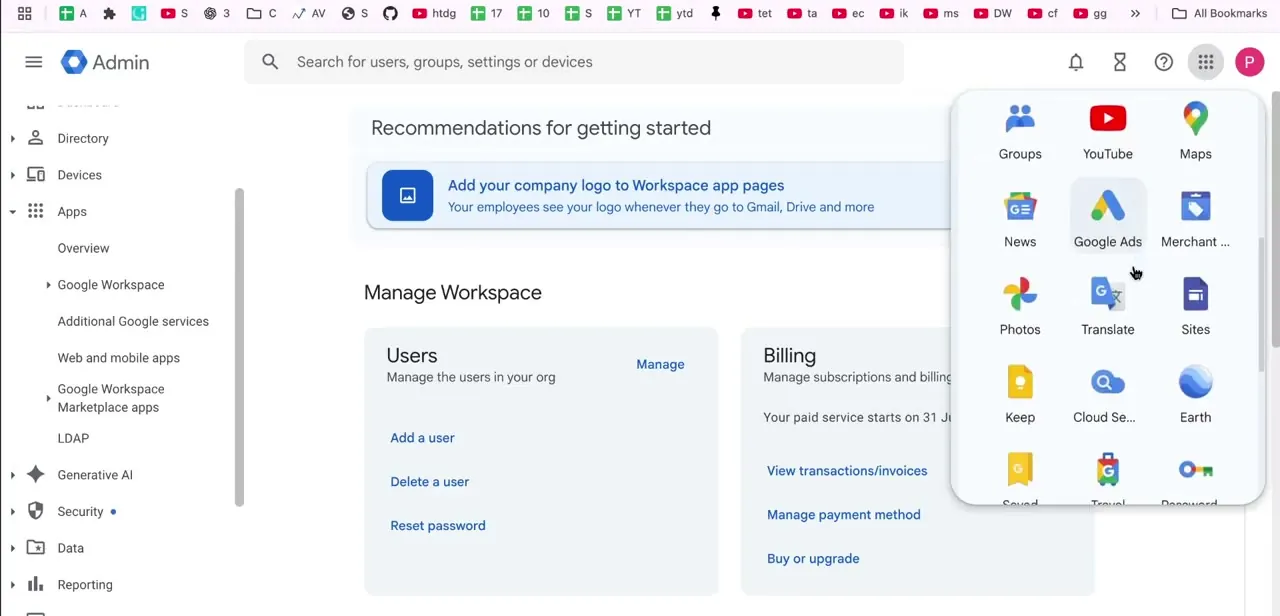
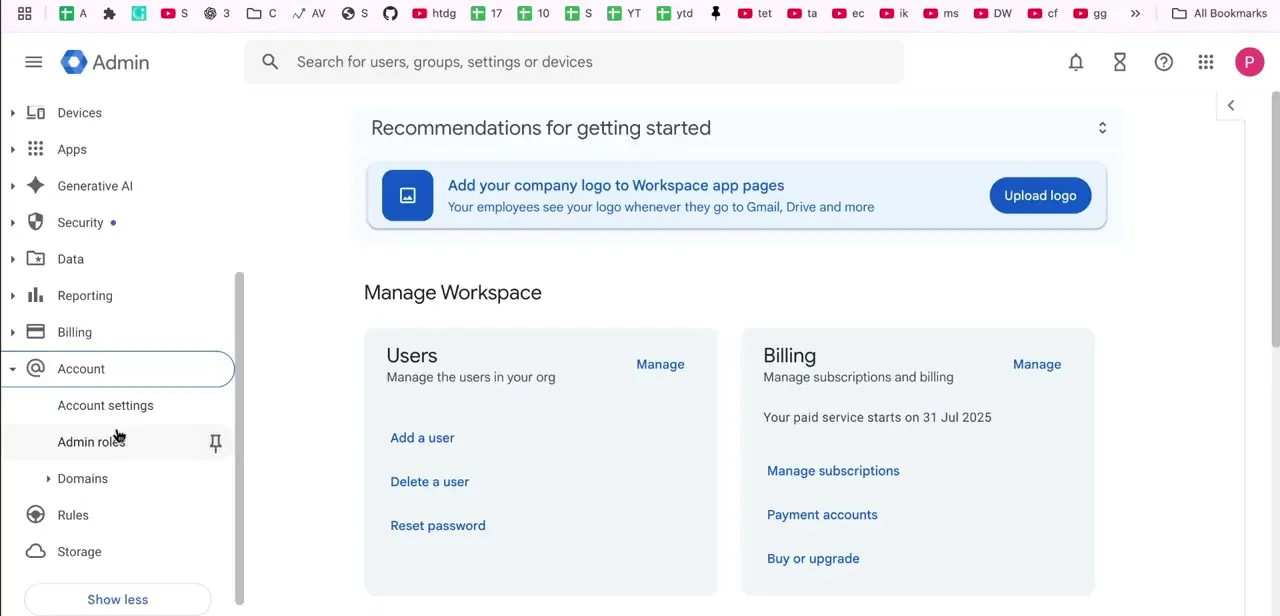
Scroll the left sidebar down to Account and expand it. This reveals Account settings, Admin roles, Domains, Rules, and Storage. Admin roles sits a level below where most people look for it; it isn't a top-level item and isn't filed under Security or Users, which is where people tend to check first.
03Review the built-in role list
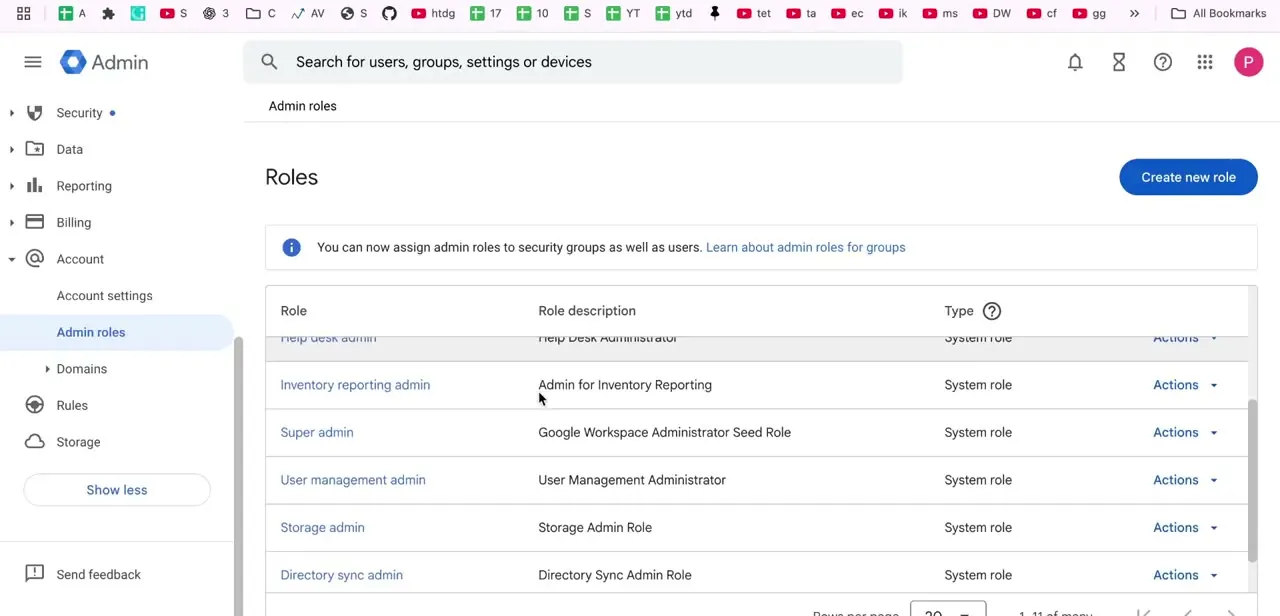
The Admin roles page lists every system role in a table: role name, a short description, and its type. Super admin is described as having unrestricted access, alongside narrower roles like User management admin, Storage admin, and Help desk admin.
Each row has an "Assign admin" link, not a generic actions menu, for granting that specific role. Scan the list before assigning anything. A narrower role such as Groups admin or Services admin is often the safer pick if the person only needs access to one part of the organization.
04Assign the role to a user or group
Click Assign admin on the role you want to grant, then Assign members. Type the first few letters of an email address and pick from the list.
You can add up to 20 users, or up to 20 security groups, in a single assignment; a group must be a regular, non-dynamic security group to be eligible. Click Assign Role to confirm.
Google's own guidance says the change usually applies within a few minutes but can take up to 24 hours to finish propagating across every connected service. If the organization has multi-party approval turned on for admin changes, the assignment sits as pending until a second super admin approves it, and an unapproved request expires after three days. For a single user, it's often quicker to go the other way: open Directory, then Users, open that person's account page, scroll to Admin roles and privileges, and toggle the role on from there.
05Transfer super admin rights if you're stepping down
If the goal is handing over full control instead of just adding a second admin, assign Super admin to the new person first and have them confirm they can access the console before you remove your own rights. Doing it in that order avoids the worst case: revoking your own access before anyone else has full control, which can leave the organization with no working super admin and force a recovery process through Google.
06Verify the role change applied correctly
Ask the newly promoted user to sign in and check that the admin tools their new role should cover actually show up without permission errors: Users, Billing, Security, whatever applies. This catches the rare case where a role didn't fully propagate, and it's far easier to fix right away than to diagnose later when someone can't complete an urgent task.
07Consider a custom role for anything in between
If none of the built-in roles fit, say someone needs to manage users but not billing, the Create new role button on the same Admin roles page builds a custom permission set instead of over-granting a system role because it's the closest match. This keeps access scoped to what each person actually needs, which matters more as the organization grows.
When it doesn't work
A newly assigned role doesn't seem to work yet
Why: Role changes can take up to 24 hours to fully propagate across every Google service, even though most apply within minutes.
Fix: Wait and have the user sign out and back in before concluding the assignment failed.
The assignment shows as pending instead of active
Why: The organization has multi-party approval enabled for admin role changes, which requires a second super admin to sign off before it takes effect.
Fix: Ask another super admin to approve the request in the Admin console. An unapproved request expires after three days.
A group doesn't show up as an option when assigning a role
Why: Only regular, non-dynamic security groups can receive an admin role.
Fix: Assign the role to a standard security group instead, or assign it to the individual users directly.
Frequently asked questions
What's the difference between Super Admin and other admin roles?
Super Admin has unrestricted control over every setting and user in the organization, while built-in roles like Groups Admin or User Management Admin are limited to specific areas shown in the same Admin roles list.
Can there be more than one Super Admin?
Yes, and Google recommends it. Keeping at least one backup Super Admin avoids a situation where a single admin losing access locks the whole organization out.
What happens if I remove my own admin rights by mistake?
If no other Super Admin remains, you may need Google's account recovery process to regain control. Always confirm a replacement admin's access before removing your own.
Is there a limit to how many people I can assign a role to at once?
Up to 20 users or up to 20 security groups per assignment. Groups must be regular security groups, not dynamic ones.
Do custom admin roles exist in Google Workspace?
Yes. Beyond the built-in system roles on the Admin roles page, the Create new role button builds a custom role with a specific permission set.
Why does my role assignment show as pending?
Some organizations require a second super admin to approve admin role changes. If that setting is on, the assignment stays pending until someone else approves it, and the request expires after three days if nobody does.
Sources and last check
Click path and screens come from a recorded walkthrough. The role list's button names, the 24-hour propagation window, the 20-user/group assignment limit, and the multi-party approval behavior were checked against Google Workspace's official help articles in September 2026, which corrected this guide's earlier reference to a generic "Actions menu" where the console actually shows an "Assign admin" link.
About the author

Impran M N
I've been hooked on technology for as long as I can remember — especially the new tools and AI apps that seem to land every other week. Easy Tech Tuts is where I write up whatever I've just worked out: I do the task in the real product, record the screen, and turn it into the guide I wish I'd found first.