Easy Tech Tuts
How to Archive Google Workspace Email instead of Deleting User Gmail & Save Bill 2026 Easily
By Impran M NLast checked against official docs
When an employee leaves, the instinct is to delete their account and stop paying for the seat right away. The problem is that deleting a Google Workspace user can also delete their mailbox and Drive files, which is a real risk if you ever need that data for legal, financial, or reference purposes.
Google Workspace has a built-in alternative: archive the account instead of deleting it. Archiving blocks sign-in and frees the account's active license immediately, while keeping the mailbox and files intact for an admin to search or export later. It isn't free on every plan, and the button you need is filed in a different place depending on your edition, both of which this guide covers alongside the retention and file-ownership steps that come before and after it.
Before you start
- An administrator account on Business Starter, Business Standard, Business Plus, Enterprise Standard, Enterprise Plus, or an Education edition — archiving isn't available on every Workspace plan
- An Archived User subscription already on your billing account, or be ready to buy one when prompted (Flexible Plan customers are billed automatically per archived account instead)
01Open the Admin console
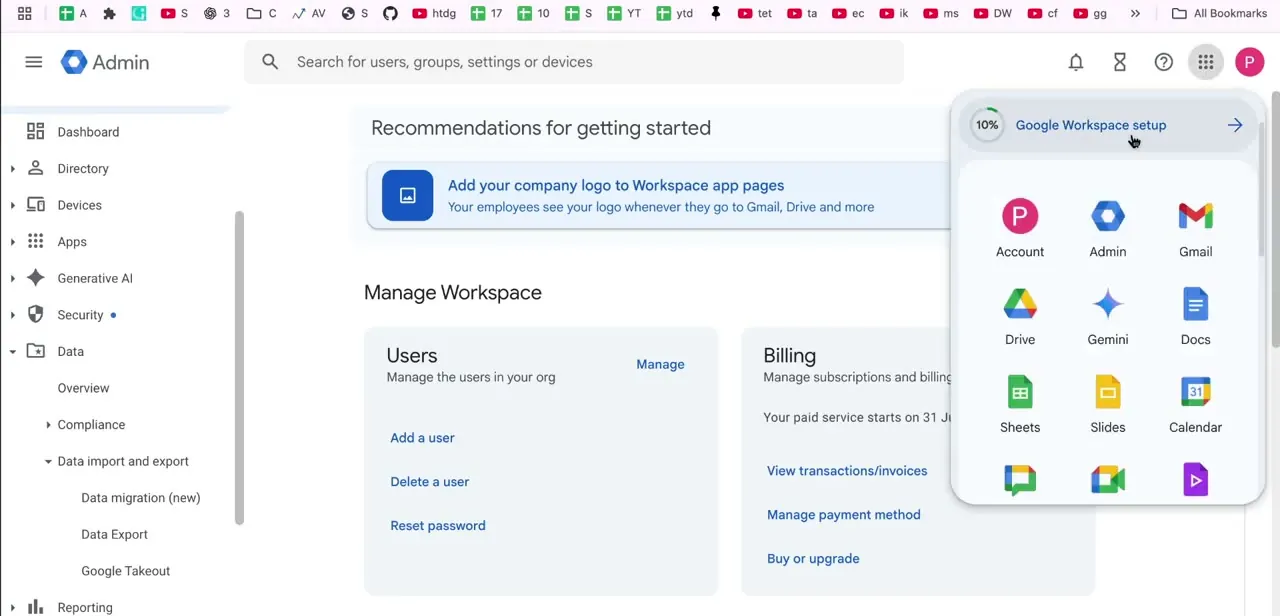
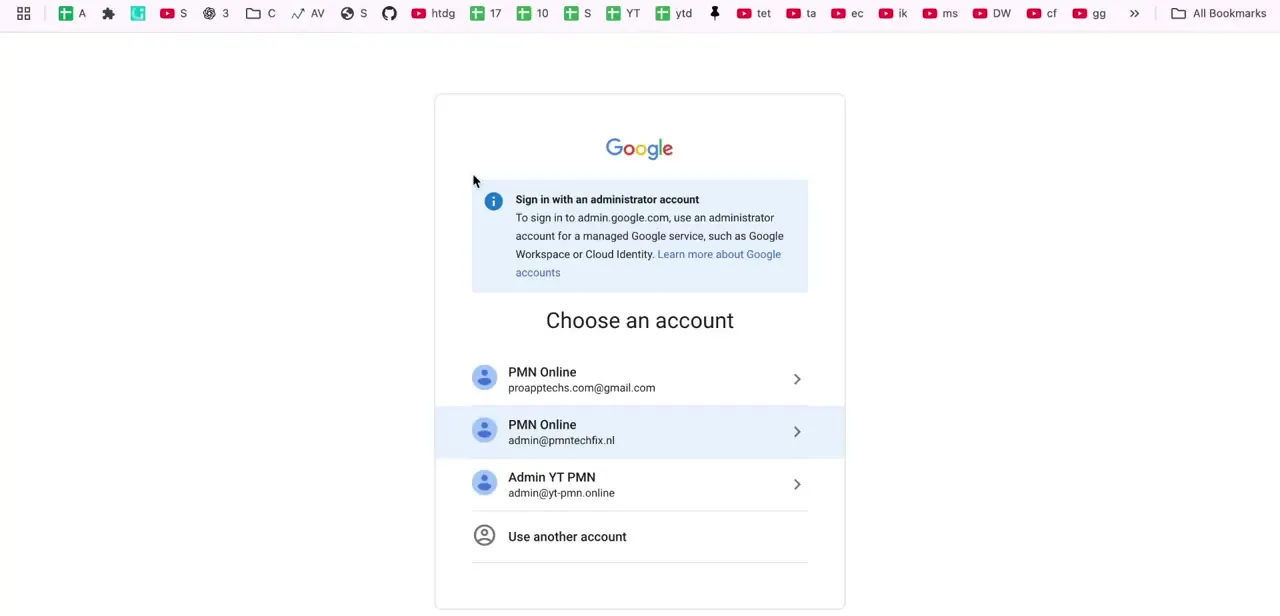
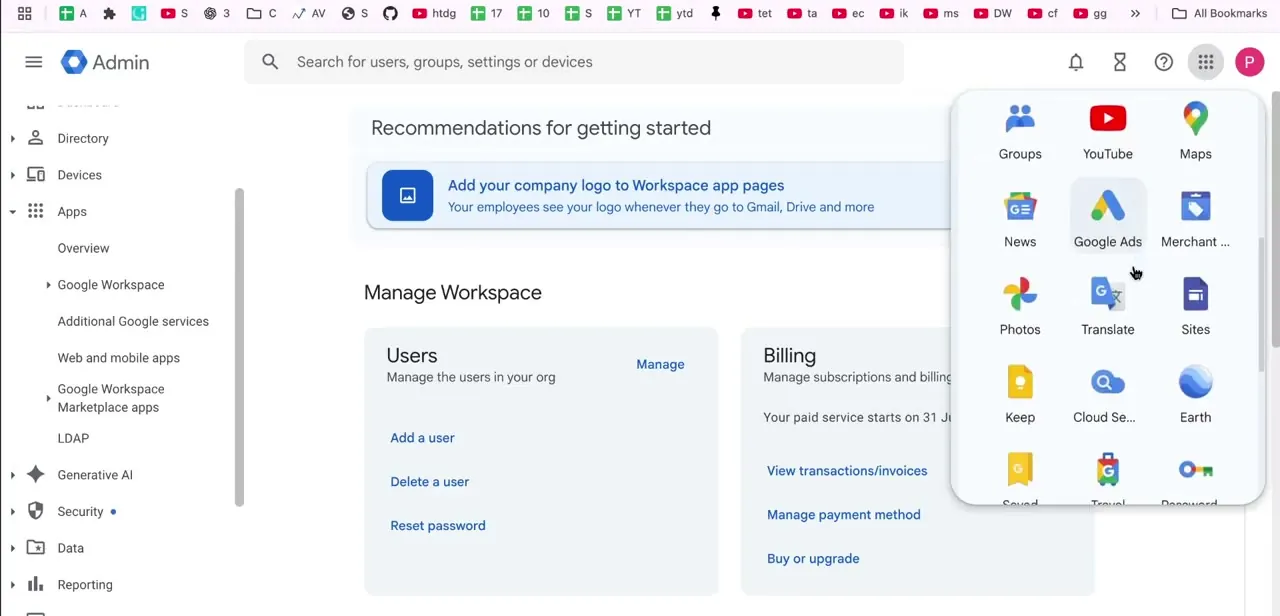
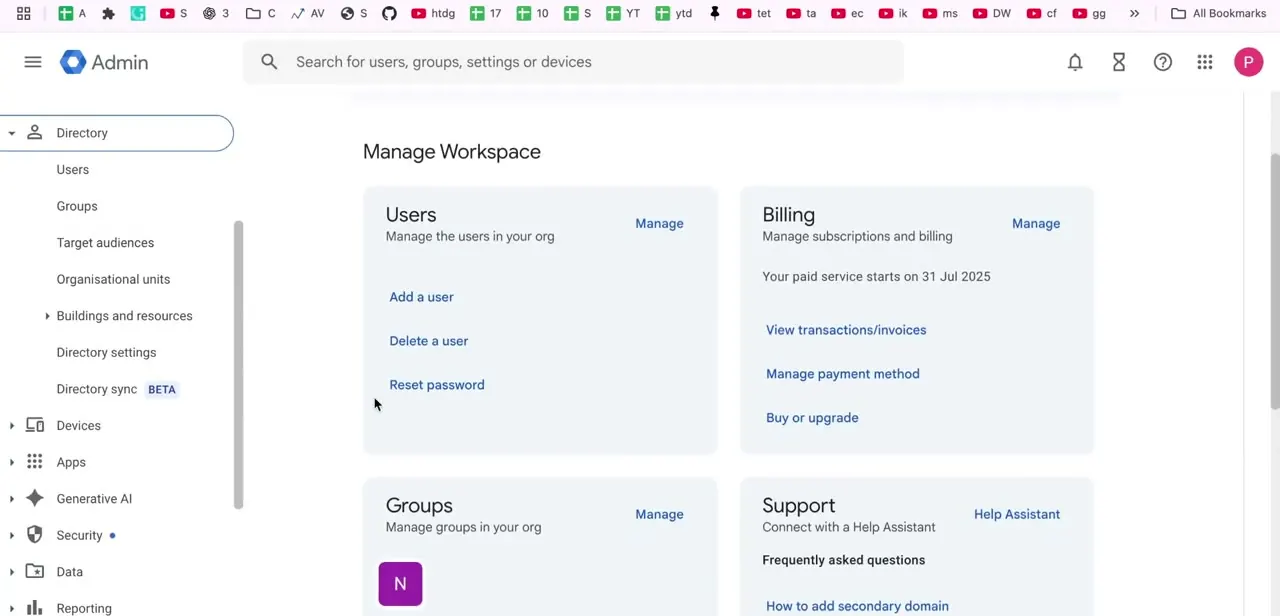
Sign in to admin.google.com with an administrator account. Google requires an admin-level login for this, not a regular user's own sign-in, because archiving changes something that affects your organization's billing. The Admin console home shows a Manage Workspace panel with Users and Billing side by side, a reminder that every active seat is billed and that archiving a user is really a billing change dressed up as a user-management one.
02Go to Directory and open Users
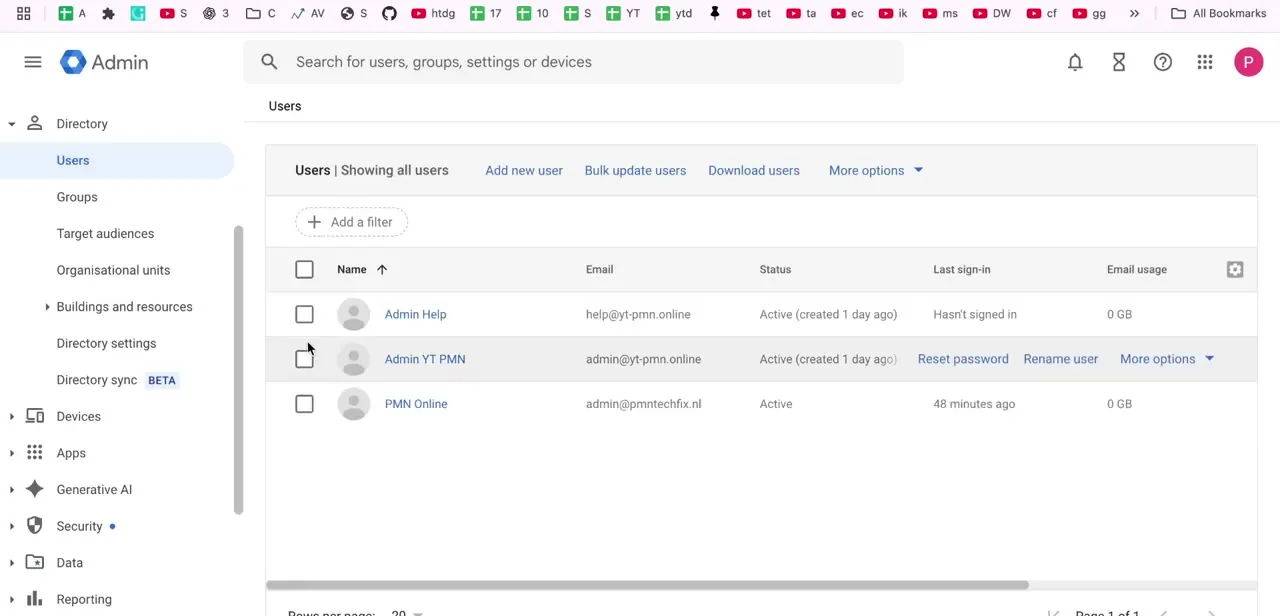
From the left-hand menu, expand Directory and click Users to see every account in your organization, along with each person's status, last sign-in, and email usage. Find the departing employee's row and confirm the address matches the account you mean to change before doing anything else. A wrong click here reaches a real mailbox.
03Select the user and archive the account
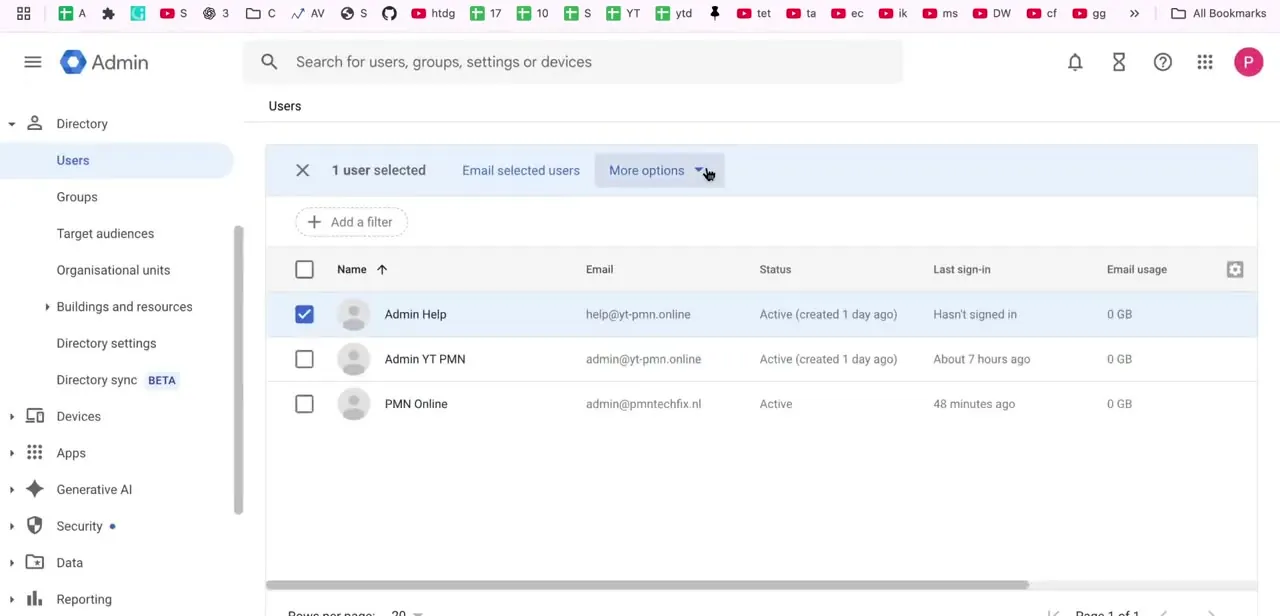
Check the box next to the person's name so the toolbar shows "1 user selected," then click More options. What happens next depends on your edition.
On Enterprise Standard, Enterprise Plus, and Education plans, More options lists Archive user directly. On Business Starter, Standard, and Plus, select Delete user first: Google's dialog surfaces an Archive user button inside that flow instead of listing it as its own menu entry, and if your organization has no Archived User subscription yet you'll be prompted to buy one there.
Either path ends the same way: the account is blocked from signing in and stops receiving new mail immediately, its mailbox and Drive files stay in place, and its original license is freed for reassignment. This is a different action from Suspend, which also blocks sign-in but leaves the full-price license attached to the account.
04Set a Vault retention hold if you need one
If your organization must keep the mailbox for a set period, apply a retention rule in Google Vault before archiving, so the mail stays searchable independent of whatever else happens to the license. How long to keep it depends on your industry and location, so check with whoever handles compliance if you're unsure. Vault is a separate add-on; archiving on its own does not create a retention hold.
05Transfer ownership of shared Drive files
Check what Drive files the departing user owned and reassign anything the team still needs to an active teammate. An archived account still holds its files, but leaving ownership as it is means only an admin can reach them afterward, which orphans a live project the moment someone else needs to edit it. This step is easy to skip in the moment and usually the one that causes problems weeks later.
When it doesn't work
More options has no Archive user entry
Why: On Business Starter, Standard, and Plus, Archive user isn't a separate menu item. It's inside the Delete user dialog, or your edition doesn't support archiving at all.
Fix: Click Delete user and look for an Archive user button before confirming. If it isn't there, check that your plan is Business Starter/Standard/Plus, Enterprise Standard/Plus, or an Education edition.
The console prompts you to buy an Archived User subscription
Why: No Archived User subscription exists yet on the billing account, and Business and Enterprise plans require one before you can archive anyone.
Fix: Buy the subscription when prompted, or check Billing > Subscriptions first if you're not sure one already exists. Flexible Plan accounts skip this step and are billed automatically per archived user.
A shared file goes missing from a live project after archiving
Why: Ownership of that file was never transferred, and only an admin can reach an archived account's Drive data now.
Fix: Transfer ownership to an active teammate before you archive, or have a super admin do it afterward from the archived account's Drive files.
Frequently asked questions
What's the difference between suspending and archiving a user?
Suspend blocks sign-in immediately but leaves the account on its full-price license, still billed as active. Archive also blocks sign-in, but swaps the account onto a separate Archived User license and frees the original one for reassignment. Suspending is instant and reversible with one click; archiving is the step that changes what you're billed for a departing employee.
Does archiving a user cost anything?
On Business and Enterprise plans, yes — it needs an Archived User subscription, bought separately or billed automatically per account on the Flexible Plan. It costs less than an active license, though Google doesn't publish a fixed price; your Billing > Subscriptions screen shows the actual rate for your account. On Education plans, Archived User licenses are included at no extra charge.
On Business plans, doesn't clicking Delete user delete the account?
No. On Business Starter, Standard, and Plus, Delete user is the dialog that contains the Archive user button, not a separate deletion. Choose Archive, not the delete option, and the account is archived, not removed.
Do I need Google Vault to preserve an archived user's email?
Vault makes retention and legal hold easier to apply and search, but archiving itself already blocks sign-in and keeps the mailbox intact for an admin. Add Vault when you have a specific retention period to enforce, not as a requirement for archiving to work.
What happens to Drive files owned by an archived user?
They stay attached to the account and remain accessible to admins, but nobody else can reach or edit them unless you transfer ownership first. Do that before you archive, for any file the team still needs.
Sources and last check
Click path and screens come from a walkthrough recorded in August 2026. The suspend-versus-archive distinction, the edition-dependent More options flow, the Archived User subscription requirement, and the Vault/retention behaviour were re-checked in September 2026 against Google's own Admin Help pages on archiving former employees and adding Archived User licenses. That check corrected this guide's earlier framing of archiving as simply "suspend, then relicense."
About the author

Impran M N
I've been hooked on technology for as long as I can remember — especially the new tools and AI apps that seem to land every other week. Easy Tech Tuts is where I write up whatever I've just worked out: I do the task in the real product, record the screen, and turn it into the guide I wish I'd found first.