Easy Tech Tuts
How to Transfer Domain to Godaddy from other Registrar Easily 2025, My Domain moves at Free !!!
By Impran M NLast checked against official docs
Moving a domain between registrars sounds intimidating, but GoDaddy's transfer flow reduces it to unlocking the domain at its current home, grabbing one code, and pasting it into a two-step form. This guide covers where that flow lives inside a GoDaddy account, what the transfer landing page tells you about pricing before you commit, and what the process looks like once a domain is queued up in your cart, including how a transfer can end up costing nothing for the first year. It works the same way regardless of which registrar you're leaving, whether that's Namecheap, Hostinger, or Bluehost.
Before you start
- The domain unlocked at its current registrar, plus its EPP/Auth code (also called a transfer code or transfer key)
- The domain registered, transferred, or last had its registrant contact info changed more than 60 days ago. ICANN's transfer policy blocks a move within that window regardless of which registrar the domain is leaving or joining.
01Get your EPP/Auth code and unlock the domain first
Before touching GoDaddy at all, log in to your current registrar and find the domain lock setting, usually under the domain's management page. Switching it off is what makes the domain eligible to leave.
While you're there, request the EPP code, also called an Auth code. Most registrars generate this instantly under a "Transfer" or "Domain details" section, sometimes emailed to the account's registered address. Without this code, GoDaddy has no way to verify you're authorized to pull the domain over, so get it in hand before starting anything on the GoDaddy side.
02Open Domains from your GoDaddy account menu
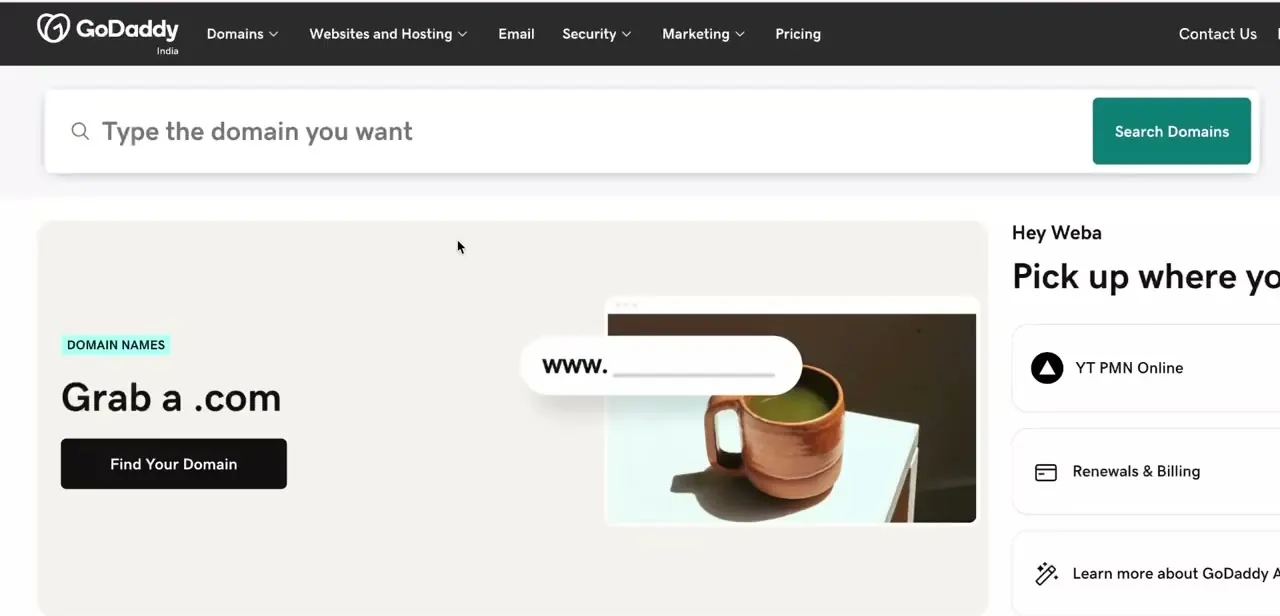
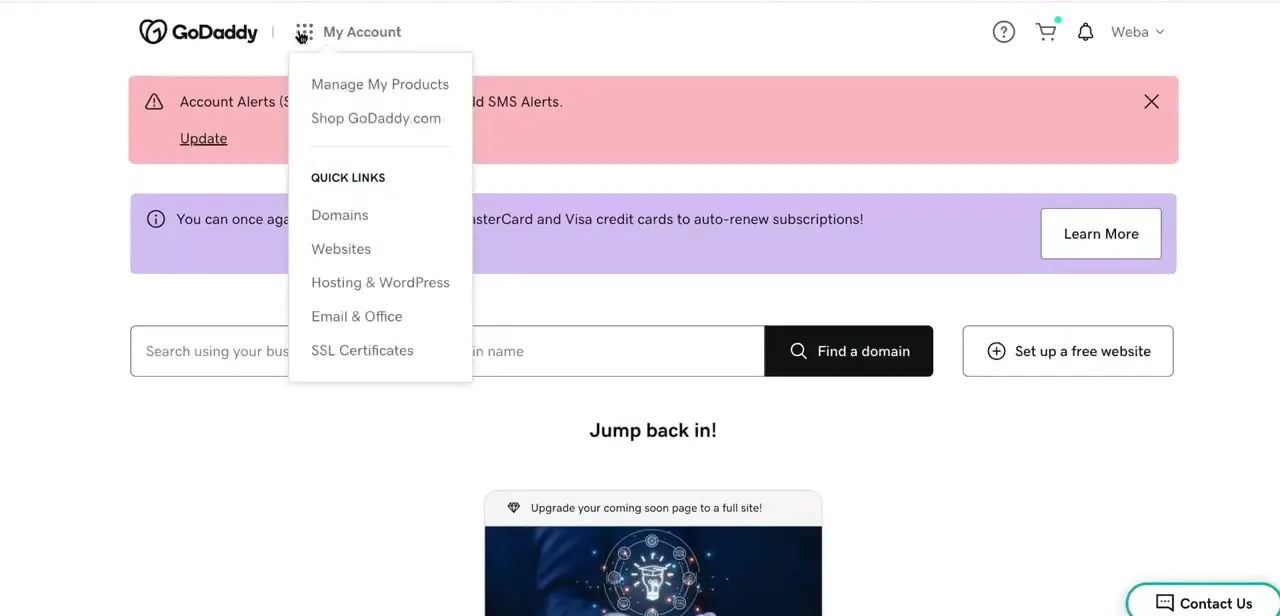
Once logged into GoDaddy, click My Account in the top bar to open the dropdown, which lists Manage My Products, Shop GoDaddy.com, and a Quick Links section with Domains, Websites, Hosting & WordPress, Email & Office, and SSL Certificates. Selecting Domains from here takes you into the domain management area where transfers, DNS, and portfolio settings all live. It's the hub you'll return to throughout the process, not just the entry point.
03Check pricing on the Transfer your domain page
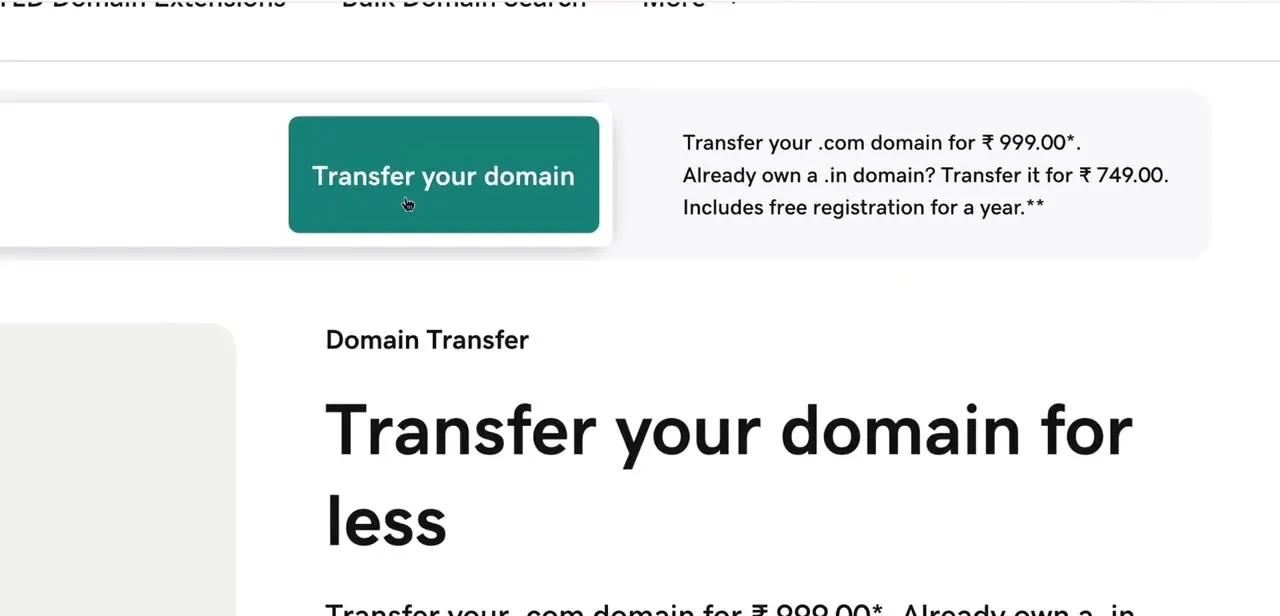
GoDaddy's dedicated Transfer your domain page lays out the cost up front: a flat rate for popular extensions like .com, a separate discounted rate if you already own the matching country-code version (the example shown lists ₹999 for a .com and ₹749 for an already-owned .in domain), and a note that the transfer includes a free year of registration. Reading this page before you start takes a minute and tells you exactly what the transfer will cost, and confirms your domain's extension is eligible before you go find your EPP code.
04Add your domain in the transfer wizard
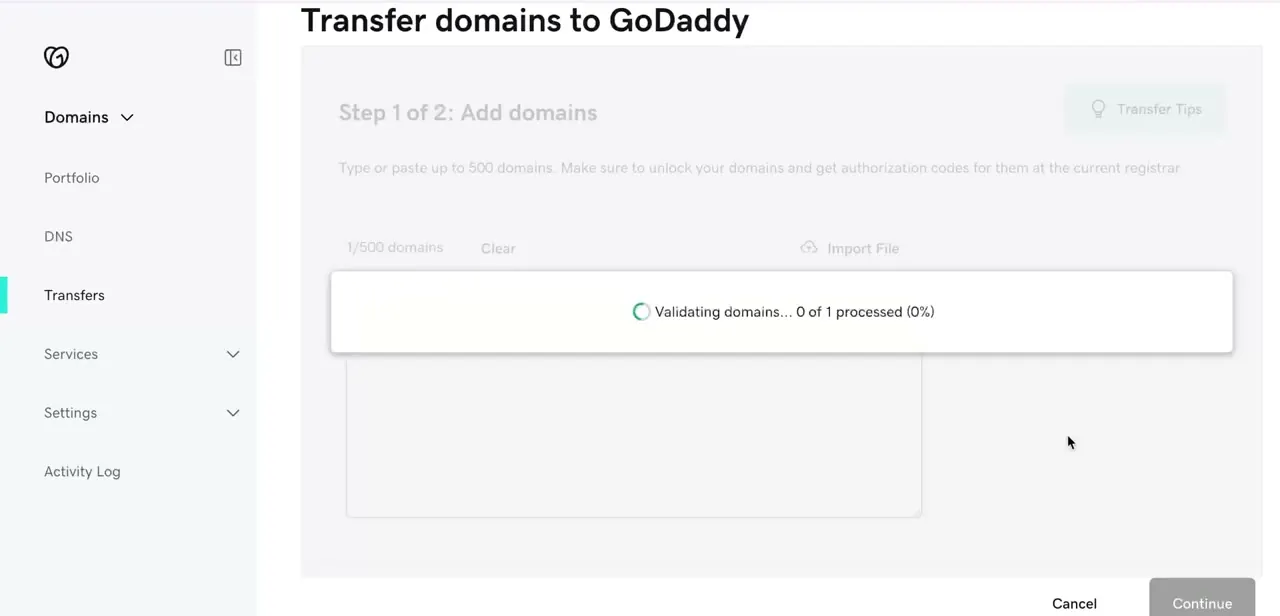
Clicking through starts GoDaddy's two-step transfer wizard, beginning with "Step 1 of 2: Add domains." You can type or paste up to 500 domains at once, or import a file if you're moving several. As soon as you enter a domain, GoDaddy runs a validation check against the registry to confirm it's unlocked and eligible.
The tool shown here displays "Validating domains... 0 of 1 processed" while it works. If validation fails, it's usually because the domain lock wasn't switched off at the old registrar, or because the domain is still inside the 60-day transfer lock, so double back to step one if that happens.
05Enter the EPP code and submit the transfer request
After a domain passes validation, step two asks for its EPP/Auth code, the code you pulled from your old registrar earlier. Paste it in exactly as given; a single mistyped character is enough to reject the request.
Submitting here doesn't move the domain instantly. It sends a transfer request that your current registrar has to release, which is why getting the domain unlocked in step one matters so much.
06Review the cart and confirm the free-transfer pricing
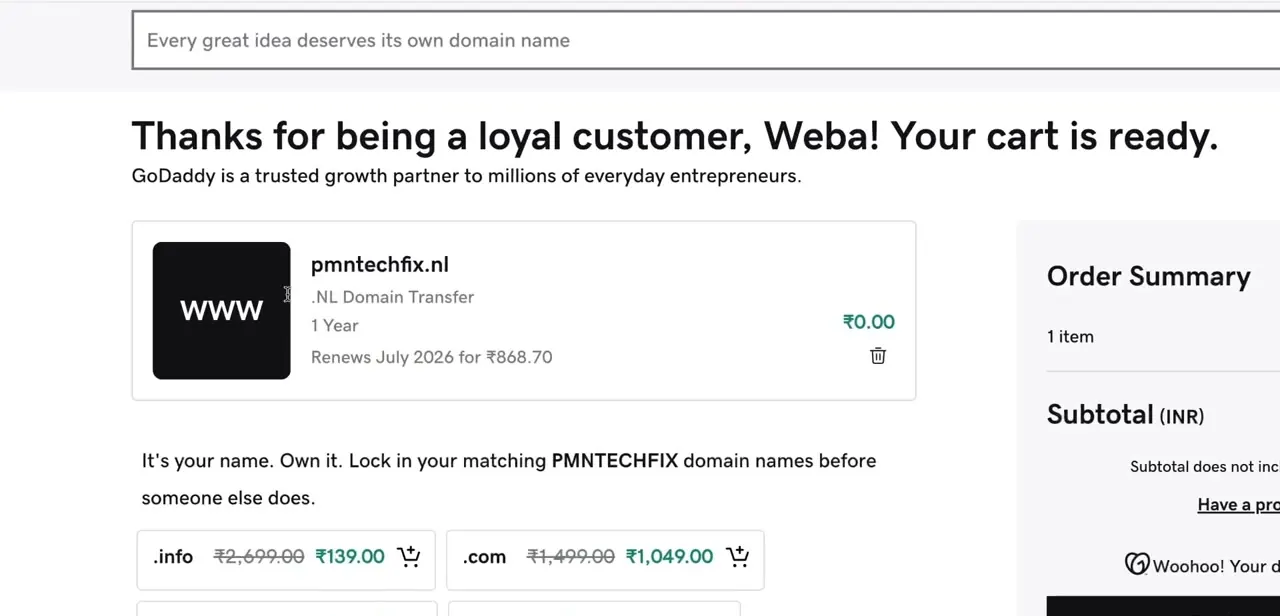
Before finalizing, GoDaddy shows the domain in a cart summary, confirming the transfer, the one-year term, and the price. In the example here, a .nl domain transfer shows ₹0.00 due now, with a note that it renews in July 2026 for ₹868.70.
This is where the free-transfer offer becomes concrete: if your extension qualifies, the transfer itself is free and you're only committing to the renewal price a year out. Check this screen carefully so you know exactly what you're paying today versus what renews later.
07Track the transfer status until it completes
After confirming, the transfer moves into a pending state that typically takes five to seven days to finish, since your old registrar has a window to approve or automatically release the domain. Check back under Domains, Transfers in your GoDaddy account for status updates. Once it clears, the domain shows up in your regular portfolio like any other GoDaddy-registered name.
When it doesn't work
The transfer wizard says validation failed
Why: Almost always the domain lock wasn't switched off at the current registrar before starting.
Fix: Go back to the old registrar, confirm the lock is off, and re-enter the domain in the transfer wizard.
Validation fails even though the domain has been unlocked and is years old
Why: ICANN's transfer policy applies the same 60-day lock after a change to the registrant's contact information (name, organization, or email) as it does after a fresh registration. A recent WHOIS update can block a transfer even on a domain registered a decade ago.
Fix: Check when the registrant contact details last changed. If it was within 60 days, wait out that window before retrying. No registrar, including GoDaddy or the one you're leaving, can override this rule, since it's enforced at the registry level.
The EPP code gets rejected
Why: The code was mistyped, has expired, or was regenerated at the old registrar after it was copied.
Fix: Go back to the current registrar, generate a fresh code, and paste it in directly instead of retyping it by hand.
Frequently asked questions
Does this process work for domains from any registrar?
Yes, the general steps apply broadly, including transfers from registrars like Namecheap or Hostinger, though the exact unlock and EPP code screens look different at each one.
Are all domain transfers to GoDaddy free?
No. Pricing depends on the extension. The transfer page shows the current rate per extension, and some transfers include a free year of registration, but that's not universal across every TLD.
What common errors cause a transfer or validation to fail?
Most often the domain lock wasn't switched off at the old registrar, the EPP/Auth code was mistyped or expired, or the domain is caught in ICANN's 60-day transfer lock after a recent registration, transfer, or contact info change. Check the lock and code first, since those cause most failures.
How long does the transfer usually take?
Most domain transfers take around five to seven days to fully complete once initiated, since the losing registrar has a window to approve or auto-release the domain.
What is the 60-day transfer lock, and can GoDaddy waive it?
It's an ICANN-wide rule, not a GoDaddy policy, that blocks registrar-to-registrar transfers for 60 days after a domain is registered, transferred, or has its registrant contact info changed. No registrar can override it; you have to wait out the window.
Sources and last check
The GoDaddy account menu, the Transfer your domain pricing page, the two-step wizard, and the cart summary all come directly from screenshots of the actual flow, and match what's shown pixel for pixel. GoDaddy's own help pages and ICANN's policy pages returned a 403 (blocked) when fetched directly in this session, so the 60-day transfer-lock explanation added here is sourced instead to an accredited registrar's own published explanation of that ICANN-wide policy, checked in September 2026. This pass added the fact that the lock can also be triggered by a recent registrant contact change, not just a recent registration, since the original article only mentioned the registration-age case.
About the author

Impran M N
I've been hooked on technology for as long as I can remember — especially the new tools and AI apps that seem to land every other week. Easy Tech Tuts is where I write up whatever I've just worked out: I do the task in the real product, record the screen, and turn it into the guide I wish I'd found first.