Easy Tech Tuts
How to buy Godaddy Domain and Email Starter Bundles 2026
By Impran M NLast checked against official docs
A domain with no matching email address looks unfinished. Customers still expect you@yourbusiness.com in a signature, not a free webmail address.
GoDaddy lets you add its Professional Email plan to a domain purchase from the account dashboard, so both land in one checkout instead of two separate purchases later. Worth knowing before you start: GoDaddy also sells a formally named three-tier "domain bundle" (Starter, Essentials, Ecommerce) that packages a domain with Full Domain Protection, email, and payment processing together, and that product is only offered on .com domains.
The dashboard route this guide follows works on any extension and is simpler, but it is a different purchase path with its own pricing behaviour. Both get you to the same place: a domain and a working inbox that matches it.
Before you start
- A GoDaddy account, or the details to create one during checkout
- A domain name in mind, ideally short and close to your business name, since it becomes half of every email address you create
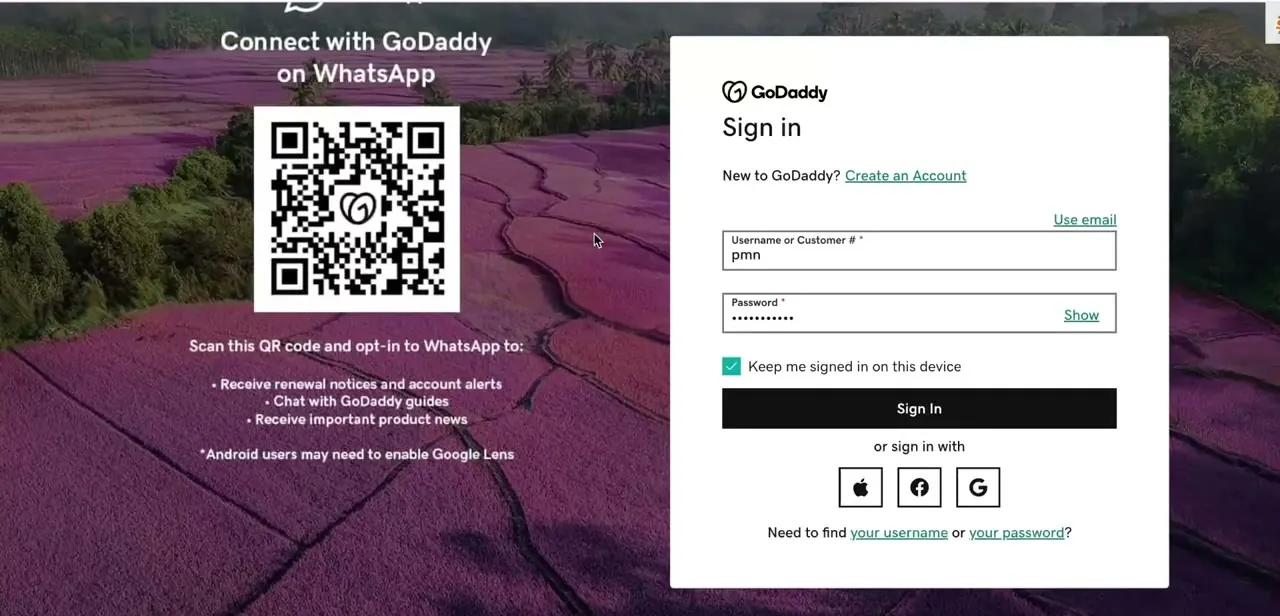
01Sign in to your GoDaddy account
Start at GoDaddy's sign-in page and log in with your username or customer number and password, or use Apple, Facebook, or Google if you've linked one of those. New to GoDaddy?
Use "Create an Account" on the same screen instead; you need an account either way before a domain or email plan can attach to it. Leaving "Keep me signed in" checked saves a re-login next time you come back to finish setup.
02Search for and register your domain
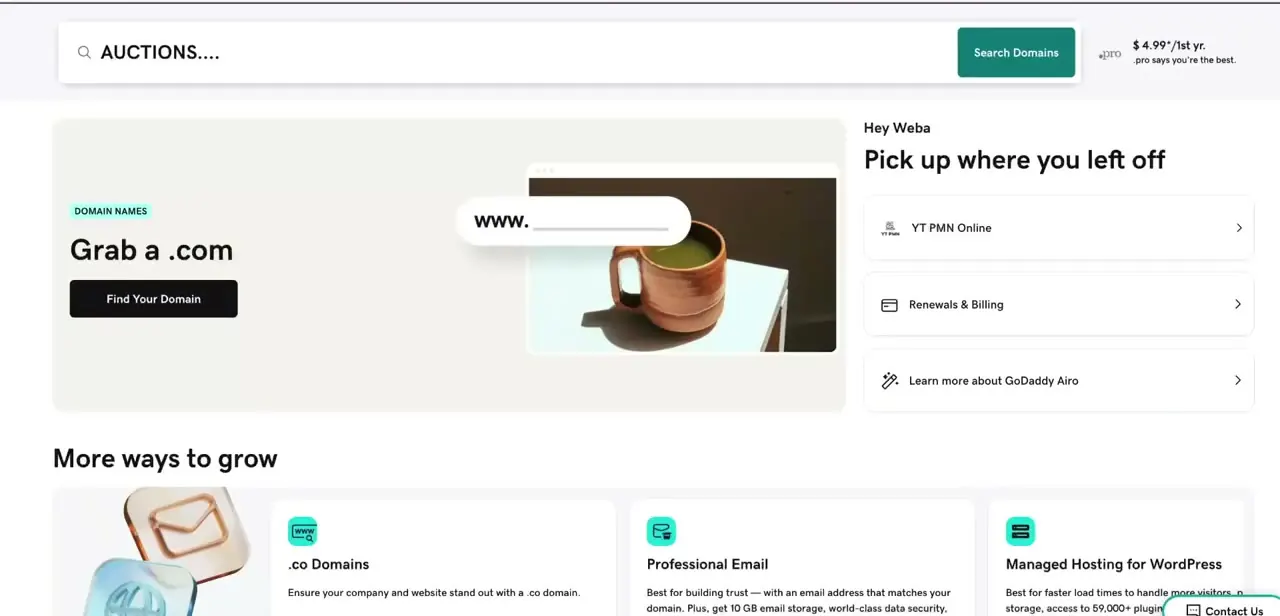
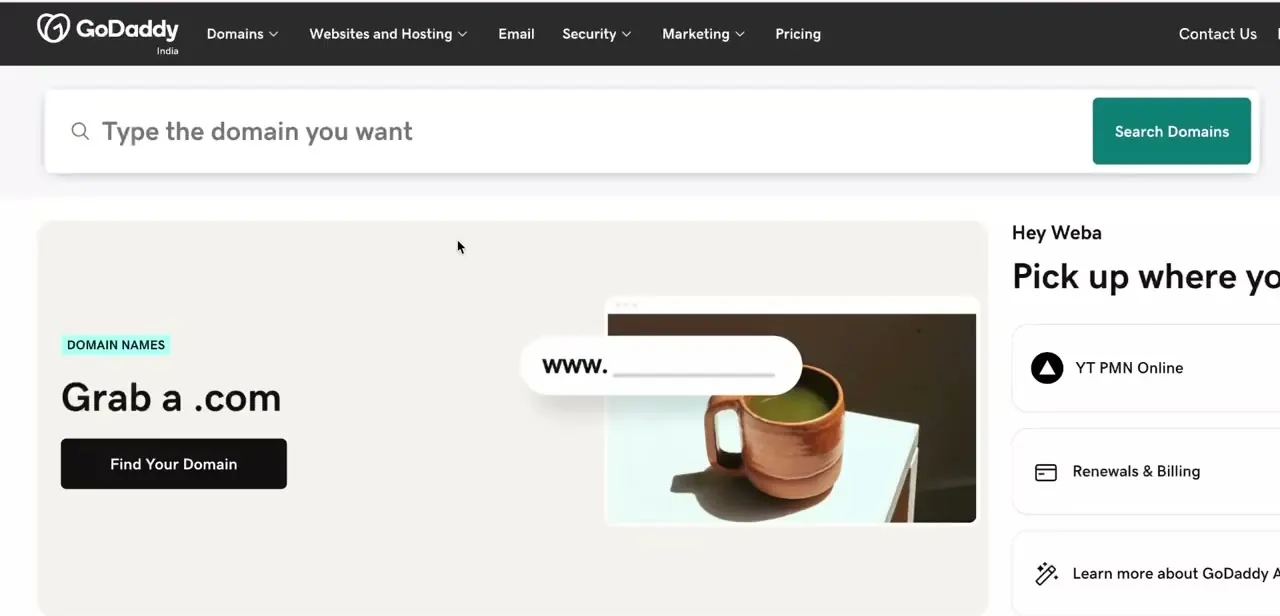
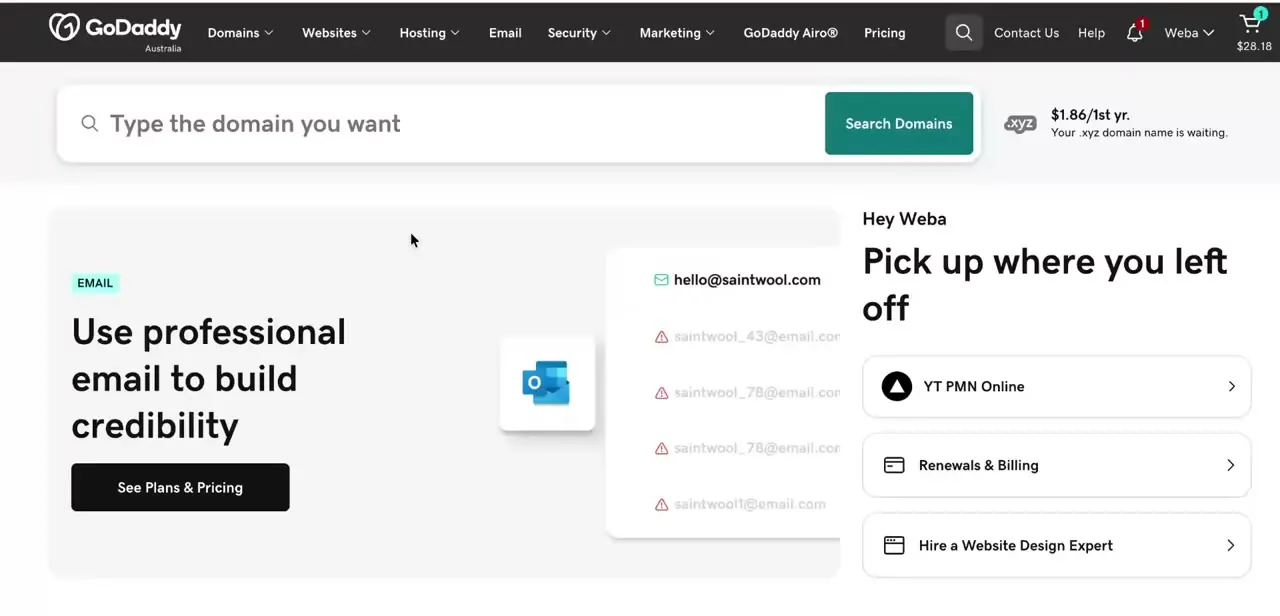
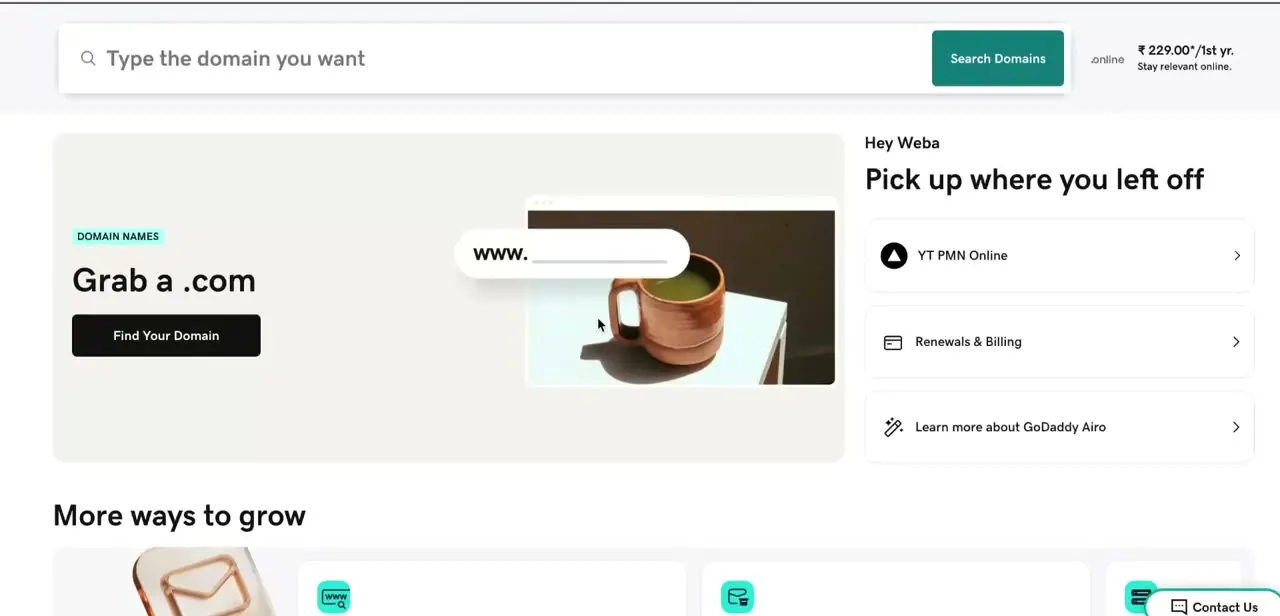
The account home screen puts a domain search bar front and center. Type the name you want and GoDaddy checks availability across extensions, starting with the promoted .com price shown right on the dashboard.
Add your chosen domain to the cart and register it before moving to the email plan. If you specifically want GoDaddy's official Starter/Essentials/Ecommerce bundle instead of the dashboard add-on this guide covers, that choice is offered at the point of registering a .com domain, not afterward, and it isn't available on other extensions.
03Add Professional Email and check the terms before checkout
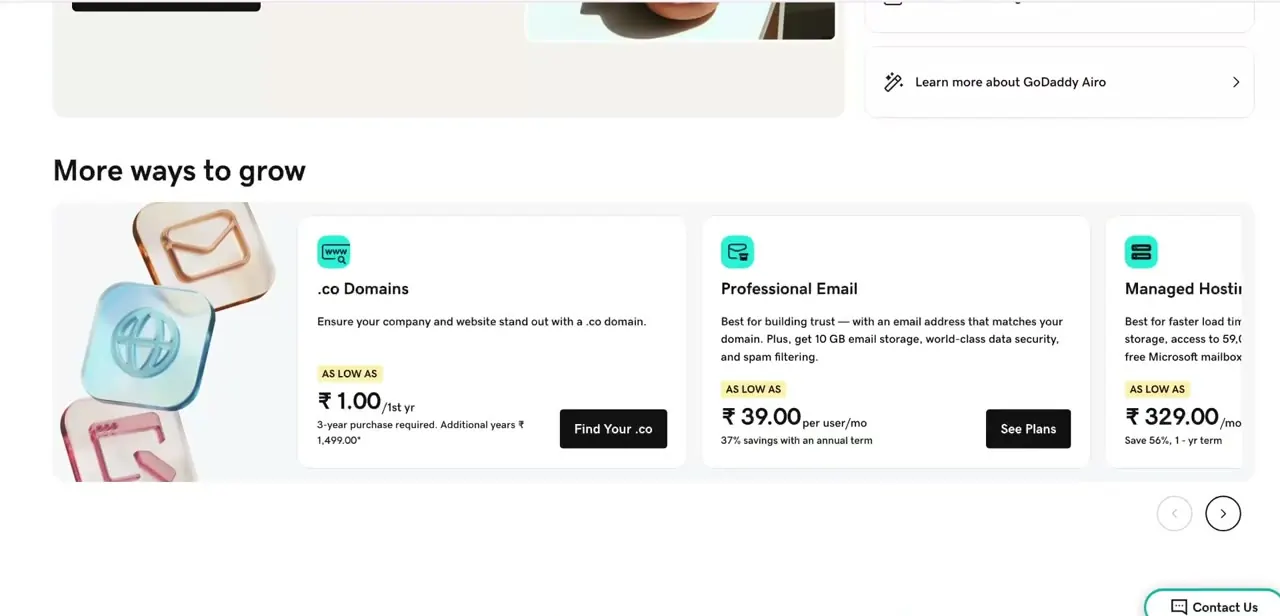
Scroll to "More ways to grow" on the same dashboard and Professional Email appears as its own card, separate from hosting or extra domain extensions. GoDaddy sells it in four tiers, Pro Light through Pro Plus, Premium, and Ultra, priced per mailbox per month with storage running from about 10 GB on Pro Light up to 100 GB on Ultra.
Pick the tier that matches your mailbox count and storage needs; you can add more mailboxes later from the same account. Before confirming, note that the price shown applies to the first one-year term only, for both the domain and the mailbox, and each renews at a higher standard rate after that. The domain and email plan also run on separate billing cycles when bought this way, so don't expect one combined renewal date.
04Activate and secure your new mailbox
After checkout, GoDaddy walks you through creating the address itself: the part before the @ sign, a password, and the domain it's tied to. Buying the plan does not create a working mailbox by itself; activation does. GoDaddy's setup guide also has you add a recovery email at this stage, worth doing immediately since it's what lets you reset the password if you ever lose access.
05Connect your inbox to webmail, Gmail, or Outlook
Once active, check mail through GoDaddy's own webmail, or connect the account to Gmail or Outlook using the IMAP details GoDaddy provides so you can read and send from an app you already use. Most people route GoDaddy mail into whatever inbox they already live in instead of remembering a second login.
When it doesn't work
The three-tier bundle option (Starter, Essentials, Ecommerce) never shows up
Why: GoDaddy's formally named domain bundles are only offered on .com domains, and only at the point of registering the domain.
Fix: Register a .com domain if you specifically want that bundle. On any other extension, add Professional Email as a standalone item the way this guide describes; the practical result (domain plus matching inbox) is the same.
The renewal price is noticeably higher than what was paid at signup
Why: The advertised price for both the domain and each Professional Email mailbox is a first-term promotional rate, not the ongoing rate.
Fix: Check the renewal price shown in the cart, or under Renewals & Billing in your account, before confirming the order.
Storage or price doesn't match a figure seen elsewhere
Why: Professional Email has four tiers with different storage (roughly 10 GB to 100 GB) and different per-mailbox pricing, and figures also vary by region and currency.
Fix: Confirm which tier is in the cart before assuming a discrepancy.
Frequently asked questions
Is "Email Starter Bundle" an official GoDaddy plan name?
Not exactly. GoDaddy's own bundle product is named Starter (alongside Essentials and Ecommerce tiers), bundles in Full Domain Protection and payment processing as well as email, and is limited to .com domains. Adding Professional Email to a domain purchase from the account dashboard, which this guide covers, reaches the same practical outcome on any domain extension.
How many email addresses come with Professional Email?
It's priced per mailbox per month across all four tiers, so you choose how many you need. Start with one and add more from your account as the team grows.
Can I connect my GoDaddy email to Gmail or Outlook?
Yes, using the IMAP details GoDaddy provides, in addition to its own webmail interface and mobile apps.
Do I need to already own a domain to add Professional Email?
No. The dashboard flow lets you search for and register a new domain and add the email plan in the same session.
What happens to the price after the first year?
Both the domain and the mailbox renew at GoDaddy's standard rate once the introductory one-year term ends. Check the renewal figure shown at checkout, not just the promotional headline price.
Sources and last check
Click path and screens come from a walkthrough recorded in July 2025. Plan names, storage tiers, and bundle terms were re-checked against GoDaddy's official help and pricing pages in September 2026. That check found that "Email Starter Bundle" is not itself a GoDaddy product name (GoDaddy's real bundle tiers are Starter, Essentials, and Ecommerce, restricted to .com domains), and this rewrite adds that distinction plus the current four Professional Email tiers, which the original version did not mention.
About the author

Impran M N
I've been hooked on technology for as long as I can remember — especially the new tools and AI apps that seem to land every other week. Easy Tech Tuts is where I write up whatever I've just worked out: I do the task in the real product, record the screen, and turn it into the guide I wish I'd found first.