Easy Tech Tuts
How much does Godaddy Seo Cost, is it worth, Pricing, Reviews for Website 2026
By Impran M NLast checked against official docs
GoDaddy doesn't sell SEO as a standalone product. It bundles basic SEO tooling into a paid site-builder plan, which makes the real cost harder to pin down than a single advertised price.
That's more true today than it used to be, because GoDaddy now runs two different site builders side by side, and which one your account shows you changes both the price and what "SEO included" actually means. This guide walks through where SEO features live in a GoDaddy account, what a paid tier adds over the free one on each builder, and what's still missing once you pay, so you can judge the value against your own budget instead of a marketing headline.
01Start from your GoDaddy dashboard
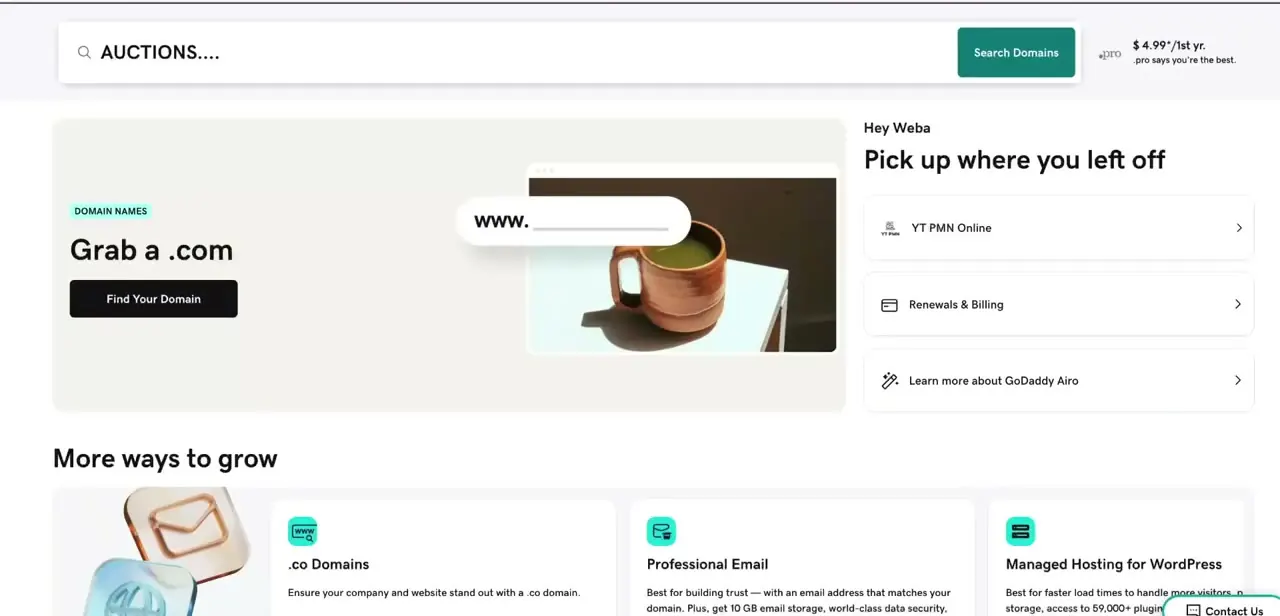
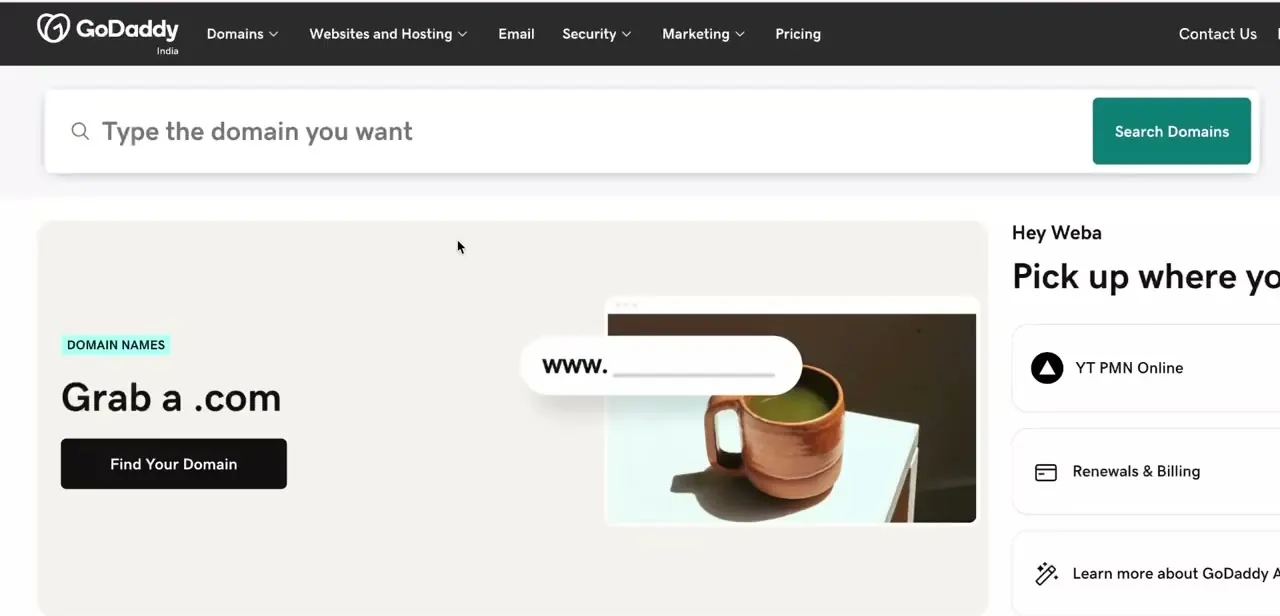
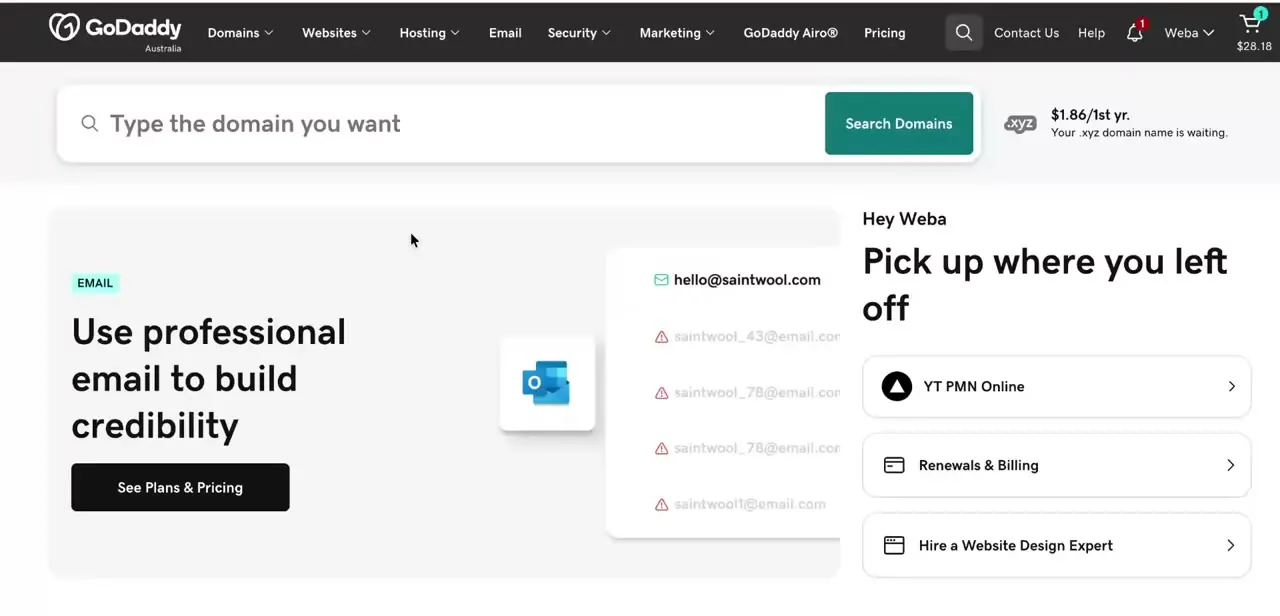
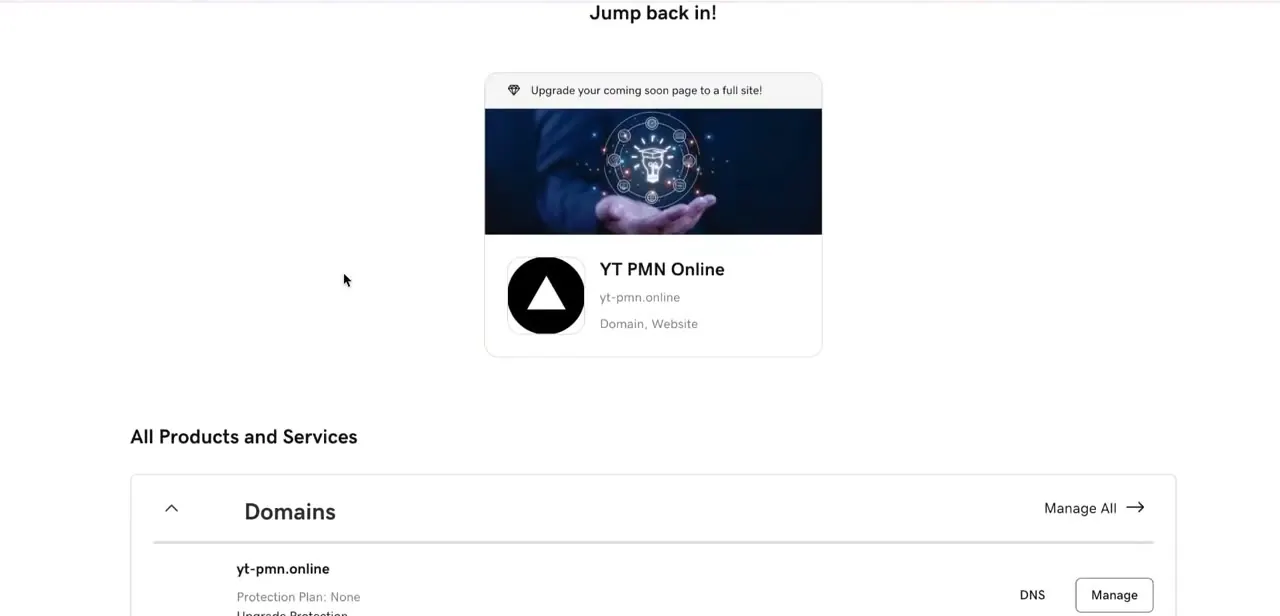
After logging in, the "Jump back in!" panel shows your active domain and website at a glance, with an "All Products and Services" list underneath covering domains, hosting, and anything else on the account. There's no dedicated "SEO" menu item anywhere in this list. Upgrade prompts tied to your specific site are the path that leads to an SEO-inclusive plan, not a settings page you'd find browsing the sidebar on its own.
02Find the Website Builder upgrade card, and notice the second link next to it
Scroll to "More ways to grow" and you'll find a card for GoDaddy Website Builder, showing a starting price with a note about savings for paying annually. Next to it, the same panel also links out to "Learn more about GoDaddy Airo." That second link is the important part: GoDaddy currently sells two different builders under similar branding, and the one your account steers you toward changes both the price and what its SEO tooling covers.
The card described in the next two steps is the classic Website Builder, with its long-standing Free and Basic tiers. Airo, GoDaddy's newer AI-driven builder, is covered separately near the end of this guide, since its plans don't map onto that structure at all.

03See what the classic Basic plan promises for SEO
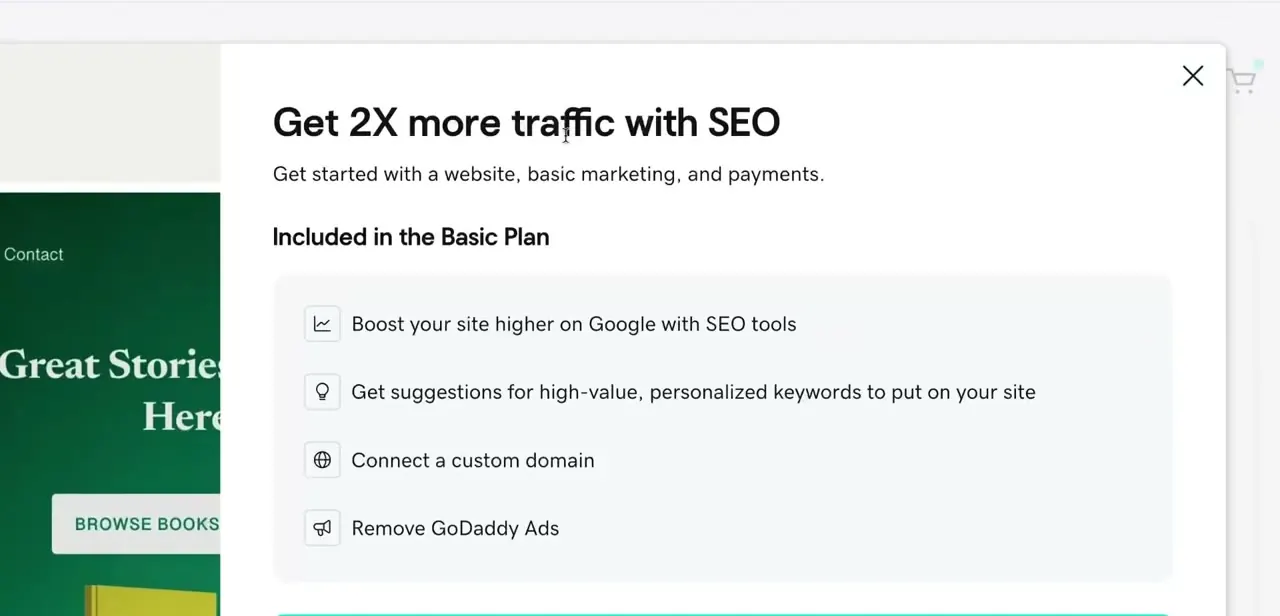
Clicking into the upgrade prompt opens a "Get 2X more traffic with SEO" panel listing what the paid Basic plan includes: tools to help the site rank higher on Google, suggestions for high-value keywords personalized to the site, a custom domain connection, and removal of GoDaddy's own ads from the free site. None of this is a person doing manual SEO work. It's automated suggestions and on-page tooling, which matters if you're expecting agency-level service from a website-builder add-on.
04Compare the Free and Basic plans side by side
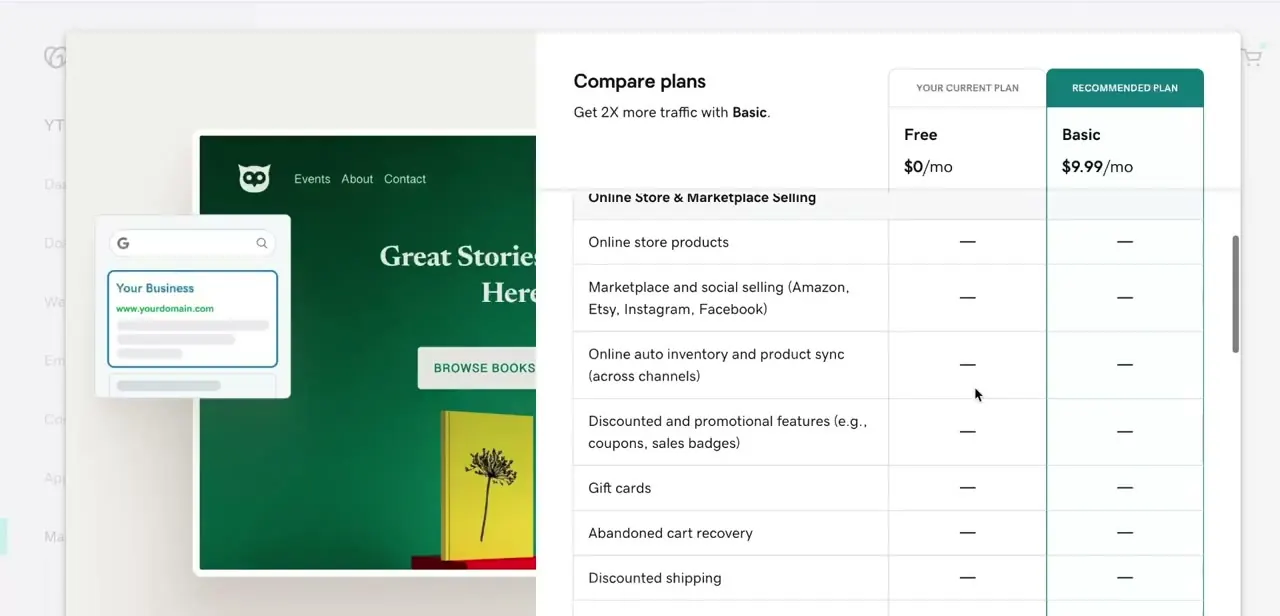
GoDaddy's own Compare plans screen lines up the Free tier at $0/mo against Basic at $9.99/mo. Read the feature rows rather than assuming Basic unlocks everything: in the Online Store & Marketplace section, features like online store products, marketplace selling on Amazon or Etsy, gift cards, and abandoned cart recovery all show as unavailable on both Free and Basic.
Those sit behind GoDaddy's higher commerce tiers. Basic buys SEO tooling and a custom domain, not store functionality, so upgrading for SEO alone won't add checkout features.
05Know that GoDaddy also sells a separate AI builder with SEO built in
As of September 2026, GoDaddy's main website-builder marketing page no longer leads with the Free/Basic structure above. It leads with Airo AI Builder, a prompt-based site builder priced on a credit system: a free tier with 50 AI credits a month, then Starter, Professional, and Ultimate paid tiers, each adding more monthly credits and more sites you can publish.
Checked live in a browser that day, the paid tiers were listed at ₹699, ₹1,699, and ₹6,499 per month on annual billing; treat those as a shape rather than your number, since GoDaddy localizes pricing by region, the same caveat that applies to the classic plan above. Every paid Airo tier lists "Built-in SEO and AEO to show up in Google and AI responses" under its Marketing features, so on Airo, SEO tooling isn't a separate upsell the way it is on the classic builder.
It's simply part of whichever paid tier you pick. Unlike the classic Basic plan, each paid Airo tier also lists the ability to sell products and accept payments, so the commerce gap noted in the step above doesn't carry over to Airo's paid tiers. If your account still shows the Free/Basic card from the earlier steps, you're looking at the older product; if it points you toward Airo, budget by credits and publish limits instead of the classic feature list.
06Weigh what either plan is actually paying for
At roughly ten dollars a month, on whichever builder you land on, GoDaddy's SEO tooling is cheap next to a dedicated SEO platform or freelance help. It's also shallow by comparison: automated keyword suggestions and on-page guidance, not backlink building, technical audits, or content strategy.
For a new site that just needs its metadata and structure in reasonable shape, that's a fair trade. For an established site chasing real movement against competitors, neither plan gets you there alone, and nothing about upgrading locks you in — both builders let you downgrade or cancel if the SEO tooling stops paying for itself.
| Plan | Price (annual billing, as displayed) | AI credits/mo | Sites you can publish |
|---|---|---|---|
| Free | ₹0 | 50 | Build only; account dashboard didn't list a publish limit for this tier |
| Starter | ₹699/mo | 150 | 1 |
| Professional | ₹1,699/mo | 300 | 10 |
| Ultimate | ₹6,499/mo | 750 | 50 |
GoDaddy localizes pricing by region, so a US or other account will show a different currency and number for the same tier. Every paid tier bundles SEO and AEO tooling plus the ability to sell products, unlike the classic Basic plan.
Frequently asked questions
Is GoDaddy's built-in SEO worth it for a small business?
It's a reasonable, low-cost starting point for a new or small site, on either builder, but it stays shallow compared to dedicated SEO tools once the site is established and needs to compete for harder keywords.
Which GoDaddy plan actually includes SEO tools?
On the classic Website Builder, Basic and above; the Free tier doesn't include it. On Airo AI Builder, every paid tier (Starter, Professional, Ultimate) lists SEO and AEO tooling as included.
What's the difference between GoDaddy's two website builders?
The classic Website Builder uses a fixed Free/Basic-style plan structure. Airo AI Builder is a newer, prompt-based builder priced on monthly AI credits across Free, Starter, Professional, and Ultimate tiers. Both bundle basic SEO into their paid tiers, but the plan names, prices, and what else is included differ.
Does GoDaddy SEO guarantee better rankings?
No SEO service, including GoDaddy's, can guarantee specific rankings, since search results depend on many factors beyond any one tool's suggestions.
Does upgrading for SEO also unlock online store features?
Not on the classic Website Builder: GoDaddy's own plan comparison shows online store products, marketplace selling, gift cards, and abandoned cart recovery unavailable on both Free and Basic. Airo works differently — every paid Airo tier lists selling products and accepting payments as included alongside its SEO tooling.
Sources and last check
Click path and screenshots for the Free/Basic comparison come from a recording of GoDaddy's classic Website Builder dashboard. Re-checked live against godaddy.com in September 2026: GoDaddy's website-builder marketing page now leads with a separate product, Airo AI Builder, priced on AI credits across Free, Starter, Professional, and Ultimate tiers, each bundling SEO and AEO into its Marketing features. This guide was rewritten to cover both builders, since a reader's own account may surface either one depending on when they signed up.
About the author

Impran M N
I've been hooked on technology for as long as I can remember — especially the new tools and AI apps that seem to land every other week. Easy Tech Tuts is where I write up whatever I've just worked out: I do the task in the real product, record the screen, and turn it into the guide I wish I'd found first.